NXP has released an update of the Eclipse based V11 IDE. This is right on time for the new semester starting mid of September where this IDE will be used in several labs.

MCUXpresso IDE V11.0.1

NXP has released an update of the Eclipse based V11 IDE. This is right on time for the new semester starting mid of September where this IDE will be used in several labs.
MCUXpresso IDE V11.0.1
The Espressif ESP32 devices are getting everywhere: they are inexpensive, readily available and Espressif IDF environment and build system actually is pretty good and working well for me including Eclipse (see “Building and Flashing ESP32 Applications with Eclipse“). The default way to program an ESP32 is to a) enter UART bootloader by pressing some push buttons and b) flash the application with ESP-IDF using a USB cable.
That works fine if the ESP32 is directly connected to the host PC. But in my case it is is behind an NXP Kinetis K22FX512 ARM Cortex-M4F microcontroller and not directly accessible by the host PC. So I had to find a way how to allow boot loading the ESP32 through the ARM Cortex-M which is the topic of this article.

TTGO ESP32 MICRO-D4 Module
This project is about building a stepper motor clock around the NXP LPC845-BRK board. The design is using a combination of 3D printed and laser cut parts and costs below $15.

Stepper Clock Acrylic Face White Hands
The new semester is approaching in a very fast way, and so is the new lecture and lab module ‘Advanced Distributed Systems’ at the Lucerne University. For that module we are going to build a new ‘Sumo’ style robot with WLAN capabilities using the ESP32 chip. It will be a new robot PCB, and below is the current robot (based on NXP K22FX512) with the WLAN module connected to it:

Zumo connected to TTGO ESP32 module
It is great if vendors provide a starting point for my own projects. A working ‘blinky’ is always a great starter. Convenience always has a price, and with a ‘blinky’ it is that the code size for just ‘toggling a GPIO pin’ is exaggerated. For a device with a tiny amount of RAM and FLASH this can be concerning: will my application ever fit to that device if a ‘blinky’ takes that much? Don’t worry: a blinky (or any other project) can be easily trimmed down.

Binky on NXP LPC845-BRK Board
I use a ‘blinky’ project here just as an example: the trimming tips can apply to any other kind of projects too.
The Seeed Studio ‘Arch Mix’ board is a small and versatile development board with an NXP i.MX RT1052 on it, and it costs only $29.90. So I was not able to resist and just have ordered one so I can explore it.

Seeed Arch Mix Top Side
The ‘Black Magic Probe’ (or in short: BMP) is a very small and open source JTAG/SWD debug probe with a build-in GDB Server. I saw that probe referenced in different places, so I thought I try it out with a few of my NXP LPC and Kinetis boards:

BMP with LPC and Kinetis Boards
A few days ago NXP has released a new version of their Eclipse IDE flagship: the MCUXpresso IDE v11.0.
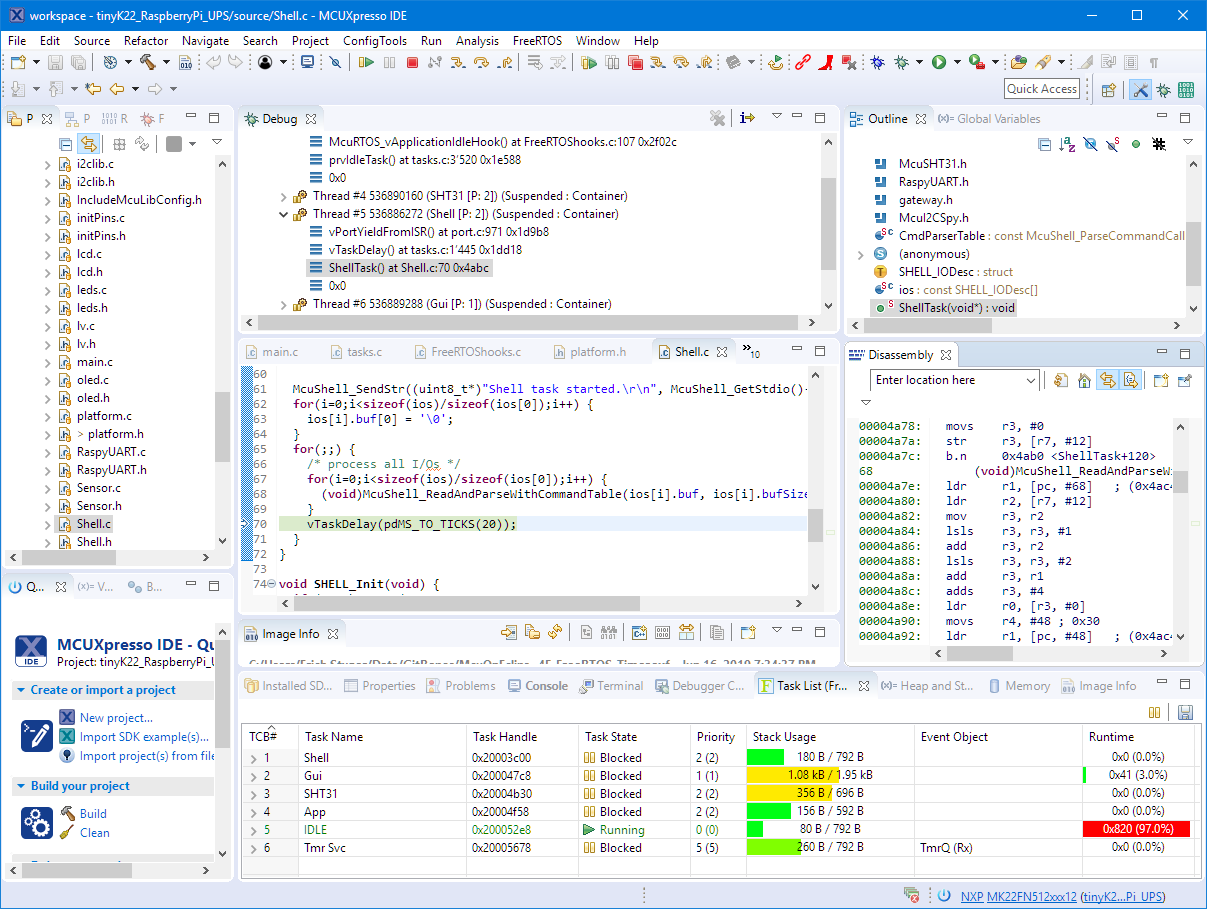
NXP MCUXpresso IDE V11.0.0
The previous v10.3.1 was released back in Feb 2019, and the 11.0 now in June this year matches up with the Fall university semester. I appreciate that the releases are about every 6 months, so this gives me time to use it in my university lecture material and lab work. I had the weekend for trying it out, and I’m very pleased.
With the cost of an single pin, many ARM Cortex-M boards including the NXP i.MX RT1064 can produde SWO data: think about a pin able to stream data out of the chip in realtime. For example interrupt activity which otherwise might be hard to capture:

SWO Interrupt Trace
The ‘Internet of Things’ is coming! It started as an overused marketing hype with no real use case (who needs internet connected fridges? Who wants the internet connected toilet paper?).
New ‘things’ start to pop up, useful or not: From smart bulbs (Philips Hue), thermostats (Nest), smart TV (Samsung and others) up to voice assistants (Alexa, Cortana, Google). You might even have installed one of these, right? What about temperature and humidity sensors? Probably there is nothing wrong with that?
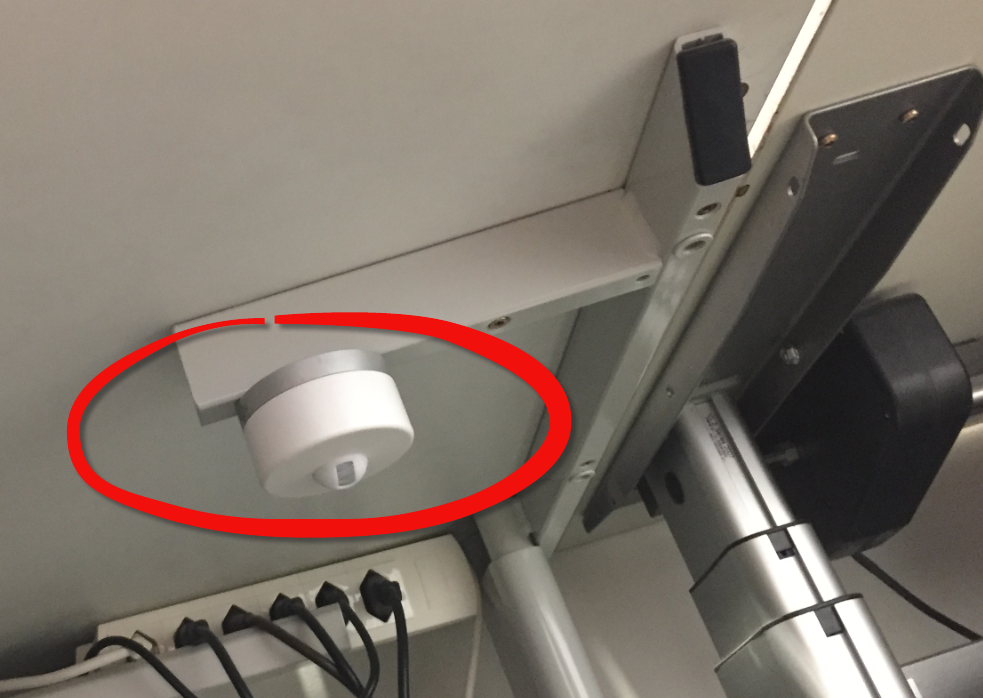
But what would you think if one morning you find a strange unknown device installed under your working desk, connected to the cloud and internet?
 MCU on Eclipse