
NXP has released a new LinkServer v26.9.130. And it comes with a major new feature: it now includes power and energy measurement:
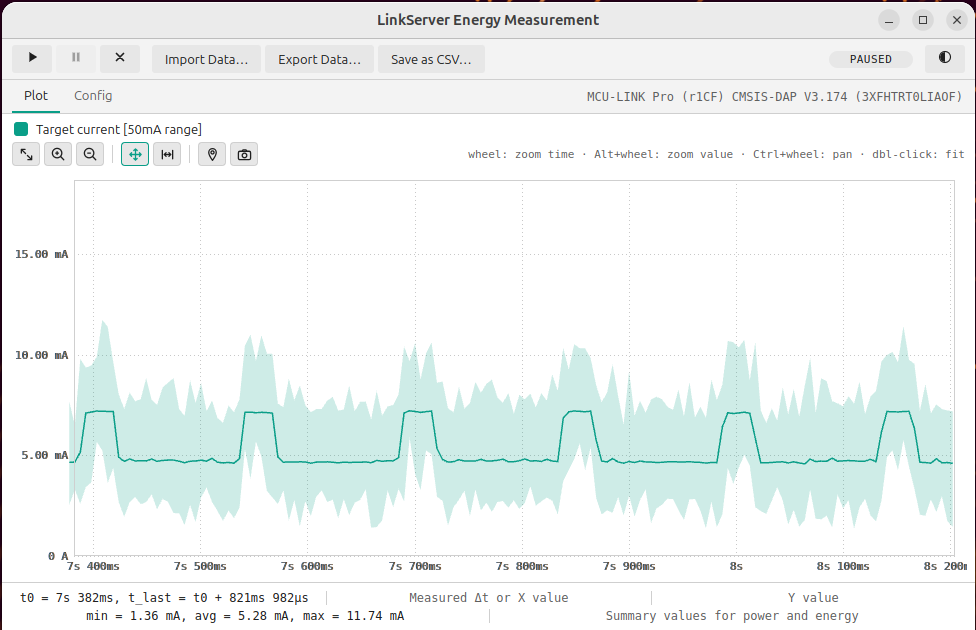
Additionally, it has a command line interface for this, making it ideal for AI agent usage or for automated tests in a CI/CD environment.
Outline
The NXP MCU-Link Pro debug probe includes a circuit to measure voltage and current. This makes it an ideal cost effective debug *and* power measurement probe.
Below is how I use the MCU-Link Pro (left) to measure the current and power of the LPC845-BRK (right):
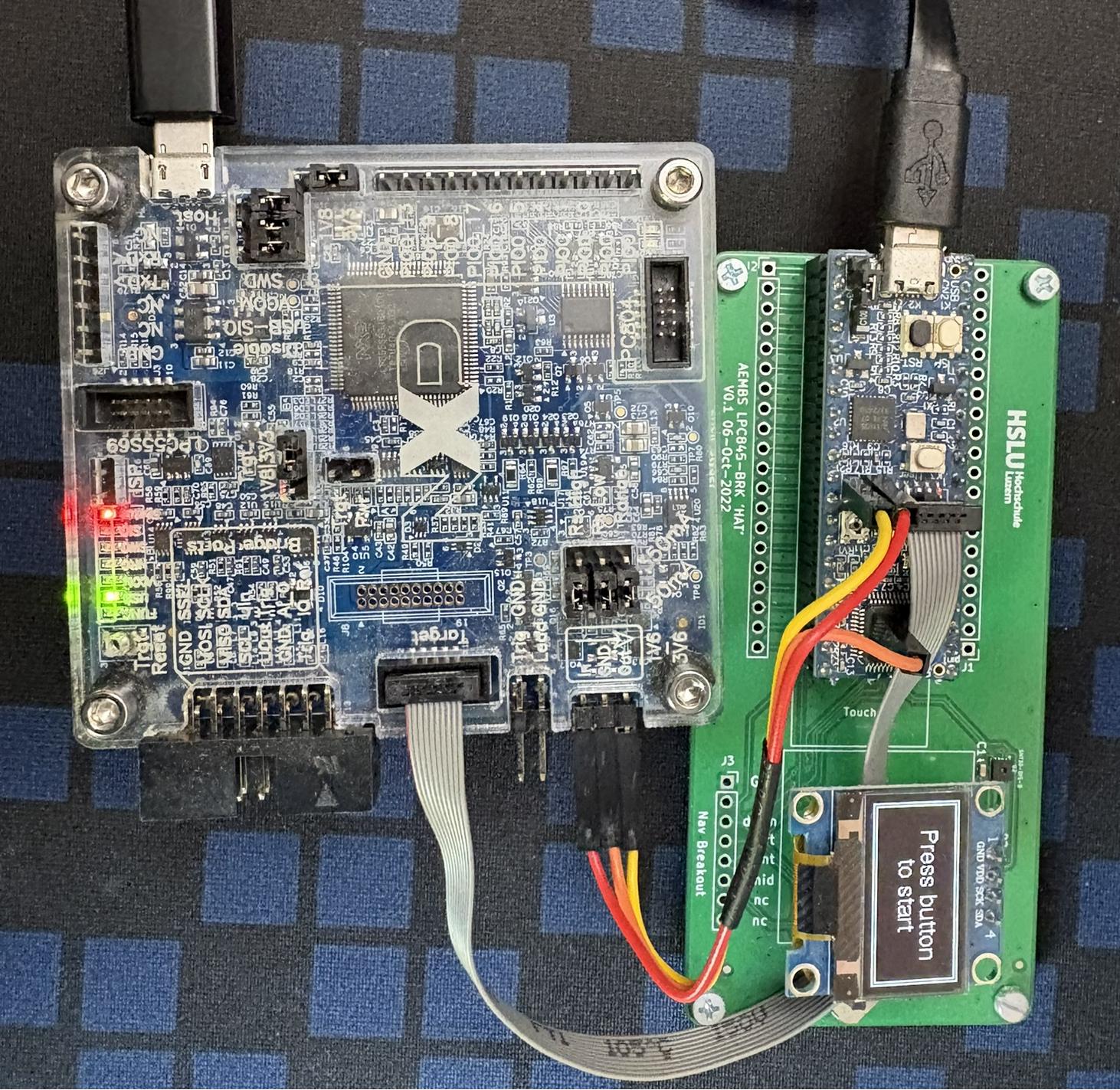
I wrote about this here: New “MCU-Link Pro”: Debug Probe with Energy Measurement. To record and view the measurements, I had to use the MCUXpresso (Eclipse-based) IDE.
LinkServer includes that feature in a standalone way: no IDE is needed. It has a command-line interface plus its own standalone GUI for all the measurements.
‘Measure’ Command
The LinkServer has now a new command ‘measure’. To get a description:
LinkServer measure -h
gives
Usage: LinkServer measure [OPTIONS] COMMAND [ARGS]...

  Measure target current/voltage/power/energy using an MCU-Link probe.

COMMAND:
  report  Energy Measurement CLI mode reporting.
  gui     Energy Measurement interactive GUI mode.
  server  Energy Measurement server (no window) mode.

ARGS for a specific command are shown when using --help with the respective
subcommand

OPTIONS:
  -h, --help  Show this message and exit.
Report
With ‘LinkServer measure report’ I have a command line interface to do a measurement and report it on the console.
For example I can measure the current for a duration of 6 seconds and output the values every 1.5 seconds:
LinkServer measure report -s current -t 6.0 -v auto -i 1.5
This gives a nice table view:
INFO: Selected probe #1 3XFHTRT0LIAOF (MCU-LINK Pro (r1CF) CMSIS-DAP V3.174)
Measuring Target current [50mA range] (@ 50000 samples/s) for 6s with periodic report each 1.5s.
Target voltage (auto-read): 3.31 V
[ 0.000.. 1.500s]: 4.74 mA, 15.68 mW | Total: min = 35.19 µA, avg = 4.74 mA, max = 17.68 mA, P = 15.68 mW, E = 6.53 µWh
[ 1.500.. 3.000s]: 4.67 mA, 15.45 mW | Total: min = 35.19 µA, avg = 4.71 mA, max = 17.68 mA, P = 15.57 mW, E = 12.97 µWh
[ 3.000.. 4.500s]: 4.67 mA, 15.45 mW | Total: min = 35.19 µA, avg = 4.70 mA, max = 17.68 mA, P = 15.53 mW, E = 19.41 µWh
[ 4.500.. 6.000s]: 4.67 mA, 15.45 mW | Total: min = 35.19 µA, avg = 4.69 mA, max = 17.68 mA, P = 15.51 mW, E = 25.85 µWh
[ 6.000.. 7.500s]: 4.66 mA, 15.40 mW | Total: min = 35.19 µA, avg = 4.69 mA, max = 18.17 mA, P = 15.50 mW, E = 27.60 µWh
Target current [50mA range] duration: 6.411 s (320548 samples)
min = 35.19 µA, avg = 4.69 mA, max = 18.17 mA
min = 116.34 µW, avg = 15.50 mW, max = 60.09 mW (3.31 V)
E = 27.60 µWh
Without a duration (-t), it simply continues showing the measurement data.
The above is just a simple example: I can control what to measure (voltage, current, power, reference voltage or the analog input), change the sample rate, using filter settings, using triggers and many more.
Data Files
I can save data to csv/text and/or binary data files, or even both at the same time:
LinkServer measure report -s current -t 4 -v auto -i 2 --output-bin measurement.bin --output-csv test.csv
The data files are useful for post-processing or further analysis.
Automated Testing
For CI/CD or automated tests I can measure e.g. for 2 seconds:
LinkServer measure report -s current -v auto -t 2
and then check the output in the test script if it matches the expected power and energy consumption:
INFO: Selected probe #1 3XFHTRT0LIAOF (MCU-LINK Pro (r1CF) CMSIS-DAP V3.174)
Measuring Target current [50mA range] (@ 50000 samples/s) for 2s.
Target voltage (auto-read): 3.31 V
Target current [50mA range] duration: 2.408 s (120396 samples)
min = 32.13 µA, avg = 4.66 mA, max = 18.34 mA
min = 106.33 µW, avg = 15.41 mW, max = 60.70 mW (3.31 V)
E = 10.31 µWh
Standalone GUI
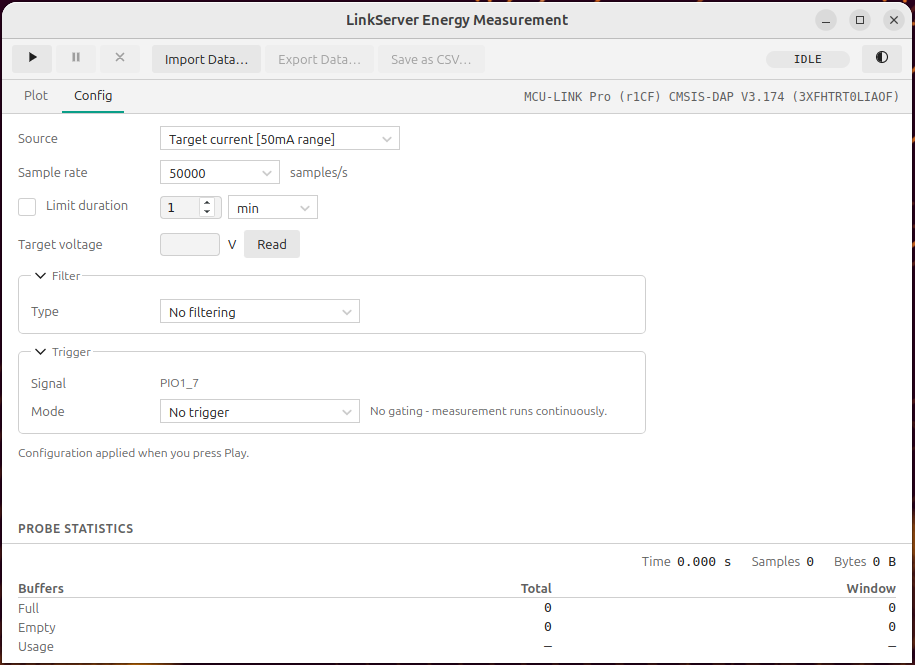
LinkServer includes its own GUI, so no external tool is required. I can start it with:
LinkServer measure gui
which gives shows the configuration view. similar to what exists in MCUXpresso IDE/Eclipse:
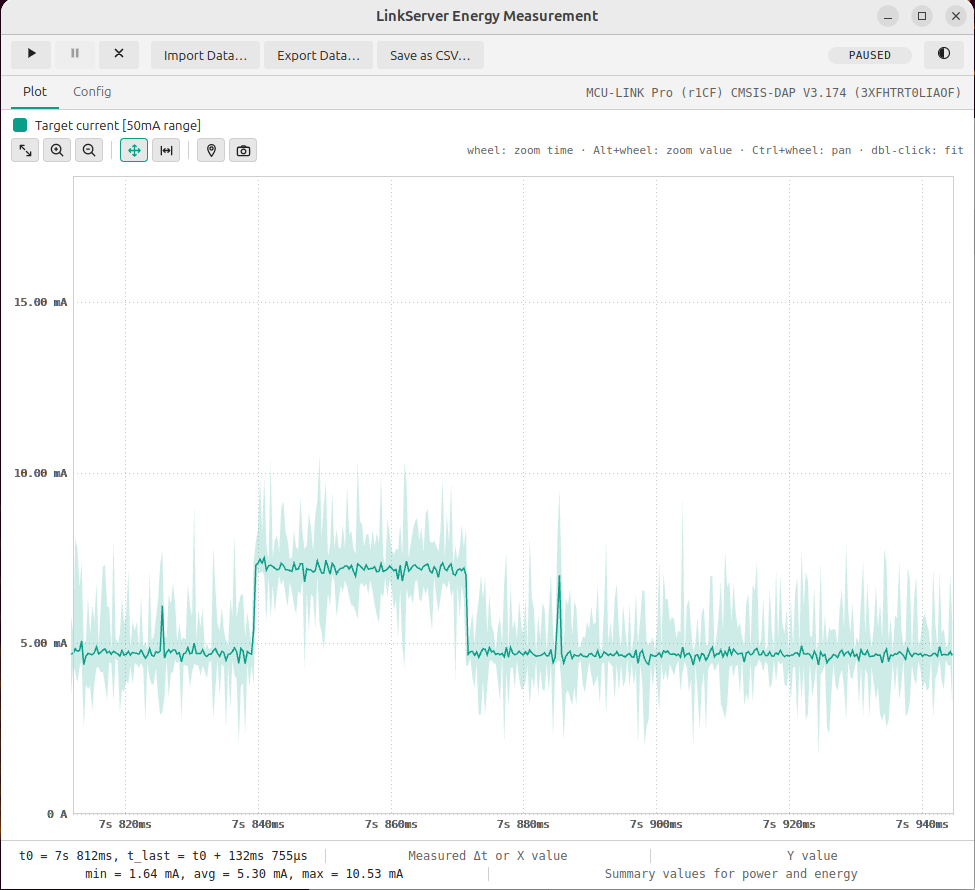
From here I can import or export data or have a live view of the power used of the target:
Server
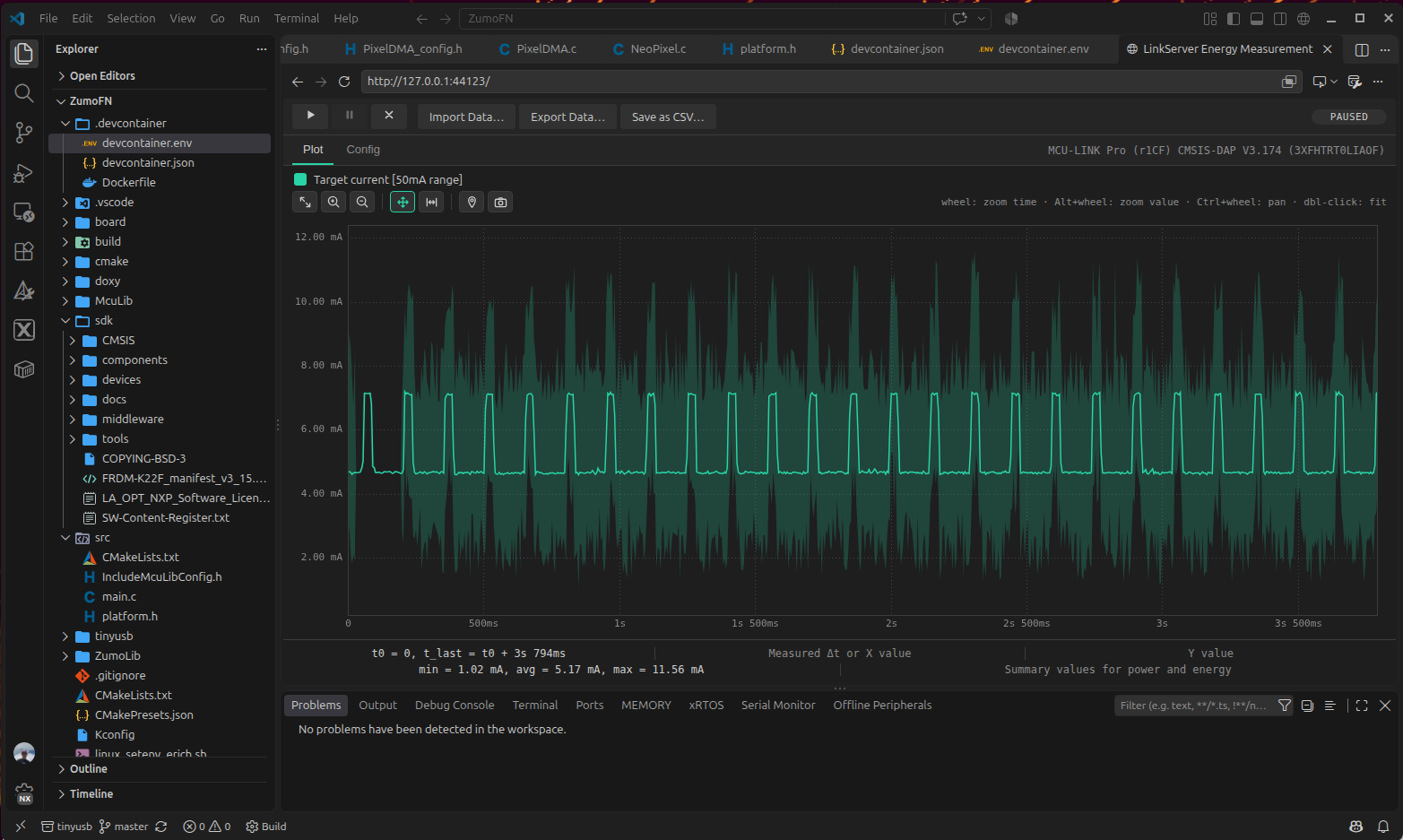
It even includes an HTML server. For this I start it in ‘server’ mode:
LinkServer measure server
and it reports this:
INFO: Selected probe #1 3XFHTRT0LIAOF (MCU-LINK Pro (r1CF) CMSIS-DAP V3.174)
INFO: Interactive measure server at http://127.0.0.1:44123/ — connect a browser (Ctrl-C to stop)
Now I can use it from a web browser or inside VS Code:
- Press
Ctrl+Shift+P - Type
Simple Browser: Show - Select Browser: Open Integrated Browser
- Enter URL shown above:
http://127.0.0.1:44123/ - Press Enter
Summary
With the new LinkServer software, I have now both a command line and a GUI to perform power and energy measurements.
With the command line I have detailed control about the measurement. I can show the data on the console, store it to files or use the output or data for automated tests.
With the GUI integrated I do not need MCUXpresso any more: I can use the standalone GUI to record and analyze data. And I even can use a web browser or VS Code with it.
Happy measuring 🙂
Links
- LinkServer web page: https://www.nxp.com/design/design-center/software/development-software/mcuxpresso-software-and-tools-/linkserver-for-microcontrollers:LINKSERVER
- Visualize Embedded Power Data in VS Code
- New “MCU-Link Pro”: Debug Probe with Energy Measurement
- MCU-Link Pro: https://www.nxp.com/design/design-center/software/software-library/mcu-link-pro-debug-probe:MCU-LINK-PRO

