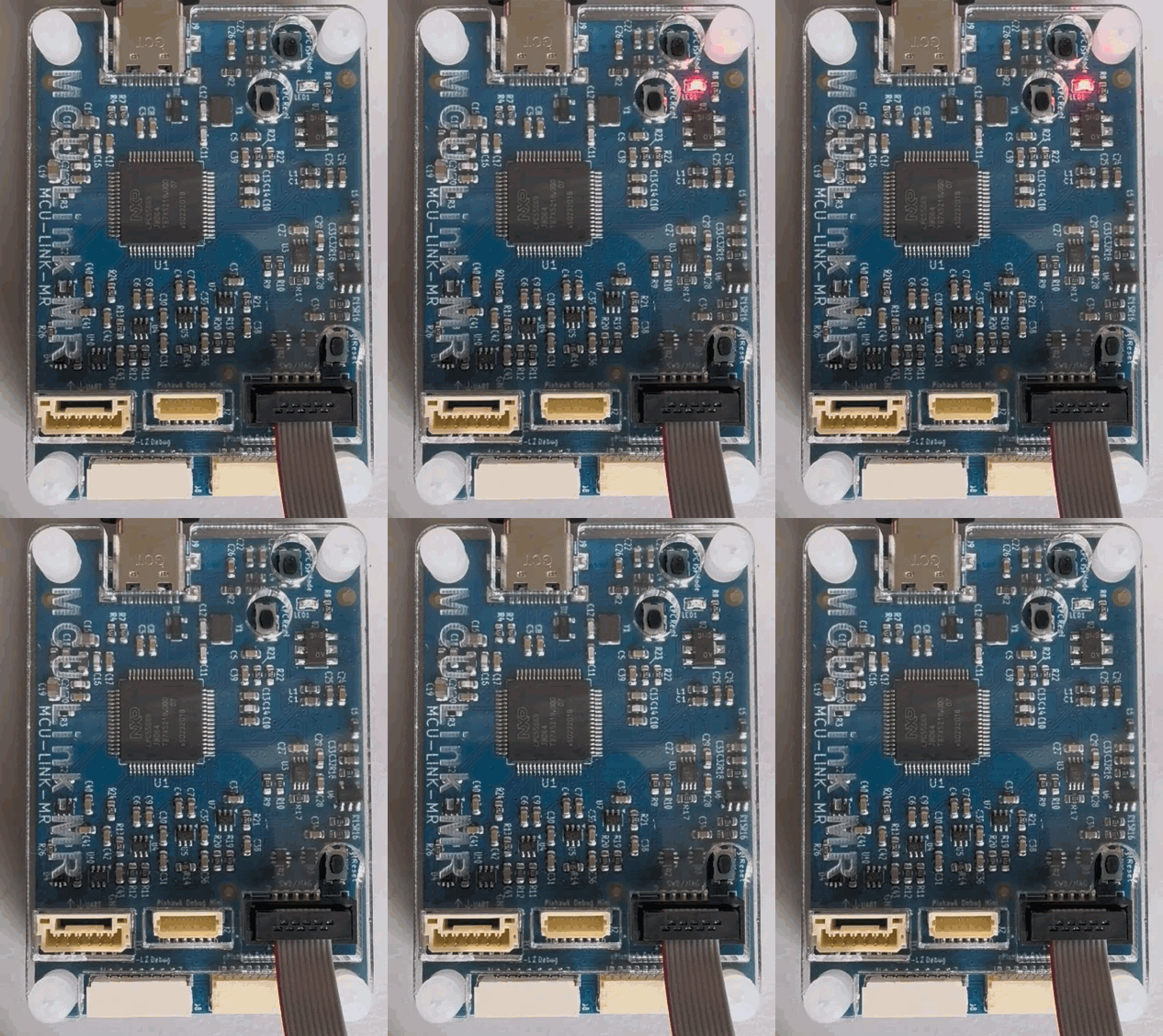
The latest NXP MCUXpresso VS Code extension and LinkServer software included a small but very helpful feature for me: the ability to identify a connected probe with a blinky:
Outline
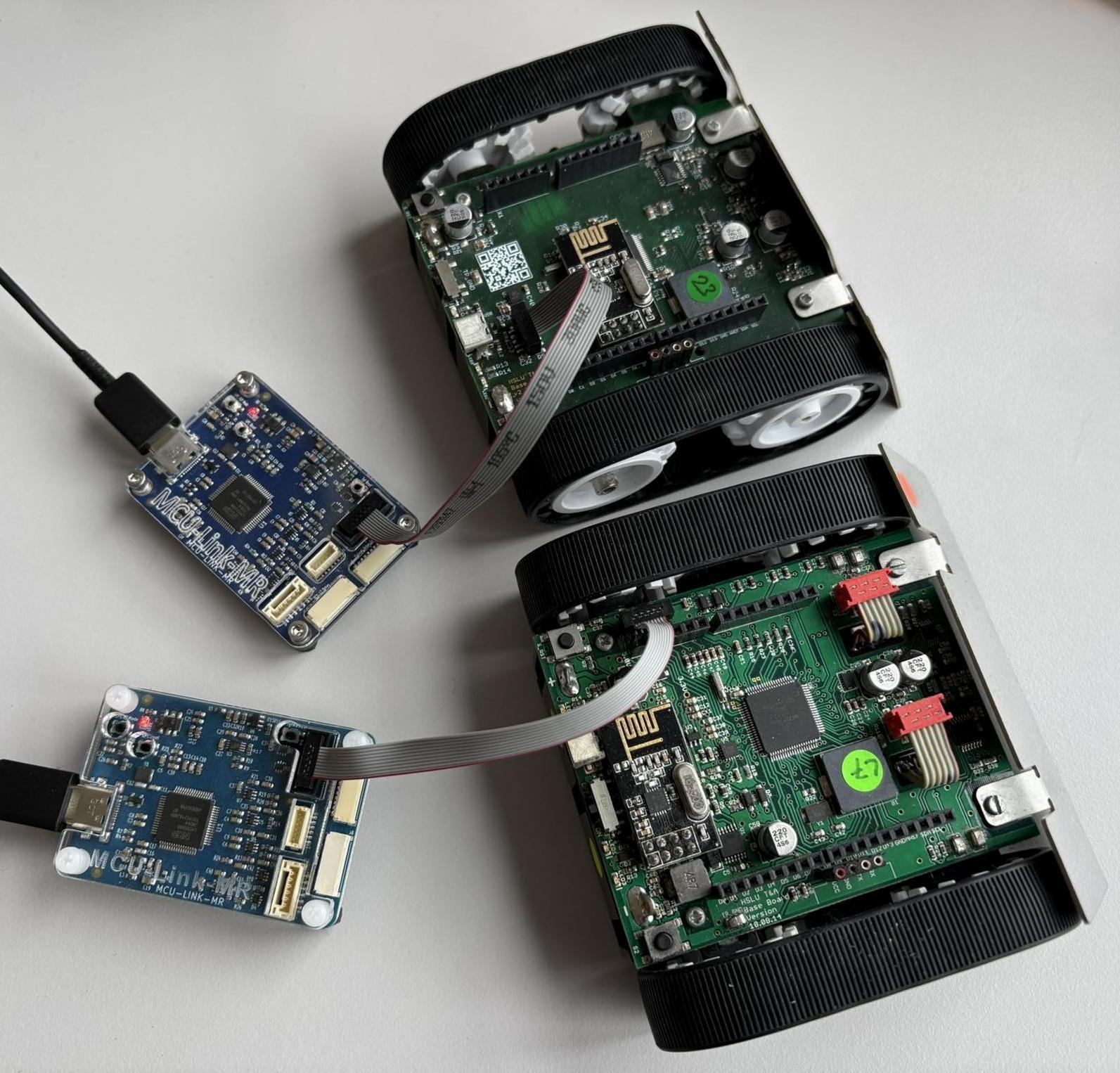
Debugging multiple boards and projects at the same time can be tricky. So far I used the probe serial number or ID to identify which probe is connected to which board. With identical debug probes and a crowded desk this can be challenging.
Command Line
With the recent NXP LinkServer v26.9.130 release, it has added a feature to identify a connected debug probe:
$ LinkServer probe -h
gives
Probe command for PROBE_ID serial/index. If it starts with # then it is interpreted as a probe index, otherwise it is interpreted as a probe serial substring. Index '#0' can be used if the command does not require to select the probe. Note: if the terminal/shell interprets # as a beginning of a comment, put the probe index under quotes. Example:probe '#1' update. COMMAND: dapinfo Show CMSIS-DAP probe information for the selected probe. identify Flashes the status LED of the selected MCU-Link probe... runscript Loads and runs a LinkServer scp (BASIC-like) script... update MCU-Link firmware update MODE for the selected probe... wirebootconfig Controls target boot configuration by driving the... wiretimedreset Asserts (Low) reset signal forMSmilliseconds and...
Example usage:
$ LinkServer probe '#1' identify
INFO: Selected probe #1 GNENQG0AQTDWK (MCU-LINK (r0FB) CMSIS-DAP V3.174)
INFO: Probe identify triggered for the selected probe ([GNENQG0AQTDWK] [MCU-LINK (r0FB) CMSIS-DAP V3.174])
To use it, I have to update the probe firmware at least to v3.174, otherwise I will get an error message:
Probe identify is not supported for the selected probe ([GNENQG0AQTDWK] [MCU-LINK (r0FF) CMSIS-DAP V3.156]). It requires an MCU-Link probe running firmware V3.174 or newer.
VS Code
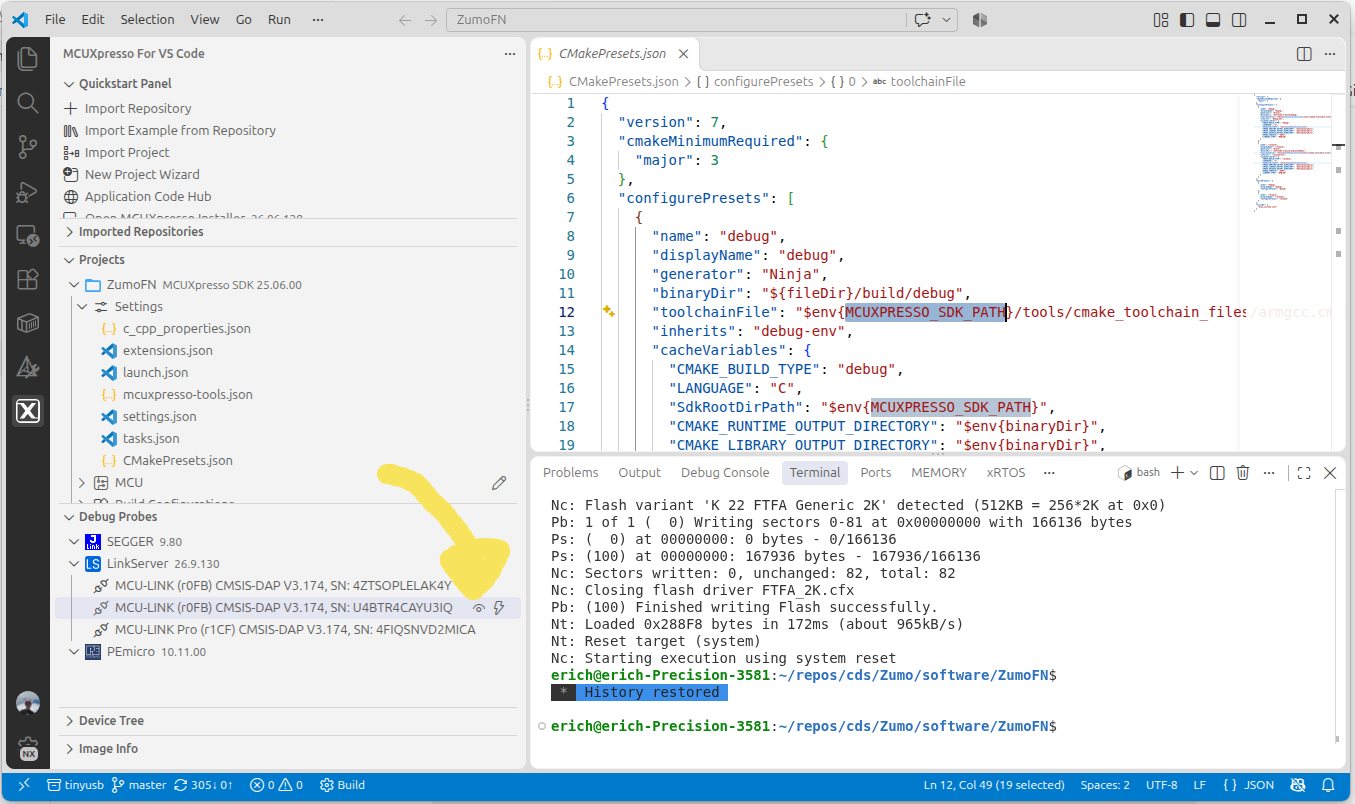
The identify feature can be used with the NXP MCUXpresso for VS Code extension v26.9.44 or later. In the list of debug probes, there is a new icon using the ‘identify’ command:
Summary
The ‘identify’ feature is small but very useful for me, especially since I often have multiple debug probes attached to my machine and work with multiple projects at the same time. It even helps me find things on my crowded desk too :-).
Happy probing 🙂
Links
- LinkServer Software: https://www.nxp.com/design/design-center/software/development-software/mcuxpresso-software-and-tools-/linkserver-for-microcontrollers:LINKSERVER
- MCUXpresso for VS Code: https://www.nxp.com/design/design-center/software/development-software/mcuxpresso-software-and-tools-/mcuxpresso-for-visual-studio-code:MCUXPRESSO-VSC
- Updating probe firmware: Updating MCU-Link CMSIS-DAP Debug Probe Firmware, Jumper-less

