The latest NXP MCUXpresso VS Code extension and LinkServer software included a small but very helpful feature for me: the ability to identify a connected probe with a blinky:
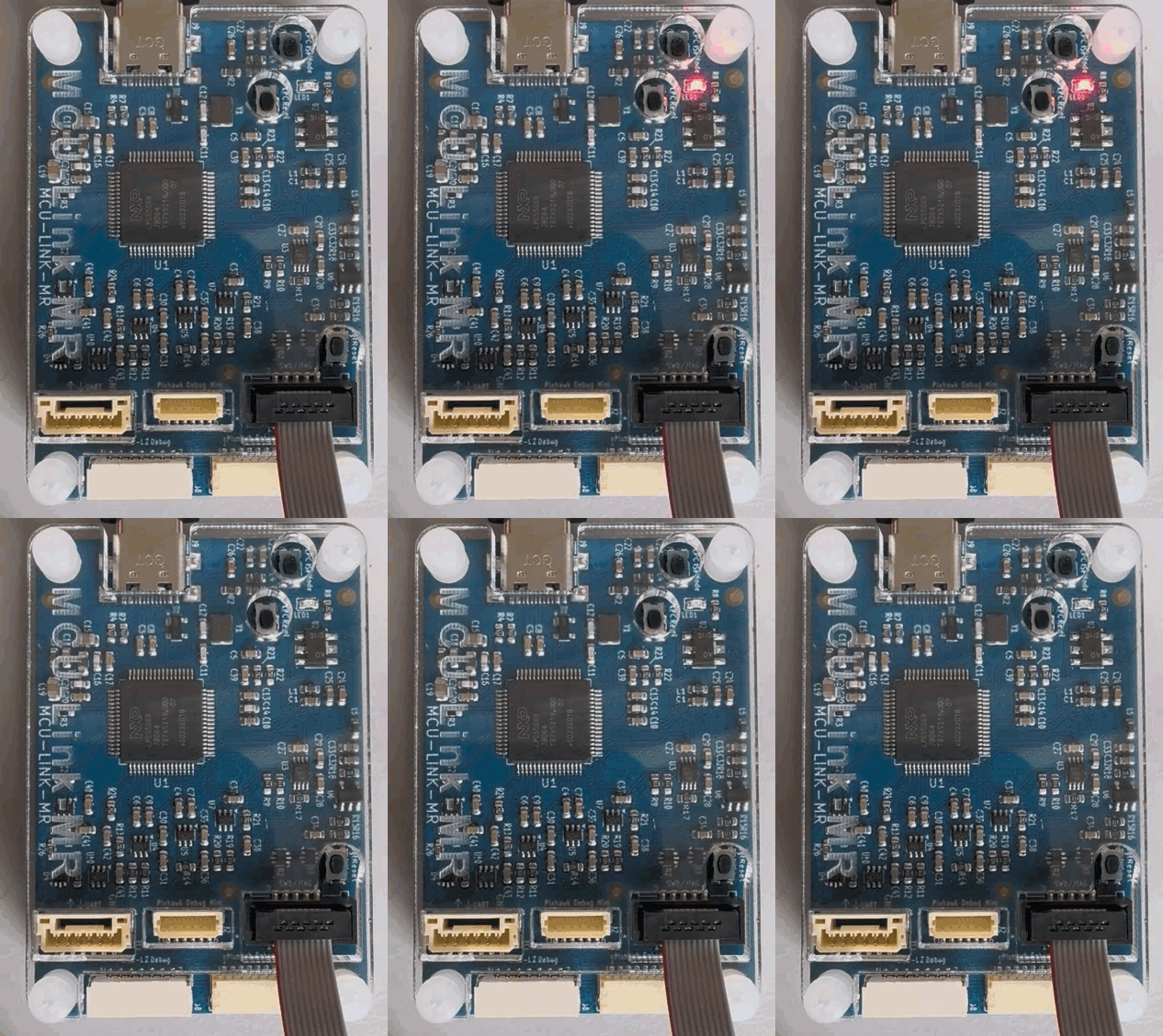
The latest NXP MCUXpresso VS Code extension and LinkServer software included a small but very helpful feature for me: the ability to identify a connected probe with a blinky:
NXP has released a new LinkServer v26.9.130. And it comes with a major new feature: it now includes power and energy measurement:
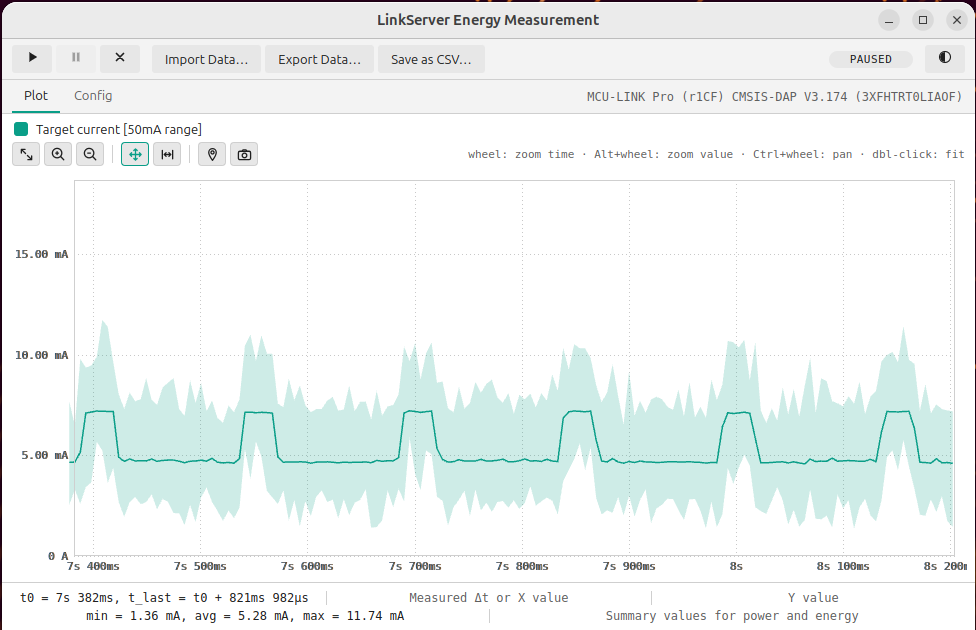
Additionally, it has a command line interface for this, making it ideal for AI agent usage or for automated tests in a CI/CD environment.
Continue readingSetting up the correct tools for a development environment can be complex and time consuming. I’m using DevContainers with Docker for almost all of my projects. Because that way I get an isolated development environment. For this I spend time to craft dedicated docker files, to have everything installed correctly with the the right versions.
Outside a docker or DevContainer environment, I’m using the NXP MCUXpresso installer. It is a standalone application which can be used from VS Code to check and install all the necessary tools.

In this article, I show how to have the NXP MCUXpresso Installer installed in a DevContainer so it can be used with VS Code.
Continue readingI’m using different MCUS from NXP with VS Code, and for this I’m mostly using the NXP MCUXpresso extension for VS Code.
At the same time, I’m using the cortex-debug extension for other ARM Cortex-M based MCUs, for example the Raspberry Pi Pico series.
Does it makes sense to use cortex-debug for NXP devices, and what would be the benefit? More precise: can I use the NXP MCU-Link (LinkServer based) debug probes with cortex-debug, to debug another NXP MCU?

In my latest research project I’m using the NXP FRDM-MCXN947 board. As part of that project I have to collect and export application trace data for later analysis. In that project I’m using the the Tracealyzer product from Percepio.
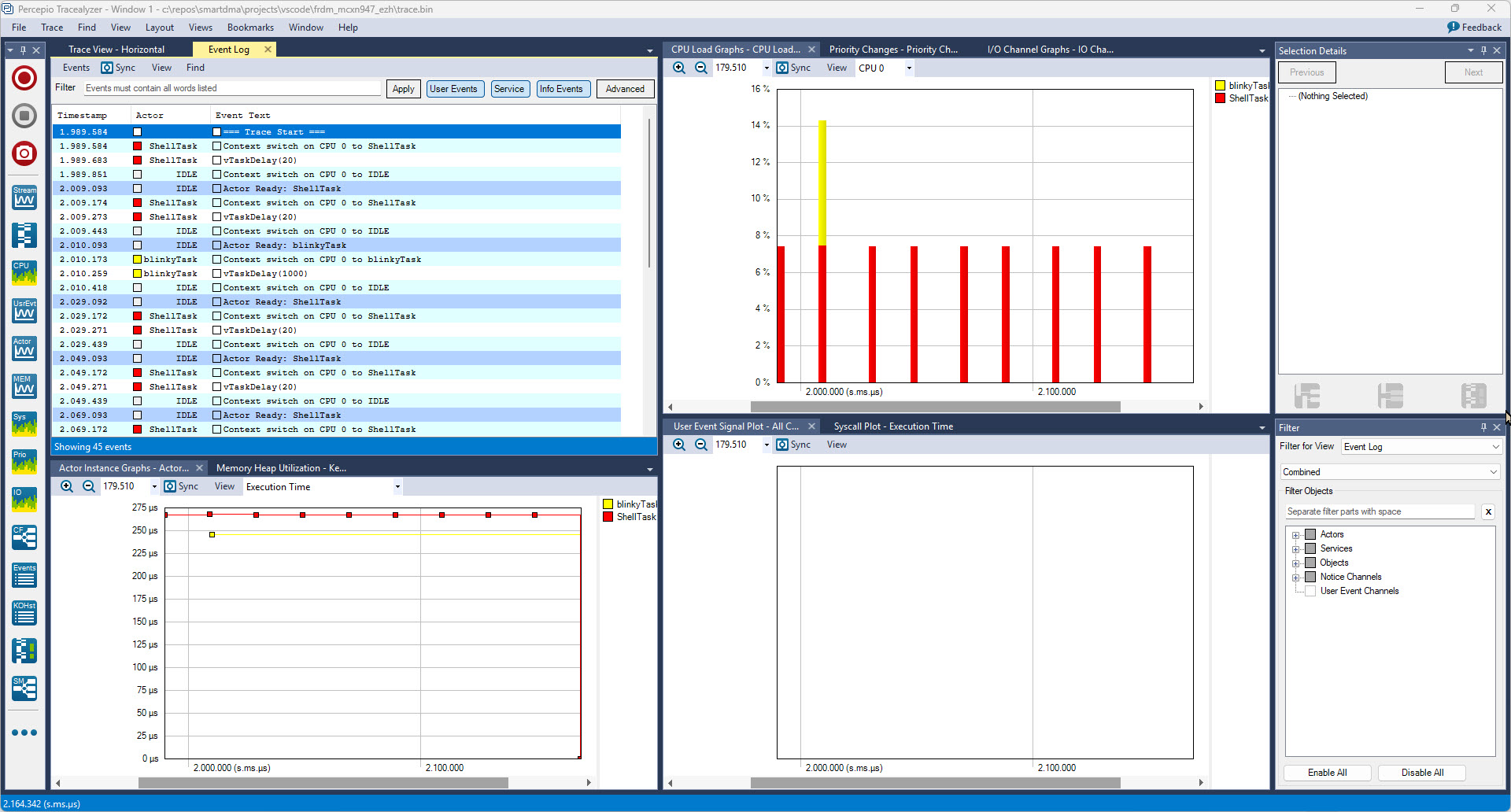
In this article I describe different ways to export trace data from the embedded target: using generic GDB commands or with an trace exporter in VS Code.
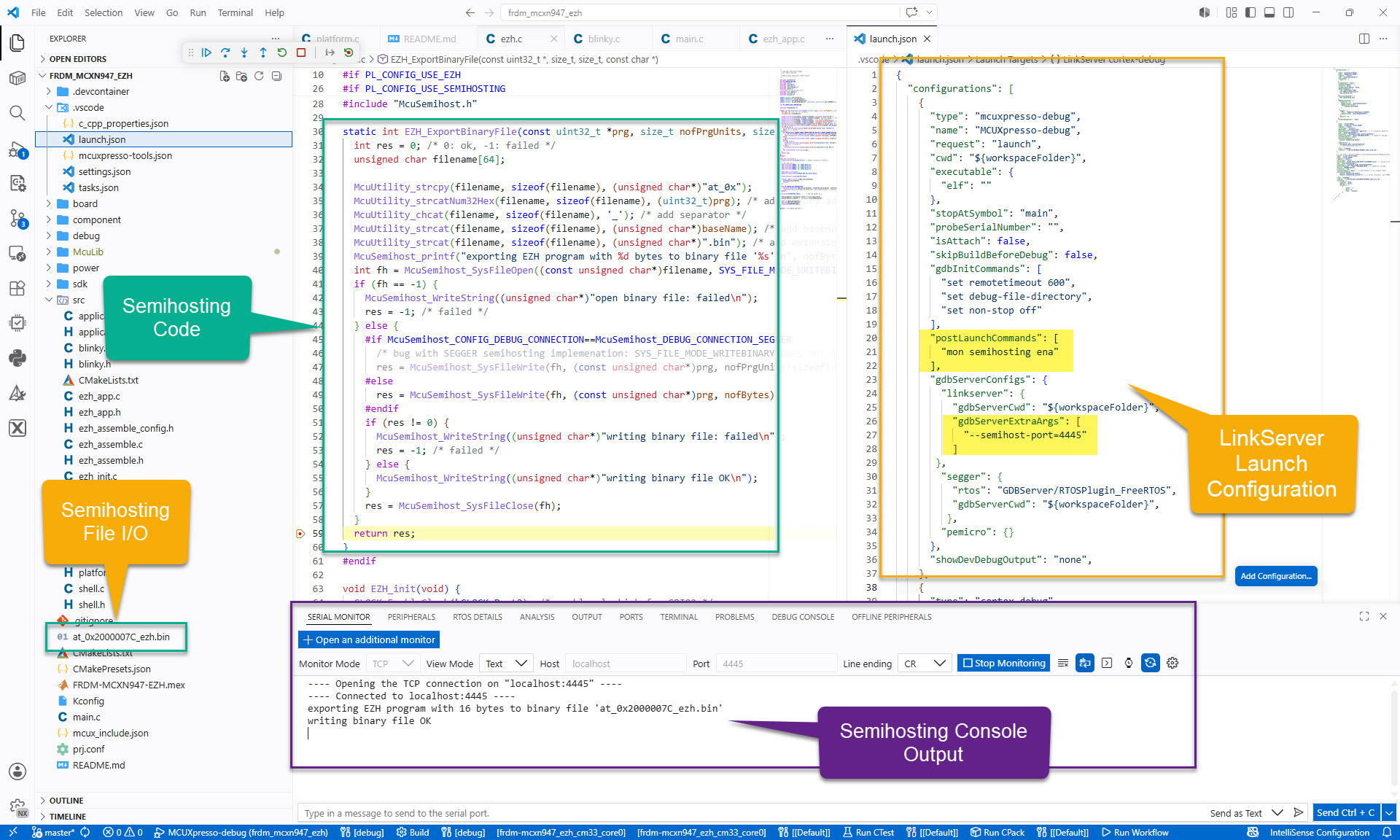
Continue readingFor an university research project, I need to write some console output and the same time write a file with data from the embedded board to the host. A logical choice for this is using semihosting.
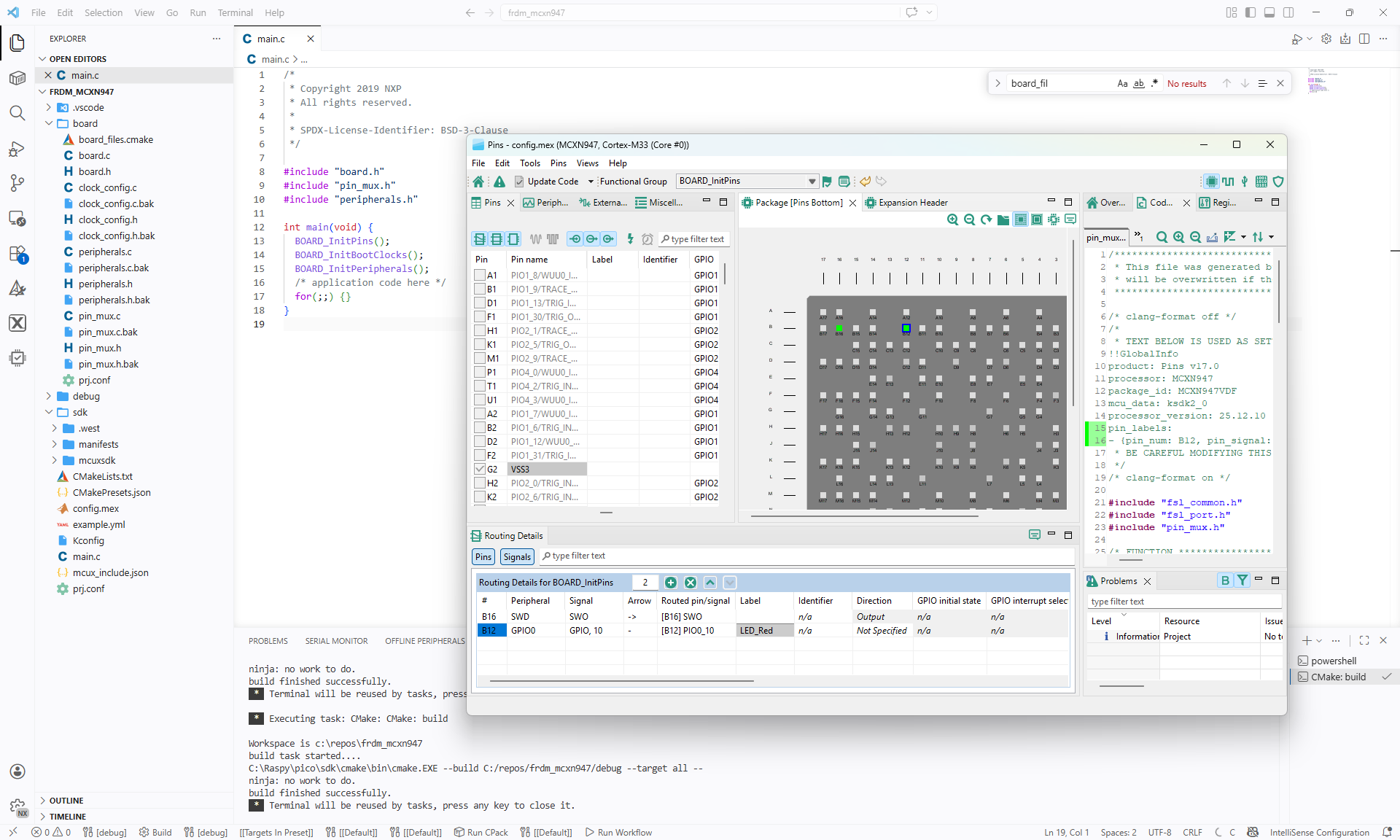
In Tutorial: Getting Started with MCUXpresso SDK – Repositories with VS Code and Tutorial: Getting Started with MCUXpresso SDK – west I showed how to get the MCUXpresso SDK. In this article it is about tweaking and streamlining the project.
The result is a clean, portable and self-contained MCUXpresso SDK project.
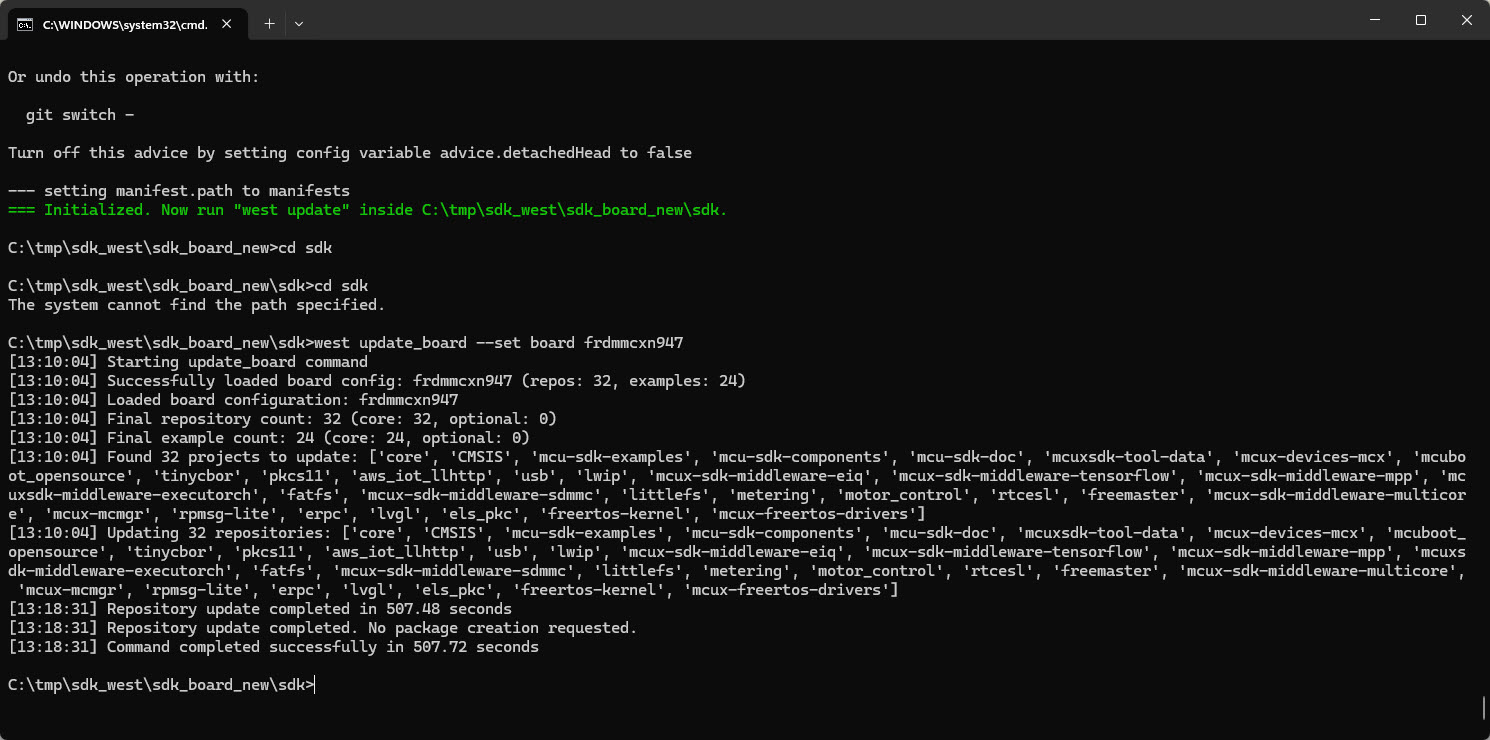
In my earlier tutorial I showed how to install the necessary SDK tools. In this article I’m going to install the SDK sources. For this I’m going to use west. This is a command-line ‘meta-repository’ tool.
The engineering and development landscape is constantly changing. This includes the embedded tooling and SDKs.
Back in the year 2017 I have used the version 2 (see Tutorial: Using Eclipse with NXP MCUXpresso SDK v2 and Processor Expert). Back then, it was Eclipse with make. Now we are in 2026 and things have changed to VS Code, cmake, ninja, python and west.
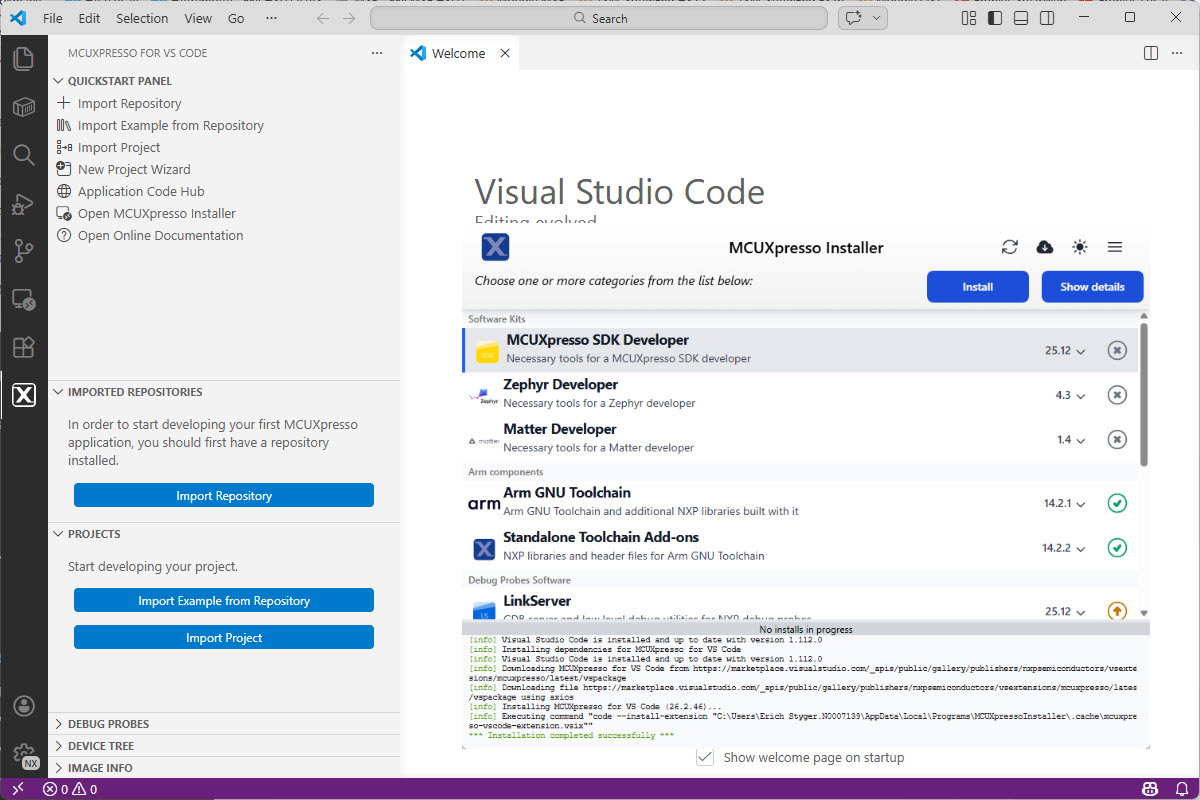
Luckily, although more and different tools are needed these days, the installation experience has improved significantly. It has shifted from installing multiple different tools to a streamlined installation process.
Continue readingSometimes, all what I have is a ELF/Dwarf binary, and I need to debug it. I don’t want to build it, only debug it. The NXP VS Code extension makes that possible. I simply import the binary and start debugging.


