In “Tutorial: Getting Started with MCUXpresso SDK – west“, I demonstrated the ‘west’ tool’s usage. It helps in acquiring an SDK repository. Instead using the command line tool, I can use the NXP VS Code extension to do the same.
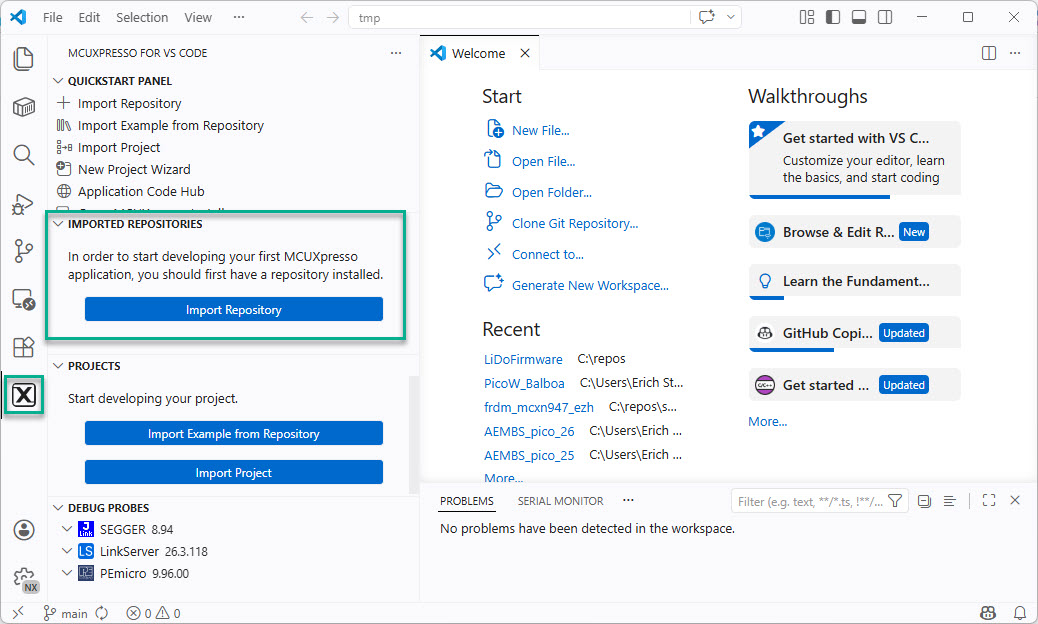

In “Tutorial: Getting Started with MCUXpresso SDK – west“, I demonstrated the ‘west’ tool’s usage. It helps in acquiring an SDK repository. Instead using the command line tool, I can use the NXP VS Code extension to do the same.
The engineering and development landscape is constantly changing. This includes the embedded tooling and SDKs.
Back in the year 2017 I have used the version 2 (see Tutorial: Using Eclipse with NXP MCUXpresso SDK v2 and Processor Expert). Back then, it was Eclipse with make. Now we are in 2026 and things have changed to VS Code, cmake, ninja, python and west.
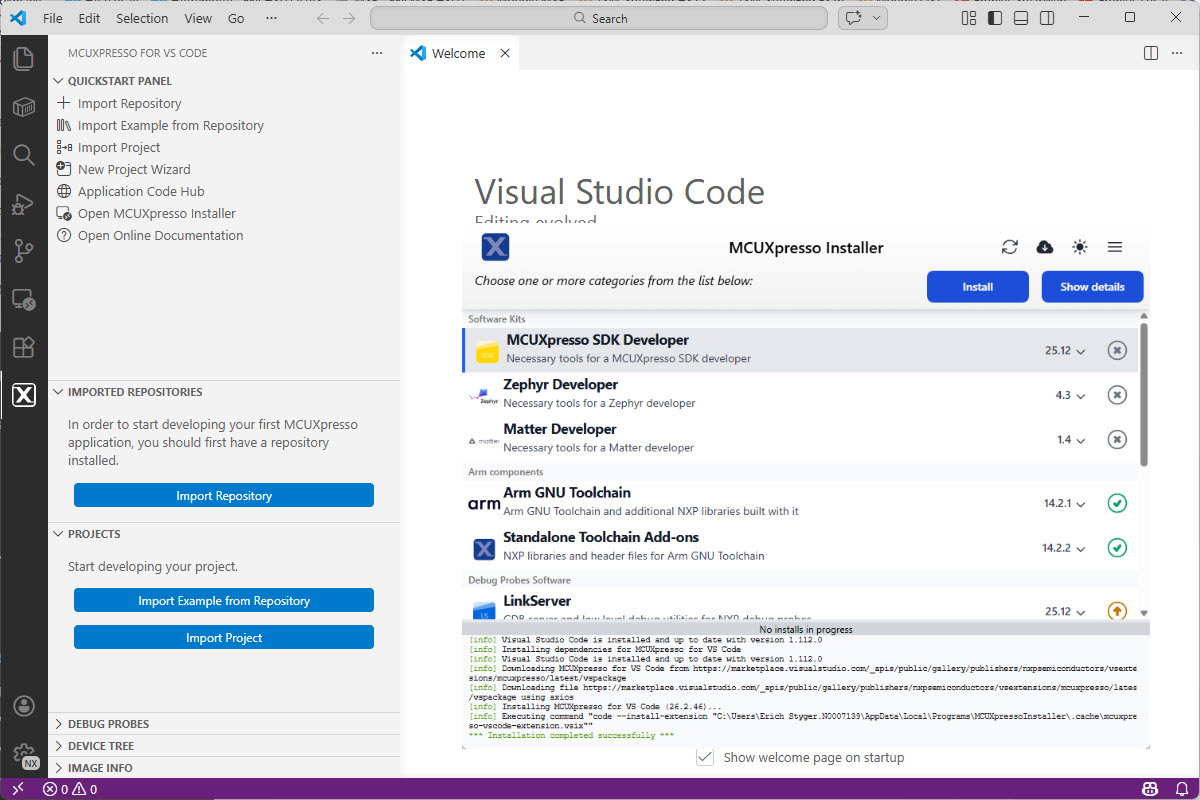
Luckily, although more and different tools are needed these days, the installation experience has improved significantly. It has shifted from installing multiple different tools to a streamlined installation process.
Continue readingThe NXP SDK is git based which is great. If I create a project with VS code, it references the SDK cloned locally.

A standalone project structure is needed if you want to easily share a project with your team. It’s also necessary for sharing inside a classroom environment. This article shows how to use an NXP SDK project in standalone mode.
Continue readingThe silicon shortage is still going on. While the NXP Kinetis KE devices might not be my first choice, they still seem to be available, in at least in lower quantities. This has been recognized by others, as I’m getting more and more questions and requests for the KE and KV family. This is why I un-dusted my old FRDM-KE02Z to be used with the latest MCUXpresso SDK and IDE.

And in case you want to use that board or device with semihosting, I have you covered.
Continue readingOne of the most important aspects of the ‘IoT’ world is having a secure communication. Running MQTT on lwip (see “MQTT with lwip and NXP FRDM-K64F Board“) is no exception. Despite of the popularity of MQTT and lwip, I have not been able to find an example using a secure TLS connection over raw/native lwip TCP :-(. Could it be that such an example exists, and I have not found it? Or that someone implemented it, but has not published it? Only what I have found on the internet are many others asking for the same kind of thing “running MQTT on lwip with TLS”, but there was no answer? So I have to answer my question, which seems to be a good thing anyway: I can learn new things the hard way :-).

Block diagram MQTT Application with TLS using lwip
About a year ago, on December 7th 2015, Freescale and NXP have announced the completion of their merger. Now it is Qualcomm which wants to acquire NXP? It looks like these mergers are happening faster and faster. The reality is that merging products take more time than anticipated, and nearly one year later I can see the outcome of what comes out of the marriage between Freescale and NXP or between Kinetis and LPC: NXP has announced the MCUXpresso software and tools for Kinetis and LPC microcontroller:

Introducing MCUXpresso (Source: NXP video)
The world is changing, and the say is “change is good” :-). In the software and API world, change very often means that a change results into something broken. So I had battled with semihosting working on the NXP Kinetis parts, only to find out that it does not work any more with using the latest version 2.0. The semihosting output e.g. with P&E debug connection remains empty:

No Semihosting output
So how to fix this?
 MCU on Eclipse