For an university research project, I need to write some console output and the same time write a file with data from the embedded board to the host. A logical choice for this is using semihosting.
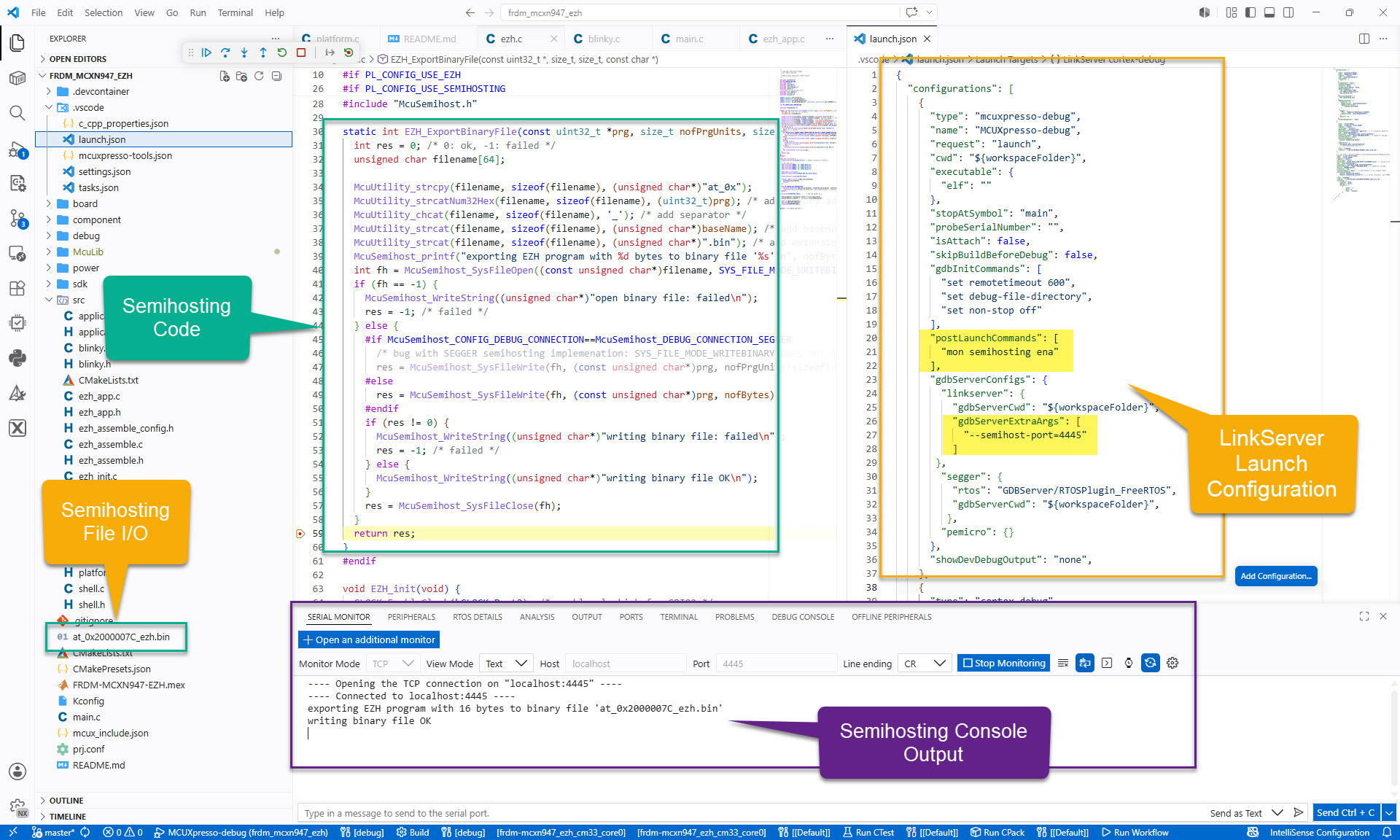
For an university research project, I need to write some console output and the same time write a file with data from the embedded board to the host. A logical choice for this is using semihosting.
For an university research project we are implementing a software simulator for the EZH (or SmartDMA) co-prozessor present on some NXP MCUs.
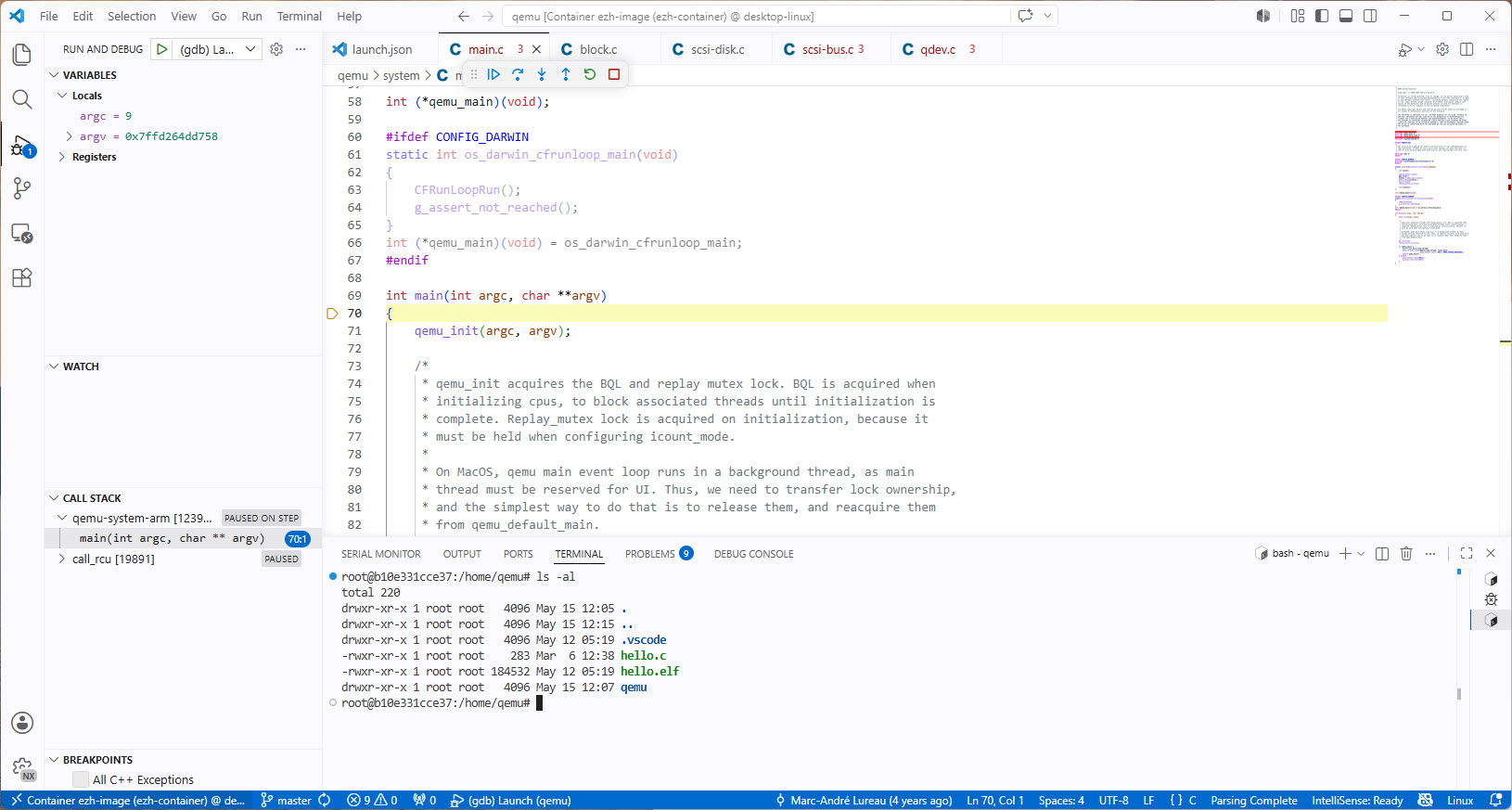
This article describes how to setup and build QEMU in a docker container, including debugging QEMU with VS Code.
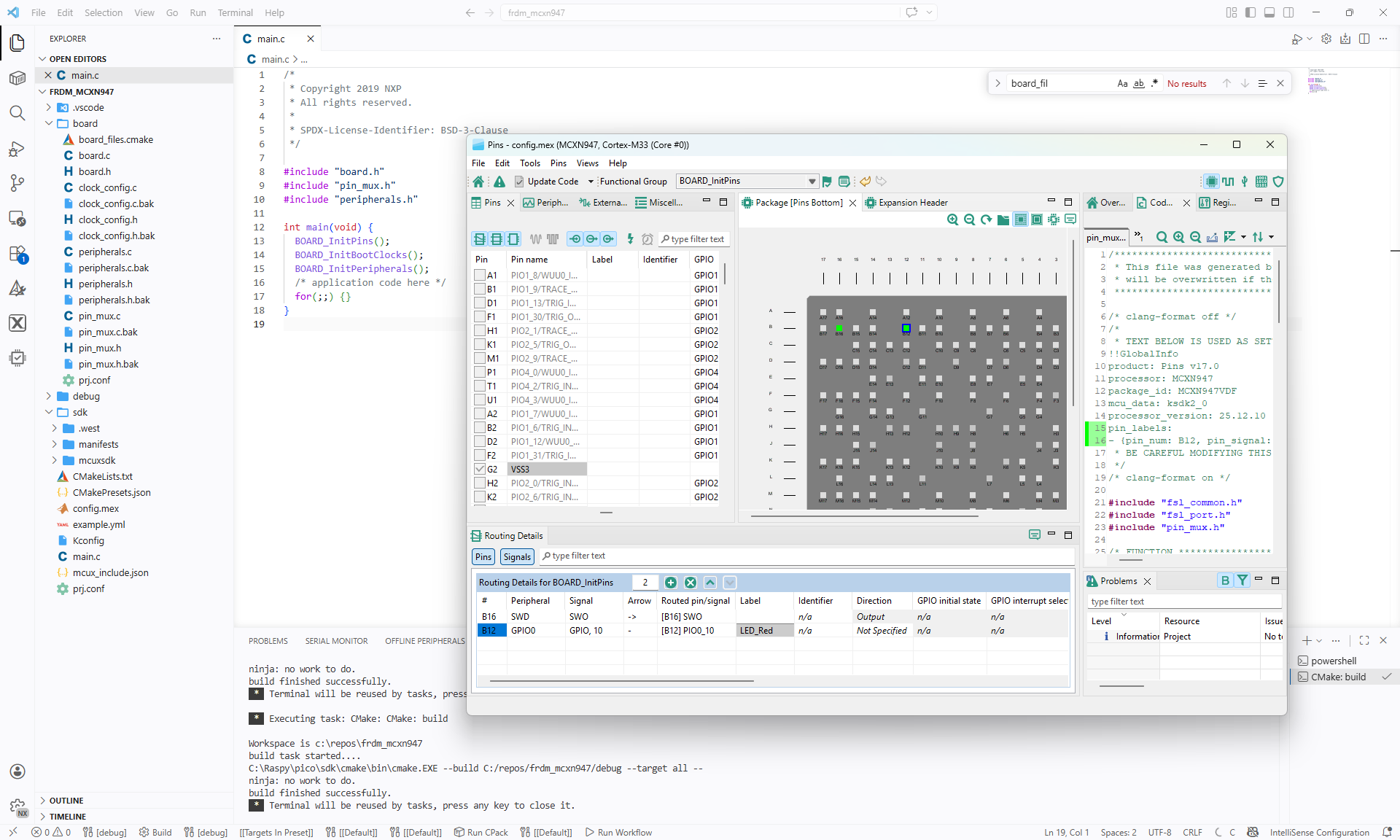
Continue readingIn Tutorial: Getting Started with MCUXpresso SDK – Repositories with VS Code and Tutorial: Getting Started with MCUXpresso SDK – west I showed how to get the MCUXpresso SDK. In this article it is about tweaking and streamlining the project.
The result is a clean, portable and self-contained MCUXpresso SDK project.
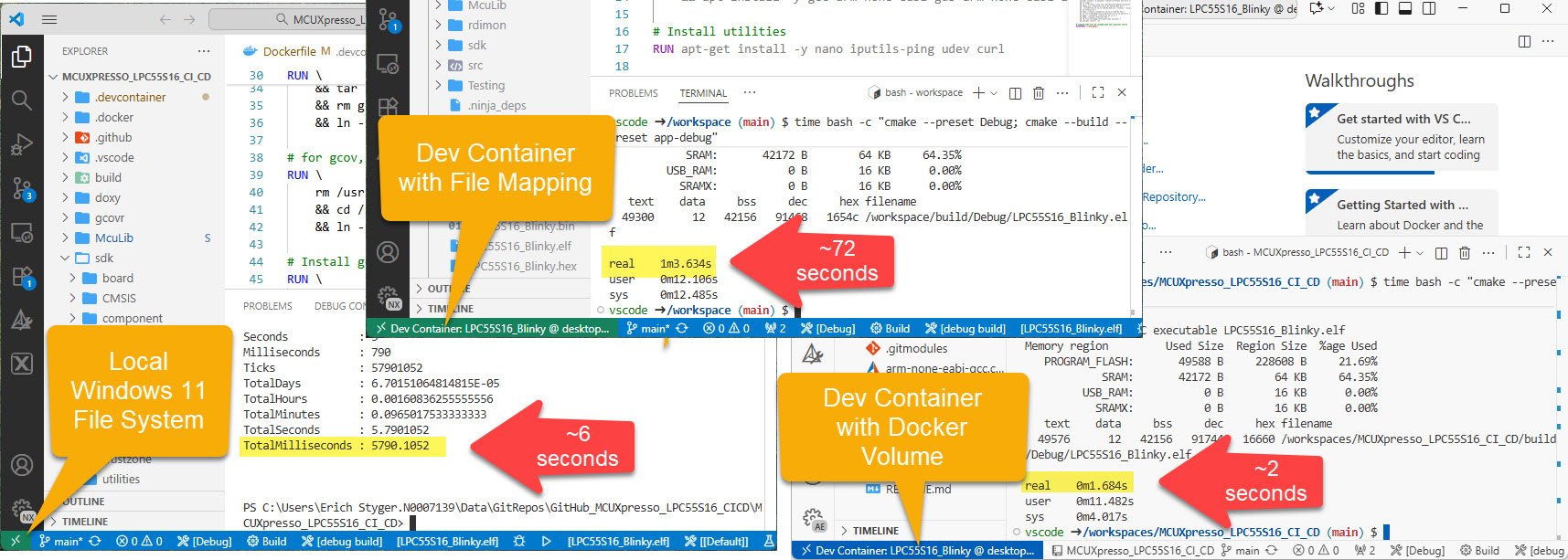
I recently upgraded from Win10 to Win11. Windows 10 was not great for building performance compared to Linux. And I feel that with Windows 11 things got worse too.
Dev Container in VS Code uses docker-based environments. This enables me using a full-featured development environment, with isolated dependencies. This is especially very useful for development in the embedded systems space. There I have to use many different SDKs, toolchains and libraries. Using Dev Containers is super easy. But file I/O operations with building etc/is not that great.
The solution is to use a Docker Volume with VS Code and Dev Container:
Usually, I run applications in the micro-controller FLASH memory. But for a CI/CD or testing environment that is not the best choice.
It is possible to have a ‘RAM target’, where the application is running in RAM instead of FLASH memory. This has the advantage not to ‘wear-out’ the FLASH memory. Plus loading and running in RAM is faster. This makes having RAM targets especially useful for testing.
In this article I’m using the NXP LPC55S16-EVK board, but any other target or board is applicable.

With Optimizing Embedded Development with VS Code and DevContainer I showed the benefits of using development containers. And with Remote Debugging with DevContainer and VS Code I explained ways use hardware debugging using that concept.
One topic is still open: how to use semihosting with file I/O using development container? The challenge here is that we need to work with two different file systems.

In this article I show how semihosting file I/O can be used with DevContainer.
Continue readingThe NXP SDK is git based which is great. If I create a project with VS code, it references the SDK cloned locally.

A standalone project structure is needed if you want to easily share a project with your team. It’s also necessary for sharing inside a classroom environment. This article shows how to use an NXP SDK project in standalone mode.
Continue readingIn CI/CD for Embedded with VS Code, Docker and GitHub Actions, I used GitHub to build a pipeline. This setup supports continuous integration within a CI/CD environment.
This time, let’s do a similar thing. But instead of GitHub, I use GitLab with VS Code. And I use it for a project where three different MCUs are used: the Raspberry Pi Pico-W, an Espressif ESP32 plus the NXP K22FX512 on the Sumo robot:

SEGGER has released a new version of their J-Link tools suite. That suite includes the J-Run utility which loads, executes and monitors the output of the target. Output can be with RTT (Real-Time Transfer) or semihosting. This makes it useful for automated tests with CMake and CTest:

What has been added from the V7.98g release is the ability to send arguments to the running application using the --args command, for example with CMake/CTest:
set (RUNNER_CTEST_COMMAND "$ENV{SEGGER_PATH}/JRun" --verbose --device LPC55S16 --silent --rtt -if SWD)

add_test(
  NAME Led_1
  COMMAND ${RUNNER_CTEST_COMMAND} --args "Led_1" ${TEST_EXECUTABLE}
)
Like applications running on the host, I can now pass arguments to the running application. This is useful to set up the target, or to tell which kind of tests to run.
Continue readingThere is a new feature in the SEGGER SystemView: the ability to plot any data provided by the application, for example sensor data or any other useful data:


