All‑in‑One Docker Image for NXP MCUXpresso, VS Code and CI/CD Pipeline

Working with different toolchains, different versions and targets can be very challenging. To simplify the setup and distribution of the development environment I’m using the concept of containers.

I’m using different Docker images and containers for development and automated CI/CD integration. In the past weeks I have extended, simplified and consolidated my work flows. For example I have now an image with the MCUXpresso tools, with everything running in a container: both locally on my machine with Docker, with VS Code, and the same integrated in the CI/CD pipeline:
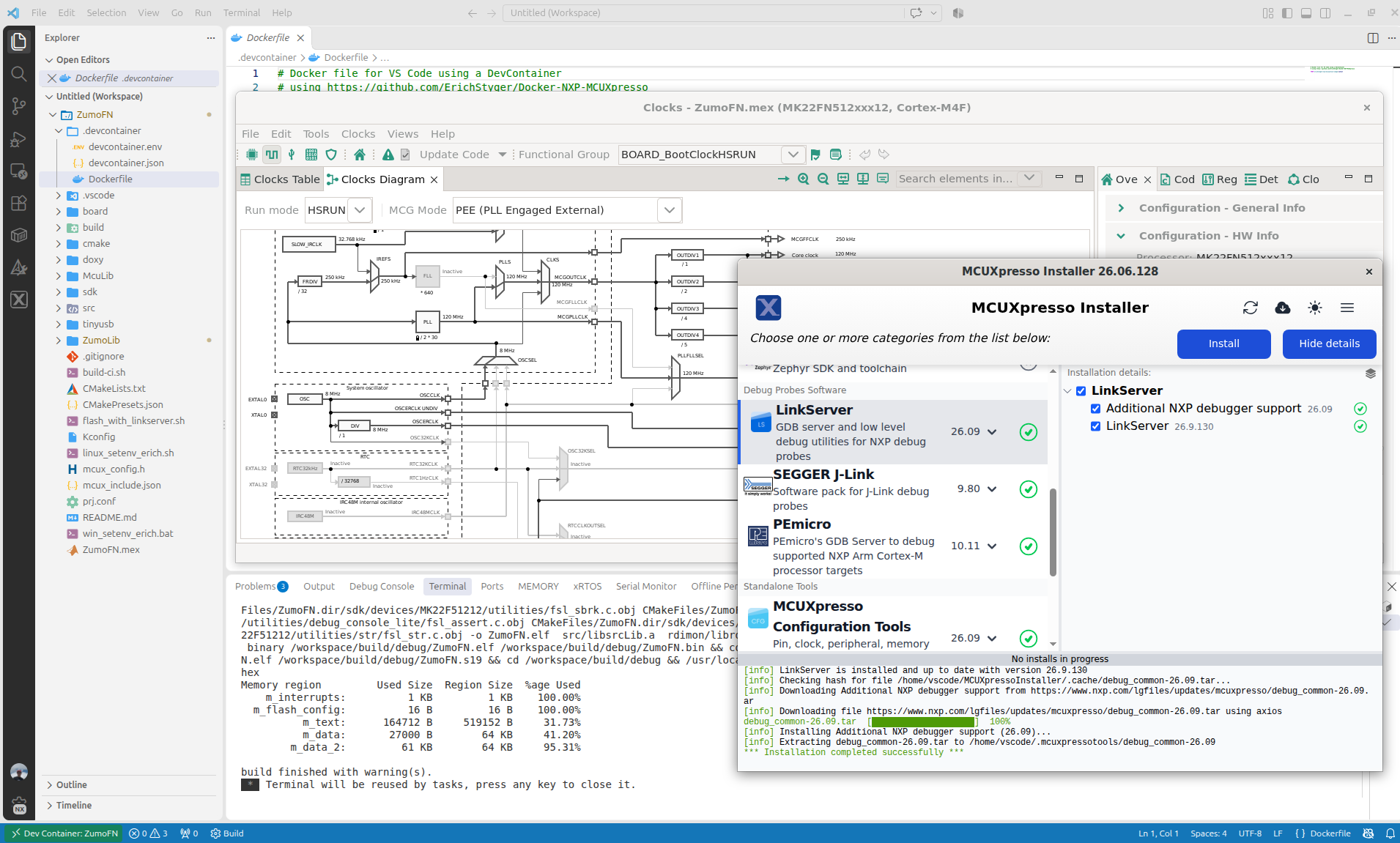
Running MCUXpresso Tools in Container

It not only simplifies my development flow: the same way I can easily deploy the installation and setup for a class room lab environment: basically everything is only one click away.

Continue reading →

Using Git Submodules in GitLab CI/CD Pipelines

Git Submodules allow me to keep a git repository as a sub-directory in another git repository. This let me clone another repository into my project and keep sources in and libraries/SDKs in sync.

This can be a challenge if using CI/CD runners. They have to clone the repositories in a recursive way. It gets more complex if the sub-modules are not public. Because the CI/CD runner does not have access rights to the non-public repositories.

GitLab CI/CD Pipeline with successful private submodule usage

In this article I explain how I’m using git sub-modules in my CI/CD GitLab pipeline, both for public and private repositories

Continue reading →

Optimizing CI/CD with RAM Target Applications

Usually, I run applications in the micro-controller FLASH memory. But for a CI/CD or testing environment that is not the best choice.

It is possible to have a ‘RAM target’, where the application is running in RAM instead of FLASH memory. This has the advantage not to ‘wear-out’ the FLASH memory. Plus loading and running in RAM is faster. This makes having RAM targets especially useful for testing.

In this article I’m using the NXP LPC55S16-EVK board, but any other target or board is applicable.

NXP LPC55S16-EVK
NXP LPC55S16-EVK
Continue reading →

Running On-Target Tests with Coverage in VS Code

Test coverage is a very useful metric: it tells how much of your code has been covered by tests. Or the other way: it helps identifying areas of my code which has not been running tests. A new CMake extension in VS Code is available. It works with the new NXP LinkServer test runner to allow running tests on an embedded target. The really cool thing is: it collects and visualizes test data with coverage information in a single step:

Test Data combined with Coverage in VS Code
Continue reading →

GitLab Automated CI/CD Embedded Multi-Project Building using Docker

In CI/CD for Embedded with VS Code, Docker and GitHub Actions, I used GitHub to build a pipeline. This setup supports continuous integration within a CI/CD environment.

This time, let’s do a similar thing. But instead of GitHub, I use GitLab with VS Code. And I use it for a project where three different MCUs are used: the Raspberry Pi Pico-W, an Espressif ESP32 plus the NXP K22FX512 on the Sumo robot:

Raspberry Pi Pico-W, Espressif ESP32 and Robot with NXP K22FX512
Continue reading →

Automated On-Target Testing with J-Run’s –args Feature

SEGGER has released a new version of their J-Link tools suite. That suite includes the J-Run utility which loads, executes and monitors the output of the target. Output can be with RTT (Real-Time Transfer) or semihosting. This makes it useful for automated tests with CMake and CTest:

CTest with J-Run

What has been added from the V7.98g release is the ability to send arguments to the running application using the --args command, for example with CMake/CTest:

set (RUNNER_CTEST_COMMAND "$ENV{SEGGER_PATH}/JRun" --verbose --device LPC55S16 --silent --rtt -if SWD)

add_test(
NAME Led_1
COMMAND ${RUNNER_CTEST_COMMAND} --args "Led_1" ${TEST_EXECUTABLE}
)

Like applications running on the host, I can now pass arguments to the running application. This is useful to set up the target, or to tell which kind of tests to run.

Continue reading →

Tutorial: GNU Coverage with C++ for Embedded Applications

In an earlier article I explained how to generate GNU coverage information, for an embedded application written in C.

In this article, I show the steps and configuration needed to use GNU gcov targeting an embedded application with C++.

GNU gcov Coverage with C++ Application
Continue reading →

GNU Coverage (gcov) for an Embedded Target with VS Code

An important part of every CI/CD pipeline is having a testing phase. In this article I show how to use GNU gcov (coverage) with an embedded target, using Visual Studio Code as front end:

GNU gcov with VS Code

With this, I can run the code on the embedded target which stores the coverage data on the host.

Continue reading →

CI/CD for Embedded with VS Code, Docker and GitHub Actions

“Our highest priority is to satisfy the customer
through early and continuous delivery
of valuable software.”

Agile Manifesto, https://agilemanifesto.org/principles.html

It is interesting to see that modern tools and agile development workflows are getting more and more into the embedded world. CI/CD is a strategy where code changes to an application get automatically integrated, tested and released automatically into a production environment.

VS Code with CI/CD
Continue reading →