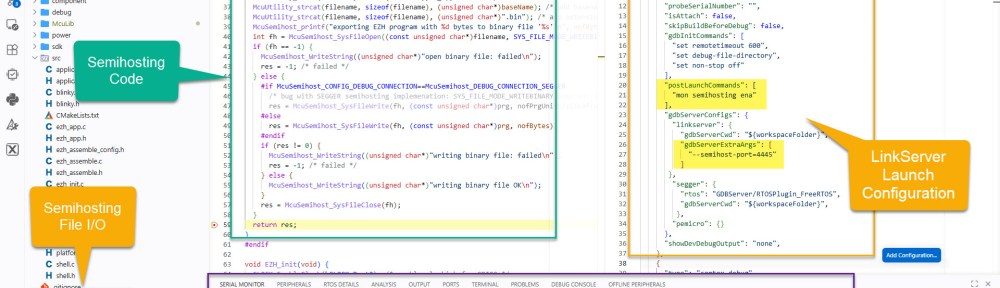
For an university research project, I need to write some console output and the same time write a file with data from the embedded board to the host. A logical choice for this is using semihosting.
Outline
Semihosting is a technology from ARM. Using semihosting, the debugger can exchange data with the host and the application. For example writing messages to a console, or read/write files on the host. This makes it ideal for many embedded applications which lack file support or do not have a hardware connection for a terminal. The downside is that it requires an active debug session.
Many vendor libraries provide semihosting with their standard libraries. But it is easier and more efficient to directly use the semihosting calls from the application, see Using Semihosting the direct Way.
This article shows how to use semihosting with the NXP LinkServer in VS Code, using the NXP VS Code extension.
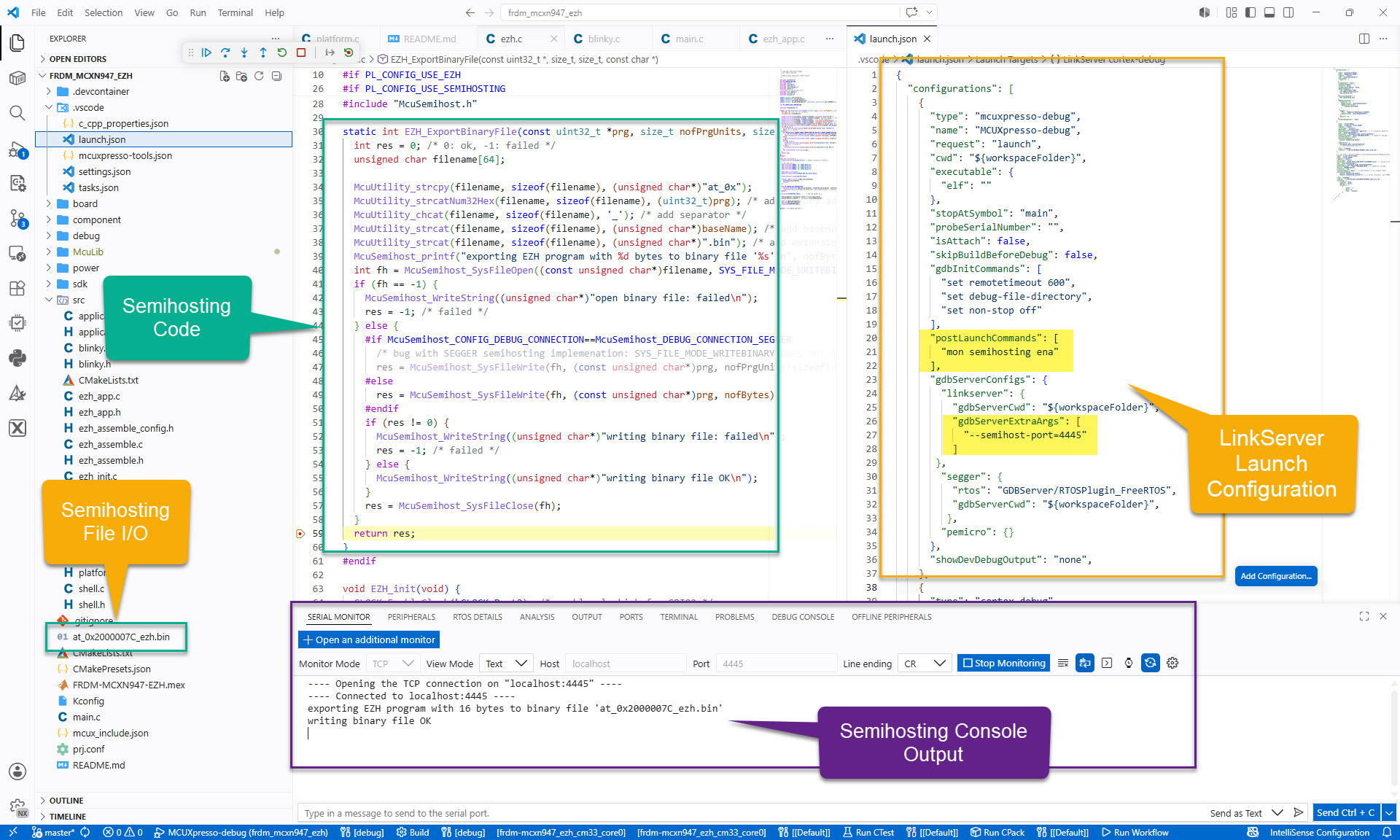
I use semihosting here to write console messages. Additionally I need to write a binary file from a memory address to a file. The binary file contains the assembly code and instructions of the special EZH co-processor from NXP.
Launch Configuration launch.json
To enable semihosting, I have to enable it using a postLaunchCommand:
      "postLaunchCommands": [
        "mon semihosting ena"
      ],
Additionally, I have to pass the port to be used to the GDB for the debug probe:
          "gdbServerExtraArgs": [
            "--semihost-port=4445"
          ]
Below is the launch.json I’m using:
{
  "configurations": [
    {
      "type": "mcuxpresso-debug",
      "name": "MCUXpresso-debug",
      "request": "launch",
      "cwd": "${workspaceFolder}",
      "executable": {
        "elf": ""
      },
      "stopAtSymbol": "main",
      "probeSerialNumber": "",
      "isAttach": false,
      "skipBuildBeforeDebug": false,
      "gdbInitCommands": [
        "set remotetimeout 600",
        "set debug-file-directory",
        "set non-stop off"
      ],
      "postLaunchCommands": [
        "mon semihosting ena"
      ],
      "gdbServerConfigs": {
        "linkserver": {
          "gdbServerCwd": "${workspaceFolder}",
          "gdbServerExtraArgs": [
            "--semihost-port=4445"
          ]
       },
        "segger": {},
        "pemicro": {}
      },
      "showDevDebugOutput": "none",
    }
  ]
}
Terminal
For the terminal output, I can use the ‘Serial Monitor‘ extension from Microsoft.
Configure it for:
- Monitor mode: TCP
- View Mode: Text
- Host: localhost
- Port: 4445 (or whatever you have specified in the
launch.json)
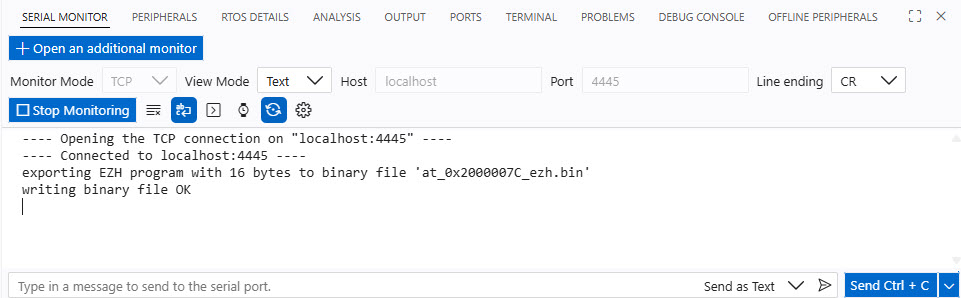
Alternatively, I can use any TCP console application for this too.
Summary
Semihosting is a versatile way to write console messages to the host or even doing file I/O operations on the host. In my case I use it for output messages plus writing binary data from the embedded target as file on the host.
To enable semihosting with VS Code and NXP LinkServer, I can configure it in the launch.json file. From then on, I can read/write files on the host or send console messages.
Happy hosting 🙂
Links
- ARM Semihosting: https://developer.arm.com/documentation/dui0205/f/semihosting/about-semihosting/what-is-semihosting-
- How to directly use semihosting in the application: Using Semihosting the direct Way
- NXP LinkServer Software: https://nxp.com/linkserver
- NXP VS Code Extension: https://marketplace.visualstudio.com/items?itemName=NXPSemiconductors.mcuxpresso
- Microsoft Serial Monitor Extension: https://marketplace.visualstudio.com/items?itemName=ms-vscode.vscode-serial-monitor
- LinkServer for Microcontrollers


Hi Eric,
Great article.
Double check you Links because the ARM one about semihosting is pretty much obsolete.
The most recent one for semihosting is: ARM Compiler Software Development Guide Version 5.06
BR,
Michael
LikeLike
Hi Michael,
thanks, and thanks for the link. Checking it I do not see really new information. Apart of that it is updated for the proprietary ARM compiler.
So to me the original article still matches what is out there in the ecosystem. Of have you seen any relevant information which is in the new link and I have missed?
Thanks,
Erich
LikeLike
The only difference that I could see is that a picture loads under new link and under the old one does not.
Other than that, there were some structure changes to the documentation so if anyone want to go beyond that scope, it would probably be recommended to use the latest version.
BR,
Michael
LikeLike