The latest NXP MCUXpresso VS Code extension and LinkServer software included a small but very helpful feature for me: the ability to identify a connected probe with a blinky:
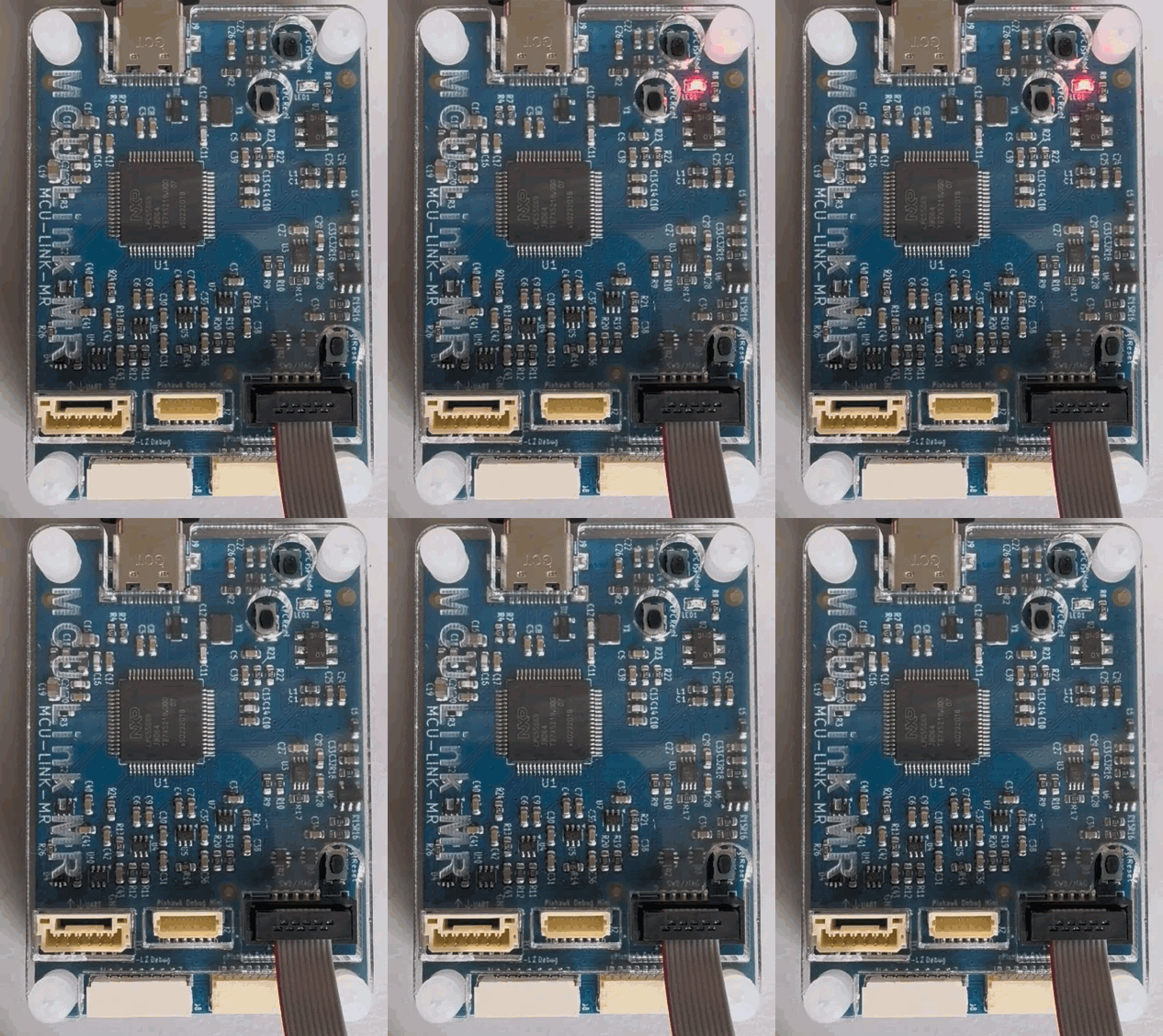

The latest NXP MCUXpresso VS Code extension and LinkServer software included a small but very helpful feature for me: the ability to identify a connected probe with a blinky:
NXP has released a new LinkServer v26.9.130. And it comes with a major new feature: it now includes power and energy measurement:
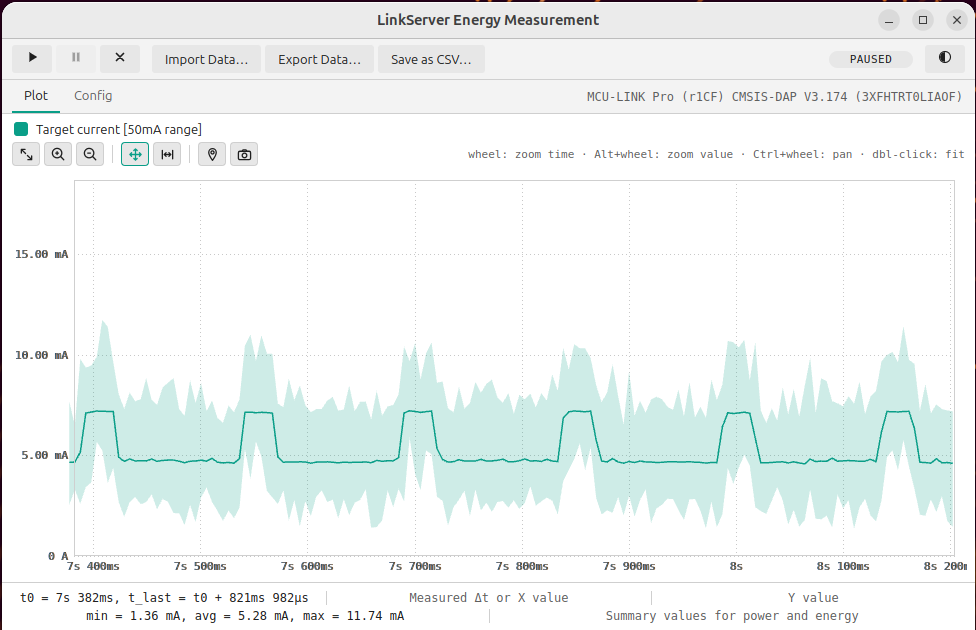
Additionally, it has a command line interface for this, making it ideal for AI agent usage or for automated tests in a CI/CD environment.
Continue readingI’m using different MCUS from NXP with VS Code, and for this I’m mostly using the NXP MCUXpresso extension for VS Code.
At the same time, I’m using the cortex-debug extension for other ARM Cortex-M based MCUs, for example the Raspberry Pi Pico series.
Does it makes sense to use cortex-debug for NXP devices, and what would be the benefit? More precise: can I use the NXP MCU-Link (LinkServer based) debug probes with cortex-debug, to debug another NXP MCU?

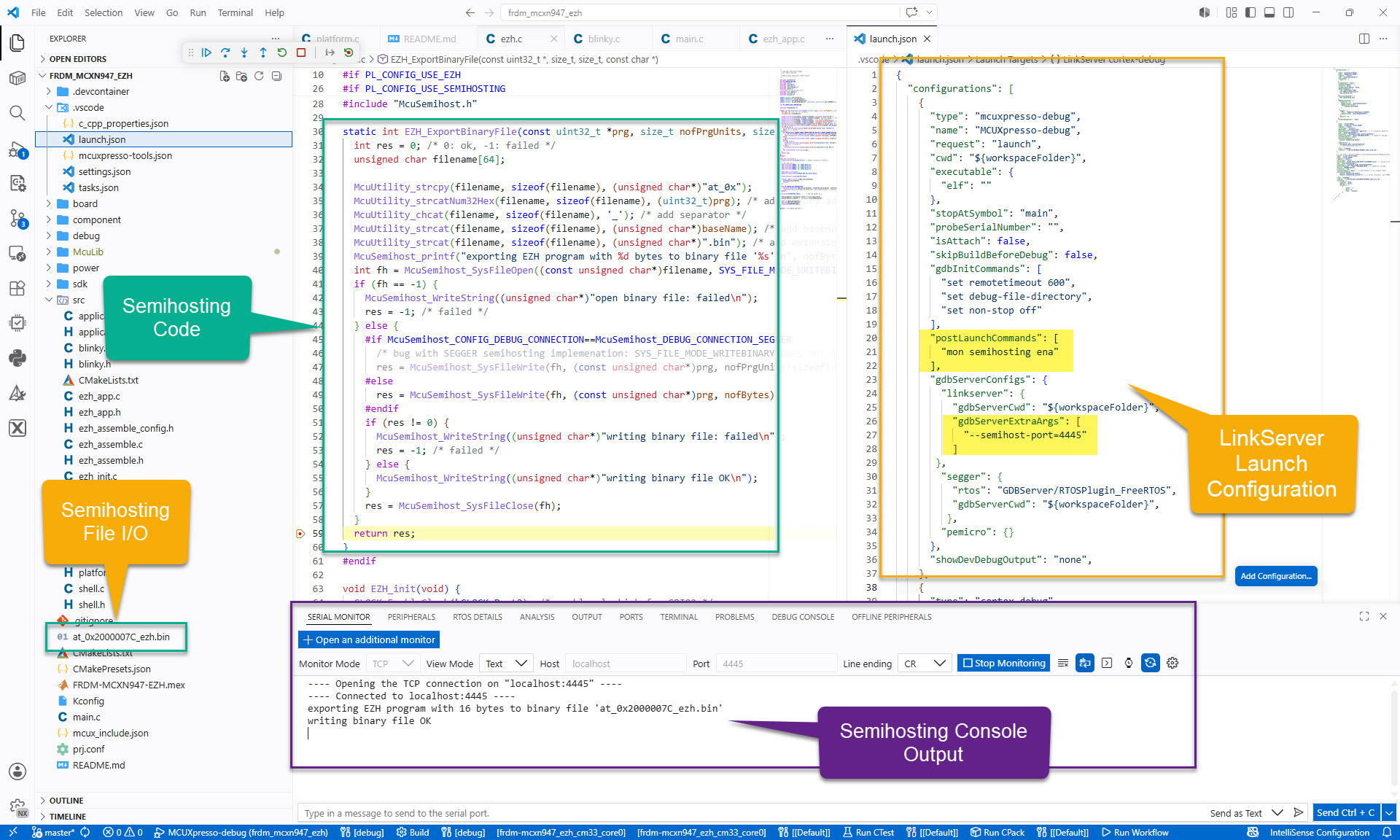
For an university research project, I need to write some console output and the same time write a file with data from the embedded board to the host. A logical choice for this is using semihosting.
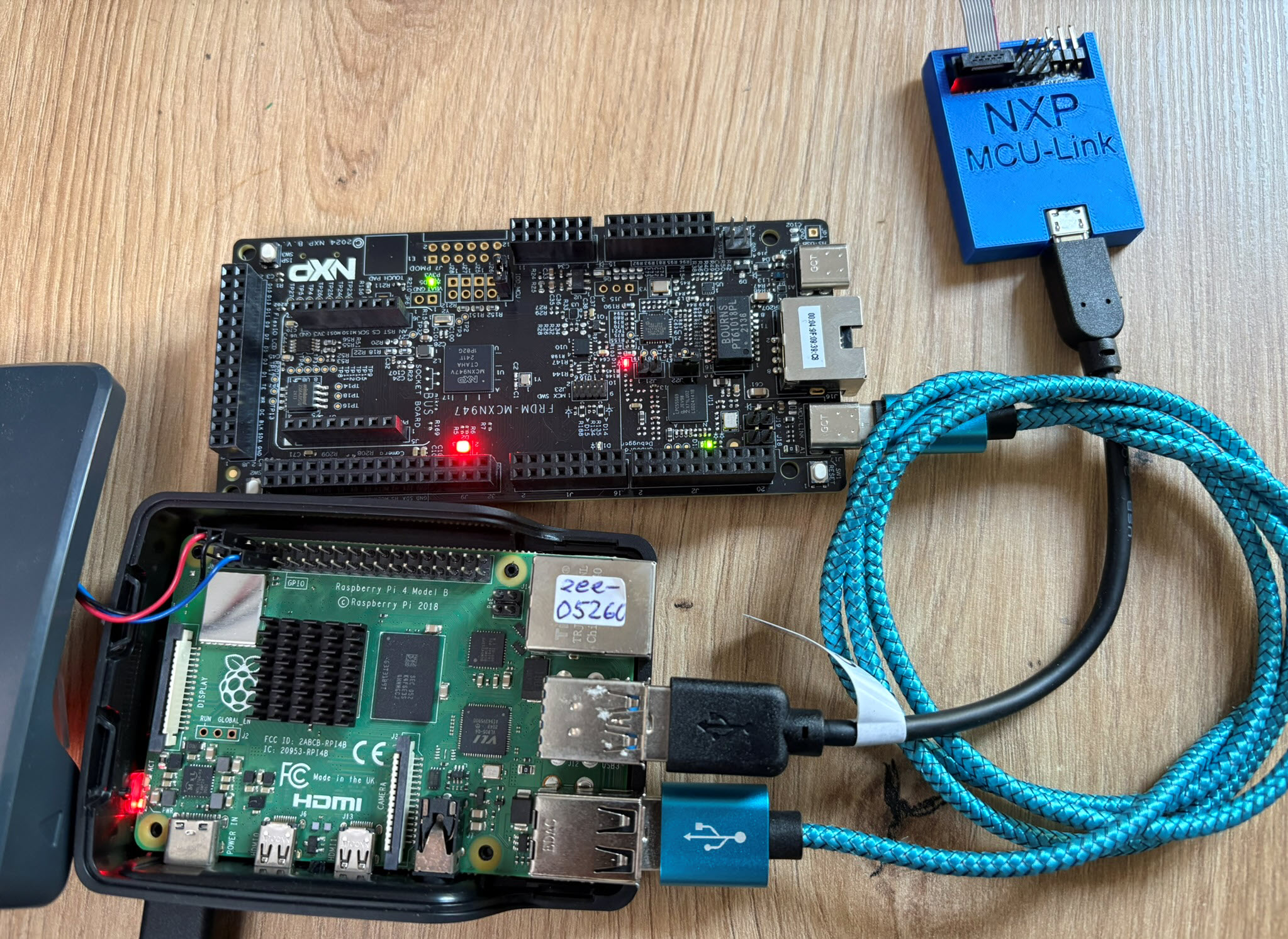
The latest release of the NXP LinkServer supports ARM 64bit (Debian) besides Windows, Linux and MacOS. With this, I can now develop on an NXP i.MX board. Plus, this enables an inexpensive way for automated on-target tests and CI/CD.
Today’s projects and systems get more and more complex. Many systems include multiple MCUs, connected with a field bus or network, for example CAN. For example there can be up to 70 CAN nodes in modern cars. Such larger and connected systems are a challenge for debugging.
Traditional hardware debugging requires a hardware debug probe, connected with a dedicated SWD/JTAG debug cable to the target device. This needs dedicated pins on the target device plus physical access to the device itself. In many cases, this is not possible in the final product. The hardware debug probes, cables, pins and high speed signals are costly. And worse they can introduce new problems and are prone to interference.
If there is a field bus like CAN connecting all the MCUs, why not use it for hardware debugging? Hardware debugging meaning programming the FLASH memory, halt the MCU, inspect the memory and registers, and step through the code?
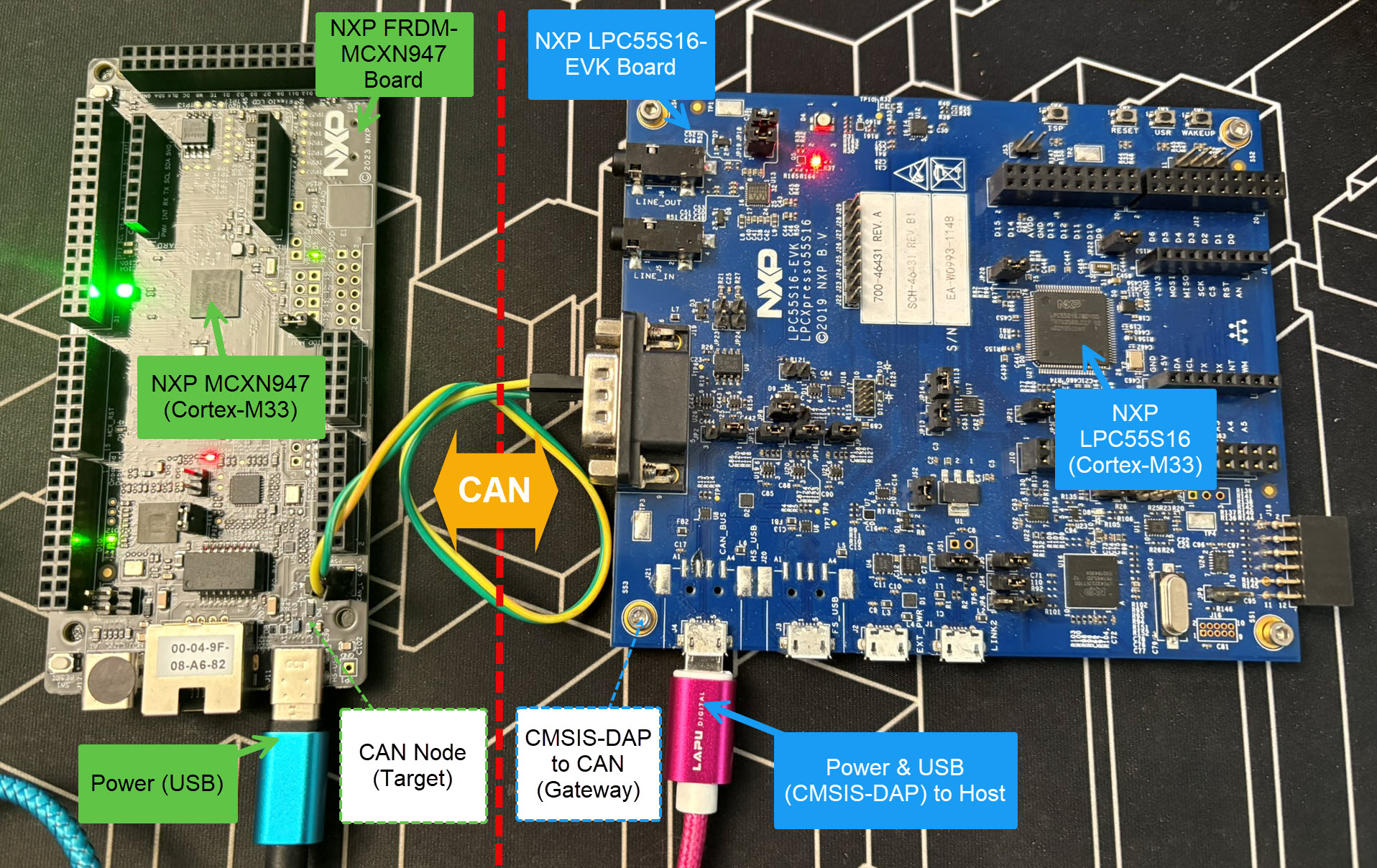
Yes, we can! With the help of a rather unknown hardware feature on ARM Cortex-M devices. We can use the ARM DebugMonitor Interrupt to control and debug the target system. As we would use a JTAG/SWD connection. Instead, we use the CAN bus :-).
Continue readingThe MCU-Link-MR from NXP is a CMSIS-DAP debug probe. It includes dedicated connection headers found on mobile robotic systems. These systems include the Pixhawk/PX4 drone and robotics hardware.

This is the second part describing how to use DevContainer for embedded applications with VS Code.
In Optimizing Embedded Development with VS Code and DevContainer I use VS Code with a docker ‘development’ container. The container is created with a recipe to install the development tools and SDK. With VS Code and DevContainer I have the same developer experience as I would develop locally on the host.
One thing not addressed in that earlier article is debugging. Using USB debug probes like a SEGGER J-Link or NXP MCU-Link is a challenge inside a container. This applies to any other debug probe as well.
The solution is to transform an USB based debug probe into one with a network connection:

In this article, I show how to do this.
Continue readingNXP has released a new LinkServer software. It includes an interesting feature. The LinkServer test runner has been extended with a Semihosting console. This is not only very useful for on-target testing. With the Semihosting console, I have a bidirectional communication channel with the target. And I do not need any hardware pins or to run a debug session. All what I need is the CMSIS-DAP connection with the NXP LinkServer runner to have a command line shell:
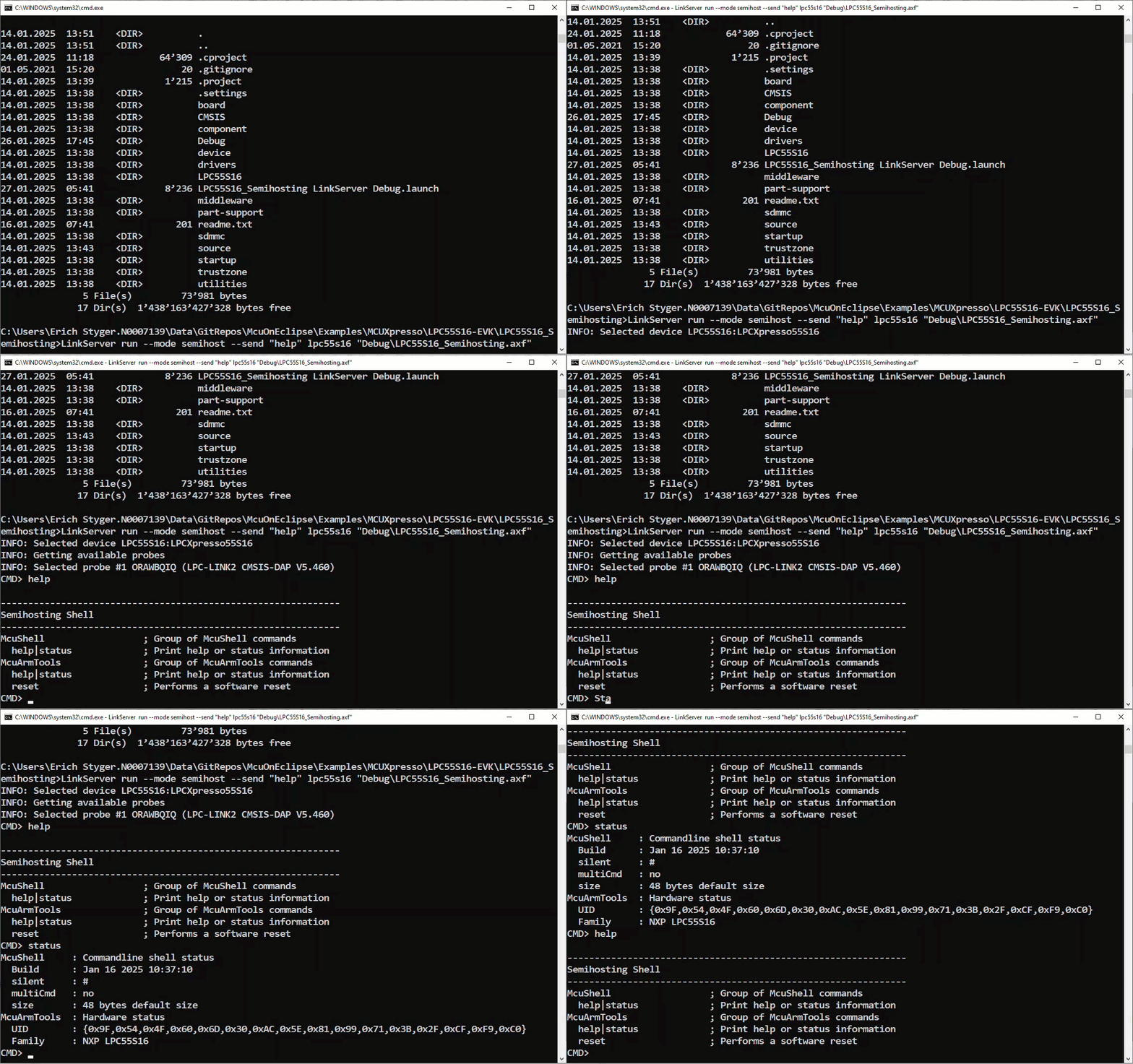
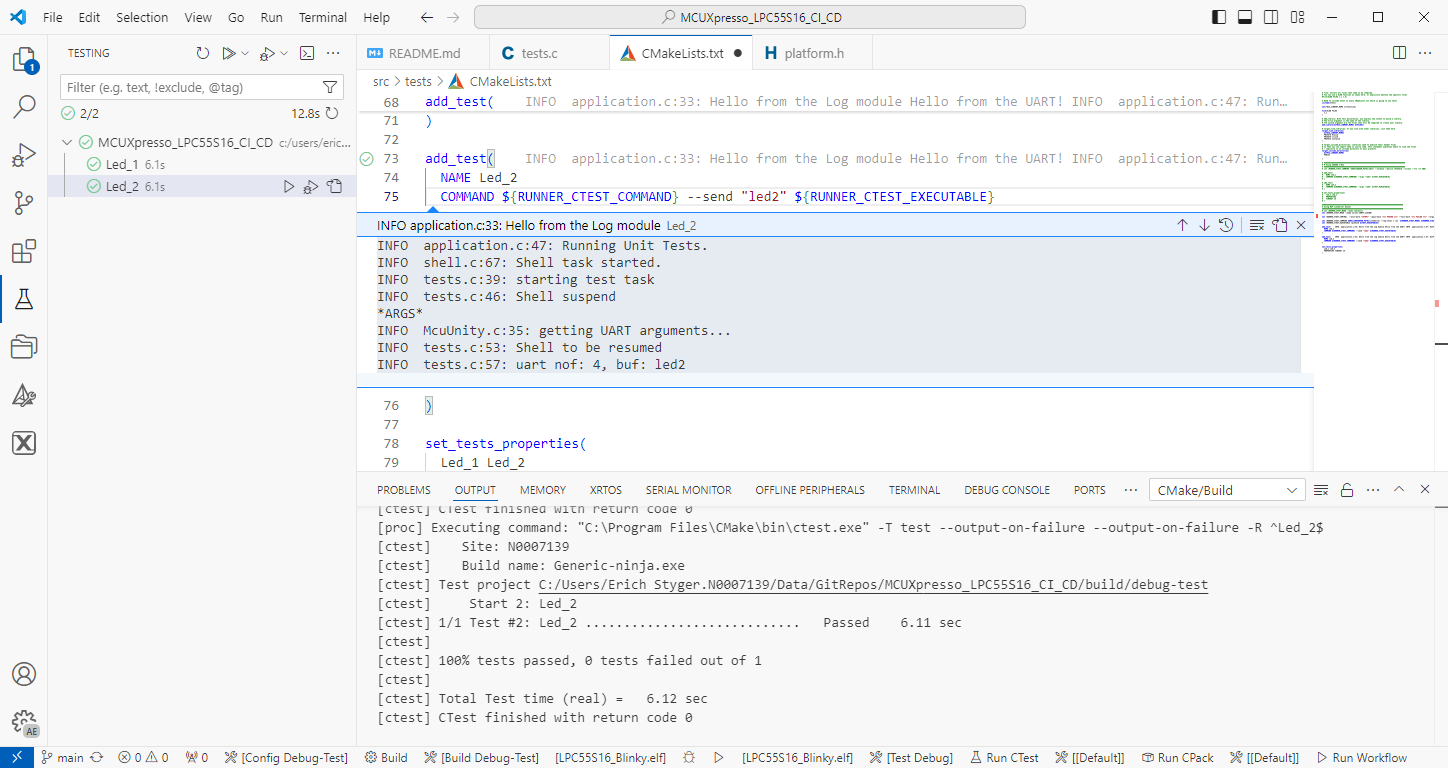
The release 24.9.75 of LinkServer software and tools includes interesting feature: the ability to use the debug probe for automated on-target testing. It includes a ‘runner’ which can program, launch and run the application on the target through a debug probe. While the target is running, it uses semihosting or UART for communication. This makes it a perfect tool for automated testing, especially in a CI/CD environment. One such environment is running automated tests with CMake and CTest in VS Code.