With the NXP MCU-Link Pro I can measure current and power/energy of an embedded target. In this article I describe how I can use and visualize that data in VS Code:
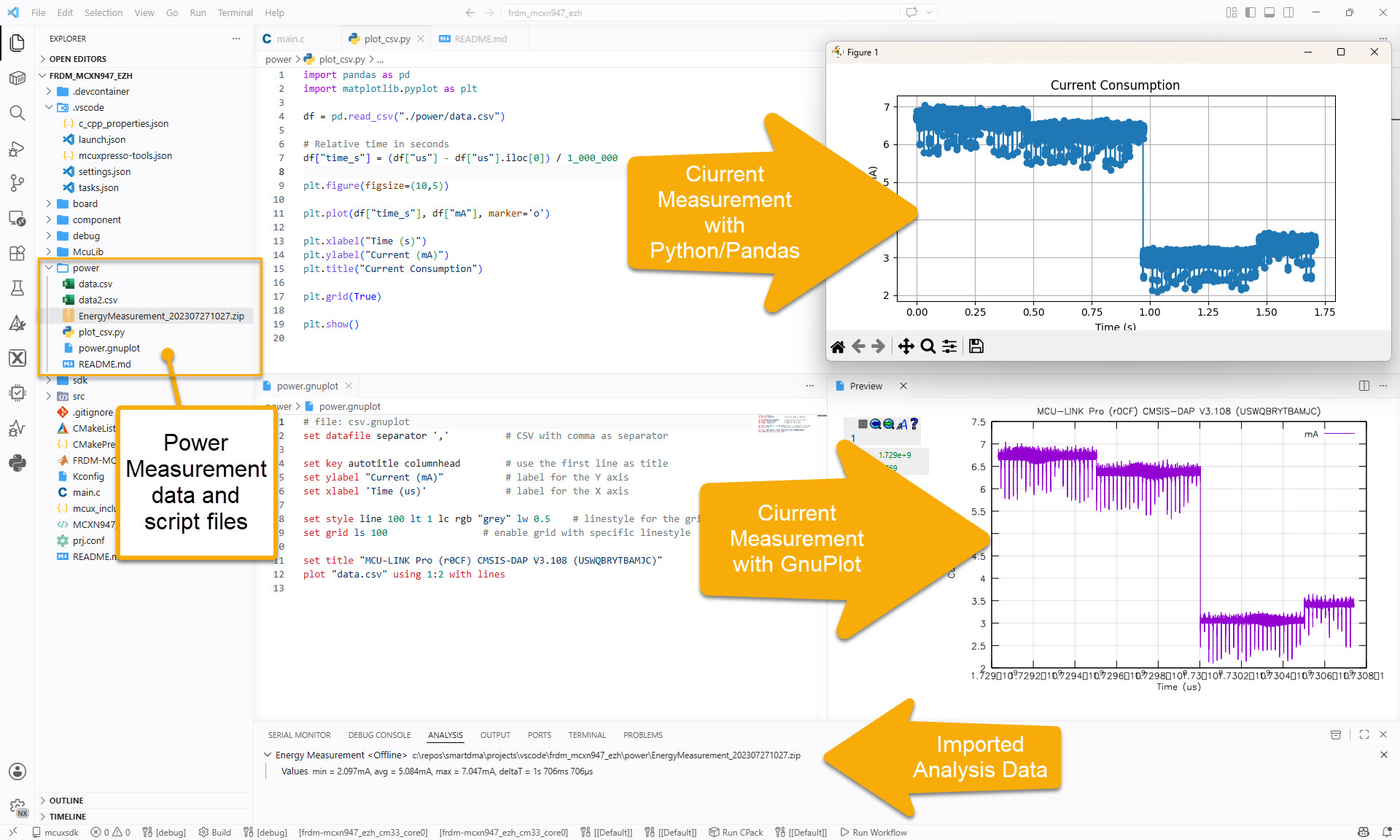
With the NXP MCU-Link Pro I can measure current and power/energy of an embedded target. In this article I describe how I can use and visualize that data in VS Code:
The new semester is approaching in a very fast way, and so is the new lecture and lab module ‘Advanced Distributed Systems’ at the Lucerne University. For that module we are going to build a new ‘Sumo’ style robot with WLAN capabilities using the ESP32 chip. It will be a new robot PCB, and below is the current robot (based on NXP K22FX512) with the WLAN module connected to it:

Zumo connected to TTGO ESP32 module
BLE (Bluetooth Low Energy) sensor devices like the Hexiwear are great, but they cannot store a large amount of data. For a research project I have to collect data from many BLE devices for later processing. What I’m using is a Python script running on the Raspberry Pi which collects the data and stores it on a file:

Raspberry Pi with Python controlling a set of Hexiwear BLE Devices
Now I can use the data on the Hexiwear over BLE with the gatttool (see “Tutorial: Hexiwear Bluetooth Low Energy Packet Sniffing with Wireshark” and “Tutorial: BLE Pairing the Raspberry Pi 3 Model B with Hexiwear“). This article is taking things a step further and uses a Python script on Linux to access the sensor data on the BLE device:

Accessing Hexiwear Sensor Data with Python
 MCU on Eclipse