Stack Canaries with GCC: Checking for Stack Overflow at Runtime

Stack overflows are probably the number 1 enemy of embedded applications: a call to a a printf() monster likely will use too much stack space, resulting in overwritten memory and crashing applications. But stack memory is limited and expensive on these devices, so you don’t want to spend too much space for it. But for sure not to little too. Or bad things will happen.

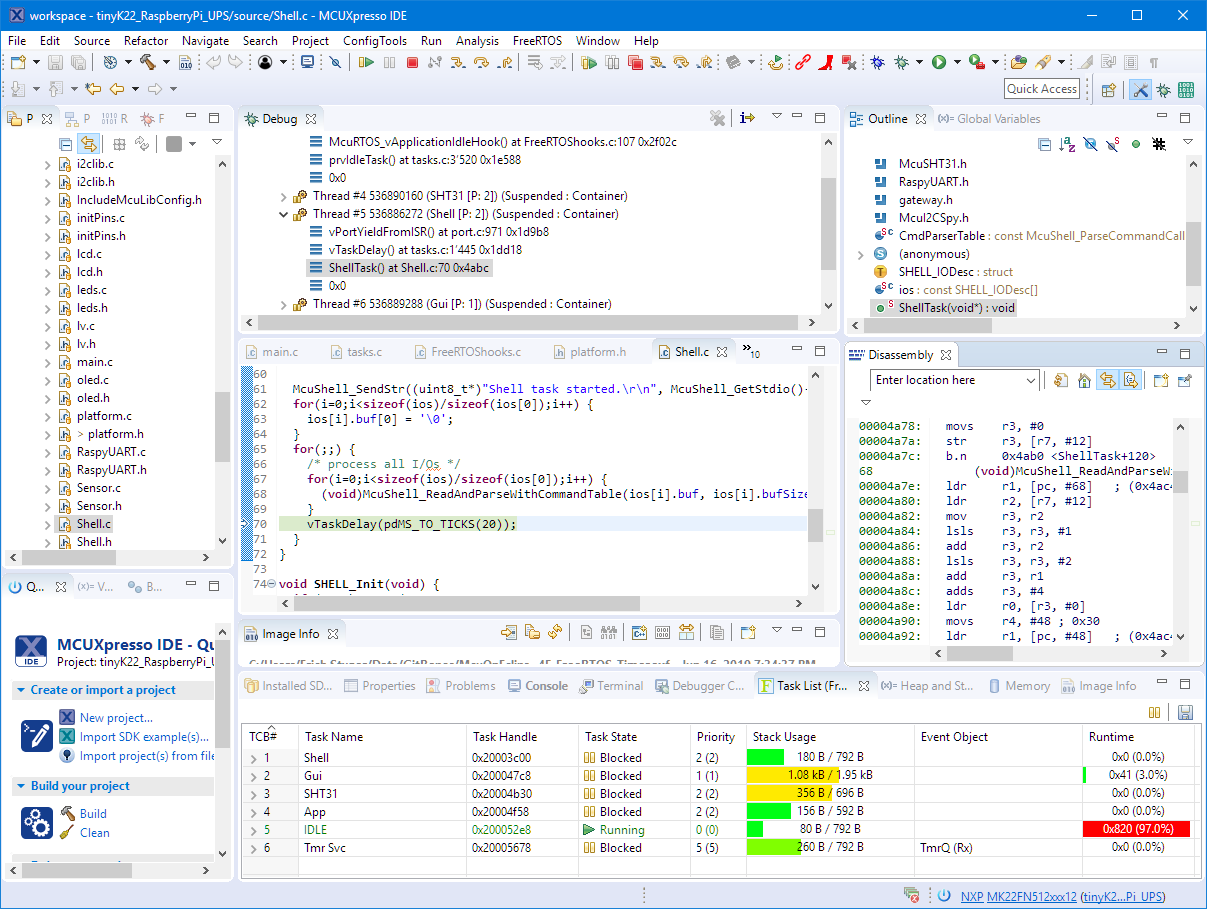
The Eclipse based MCUXpresso IDE has a ‘Heap and Stack Usage’ view which can be used to monitor the stack usage and shows that a stack overflow happened:

Heap and Stack Usage

Heap and Stack Usage

But this is using the help of the debugger: how to catch stack overflows at runtime without the need of a debugger? There is an option in the GNU gcc compiler to help with this kind of situation, even if it was not originally intended for something different. Continue reading

NXP MCUXpresso IDE 11.0.1 available

NXP has released an update of the Eclipse based V11 IDE. This is right on time for the new semester starting mid of September where this IDE will be used in several labs.

MCUXpresso IDE V11.0.1

MCUXpresso IDE V11.0.1

Continue reading

Programming the ESP32 with an ARM Cortex-M USB CDC Gateway

The Espressif ESP32 devices are getting everywhere: they are inexpensive, readily available and Espressif IDF environment and build system actually is pretty good and working well for me including Eclipse (see “Building and Flashing ESP32 Applications with Eclipse“). The default way to program an ESP32 is to a) enter UART bootloader by pressing some push buttons and b) flash the application with ESP-IDF using a USB cable.

That works fine if the ESP32 is directly connected to the host PC. But in my case it is is behind an NXP Kinetis K22FX512 ARM Cortex-M4F microcontroller and not directly accessible by the host PC. So I had to find a way how to allow boot loading the ESP32 through the ARM Cortex-M which is the topic of this article.

TTGO ESP32 MICRO-D4 Module

TTGO ESP32 MICRO-D4 Module

Continue reading

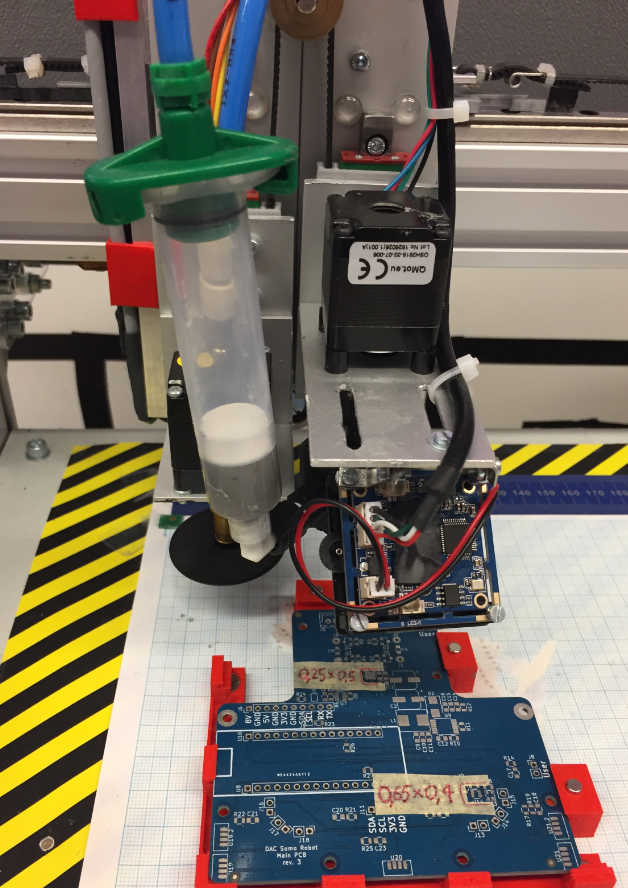
OpenPnP Solder Dispenser Sneak Preview

Many of you are aware of that DIY Pick&Place machine build documented in “Building a DIY SMT Pick&Place Machine with OpenPnP and Smoothieboard (NXP LPC1769)“.

That machine has now been modified to dispense solder paste. I did not had time yet to describe the build, but as I have received recently many questions: here are some pre-information about the build:

Solder Paste Dispenser

Solder Paste Dispenser

Continue reading

Visualizing Global Variables while Target is Running with Eclipse and MCUXpresso IDE

By default, Eclipse provides ‘stop-mode-debugging’: in order to inspect the target code and data, I have to stop the target. But with the right extensions as present in the Eclipse based MCUXpresso IDE, it is possible to inspect the target even while it is running.

Graphing Variables

Graphing Variables

Continue reading

Black Magic Open Source Debug Probe for ARM with Eclipse and GDB

The ‘Black Magic Probe’ (or in short: BMP) is a very small and open source JTAG/SWD debug probe with a build-in GDB Server. I saw that probe referenced in different places, so I thought I try it out with a few of my NXP LPC and Kinetis boards:

BMP with LPC and Kinetis Boards

BMP with LPC and Kinetis Boards

Continue reading

New NXP MCUXpresso Eclipse IDE v11.0

A few days ago NXP has released a new version of their Eclipse IDE flagship: the MCUXpresso IDE v11.0.

NXP MCUXpresso IDE V11.0.0

NXP MCUXpresso IDE V11.0.0

The previous v10.3.1 was released back in Feb 2019, and the 11.0 now in June this year matches up with the Fall university semester. I appreciate that the releases are about every 6 months, so this gives me time to use it in my university lecture material and lab work. I had the weekend for trying it out, and I’m very pleased.

Continue reading

MCUXpresso Eclipse IDE Mouse Tips & Tricks

In a modern development workflow both command-line and a graphical user interface has its place. On the GUI side, Eclipse is famous that it offers many different ways to accomplish something which is great. But sometimes I continue to use an old habit or way because I have missed that there is a newer and better way, and the MCUXpresso Eclipse IDE is no exception to that. In this article I show a few ways how to use the mouse even more productive.

Project Settings

Project Settings

Continue reading

Building a Raspberry Pi UPS and Serial Login Console with tinyK22 (NXP K22FN512)

There are different ways to ruin a Linux system. For the Raspberry Pi which uses a micro SD card as the storage device by default, it comes with two challenges:

  1. Excessive writes to the SD card can wear it out
  2. Sudden power failure during a SD card write can corrupt the file system

For problem one I do I have a mitigation strategy (see “Log2Ram: Extending SD Card Lifetime for Raspberry Pi LoRaWAN Gateway“). Problem two can occur by user error (“you shall not turn it off without a sudo poweroff!”) or with the event of a power outage or black out. So for that problem I wanted to build a UPS for the Raspberry Pi.

Raspberry Pi with UPS System and tinyK22

Raspberry Pi with UPS System and tinyK22

Continue reading