Hi, this is Mark from embeddedpro in the United Kingdom and I’m back with more videos and blogs. In the next few weeks there are two new Cortex M33 development boards becoming available. I’ll blog about my first impressions of the boards, and what I’ve been doing with them. I want my blogs give you some tips, hints and ideas about things that you can do: let me know in the Comments below.
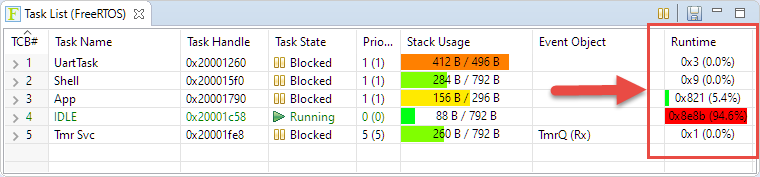
FreeRTOS has many cool features, and one is that it can report the CPU percentage spent in each task. The downside is that to get this kind of information some extra work is needed. In this article I show how to do this for the NXP i.MX1064.
Maker spaces and ‘FabLabs’ are popular and accessible in many areas. 3D printers are on the cheap, and powerful laser cutters are in the range of the fearless hobbyist. You can get dirty-cheap PCBs from China in less than a week (ok, probably not right now because of Corona virus) and it is easy to SMD solder parts these days with a DIY SMD PnP machine and OpenPnP. With the right equipment and skill set it is possible to build many cool projects. It is very rewarding and a great learning thing. Blog about it so other can learn too. And it even could get featured on Hackaday.
But: The risk is that someone might send you letter about a ‘Copyright Infringement’. Sadly, this is what happened to me for one of my recent projects. I don’t think that ‘take down’ letter was justified, but I learned a great deal what I should have done differently to avoid that situation. So in the end, it was a learning opportunity, which I believe is worth to share. In essence: what can a maker or educator do?
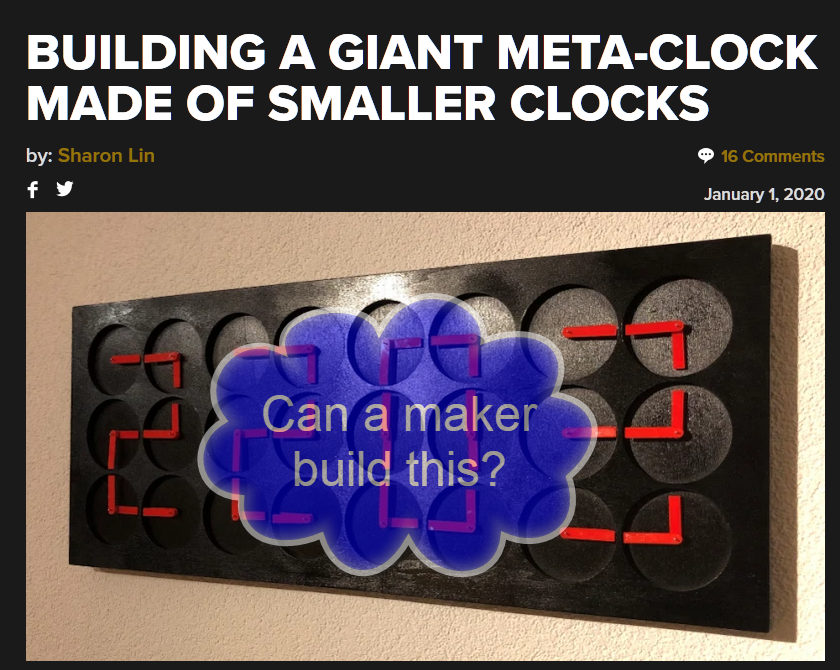
Hackaday: building a giant meta-clock made of smaller clocks (image: original image from Hackaday)
The tinyK22 board with the NXP K22FN512 is a bread-board-friendly small board with a 8 MHz external oscillator:
tinyK22 Board
This tutorial is about how to use the NXP MCUXpresso Clock configuration and configure the board to the maximum clock frequency of 120 MHz. The same steps apply to many other boards, including the FRDM-K22F one.
Right before Christmas 2019, NXP has released a new version of the MCUXpresso IDE, the version 11.1.0. This gave me time to explore it over the Christmas/New-Year break and evaluate it for the next university semester. There are several new features which will make my labs using it easier, so I plan to get the course material updated for it.
For this last blog in the series Investigating ARM Cortex® M33 core I decided to explore the expansion features of the LPC55S69-EVK. This board has three expansion ports (PMOD, Arduino Duo, Mikroe click) and I picked the Mikroe expansion port. Why? Only because I had good experience with these boards with the Hexiwear project.
And because I have been doing some work this month with AWS IOT I wanted to get my LPC55S69-EVK onto my office WiFi network for the Christmas holidays. I know that the MCUXpresso SDK for lpcxpresso55s69 version 2.6.3 has a built-in WiFi example named qca_demo, and so that is what I am investigating today.
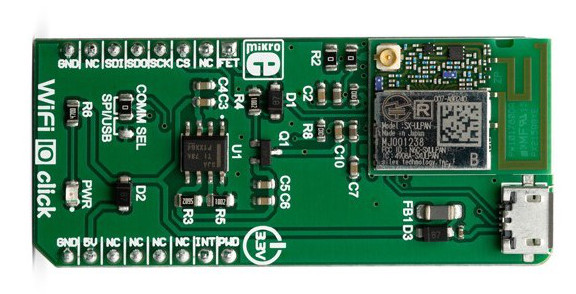
That WiFi example supports three WiFi shield boards, and I picked the Mikroe WiFi 10 click board. It’s part number MIKROE-3432 and available from all of the usual catalogue distributors.
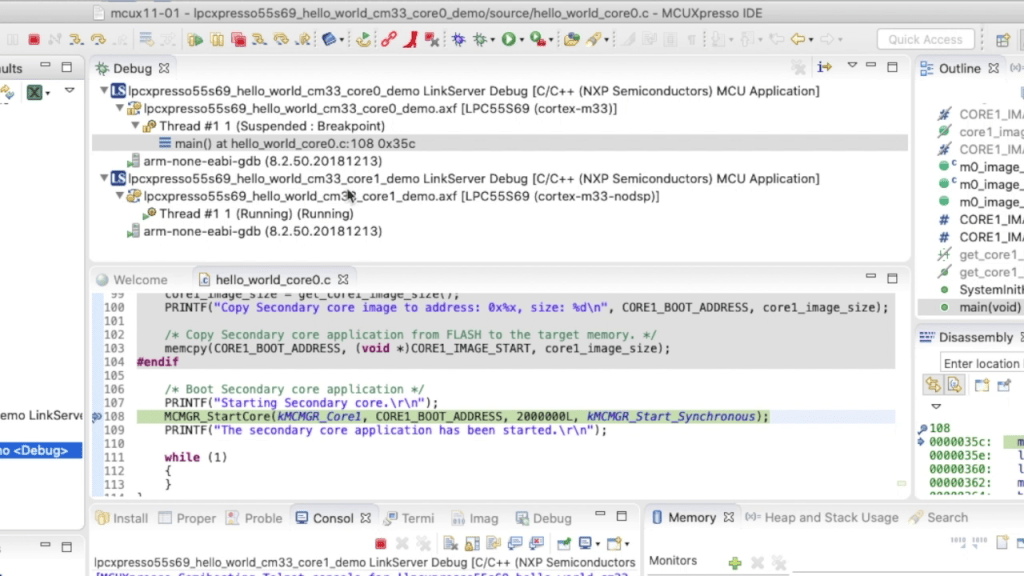
In last week’s blog I explained that the LPC55S69 microcontroller from NXP has two Cortex® M33 cores, named core0 and core1. There was a lot of theory, and so this week I put it all into practice and show you how to debug 2 cores with MCUXpresso IDE.
Multicore Debugging Interface in MCUXpresso IDE showing 2 different projectsContinue reading →
Throughout this series I’ve been using the LPC55S69 microcontroller from NXP as a platform to investigate the ARM Cortex® M33 core. NXP designed the LPC55S69 with two Cortex M33 cores and so this week I’m investigating these in more detail.
You’ll remember that when ARM launch a processor core it will have a number of optional features. This is shown very clearly on the LPC55S69. The 150 MHz primary core – cpu0 – is a full implementation of Cortex® M33 and includes the optional components FPU, MPU, DSP, ITM and the TrustZone® features.