I love Eclipse because as an IDE it can do pretty much everything. Up to the point that some call it an ‘Eierlegende Wollmilchsau‘: something which can do anything. But with all the tools, menus and features, it can be daunting for a someone new to Eclipse. But the good news is: Eclipse is very versatile and can be customized to make it easier and simpler to use too. In this article I show how I’m tweaking it the way I want it, with just the menus and buttons I need:
Tag Archives: software
Copyright Law for Makers and Educators
Maker spaces and ‘FabLabs’ are popular and accessible in many areas. 3D printers are on the cheap, and powerful laser cutters are in the range of the fearless hobbyist. You can get dirty-cheap PCBs from China in less than a week (ok, probably not right now because of Corona virus) and it is easy to SMD solder parts these days with a DIY SMD PnP machine and OpenPnP. With the right equipment and skill set it is possible to build many cool projects. It is very rewarding and a great learning thing. Blog about it so other can learn too. And it even could get featured on Hackaday.
But: The risk is that someone might send you letter about a ‘Copyright Infringement’. Sadly, this is what happened to me for one of my recent projects. I don’t think that ‘take down’ letter was justified, but I learned a great deal what I should have done differently to avoid that situation. So in the end, it was a learning opportunity, which I believe is worth to share. In essence: what can a maker or educator do?
Tutorial: Maximum Clock Frequency for Kinetis using MCUXpresso Clock Tools
The tinyK22 board with the NXP K22FN512 is a bread-board-friendly small board with a 8 MHz external oscillator:
This tutorial is about how to use the NXP MCUXpresso Clock configuration and configure the board to the maximum clock frequency of 120 MHz. The same steps apply to many other boards, including the FRDM-K22F one.
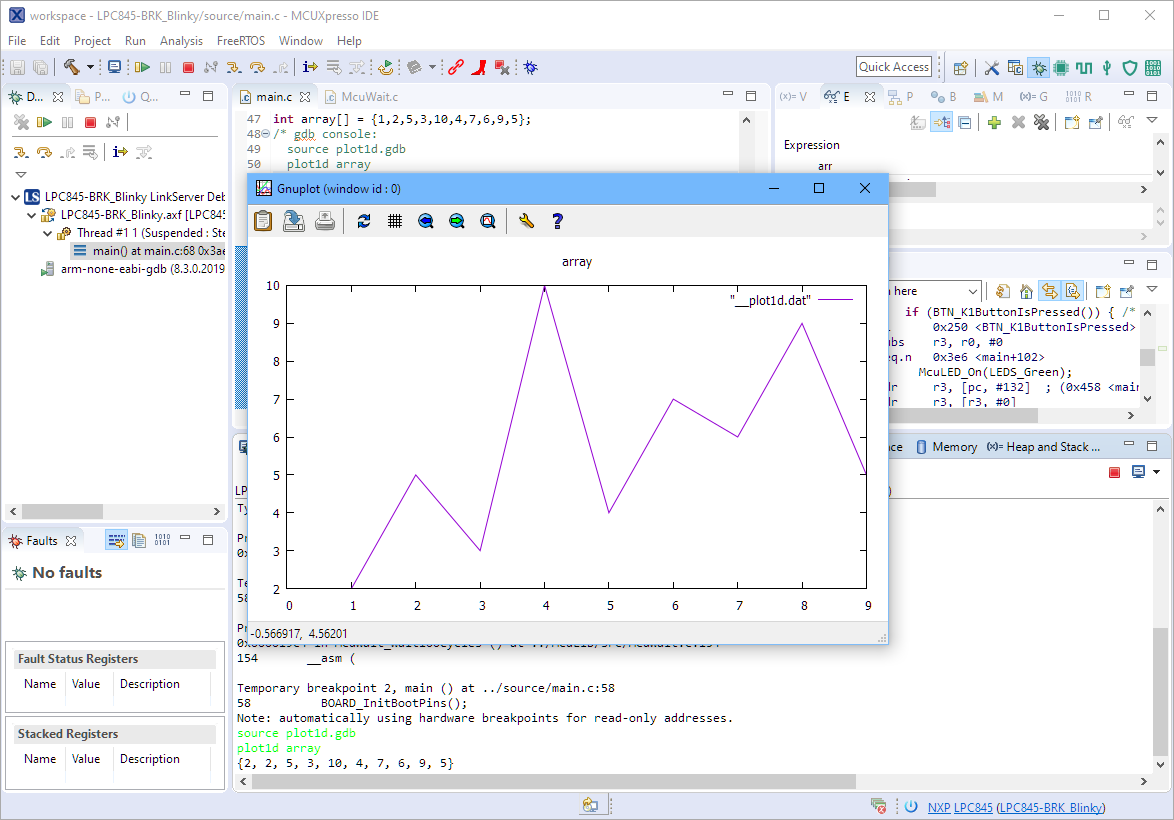
Visualizing Data with Eclipse, gdb and gnuplot
The gnuplot is a versatile and powerful tool to plot and visualize all kind of data. I wish there would be a plugin for it in Eclipse. But as this is not (yet?) the case, here is how I’m using it with gdb and Eclipse, using the MCUXpresso IDE as example.
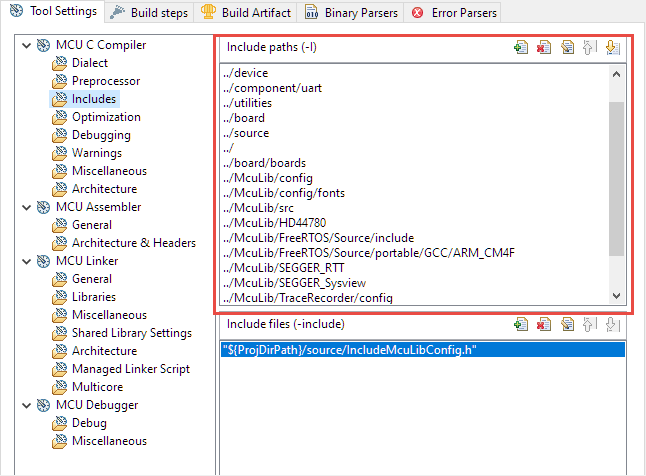
Ways to apply Eclipse CDT C/C++ Project Settings
Eclipse with its CDT managed Make system makes it easy to build projects, because it can handle a lot of the background tasks and settings between the project and the build setting. It can get a bit difficult if I want to include a library or other sub-source project for which I have to add extra compiler #define or add extra includes path settings.
This article show the different ways I have found to make such imports (and exports) easier.
Listing Code and Data Size for all Files with the GNU size Utility in a Post-Build Action
The GNU size utility which is part of the GNU build tools shows code and data size for archive or object files. It is usually used as a post-build step in Eclipse CDT to show text, data and bss at the end of the build:
Open Source LittlevGL GUI Library on Adafruit Touch LCDs with NXP LPC55S69-EVK
The NXP LPC55S69-EVK is a versatile board. In this article I show how it can be used with Adafruit TFT LCD boards, both with resistive and capacitive touch. For the software I’m using the open source LittlevGL GUI.
Linking Bootloader Applications with Eclipse and FreeMarker Scripts
Bootloaders are a fine thing: With this I can load any applications I like. Power comes with some complexity, and a bootloader alone is a complex thing already. But this applies to the application part too: I need to link the application to a certain offset in the memory space so it can be loaded by the bootloader, plus the application typically needs to add some extra information to be used by the bootloader. This article describes how to build a bootloader application with Eclipse (MCUXpresso IDE) using the MCUXpresso SDK.
Stack Canaries with GCC: Checking for Stack Overflow at Runtime
Stack overflows are probably the number 1 enemy of embedded applications: a call to a a printf() monster likely will use too much stack space, resulting in overwritten memory and crashing applications. But stack memory is limited and expensive on these devices, so you don’t want to spend too much space for it. But for sure not to little too. Or bad things will happen.
The Eclipse based MCUXpresso IDE has a ‘Heap and Stack Usage’ view which can be used to monitor the stack usage and shows that a stack overflow happened:
But this is using the help of the debugger: how to catch stack overflows at runtime without the need of a debugger? There is an option in the GNU gcc compiler to help with this kind of situation, even if it was not originally intended for something different. Continue reading
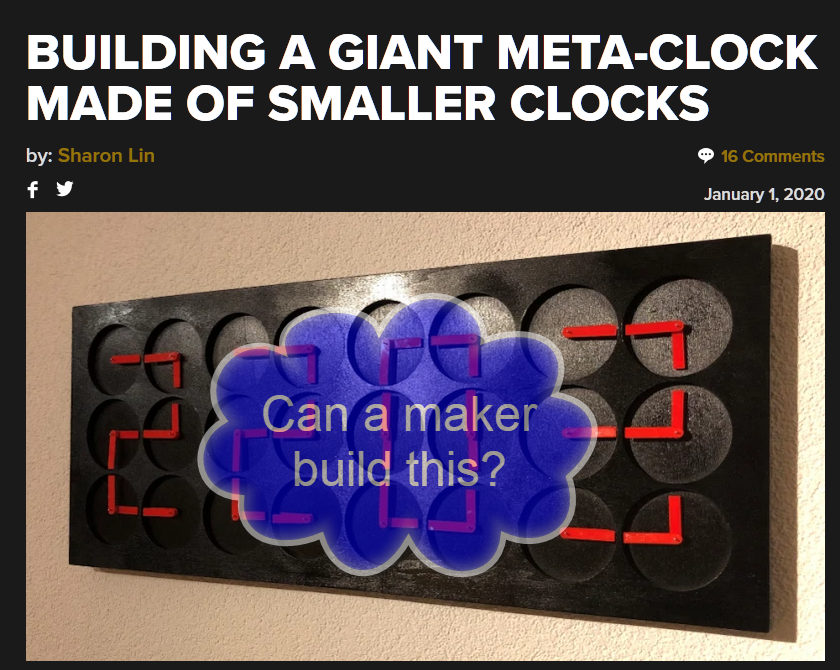
DIY Stepper Motor Clock with NXP LPC845-BRK
This project is about building a stepper motor clock around the NXP LPC845-BRK board. The design is using a combination of 3D printed and laser cut parts and costs below $15.