This article is part of a ‘mini series’ about hidden gems, tips and tricks around Eclipse.
The topic of this one is how to do a ‘block’ selection in the text editor.

Eclipse Text Block Selection

This article is part of a ‘mini series’ about hidden gems, tips and tricks around Eclipse.
The topic of this one is how to do a ‘block’ selection in the text editor.
Eclipse Text Block Selection
Creating a new project with Eclipse for a microcontroller these days is fairly easy, and I have the choice if I want to start the project with C or C++:

Choice of C and C++ for a new project
Still the embedded microcontroller world is dominated by C and not C++. So while it is easy to start with a C++ project, most vendor provided example or tutorial project are C projects. So how can I transform such project to C++?
This is a follow-up article of my earlier project presented in “FatFS, MinIni, Shell and FreeRTOS for the NXP K22FN512“. I wanted to extend it with a USB MSD (memory stick) device: The USB storage device gets automatically mounted, and depending on a configuration (.ini) file on the memory device I can perform various actions, for example automatically copy data from the SD card to the USB device. For example the system logs data, and to get the data I insert the memory stick, it copies the data on it and automatically unmounts it, and I can remove the memory stick.

FRDM-K22F USB Host Mode with Memory Sticks
The NMI is a special interrupt on ARM Cortex-M architecture: as the name indicates, it cannot be ‘masked’ by the usual ‘disable interrupts’ flags (PRIMASK, BASEPRI), similar to the Reset signal.

cortex-m-vector-table (Source: adapted from arm.com)
Dealing with the reset signal is kind of obvious, and most designs and boards have it routed to a reset button or similar. The NMI is less obvious if you don’t pay attention to it: most ARM-Cortex implementations and boards have the NMI signal routed to a pin and are ‘hiding’ it in the schematics behind a normal GPIO pin or port: if you don’t pay attention to the NMI functionality, the board might not work as intended.
As promised I’m going to share more details about the “60 Billion Lights” project. It is about a project to build a piece of electronics behind a 100×50 cm canvas to show animations or to display information like temperature, humidity, weather, time or just any arbitrary text.

Writing text
An essential tool especially developing larger applications or distributed firmware is to use logging. This article presents an open source logging framework I’m using. It is small and easy to use and can log to a console, to a file on the host or even to a file on an embedded file system as FatFS.

Log Output
I’m using the NXP Kinetis K22FN512 in many projects, either with the FRDM-K22F or on the tinyK22: with 120 MHz, 512 KByte FLASH and 128 KByte it has plenty of horsepower for many projects. The other positive thing is that it is supported by the NXP MCUXpresso IDE and SDK. I have now created an example which can be used as base for your own project, featuring FreeRTOS, FatFS, MinIni and a command line shell.
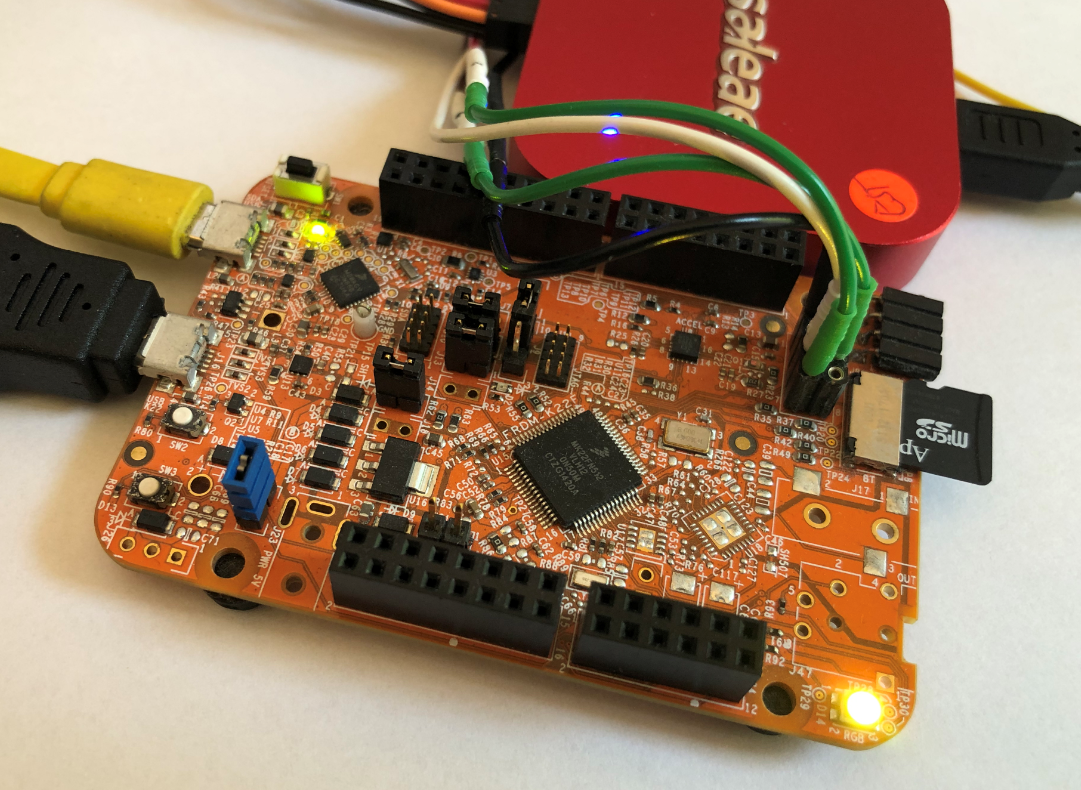
FRDM-K22F with SD Card
OpenPnP is a great open source framework for building a DIY SMT Pick&Place machine. But it does not stop there: It is possible to use OpenPnP with a commercial pick & place machine, for example the Charmhigh CHM-T36VA. This Chinese machine comes with its own controller software which works but is not that great. The good news is that it is possible to hack and retrofit the machine so it can run the much more powerful OpenPnP.

Retrofitted CHM-T36VA
Using the debugger to inspect the application data is a very convenient thing. But if the data grows and if the data set is large, it makes more sense to dump the data to the host and process it offline. GDB is the de-facto debugger engine and includes a powerful command line and scripting engine which can be used in Eclipse too.

GDB Debugger Console in Eclipse
Especially in a lab or classroom environment it is convenient to start with a template project, and then explore different ways to shape the project for different needs. As for any IDE of this world, this requires an understanding of the inner workings to get it right. So in this article I show how to copy, clone or rename properly an Eclipse ‘template’ project in the MCUXpresso IDE.
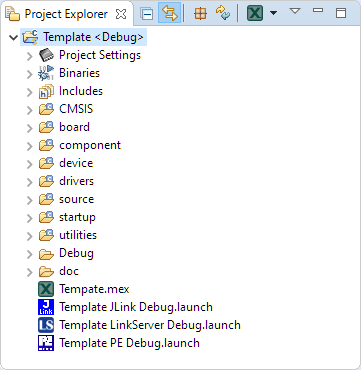
Template Project

