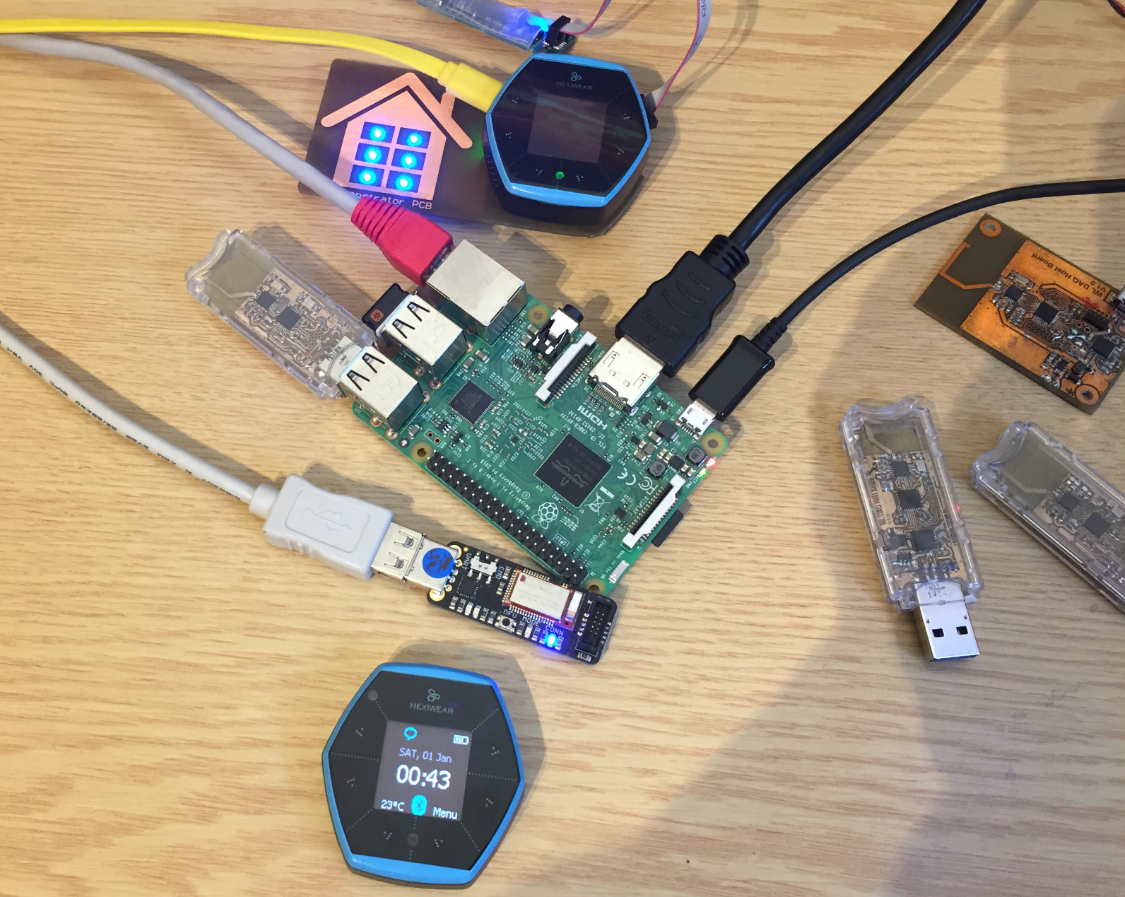
Now I can use the data on the Hexiwear over BLE with the gatttool (see “Tutorial: Hexiwear Bluetooth Low Energy Packet Sniffing with Wireshark” and “Tutorial: BLE Pairing the Raspberry Pi 3 Model B with Hexiwear“). This article is taking things a step further and uses a Python script on Linux to access the sensor data on the BLE device:
Tag Archives: software project
Tutorial: Hexiwear Bluetooth Low Energy Packet Sniffing with Wireshark
For a university reasearch project I try to pair the Raspberry Pi 3 with a Mikroelektronika Hexiwear using BLE (Bluetooth Low Energy). Most of things worked after a lot of trial and error, but at a certain point I was stuck trying to write to send data from the Raspy to the BLE device.The Hexiwear BLE protocol description is very thin, so I ended up using a BLE sniffer to reverse engineer the protocol with Wireshark.
Tutorial: BLE Pairing the Raspberry Pi 3 Model B with Hexiwear
The Hexiwear (see “Hexiwear: Teardown of the Hackable ‘Do-Anything’ Device“) is a small and portable sensor node with built-in BLE (Bluetooth Low Energy) transceiver. In a research project we try to use multiple Hexiwear in a classroom environment and to collect sensor data on a Raspberry Pi. The Raspberry Pi 3 Model B running Linux has an on-board BLE transceiver too, so why not binding them (wirelessly) together?
Well, things seemed easy at the beginning, and as always, there are many things to learn on a journey like this…
Low Power LCD: Adafruit Breakout Board with Sharp Memory Display
Many projects benefit from a small display as a user interface. For very low power applications this is usually a no-go as the display needs too much energy. I have used e-paper displays from Kent: while these e-paper displays do not need any power to keep the image, changing the display content is not for free, plus is very slow (around 1 second needed to update the display). So I was looking for something low power and fast for a long time, until Christian (thanks!) pointed me to a display from Sharp: both very low power and fast:
McuOnEclipse Components: 12-Dec-2016 Release
Time is passing by so fast, and the year end is approache fast! I’m pleased to announce that a new release of the McuOnEclipse components is available in SourceForge:
- Percepio Trace V3.1 for FreeRTOS which includes both Segger RTT continuous streaming and snapshot tracing in a single API
- Generation of sources and drivers so they can be used without Processor Expert using McuLibConfig, removal of dependency to NXP Kinetis SDK: components use a generic API approach to have them working with other SDKs.
- New contributed ExceptionsHandler component
- Callback Setter and Getter in USB CDC stack for simpler option handling
- GenericTimeDate with flexible RTC support and added Unix Timestamp functions
- LongKey events in Key component
- FreeRTOS with optimized task selection on Cortex-M4/M7
- Many smaller bug fixes and enhancements
Making-Of Sea Shell Sand Clock
The year is coming to an end, the Holiday season is approaching. In case you are looking for a nice present: I have completed my version of a sand clock: a clock writing the time into sand:
If you are interested to build your own version, I have documented the different steps with tips and tricks…
McuOnEclipse Components: 30-Oct-2016 Release
A new McuOnEclipse components release was long overdue, so I’m pleased to announce that a new drop is available with the following major changes:
- Segger SystemView library with kernel time reporting
- GenericTimeDate supports different hardware RTC devices
- Utility with little endian packet handling functions
- Shell Standard I/O handlers for USB CDC, Segger RTT and Bluetooth
- FreeRTOS and stack size reporting
- printf() support in Shell component
- Various small bug fixes and improvements
Tutorial: Building FreeRTOS Applications for ARM Cortex-M4 on i.MX7 with Eclipse
Command line tools to build applications are great. But productivity goes up if I can use the standard Eclipse environment with GNU tools. This tutorial is about how to use standard and free GNU and Eclipse tools to build my FreeRTOS application for the ARM Cortex-M4 on i.MX7 🙂 :
Tutorial: Updating Embedded Linux on Toradex i.MX7 Colibri Module using SD Card
My Toradex i.MX7Dual module comes with a preflashed Linux distribution (see “Tutorial: First Steps with NXP i.MX7 and Toradex Colibri Board“). As with any other things, Linux gets updated from time to time, and Toradex publishes new firmware. In this article I’m documenting how I can update Linux in the external FLASH on that module.
Tutorial: Running FreeRTOS on NXP i.MX7Dual Cortex-M4F
In my previous article (see “Tutorial: First Steps with NXP i.MX7 and Toradex Colibri Board“) I have booted the i.MX7 on a Toradex CPU module. In this post I’m showing how to run a FreeRTOS application on that board.