There are many mergers going on in the industry, and one of the largest one was in 2016 the integration of Freescale Semiconductor with NXP Semiconductors, with both providing Eclipse based IDE’s to their customer base. Consequently, the company merger triggered a merger of the IDE’s, and last week NXP has released the result: the MCUXpresso IDE.
To me, software and tools are by far more important than the microcontroller. Because the silicon is a ‘one time kind of thing’, where the software has to be maintained and working over a longer time. And at least my software usually needs to be ported to a new device, so portability and available software and tools are critical to me.
The combination of MCUXpresso SDK (formerly Kinetis SDK) and Processor Expert is unfortunately not supported by NXP. But I have found a way to get them work together in a nice way, and this article is about making that combination possible :-).
SDKv2 Project with Processor Expert which is supposed not to work together
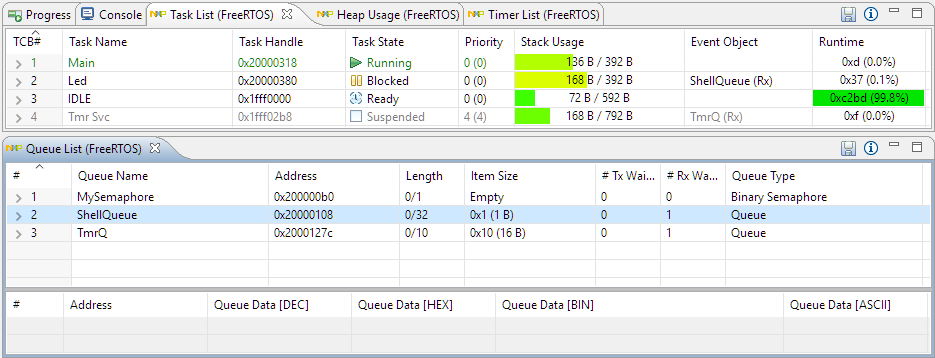
With debugging FreeRTOS applications in Eclipse, it is a big to have views available showing all the threads, queues, timers and heap memory allocation. One of the best Eclipse plugins are the one NXP provides for FreeRTOS: they are free of charge and give me pretty much everything I need. However, if you are not that familiar with FreeRTOS itself, here are a few tips to get more out of the plugins.
Instead creating a new project from scratch, often it is simpler to copy an existing Eclipse CDT project, then change it and go on. To copy-past the a project in Eclipse:
Select the project in the Project Explorer View (CTRL-C on Windows)
Copy of a project
Then paste it in the Project Explorer View (CTRL-V on Windows), and I can specify the new name:
Paste of Project
However, to make that process simpler, a few things have to be done right in the ‘source’ project first.
The concept of Linux (Open Source, broad developer base and broad usage) is a success story. While there is a lot of diversity (and freedom) in the Linux world, Linux is Linux and again Linux :-). And the world has (mostly) standardized on Linux and its variants on the high embedded system side.
On the other side, the ‘middle and lower end’ Embedded world is fragmented and in many aspects proprietary. So it was no surprise to me when the Linux Foundation announced the ‘Zephyr’ project back in February 2016:
“The Linux Foundation Announces Project to Build Real-Time Operating System for Internet of Things Devices. Open source Zephyr™ Project aims to deliver an RTOS; opens call for developers to help advance project for the smallest footprint IoT devices.“
Ζεφυρος (Zephyros) is the Greek good of spring and the west wind. Obviously this inspired the logo for the Zephyr project:
To me, one of the most frustrating things working with ARM Cortex-M cores are the hard fault exceptions. I have lost several hours this week debugging and tracking an instance of a hard fault on an ARM Cortex-M0+ device.
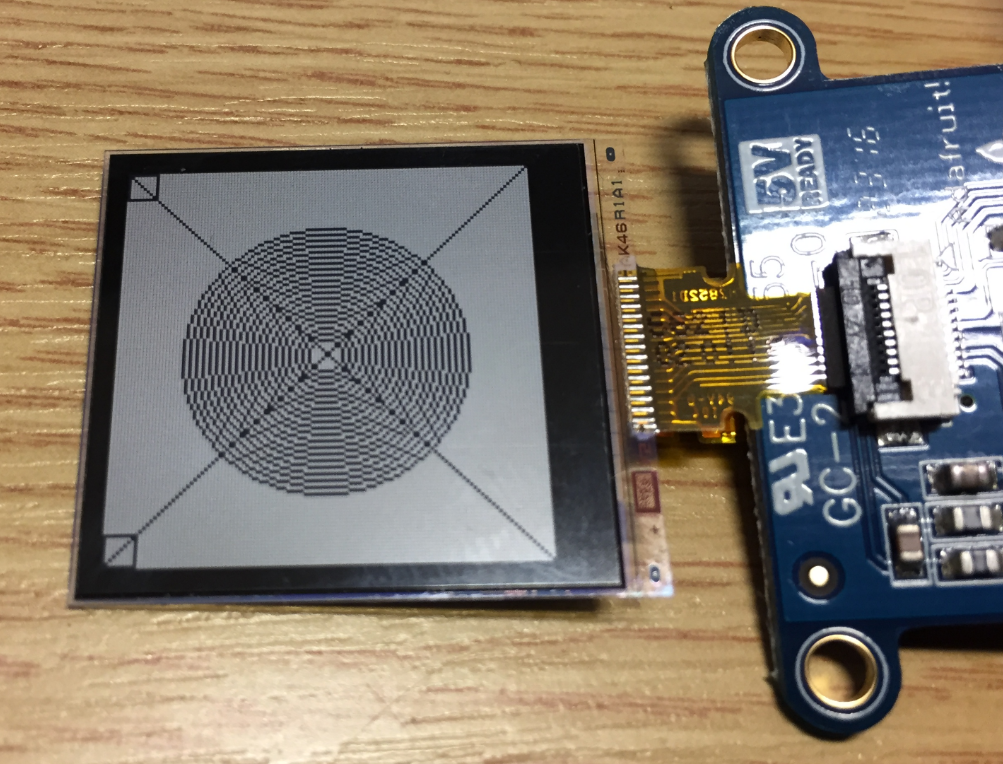
In “Low Power LCD: Adafruit Breakout Board with Sharp Memory Display” I used a 96×96 Sharp Display (LS013B4DN04) with the Adafruit breakout board, but because that one seems to be EOL (End Of Life), I searched for a replacement. I have found the 128×128 pixel version (Sharp LS013B7DH03), and best of all, it is pin compatible :-). With a small tweak of the driver, it works :-):