Using Python to Store Data from many BLE Devices

BLE (Bluetooth Low Energy) sensor devices like the Hexiwear are great, but they cannot store a large amount of data. For a research project I have to collect data from many BLE devices for later processing. What I’m using is a Python script running on the Raspberry Pi which collects the data and stores it on a file:

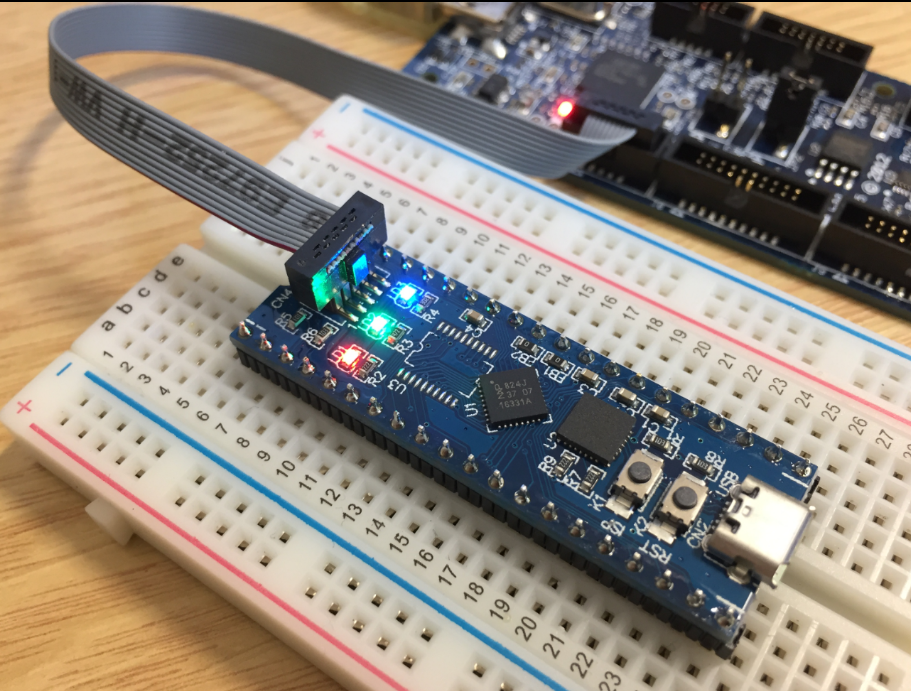
Raspberry Pi with Python controlling a set of Hexiwear BLE Devices

Raspberry Pi with Python controlling a set of Hexiwear BLE Devices
Continue reading

DIY USB HID Joystick Device and Game Controller

For many projects it would be cool to build a custom USB Joystick device, either as custom game controller for Windows or any USB host which can be used with a USB Joystick. Instead buying one, why not build my version? All what I need is a USB capable board, some kind of input (potentiometer, push buttons) and some software, and I have my USB Joystick:

DIY USB HID Joystick Device

DIY USB HID Joystick Device

Continue reading

2017 Spring Semester Sumo Challenge

Video

The spring university semester is coming to an end, and the Infotronic course closed with a Sumo robot challenge. Great challenge, new technologies, innovative approaches and funny designs πŸ™‚

Groot

Groot

Continue reading

MCUXpresso IDE: Blinky the NXP LPC800-DIP Board

During Embedded World 2017 in NΓΌrnberg I was lucky to get a handful LPC800-DIP boards. To get all students who were lucky to get one, here is a tutorial to make that very exciting ‘blinky’ application on that board:

Blinky on the NXP LPC800-DIP

Blinky on the NXP LPC800-DIP

Continue reading

McuOnEclipse Components: 06-May-2017 Release

I’m pleased to announce that a new release of the McuOnEclipse components is available in SourceForge, with the following changes and updates:

  • SEGGER SystemView updated to V2.42
  • More components to work with MCUXpresso SDK: GenericSWSPI, FXO8500 and SimpleEvents
  • SSD1351 display driver supports 128×128 pixel resolution and Adafruit 1.5″ breakout module
  • Extended FreeRTOS debug helper settings
  • GenericI2C: added ReadWordAddress8() and ReadWordAddress8() functions
  • RingBuffer with new Getn() and Update() functions
  • Utility with map(), constrain(), random() and randomSetSeed()
  • XFormat: new xsnprintf(), contributed by Engin Lee
  • OneWire protocol component with Maxim DS18B20 temperature sensor
  • Many smaller bug fixes and enhancements
SourceForge

SourceForge

Continue reading

Tutorial: Secure TLS Communication with MQTT using mbedTLS on top of lwip

One of the most important aspects of the ‘IoT’ world is having a secure communication. Running MQTT on lwip (see “MQTT with lwip and NXP FRDM-K64F Board“) is no exception. Despite of the popularity of MQTT and lwip, I have not been able to find an example using a secure TLS connection over raw/native lwip TCP :-(. Could it be that such an example exists, and I have not found it? Or that someone implemented it, but has not published it? Only what I have found on the internet are many others asking for the same kind of thing “running MQTT on lwip with TLS”, but there was no answer? So I have to answer my question, which seems to be a good thing anyway: I can learn new things the hard way :-).

Blockdiagram MQTT Application with TLS using lwip

Block diagram MQTT Application with TLS using lwip

Continue reading

Enable Secure Communication with TLS and the Mosquitto Broker

MQTT is a lightweightΒ  and broadly used internet protocol (see “MQTT with lwip and NXP FRDM-K64F Board“). And probably the majority of IoT applications today are using Mosquitto as server (or ‘broker’ in MQTT language). By default, Mosquitto is using a protocol without encryption. In “Introduction to Security and TLS (Transport Layer Security)” I have covered the basics and needs for encryption. This article is about how to enable Mosquitto and clients to use the TLS protocol.

TLS Handshaking with certificates and keys

TLS Handshaking with certificates and keys

Continue reading

MQTT with lwip and NXP FRDM-K64F Board

In the area of IoT (Internet of Things), one obvious need is to have a way to send and receive data with an internet protocol. MQTT (or Message Queue Telemetry Transport) is exactly like that: a light-weight Machine-to-Machine communication protocol. With the MQTT protocol a microcontroller (or ‘client’) can send data and/or subscribe to data. For example to the Adafruit.IO:

Adafruit MQTT IO Feed

Adafruit MQTT IO Feed

Continue reading

MCUXpresso IDE: Installing Processor Expert into Eclipse Neon

In “MCUXpresso IDE: Importing Kinetis Design Studio Projects” I explained how Kinetis Design Studio projects can be imported and used inside the MCUXpresso IDE. Processor Expert projects can be used, but no new components added, modified or new Processor Expert projects created. To fully use Processor Expert, two plugins need to installed, and this is what this article is about.

Processor Expert in MCUXpresso IDE

Processor Expert in MCUXpresso IDE

Continue reading

MCUXpresso IDE: Importing Kinetis Design Studio Projects

Many of my currently active projects are using Kinetis Design Studio (KDS) V3.2.0 from NXP (I have published many of my projects on GitHub). Now with the advent of the MCUXpresso IDE (see “MCUXpresso IDE: Unified Eclipse IDE for NXPs ARM Cortex-M Microcontrollers“), I have migrated several projects from KDS to MCUXpresso. This post is about how to easily get KDS projects ported and running in MCUXpresso IDE.

Debugging KDS Project in MCUXpresso IDE

Debugging KDS Project in MCUXpresso IDE

Continue reading