With the Joystick shield I have a convenient way to drive and control a Zumo Robot without a wired connection:

Joystick Shield with Robot
While things started promising, there was a power supply problem at the end to be solved…

With the Joystick shield I have a convenient way to drive and control a Zumo Robot without a wired connection:
Joystick Shield with Robot
While things started promising, there was a power supply problem at the end to be solved…
I’m using both the Freescale MC1320x and Nordic Semiconductor nRF24L01+ 2.4GHz in many projects. To make it even easier to use these transceivers in the RNet stack, I have updated it with several new functions.
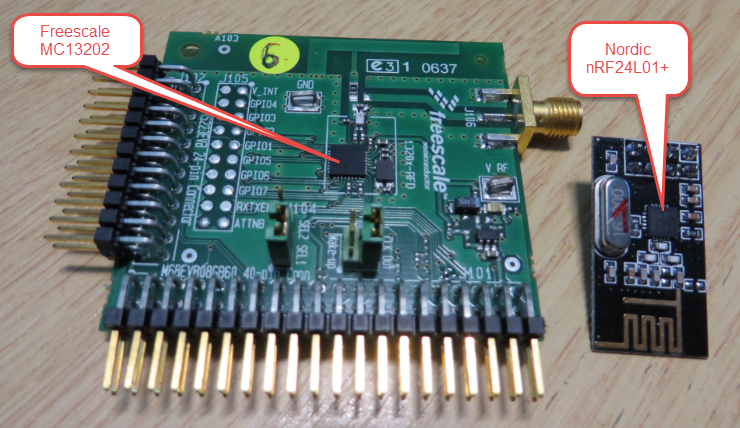
MC13202 and nRF24L01+
Thanks to the GNU ARM Eclipse plugins from Liviu it is easy to build and debug projects for all the different ARM cores. But I need to specify the device name in the debug configuration:
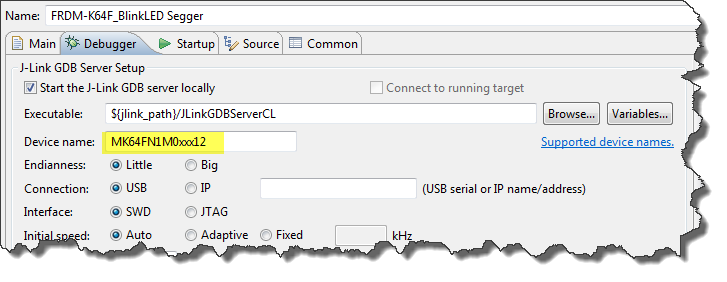
Device Name for Segger GDB Configuration
There must be an easier way for this? Yes, indeed, there is 🙂
For the GNU ARM tools it is easy to print out the code and date size information, see
But this is all for ARM cores. What if I use other architectures like S08 or ColdFire in Eclipse?

Code Size Information in Build Console
Segger just has released their OpenSDAv2 firmware. The OpenSDAv2 firmware is different from the OpenSDAv1 as it is using a different memory map and bootloader. The OpenSDAv2 e.g. is present on the new FRDM-K64F board. The availability of the Segger firmware is definitely good news for any owner of the FRDM-K64F board: so far only the CMSIS-DAP firmware was available (on top of the mbed bootloader). With this, it was not possible to use the board with CodeWarrior, except with using an external P&E Multilink or Segger J-Link. With that new Segger J-Link OpenSDAv2 firmware, I can now use the FRDM-K64F with any IDE which supports the Segger J-Link :-).

FRDM-K64F with Segger OpenSDAv2 Firmware
The latest addition to my set of Arduino shields is a true fun thing: The ElecFreaks.com JoyStick Shield 🙂
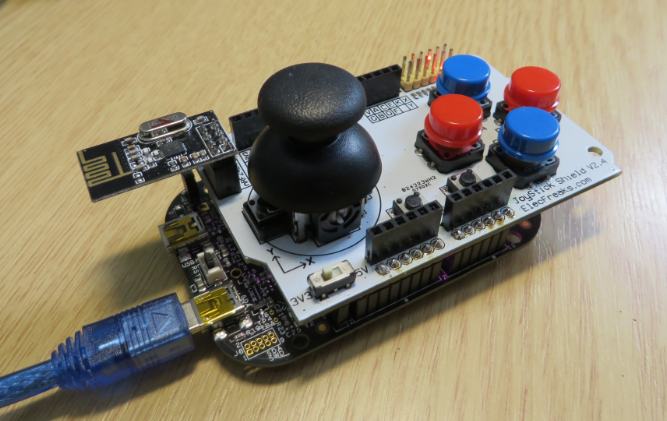
ElecFreaks.com Joystick Board with FRDM-KL25Z and nRF24L01+
I admit: my Ethernet Shield project got stuck because of too many urgent other priorities. I was not happy with the way the project was using configuration data from FLASH memory: I have now multiple ethernet shields in use, and configuring the IP address for each shield is a pain. I have not got DHCP working (yet), so why not using the SD card on the shield for configuration data? And right on time I received a tip from Marc about MinIni: perfect, exactly what I need!

Ethernet Shield with SD card
At the university the mid-term presentations are due. Which reminds me about the importance to use the right terms and keywords not only for scientific presentations and abstracts, but as well to use and know the correct terms in any presentation or documentation. A have been pointed to an interesting concept: The Turbo Encabulator, described in this data sheet:
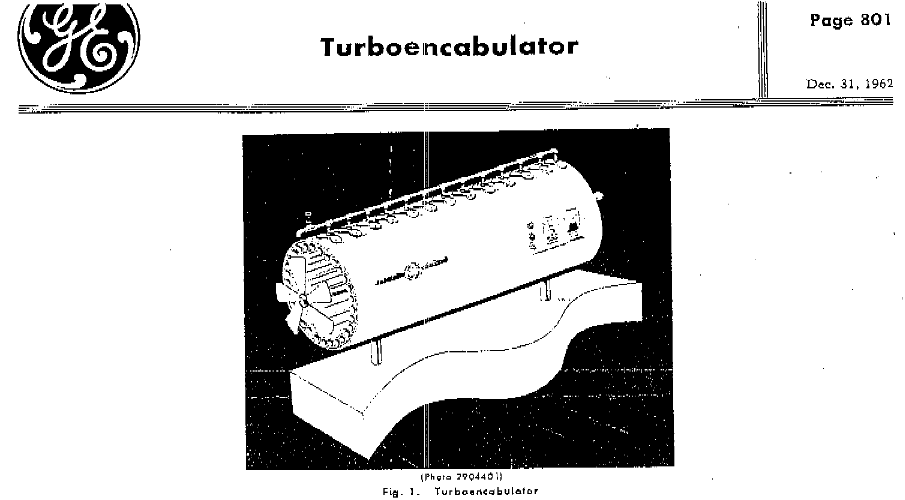
Turboencabulator

This gallery contains 1 photo.
I use the Swiss train system to commute between home and work. And because both home and office are in less then five-minute walking distance for a train station. Today, I managed to get home earlier than usual. The sun … Continue reading
Working in an international environment means participating in conference calls. Instead to travel, meet and discuss face-to-face, it means dialing into a phone conference ‘bridge’. This can be augmented with ‘Netmeeting’ or other means of sharing files or desktop content.

A conference call in real life

