The tinyK22 board with the NXP K22FN512 is a bread-board-friendly small board with a 8 MHz external oscillator:
tinyK22 Board
This tutorial is about how to use the NXP MCUXpresso Clock configuration and configure the board to the maximum clock frequency of 120 MHz. The same steps apply to many other boards, including the FRDM-K22F one.
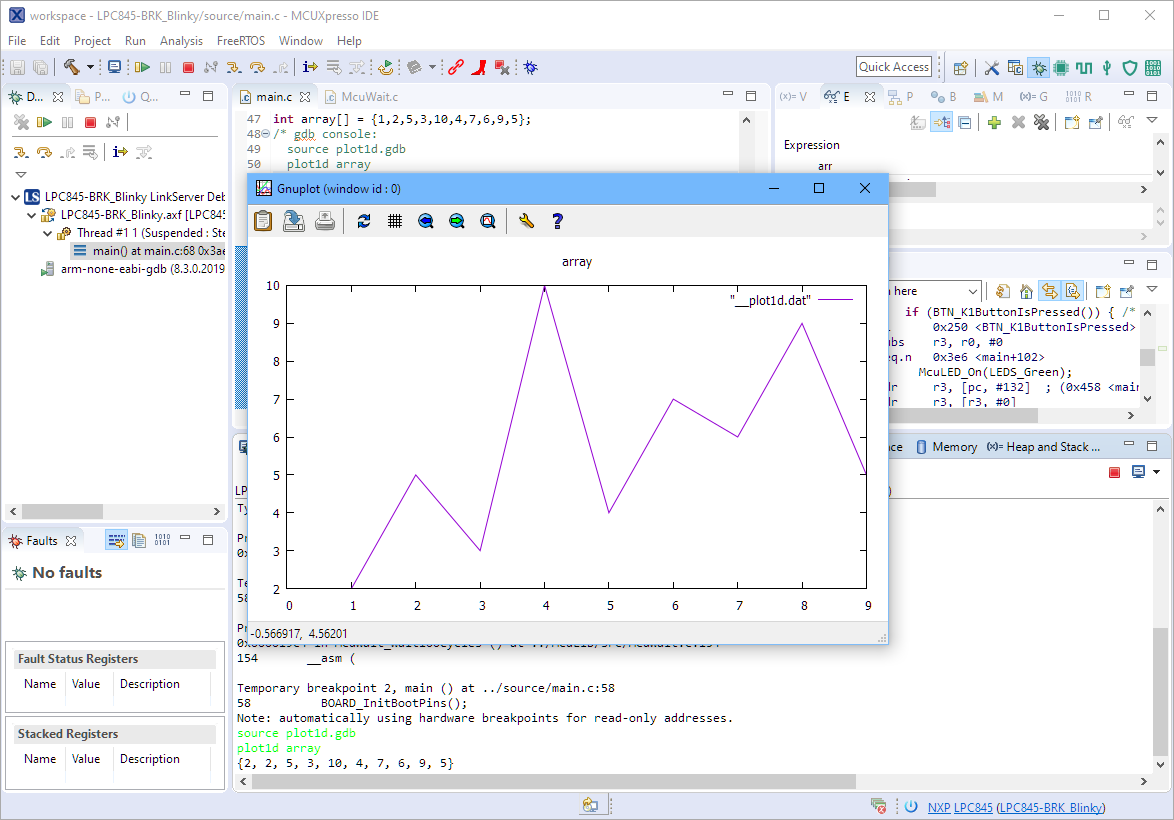
The gnuplot is a versatile and powerful tool to plot and visualize all kind of data. I wish there would be a plugin for it in Eclipse. But as this is not (yet?) the case, here is how I’m using it with gdb and Eclipse, using the MCUXpresso IDE as example.
One great feature of Eclipse is its built-in spell checking engine. So no more excuses are possible for typos in the source code ;-). Eclipse scans the source code in the background and offers to correct it:
When using an RTOS like FreeRTOS, sooner or later you have to ask the question: how much time is spent in each task? The Eclipse based MCUXpresso IDE has a nice view showing exactly this kind of information:
FreeRTOS Runtime Information
For FreeRTOS (or that Task List view) to show that very useful information, the developer has to provide a helping hand so the RTOS can collect this information. This article shows how this can be done on an ARM Cortex-M.
For this last blog in the series Investigating ARM Cortex® M33 core I decided to explore the expansion features of the LPC55S69-EVK. This board has three expansion ports (PMOD, Arduino Duo, Mikroe click) and I picked the Mikroe expansion port. Why? Only because I had good experience with these boards with the Hexiwear project.
And because I have been doing some work this month with AWS IOT I wanted to get my LPC55S69-EVK onto my office WiFi network for the Christmas holidays. I know that the MCUXpresso SDK for lpcxpresso55s69 version 2.6.3 has a built-in WiFi example named qca_demo, and so that is what I am investigating today.
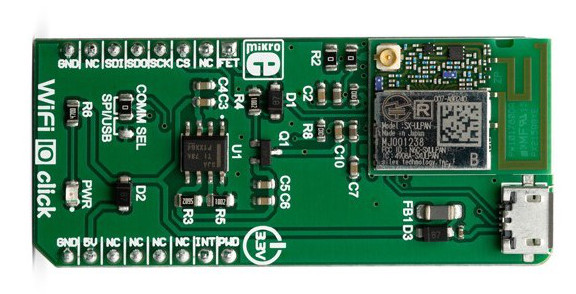
That WiFi example supports three WiFi shield boards, and I picked the Mikroe WiFi 10 click board. It’s part number MIKROE-3432 and available from all of the usual catalogue distributors.
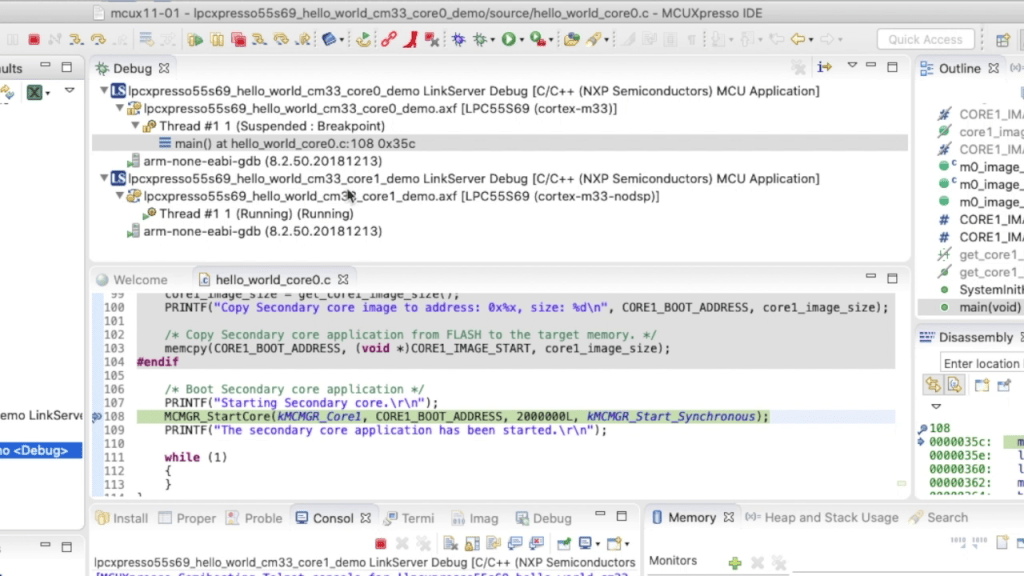
In last week’s blog I explained that the LPC55S69 microcontroller from NXP has two Cortex® M33 cores, named core0 and core1. There was a lot of theory, and so this week I put it all into practice and show you how to debug 2 cores with MCUXpresso IDE.
Multicore Debugging Interface in MCUXpresso IDE showing 2 different projectsContinue reading →
Throughout this series I’ve been using the LPC55S69 microcontroller from NXP as a platform to investigate the ARM Cortex® M33 core. NXP designed the LPC55S69 with two Cortex M33 cores and so this week I’m investigating these in more detail.
You’ll remember that when ARM launch a processor core it will have a number of optional features. This is shown very clearly on the LPC55S69. The 150 MHz primary core – cpu0 – is a full implementation of Cortex® M33 and includes the optional components FPU, MPU, DSP, ITM and the TrustZone® features.
I’ve always felt that the Fourier Transform (and in particular the embedded implementation Fast Fourier Transform) is the GOAT* of the DSP algorithms. The ability to convert a time-domain signal into a frequency-domain signal is invaluable in applications as diverse as audio processing, medical electrocardiographs (ECGs) and speech recognition.
So this week I’ll show you how to use the Transform engine in the PowerQuad on LPC55S69 to calculate a 512-point FFT. All of the difficult steps are very easily managed and the PowerQuad does all of the very heavy lifting.
Data from PowerQuad – 512-point real FFT on 400 Hz input signal with 1200 Hz harmonicContinue reading →
Last week I showed you how to use the Coprocessor interface of PowerQuad to calculate (mostly) unary functions. As an example the natural logarithm ln(x) takes just one operand, whilst the floating divide in PowerQuad requires two operands (x1)/(x2). PowerQuad is very efficient accelerating these functions, requiring just 6 clock cycles for the ln(x) and 6 clock cycles for the float (x1)/(x2). In comparison the single-precision floating point unit in Cortex® M4F and M33F requires 13 clock cycles to perform the same float divide.
But there are two ‘sides’ to the PowerQuad:
The Coprocessor interface, using ARMv8-M coprocessor instructions;
The AHB bus interface, where we address PowerQuad as a peripheral.
So this week… operating the PowerQuad as a peripheral. I’ll show you how to use the PowerQuad SDK driver in MCUXpresso in a new project, and use the Matrix Engine in the PowerQuad to solve simultaneous equations.