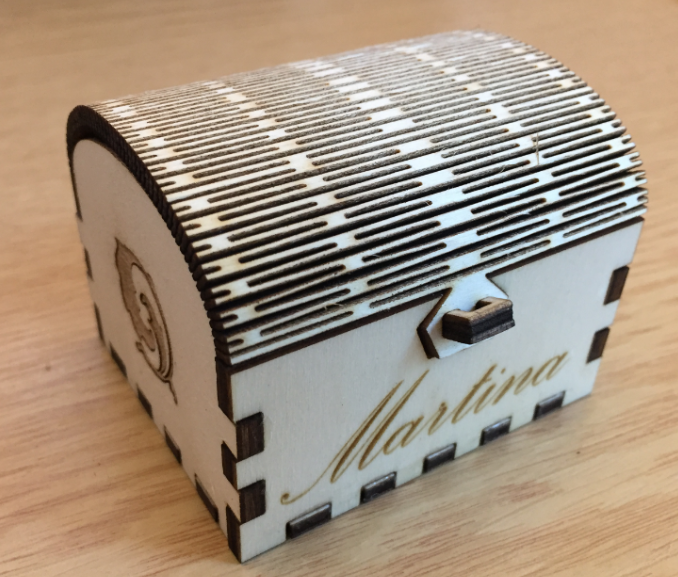
I have been asked to share what I’m creating with the laser cutter. So here is one more design: a wooden chest box:
Tag Archives: Tips&Tricks
Tutorial: Porting BLE+NRF Kinetis Design Studio Project to MCUXpresso IDE
The tools and IDE market is constantly changing. Not only there is every year at least one new major Eclipse IDE release, the commercial tool chain and IDE vendors are constantly changing the environment too. For any ARM Cortex-M development, the combination of Eclipse with the GNU tool chain provided by ARM Inc. is the golden standard. But this does not mean that things can be easily moved from one IDE package to another.
While moving between Eclipse versions and GNU versions is usually not a big deal at all, moving between the Eclipse build tool integration is usually not simple. While the GNU MCU Eclipse plugins are widely used (see Breathing with Oxygen: DIY ARM Cortex-M C/C++ IDE and Toolchain with Eclipse Oxygen), the Eclipse based IDEs from the silicon vendors or commercial Eclipse toolchain vendors are using their own GNU toolchain integration. Which means the project files are not compatible :-(.
Tuning a Laser Cutter and Determine the Maximum Usable Laser Power
The question has been: If I buy such a 50 Watt cheap laser cutter from China, how many Watts does it really have? I have read all these stories that usually what is advertised is only the theoretical maximum I could get, and will not be realistic at all. This article is about how I tuned the machine and how much I got out of it.
Laser Engraving for a Card Box
We are creating a new course (PRG-G) at the Lucerne University. This course teaches C programming and is part of the new curriculum in EE (Electrical Engineering). Every student will receive a microcontroller board on an extension board as give-away, in a custom card box for the board and cable. To make things a bit more exciting, why not laser engrave that box? That gives me a perfect excuse to experiment with the laser cutter 🙂
Using Eclipse with its local Version of Java Virtual Machine
Eclipse is probably the most used and de-facto standard IDE for any development for ARM Cortex or any other devices. It is very easy these days to construct an unlimited and unrestricted IDE (see “Breathing with Oxygen: DIY ARM Cortex-M C/C++ IDE and Toolchain with Eclipse Oxygen“). Up to the point that I can pack it into a .zip file and pass it around e.g. in a class room environment, so no installer at all is needed with the exception of the debug probe USB drivers. As Eclipse is using a Java Virtual Machine (VM), it is a good idea to bundle the VM with the IDE, and this article is about how to do this.
Adding CMSIS-SVD Files to EmbSysRegView 0.2.6.r192 and Eclipse
In “EmbSysRegView 0.2.6 for Eclipse Neon and Oxygen” I have described how to add CMSIS-SVD register detail files to Eclipse using the EmbSysRegView plugin.
But what I need to add vendor or any other SVD files to it? Here is how:
Building Eclipse and MCUXpresso IDE Projects from the Command Line
Eclipse as IDE takes care about compiling and building all my source files. But in an automated build system I would like to build it from the command line too. While using make files (see “Tutorial: Makefile Projects with Eclipse“) is an option, there is another easy way to build Eclipse projects from the command line:
Solving “No source file named …” in Eclipse and GDB
Sometimes it happens that arm-none-eabi-gdb complains about “no source file named” in the GDB console view in Eclipse when I debug a project with GDB:
Troubleshooting Tips for FreeRTOS Thread Aware Debugging in Eclipse
FreeRTOS seems to get more and more popular, and I think as well because more and more debugger and Eclipse IDE vendors add dedicated debugging support for it.
How to use Custom Library Names with GNU Linker and Eclipse
By default, the GNU Linker expects a very special naming scheme for the libraries: the library name has to be surrounded by “lib” and the “.a” extension:
lib<NAME>.a
But what if the library I want to use does not conform to that naming standard?