By default, there are no Undo/Redo toolbar buttons in the Eclipse toolbar. With Eclipse as an open and extensible framework, how to add them?

Undo and Redo Toolbar Buttons in Eclipse

By default, there are no Undo/Redo toolbar buttons in the Eclipse toolbar. With Eclipse as an open and extensible framework, how to add them?
Undo and Redo Toolbar Buttons in Eclipse
With the start of the new year 2016 I have published a new McuOnEclipse component release with the following major updates:

256 NeoPixel Matrix with FRDM-KL25Z
I’m not much monitoring what is happening on Kickstarter or Indiegogo, only for time reasons, but maybe I should? For a while I’m looking for the next level for the tinyK20 project: better and more powerful microcontroller with touch display/graphic LCD. And when I see a Freescale/NXP Kinetis microcontroller on a crowd funding platform like this one, I hardly can resist 😉 :

Blaze Board (Source: http://kck.st/1S0HyUp)
The tinyK20 boards are now used in several projects. Initially I was considering a commercial USB thumb drive enclosure for it. But this needed some tweaking of the enclosure so at the end it was not ideal. 3D printing is probably that hot topic for 2016. So why 3D printing an enclosure for that board?

3D Printed Enclosure for the tinyK20 board
In many of my embedded projects I’m using successfully the Nordic Semiconductor nRF24L01+ (see “Tutorial: Nordic Semiconductor nRF24L01+ with the Freescale FRDM-K64F Board“) and the HC-06 Bluetooth transceivers (see “Getting Bluetooth Working with JY-MCU BT_BOARD V1.06“) for wireless communication. However, the nRF24L01+ is using a proprietary protocol, and the HC-06 does not work with Apple products (it does very well with Android devices). To close that gap I decided to add Bluetooth Low Energy (BLE, or Bluetooth 4.x). So this post is about how to add Bluetooth Low Energy (BLE) to NXP (formerly Freescale) Kinetis devices:
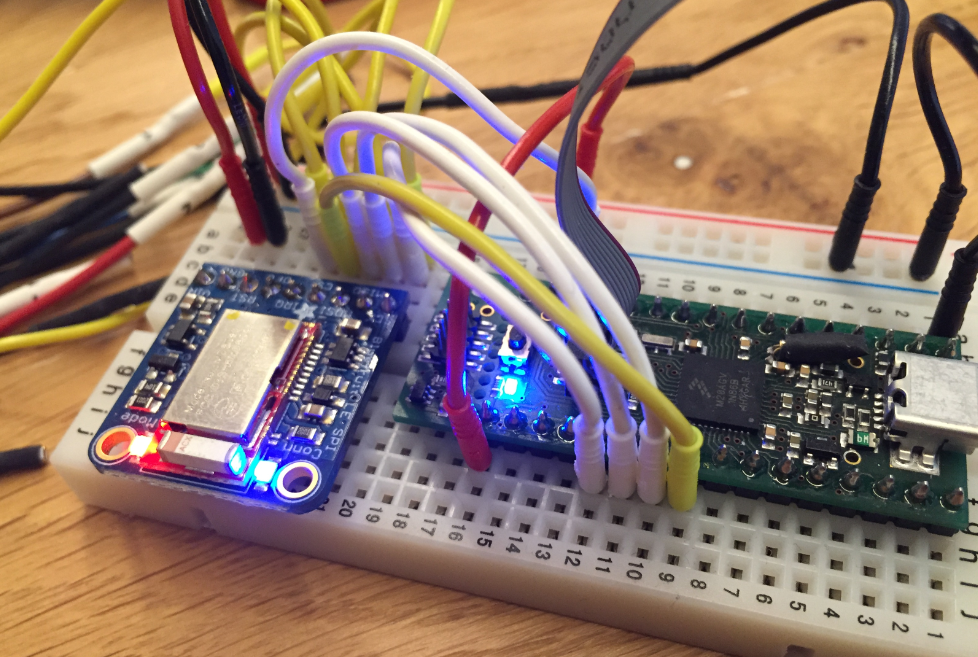
BLE Enabled Kinetis
When I create a project in Eclipse (e.g. in Kinetis Design Studio with the GNU ARM Eclipse plugins), I have to specify the name of the project during creation time:

Project Name in Eclipse
But what if I change my mind later on and want to use a different name? How to rename the project?
This winter in the Alps is very dry and warm. Because there is no snow it is excellent to do some hiking instead. I’m closing the year with the family in the Italian part of the Alps, and we visited today the Fane Alm, a seasonal alpine pasture. The most beautiful small alpine village I ever have seen. It is located at the top end of the valley of Vals, South Tyrol, Italy.
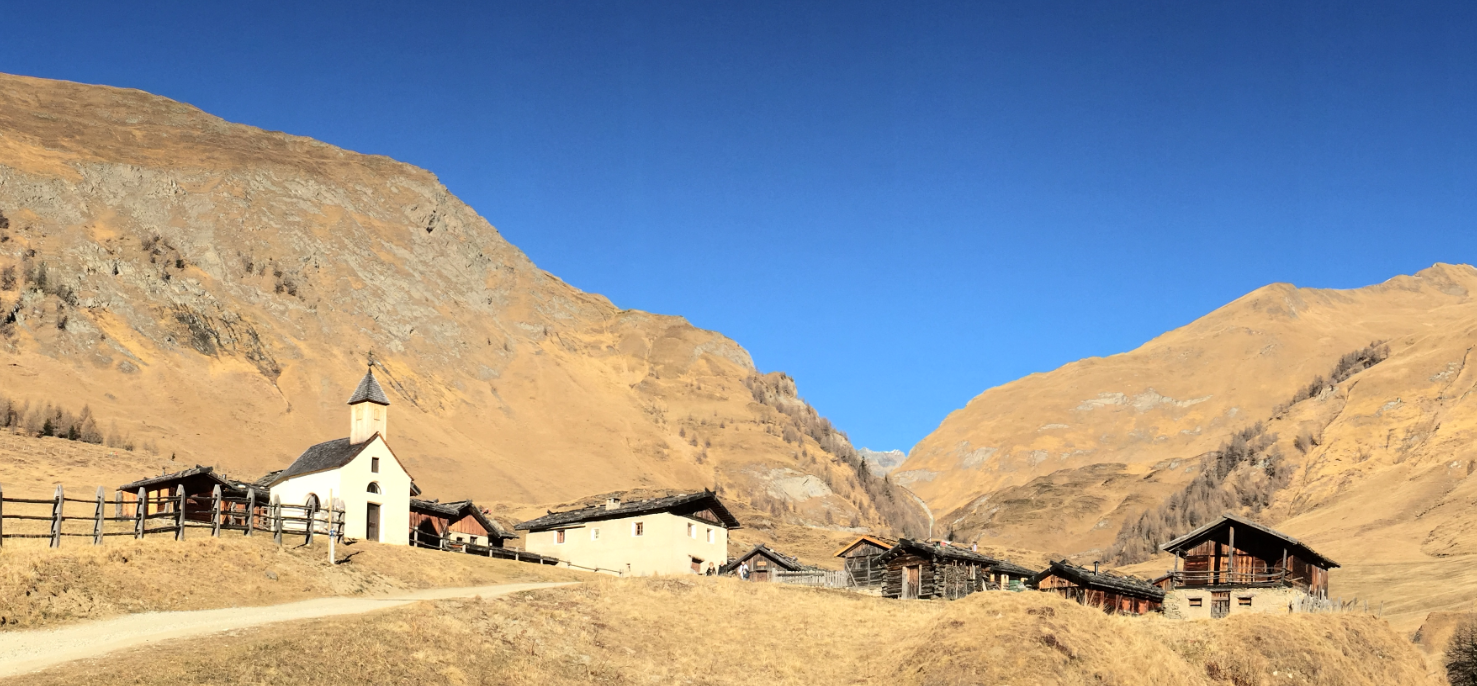
Fane Alm
For my home automation project with openHAB I want to attach Freescale (now NXP) FRDM (Freedom) boards so they can take care about the realtime aspects and to act as gateways to my other systems. One way is to use USB CDC (Serial over USB) as communication channel. USB has the advantage that it powers the board, plus I can attach multiple devices: up to four on the Raspberry Pi 2 and even more with using a USB hub. In a standard configuration with a USB WiFi and a USB HID (mouse plus keyboard) dongle I still can attach two Freescale (ahem, NXP) Freedom boards to the Raspberry Pi:

FRDM-K22F and FRDM-K64F attached to Raspberry Pi 2
Low and Slow as they say in Texas. This year I wanted to finish the BBQ Smoker season with something special: a BBQ Smoked Veal Brisket 🙂
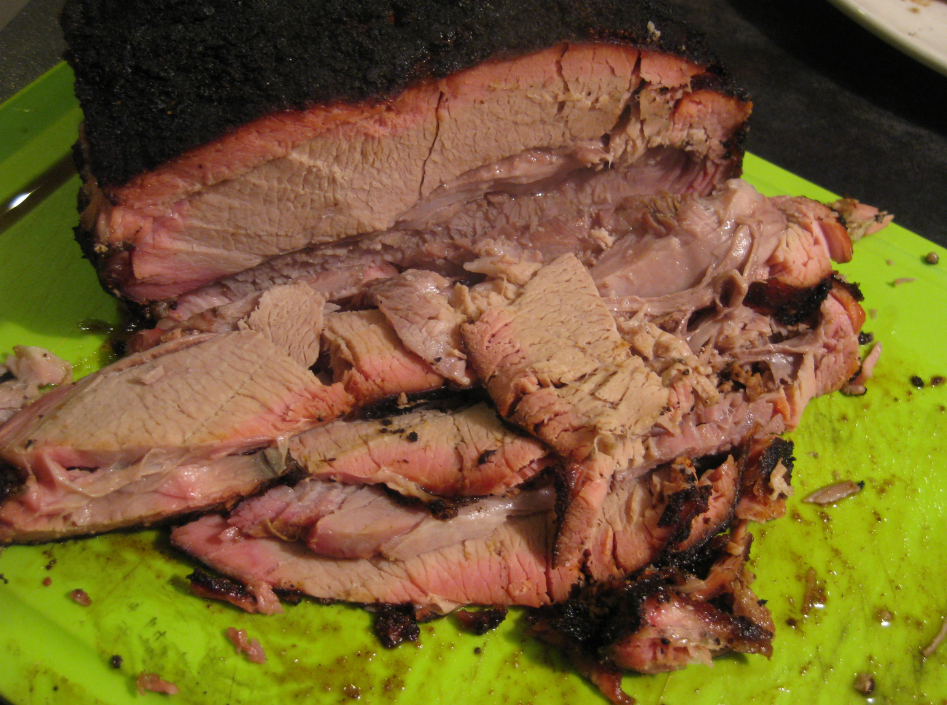
Brisket pieces
In my earlier post I showed how I have installed the open source openHAB home automation system (see “Installing openHAB Home Automation on Raspberry Pi“). In this post I show how to control a local LED on the Raspberry Pi with openHAB home automation system: how to control any GPIO pin on the Raspberry Pi from remote:

Controlling the LED with openHAB
 MCU on Eclipse