“No source available”, or how to Debug Multiple Binaries with GDB and Eclipse

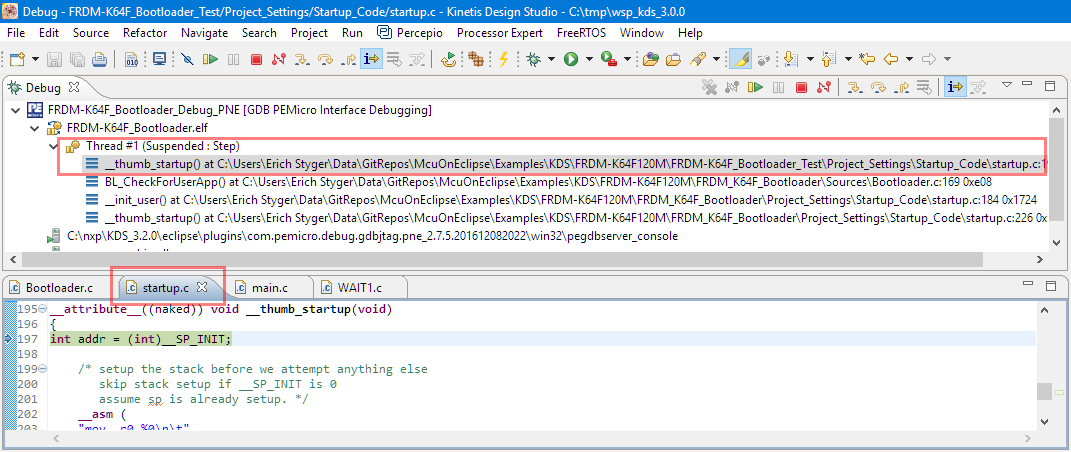
When working and debugging a bootloader, debugging can be a challenge: During debugging the bootloader, a new binary gets loaded into the microcontroller address space which is unknown to the debugger. As soon as I step into the newly loaded binary, I only see assembly code, with that ugly “No source available” in Eclipse:

No Source Available, debugging in assembly

No Source Available, debugging in assembly

But wait: GDB is able to do pretty much everything you can imagine, so here is how to debug multiple binaries with GDB and Eclipse, and to turn the above into something which is easy to debug:

Debugging with Symbolics

Debugging with Symbolics

Continue reading

Reprogramming the Mikroelektronika Hexiwear Dockingstation

The Hexiwear docking station would have a nice feature: it has embedded a debug circuit (OpenSDA). That way I would not need an external debug probe to debug the Hexiwear. However, a debug probe is required to reprogram the docking station itself:

Repgrogramming the Mikroelektronika Docking Station

Repgrogramming the Mikroelektronika Docking Station

Continue reading

Building the NXP BLE Stack with Open Source GNU and Eclipse Tools

One of the biggest road blocks (beside of closed source) using the BLE (Bluetooth Low Energy) stack from NXP is that it requires expensive tools to compile and build the stack. The good news is that I have now the NXP BLE stack for the Mikroelektronika Hexiwear ported to Eclipse and GNU gcc build tools for ARM 🙂

NXP BLE Stack in Eclipse

NXP BLE Stack in Eclipse

Continue reading

Using Python, Gatttool and Bluetooth Low Energy with Hexiwear

Now I can use the data on the Hexiwear over BLE with the gatttool (see “Tutorial: Hexiwear Bluetooth Low Energy Packet Sniffing with Wireshark” and “Tutorial: BLE Pairing the Raspberry Pi 3 Model B with Hexiwear“). This article is taking things a step further and uses a Python script on Linux to access the sensor data on the BLE device:

Accessing Hexiwear Sensor Data with Python

Accessing Hexiwear Sensor Data with Python

Continue reading

DIY IKEA Wireless Qi Charging for the Hexiwear

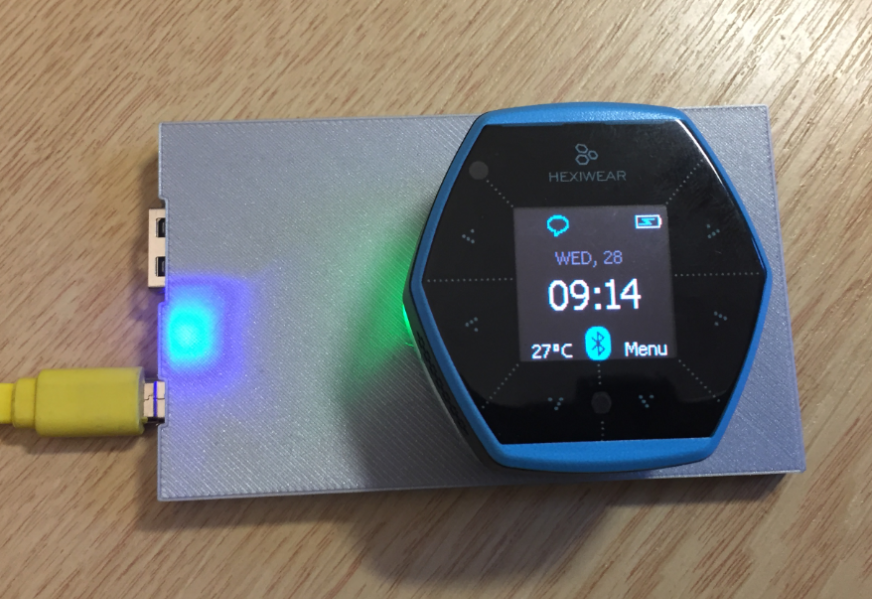
The Achilles Heel of the Mikroelektronika Hexiwear is its charging: the charging and USB connector are only designed for a limited number of plug-unplug cycles, and it does not have a wireless charging capability like the Apple iWatch. Until now! I have built a DIY wireless charging system for the Hexiwear 🙂 :

Wireless Qi Charging the Hexiwear

Wireless Qi Charging the Hexiwear

Continue reading

Tutorial: Hexiwear Bluetooth Low Energy Packet Sniffing with Wireshark

For a university reasearch project I try to pair the Raspberry Pi 3 with a Mikroelektronika Hexiwear using BLE (Bluetooth Low Energy). Most of things worked after a lot of trial and error, but at a certain point I was stuck trying to write to send data from the Raspy to the BLE device.The Hexiwear BLE protocol description is very thin, so I ended up using a BLE sniffer to reverse engineer the protocol with Wireshark.

Sniffing BLE Packets between Raspy and Hexiwear

Hardware setup between Raspy and Hexiwear

Continue reading

Tutorial: BLE Pairing the Raspberry Pi 3 Model B with Hexiwear

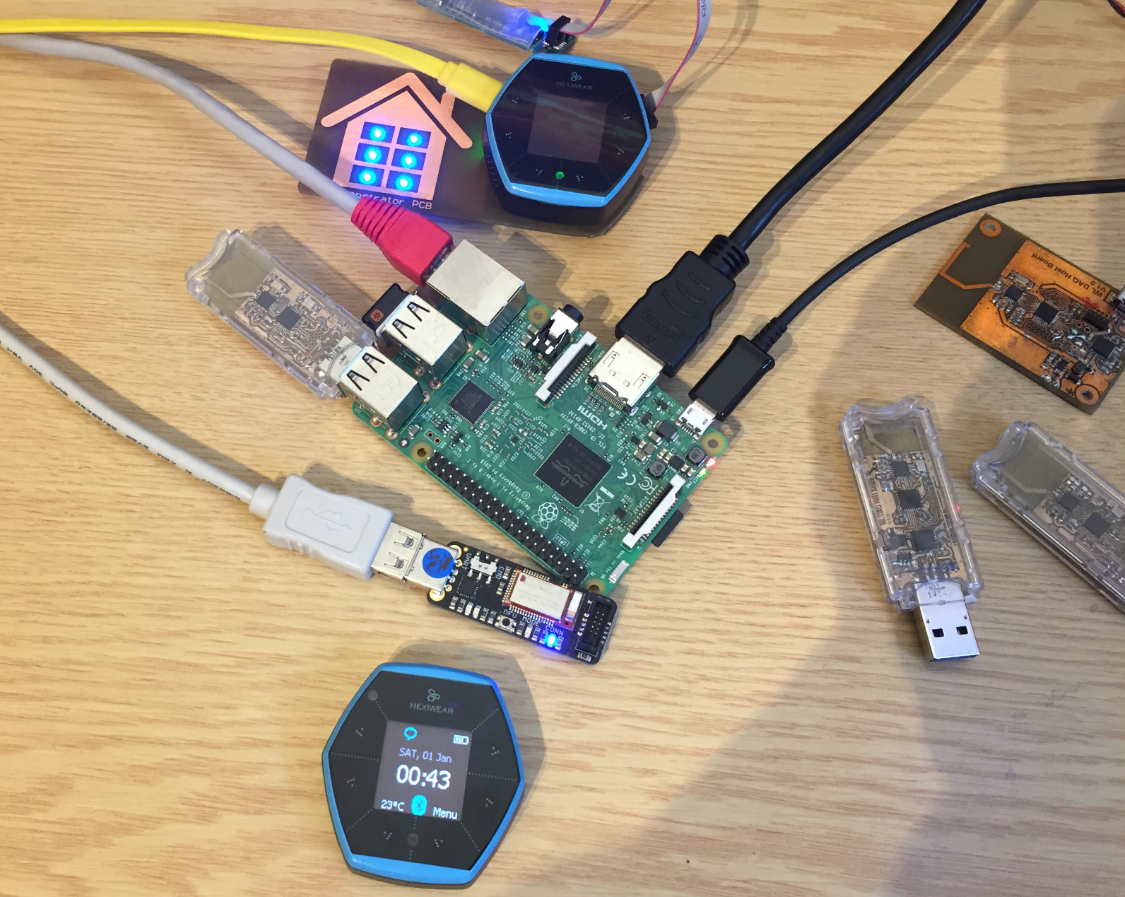
The Hexiwear (see “Hexiwear: Teardown of the Hackable ‘Do-Anything’ Device“) is a small and portable sensor node with built-in BLE (Bluetooth Low Energy) transceiver. In a research project we try to use multiple Hexiwear in a classroom environment and to collect sensor data on a Raspberry Pi. The Raspberry Pi 3 Model B running Linux has an on-board BLE transceiver too, so why not binding them (wirelessly) together?

Raspberry Pi 3 connected with Hexiwear over BLE

Raspberry Pi 3 connected with Hexiwear over BLE

Well, things seemed easy at the beginning, and as always, there are many things to learn on a journey like this…

Continue reading

Tutorial: STMicroelectronics VL6180X Time-of-Flight LIDAR Sensor

For many of my applications I need to measure a distance. I have used ultrasonic sensors, but there view angle (beam) is not able to detect smaller objects, it very much depends on the object surface and angle, it is slow and not very precise. I have used infrared sensors, but here again it depends on the infrared reflection of the object in range, it depends the amount of reflected light is not really telling much about the distance, and yet IR reflection is subject of material and object targeted.

But there is yet another sensor type to consider: ToF! ToF (or Time-of-Flight) sensors have a built-in LIDAR: The sensor is sending out light pulses and measures how much time it takes for the light to come back. Similar to ultrasonic sensors (see “Tutorial: Ultrasonic Ranging with the Freedom Board“), but instead of ultrasonic it uses an infrared laser light. Or think about a radar system using an infrared laser light.

Vl6180x Breakout Board with tinyK20 Microcontroller-board

Vl6180x Breakout Board with tinyK20 (NXP Kinetis K20) Microcontroller-board

Continue reading

Making-Of Sea Shell Sand Clock

The year is coming to an end, the Holiday season is approaching. In case you are looking for a nice present: I have completed my version of a sand clock: a clock writing the time into sand:

Sandclock

Sandclock

If you are interested to build your own version, I have documented the different steps with tips and tricks…

Continue reading

Tutorial: Getting ETM Instruction Trace with NXP Kinetis ARM Cortex-M4F

It seems to me that not many developers use hardware trace? ARM indicates that maybe only <5% of developers are using trace. Too bad! Why are all the ARM Cortex microcontroller vendors putting a powerful hardware (and complicated!) trace engine into their devices, if only few developers are using it? Seems like a waste of silicon and an unnecessary price adder? Well, hardware trace can be a life saver: Because only with hardware trace the most complicated bugs and problems can be solved. And maybe because only the best are using it ;-).

In this article I proudly present my research how to get instruction trace out of the ARM Cortex-M4 microcontroller on a NXP TWR-K64F120M board with a Segger J-Trace for ARM:

J-TRACE tracing NXP TWR-K64F Board

J-TRACE tracing NXP TWR-K64F Board

Continue reading