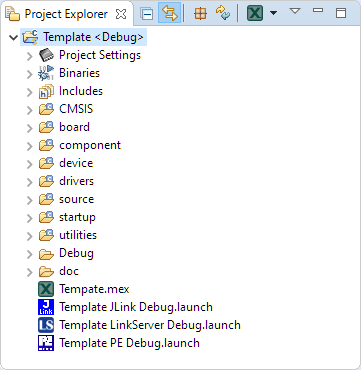
In a modern development workflow both command-line and a graphical user interface has its place. On the GUI side, Eclipse is famous that it offers many different ways to accomplish something which is great. But sometimes I continue to use an old habit or way because I have missed that there is a newer and better way, and the MCUXpresso Eclipse IDE is no exception to that. In this article I show a few ways how to use the mouse even more productive.
Tag Archives: LinkServer
Debugging the Startup Code with Eclipse and GDB
By default, when debugging an embedded application, the target usually stops at main():
That’s usually fine, but what if I want to debug the code out of reset?
Measuring ARM Cortex-M CPU Cycles Spent with the MCUXpresso Eclipse Registers View
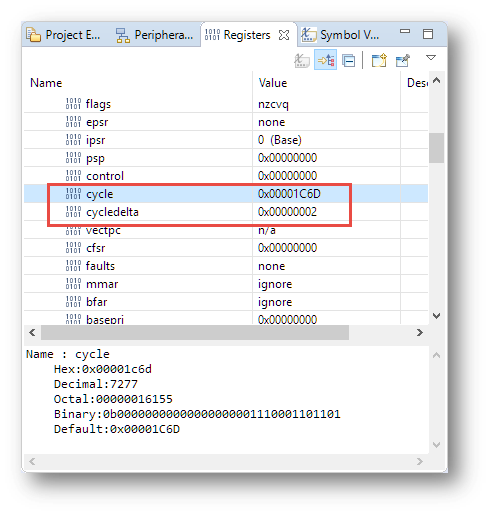
The ARM DWT (Data Watchpoint and Trace) is an optional feature of the ARM-Cortex-M, and many Cortex-M3, M4 and M7 devices have it implemented. With it comes a cycle counter which counts the cycles spent. In Cycle Counting on ARM Cortex-M with DWT I described an approach how the application on the target can access the cycle counter.
The MCUXpresso IDE shows that cycle counter in the Eclipse Registers view:
Troubleshooting Tips for FreeRTOS Thread Aware Debugging in Eclipse
FreeRTOS seems to get more and more popular, and I think as well because more and more debugger and Eclipse IDE vendors add dedicated debugging support for it.
MCUXpresso IDE: Terminate and Disconnect a Debug Session
Eclipse for C/C++ (CDT) offers two different ways to get out of a debug session: Terminate and Disconnect:
The terminate and disconnect behaviour is not standardized, and varies between Eclipse distributions and debug connection. This article is about how things are handled in MCUXpresso IDE, and how I can influence the behaviour.
Using Eclipse to Program Binary Files to an Embedded Target
I’m using Eclipse based IDE’s to develop and debug my embedded applications. This works great, as Eclipse has all the necessary tools to edit, build and debug it. But when it comes just to download/flash a binary to the board, then things are pretty much specific to the tools used. With the advent of the new MCUXpresso IDE, here is how that Eclipse IDE can be used for this.