Many times it is very useful to debug multiple boards at the same time. For example if I’m debugging a communication stack between two boards: that way I can debug the protocol on both sides. Eclipse is a great framework which allows that. This post shows how to debug multiple boards (e.g. the NXP Freedom boards) in parallel from the same Eclipse IDE using GDB and the Segger J-Link:
Tag Archives: Debugging
Renaming Eclipse CDT Projects
When I create a project in Eclipse (e.g. in Kinetis Design Studio with the GNU ARM Eclipse plugins), I have to specify the name of the project during creation time:
But what if I change my mind later on and want to use a different name? How to rename the project?
Using the KwikStik K40 Board to Debug an external Board
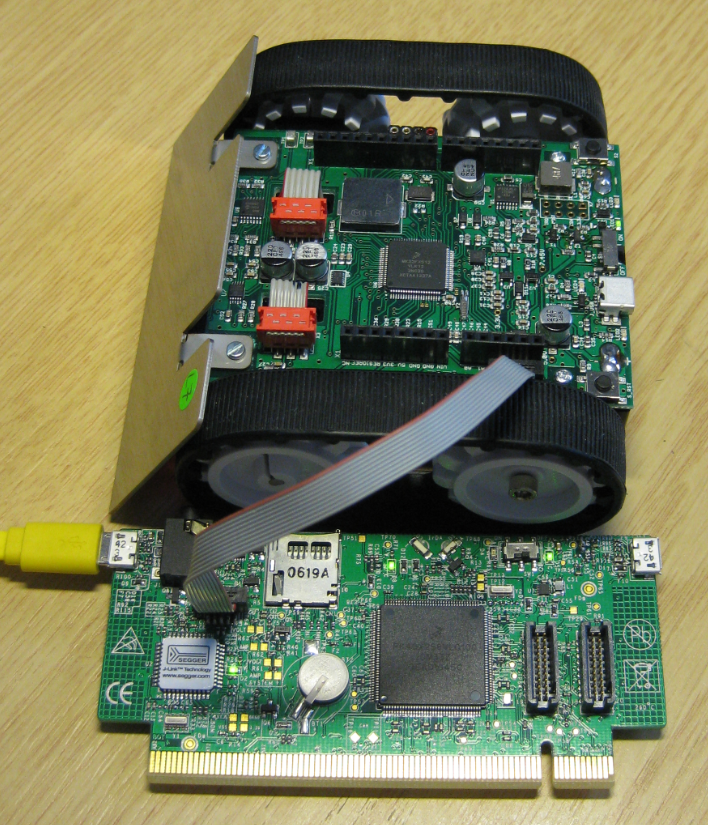
When I left for the week-end, I missed to take with me my Segger J-Link debug box. I have one P&E Universal Multilink at home, but I needed a Segger J-Link to use the SystemViewer with my robot. I need that for a FreeRTOS trainig I will deliver in Poing/Germany on Monday at Avnet/Silica.
But I had a Freescale KwikStk board at home, and I did remember that I can use that board as a Segger J-Link to debug my custom hardware (see “Freescale Kinetis KwikStik (part 1)“).
McuOnEclipse Components: 22-Nov-2015 Release
A lot of good things happened in the last three weeks, so here is a new updated McuOnEclipse component release, with the following main improvements:
- Updated Segger RTT component
- New Segger SystemView component
- FreeRTOS ‘tasklist’ shell command
- FreeRTOS with support for Segger SystemView
Data Logger with tinyK20 Board
First off: The tinyK20 project is progressing fine and is now on Hackaday.io :-).
For a research project we would like to use the tinyK20 to log gyro sensor data. For this I have created a quick-n-dirty project to explore how feasible it is. The tinyK20 has all the pins on the outside of the board, so I’m able to put it on a bread board:
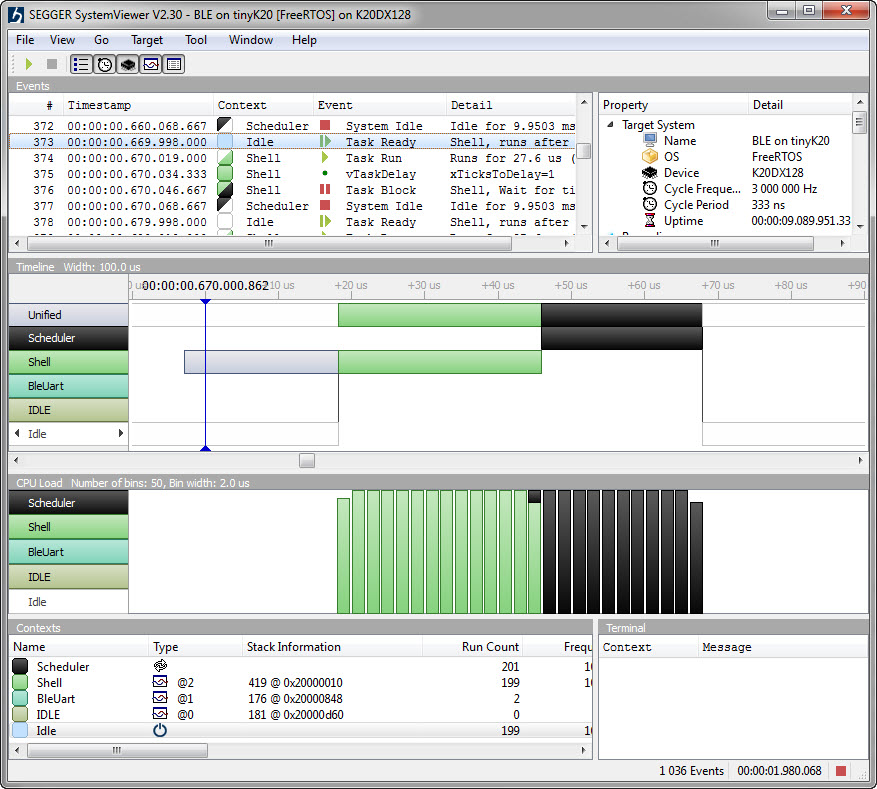
Segger SystemView: Realtime Analysis and Visualization for FreeRTOS
One of the most important aspects for developing complex realtime applications is get insights into what is going on the target. Segger just has released a free tool which gives an incredible useful insight view and visualization:
NVIC: Disabling Interrupts on ARM Cortex-M and the Need for a Memory Barrier Instruction
Mastering interrupts is critical to make an embedded application reentrant. The challenge with reentrancy is that things might be implemented in a wrong way and the issue might just show up sporadically (see “EnterCritical() and ExitCritical(): Why Things are Failing Badly“). The ARM Cortex interrupt controller is named NVIC (Nested Vectored Interrupt Controller).
SWD Debugging the FRDM-KL43Z
It is possible to use the Freescale FRDM-KL43Z to debug another board (see “Using the Freescale Freedom (FRDM-KL43Z) to Debug other Boards“). The FRDM-KL43Z has an on-board debug probe integrated, the OpenSDA. But it is easily possible to debug the board directly with a SWD debug probe like the P&E Universal Multilink or the Segger J-Link.
FreeRTOS ARM Thread Debugging with Eclipse and GDB
FreeRTOS is probably the most popular RTOS used and I love it: it is efficient, has a lot of features, simple and easy to use. But despite its popularity, debugging it with open source tools as with Eclipse and GDB is really not that user-friendly: debugging threads/tasks is a pain compared to commercial solutions. For my university classes this semester I was looking for something easy to use by my students. Finally I managed to use a GDB helper which makes things easier now: I can switch task threads in Eclipse with GDB now 🙂
Freescale CMSIS-SVD Register Files with Eclipse MARS and EmbSysRegView
In “How to Add Register Details View in Eclipse” I showed how to add the Register detail support in Eclipse using the EmbSysRegView plugin. This was for Luna/Mars, and for the version v0.2.4 of the plugins.
Since then, there is a new version of Eclipse (MARS, see “Going to Mars: Building a DIY Eclipse IDE for ARM Embedded Microcontrollers“) and the EmbSysRegView plugin has been updated to v2.0.5. Makes everything much simple, so here is an updated post with the details how to add register detail view to Eclipse Mars.