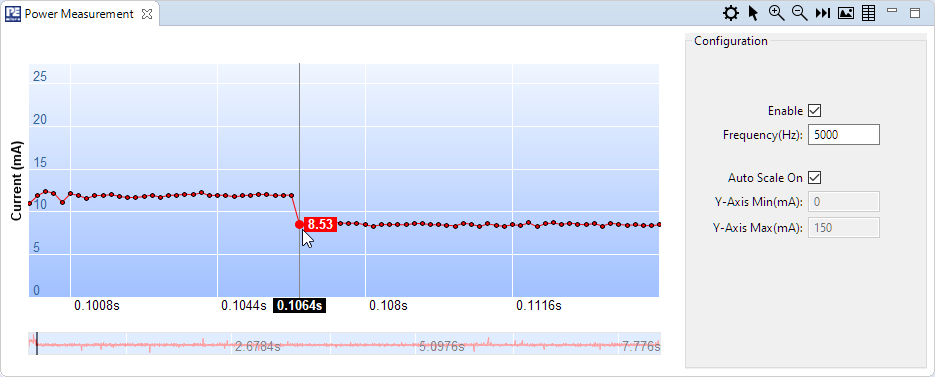
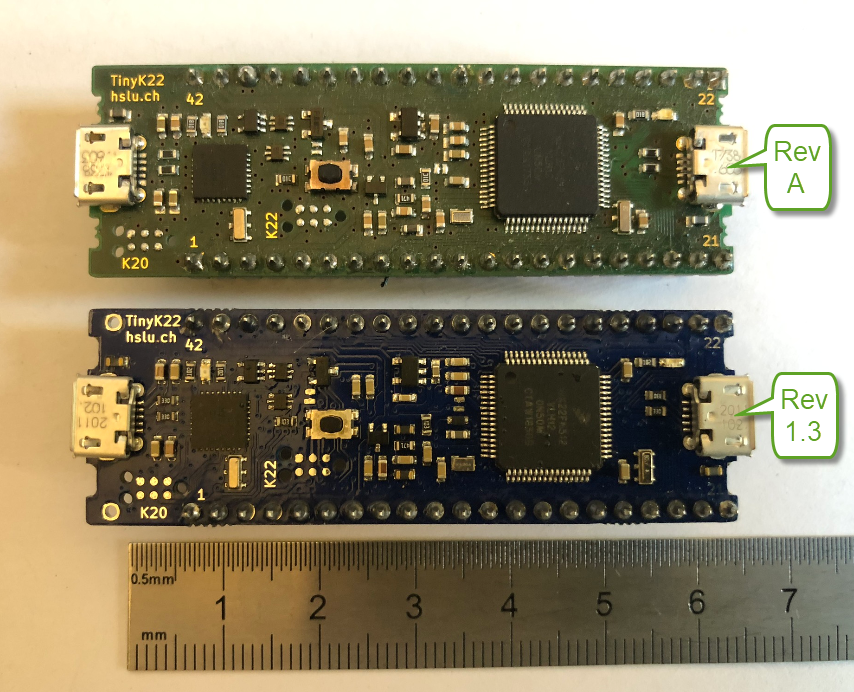
Amazon has released in the past week the FreeRTOS version V10.4.0. Time to upgrade, actually the most recent version 10.4.1! The same time the SEGGER SystemView V3.12 was released back in April this year. No surprise: with the FreeRTOS changes they don’t work out of the box: but no worries, I have you covered and applied all the needed patches and changes to have them working again together: the latest FreeRTOS v10.4.x with Segger SystemView v3.12:
Category Archives: Boards
DIY Portable Video Conference, Sharing and Teaching Device
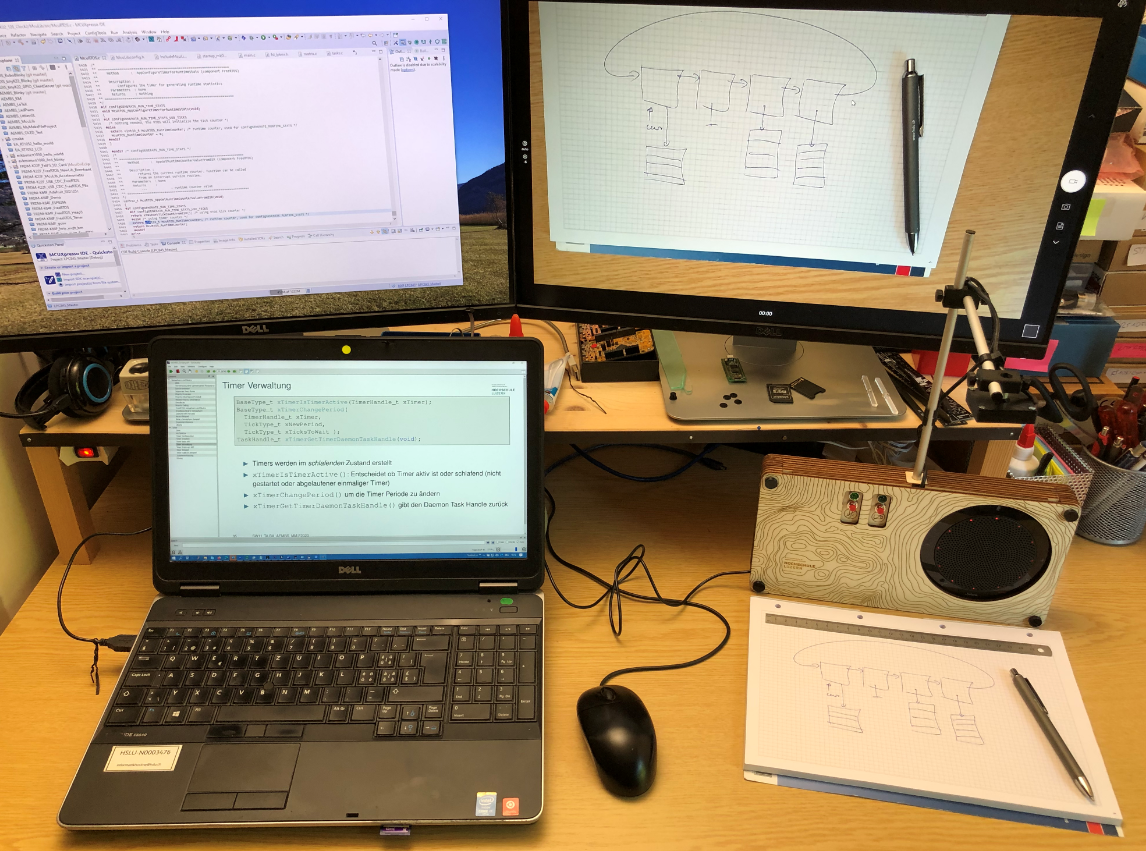
COVID-19 is by far not over, and in Switzerland the infection rate is going up again (2nd wave?). During the spring 2020 semester university lock-down we moved pretty much everything to a ‘distance learning’ setup. With that experience and with the request to prepare for the fall semester, I have constructed a DIY conference and teaching device which should make things simpler and easier: a combination of video camera, speaker phone and a muting device:
New Version
I’m making progress with the new ‘Billion Light‘ modules (aka V2): the new design is more modular and easier to build and assemble and still looks awesome with the moving lights and clock hands:
Continue reading
Using eInk display with LPC55S69 and OKdo E1 board
I have continued to explore my two hobbies (embedded systems, and Talking About The Weather) during these weeks of lock-down. I have finally got to the point that my Weather Station project can sit on the window shelf of my office, and show me the temperature, humidity and atmospheric pressure on the attached eInk display.

In this blog I’m going to focus on driving that display.
Continue readingMCUXpresso SDK Tutorial – using I2C Driver on OKdo E1 board
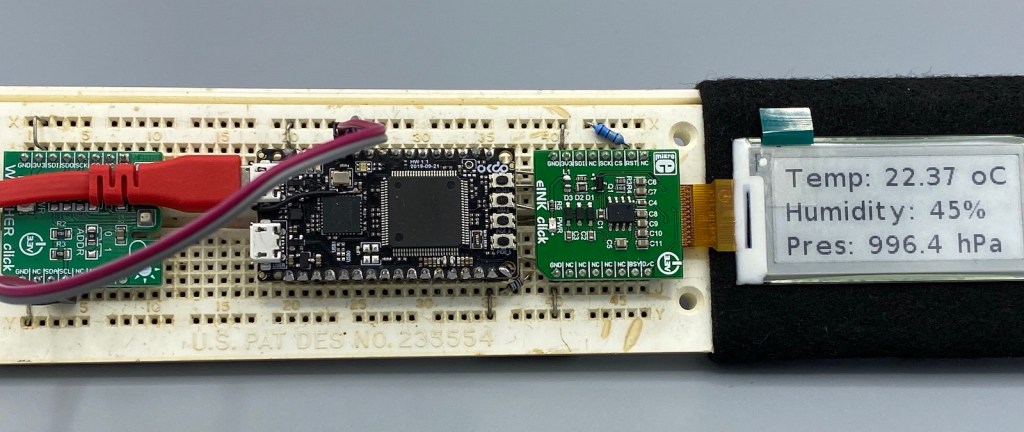
In an earlier tutorial I introduced using I2C with the NXP LPC55S69 on OKdo E1 board to read a Bosch BME280 environmental sensor on a Mikroe Weather Click board. The MCUXpresso Clocks, Pins and Peripheral Config tools were used to get it running. It’s all for my Weather Station project that I’ve been working on during these months of lockdown. It is starting to take shape – as you can see from the photograph:

Now I really need to start reading and writing to the BME280 sensor, and that means using the I2C driver in the lpcxpresso55s69 SDK. And so this week I’ll provide a forensic examination of the most commonly-used I2C function call.
Continue readingMicroTick (UTICK) Timer Tutorial with OKdo E1 board
I want to share with you a little embedded trick that I use to improve the reliability of my code. And in addition to improving reliability, the technique can be used to schedule any event to occur ‘sometime in the future’. It uses the MicroTick (UTICK) timer found on the NXP LPC55S69 microcontroller, and could be applied to any device with a simple timer.
The MicroTick timer is an elegant, thing of beauty. But there is not a driver example built into the lpcxpresso55s69 SDK, and I believe that the timer is not widely used. That means we need a tutorial!
Continue readingHow to get Data off an Embedded System: FatFS with USB MSD Host and FreeRTOS Direct Task Notification
This is a follow-up article of my earlier project presented in “FatFS, MinIni, Shell and FreeRTOS for the NXP K22FN512“. I wanted to extend it with a USB MSD (memory stick) device: The USB storage device gets automatically mounted, and depending on a configuration (.ini) file on the memory device I can perform various actions, for example automatically copy data from the SD card to the USB device. For example the system logs data, and to get the data I insert the memory stick, it copies the data on it and automatically unmounts it, and I can remove the memory stick.
Disabling NMI (Non Maskable Interrupt) Pin
The NMI is a special interrupt on ARM Cortex-M architecture: as the name indicates, it cannot be ‘masked’ by the usual ‘disable interrupts’ flags (PRIMASK, BASEPRI), similar to the Reset signal.
Dealing with the reset signal is kind of obvious, and most designs and boards have it routed to a reset button or similar. The NMI is less obvious if you don’t pay attention to it: most ARM-Cortex implementations and boards have the NMI signal routed to a pin and are ‘hiding’ it in the schematics behind a normal GPIO pin or port: if you don’t pay attention to the NMI functionality, the board might not work as intended.
Behind the Canvas: Making of “60 Billion Lights”
As promised I’m going to share more details about the “60 Billion Lights” project. It is about a project to build a piece of electronics behind a 100×50 cm canvas to show animations or to display information like temperature, humidity, weather, time or just any arbitrary text.
MCUXpresso tutorial: I2C using the Pins/Clocks/Peripherals Config tools and lpcxpresso55s69 SDK
I selected the Bosch BME280 environmental sensor as the heart of my OKdo E1-based weather station. It is convenient to use, and I can prototype with the Mikroe Weather Click board MIKROE-1978. But the sensor is accessed over I2C, and that is my least favourite of the communication interfaces. In this short tutorial, I show you how the MCUXpresso Config tools (Pins, Clocks, Peripherals) are used to set up the I2C driver from the MCUXpresso lpcxpresso55S69 SDK. And very quickly, I am able to communicate with the BME280 sensor.