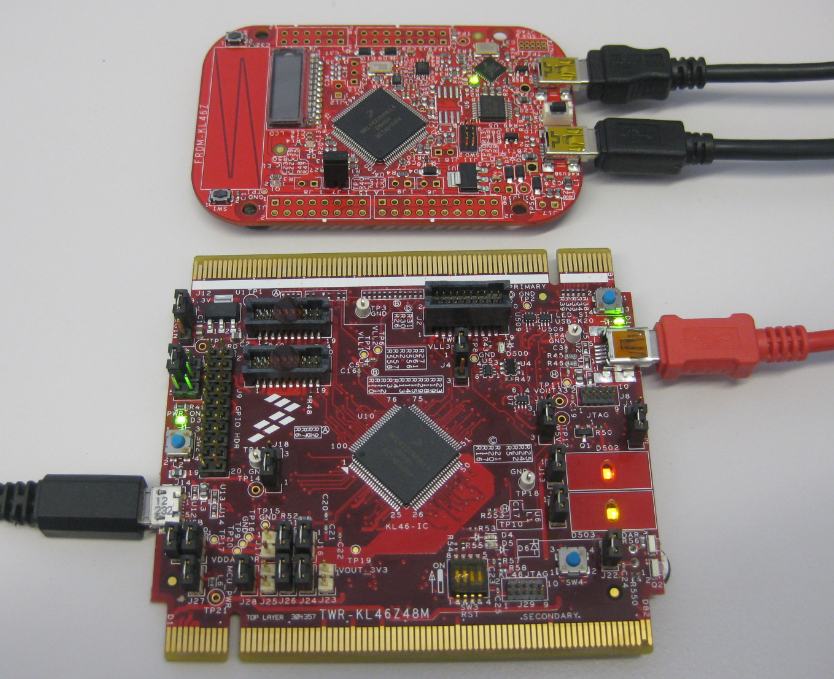
As I was so pleased with the FRDM-KL46Z board, that I have ordered the Tower version of it, the TWR-KL46Z48M:
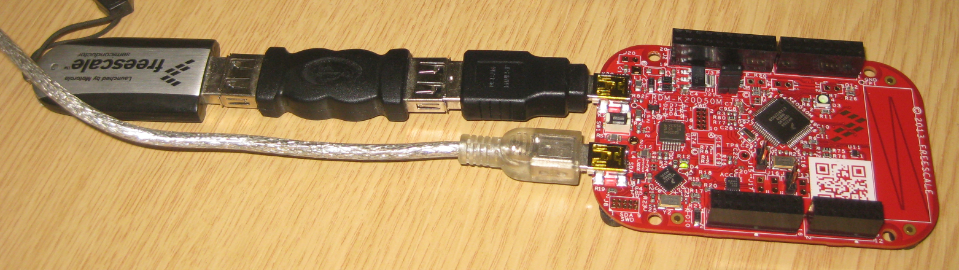
What I missed so far was USB support for the KL46Z. So time to have a quick look at board(s) and to add USB support for it.
As I was so pleased with the FRDM-KL46Z board, that I have ordered the Tower version of it, the TWR-KL46Z48M:
What I missed so far was USB support for the KL46Z. So time to have a quick look at board(s) and to add USB support for it.
For everyone who wants to build a Do-It-Yourself toolchain for Kinetis on Linux, I recommend to read the following excellent post by Karibe:
Setting up Linux opensource build and debug tools for freescale freedom board FRDM-KL25Z
He describes how to get OpenOCD with CMSIS-DAP working with Eclipse on Ubuntu to debug the FRDM-KL25Z board.
Happy Linuxing 🙂
So far I have covered in this tutorial series how to install ARM GNU gcc, adding Eclipse, followed by adding GNU GDB debugger, and then adding Processor Expert. I’m using FreeRTOS a lot in my projects, and luckily there is a Kernel Awareness Plugin available for FreeRTOS for GDB in Eclipse. This tutorial is about how to install and use it.
A week ago, the updated FreeRTOS V7.5.0 has been released on FreeRTOS.org. So time to have my Processor Expert FreeRTOS component updated as well :-).
This is the second part of a multi-part tutorial about how to set up an open source tool chain with GNU ARM gcc + Eclipse to build and debug an application for Kinetis ARM devices.
This is the first part of a multi-part tutorial on setting up a free and functional GNU gcc + Eclipse + debugger environment for use with the Freescale FRDM-KL25Z board.
In this first part, I’m showing how to install the GNU ARM tool chain to build a ‘blinking LED’ application for the FRDM-KL25Z. With 100% free tools 😉
The Freedom boards FRDM-KL25Z RevE and FRDM-K20D50M make it easier to use it as USB Host device, as they come with a special jumper to provide 5V to the USB device, so my earlier ‘hack’ is not needed any more :-). After I had USB MSD Host working for the FRDM-KL25Z, it was much harder to get the USB stack working for the FRDM-K20D50M board, because somehow the example Freescale provided with their USB stack refused to work properly on my board. After debugging it for several nightly hours, I decided to take my working Processor Expert project for KL25Z and added support for the K20. And the good news is: since tonight this is working :-).
While working on a project for the FRDM-K20D50M, I faced a problem: I was running out of SRAM for my application. The GNU linker reports: “section `.bss’ will not fit in region `m_data'”: 😦
But my device has 16 KByte of SRAM, and I knew I use much less than 10 KByte. So what is the problem? Continue reading
I miss my old DELL laptop. Ok, the new one I received from IT services is not bad. It is faster and has a better screen. But I’m not really happy with the new keyboard. With the previous keyboard I was able to do a ‘PrtnScrn’ with a single key press. With the new one I need to press Fn + PrntScrn. And this is impossible to do with one hand:
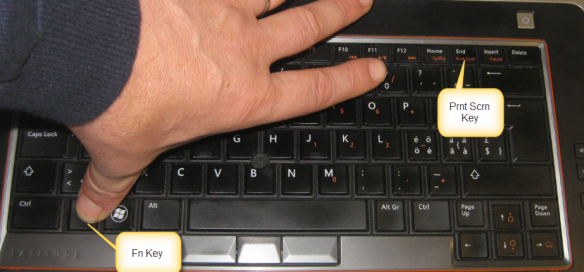
Yes, I have two hands ;-). But many times I need to do ‘print screen’ while having my other hand on the mouse :-(.What else can I do?
I stumbled now twice over a problem, and only after a lot of head scratching (you should see my head now 😉 ) I have found the cause (and solution) for it. In the hope that I can save the readers of this blog some time, here is what happened.
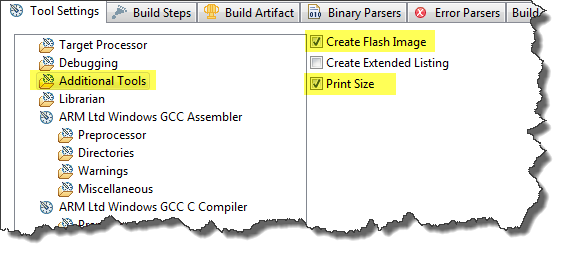
I described in earlier posts how to enable GNU build tools to generate hex/bin/S19 files, or to write the code size to the console view. That works fine for me. But then I received a project were obviously this does not work: even with the project settings configured properly, there is no S19 file, and no code size printed. What’s wrong?