Freescale has released this week an updated version of CodeWarrior: version 10.4. I’m usually not switching a tools version in the middle of a university semester. Unless I see a real benefit, and the risk is low. Well, I have used it now for a few days, and I have decided to move my projects from 10.3 to 10.4. Why? Read on…
Tag Archives: arm gcc
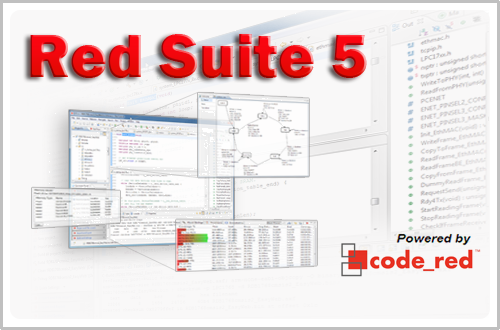
Red Suite 5: Eclipse Juno, Processor Expert and unlimited FRDM-KL25Z
❗ UPDATE: Code Red Technologies have been acquired May 1st 2013 by NXP, see this press release. According to this, they will not continue to support non-NXP architectures after May 2014. 😦
You probably know this already: I’m a fan of Eclipse, Processor Expert and the Freedom board. As for tool chains I use CodeWarrior for MCU10.x (Eclipse based, 64 KByte free limit) and IAR (32 KByte limit) with the Processor Expert Driver Suite.
And I have added a new Eclipse based solution: Red Suite 5 from Code Red Technologies. They released a new Red Suite 5 (v5.2.2 build 2108) which caught my attention when reading the release notes:
- Eclipse Juno SR2: New Eclipse Look & Feel 🙂
- Added integration for Processor Expert 🙂 🙂
- Non-expiring 128k (!!!) limit when used with the Freescale FRDM boards 🙂 🙂 🙂
printf() with the FRDM-KL25Z Board and without Processor Expert
In this tutorial I explored how to use printf(), and this tutorial is so generic that it works for any processor/microcontroller. That flexibility is because I’m using Processor Expert. In case Processor Expert shall not be used, then some tweaks are needed. Here I show what is needed to have printf() working with the FRDM-KL25Z board. I use the UART0 connected to OpenSDA USB CDC for this.
A new Freedom Board: FRDM-K20D50M with ARM Cortex M4
Freescale/Farnell/Element14 announced last week a new Freedom Board: the FRDM-K20D50M :-). As you can expect, I was not able to resist, and ordered one from my local Farnell store right away. So I did my first steps with it on this sunny and wonderful weekend (yes! we skipped Spring Time and entered Summer Time right away!).
I do not need to compare the board with the previous Freedom boards, as I have found an article here. I a nutshell: I get pretty much the same as with the FRDM-KL25Z, but instead of an ARM Cortex-M0+, it has an ARM Cortex-M4!
text, data and bss: Code and Data Size Explained
In “Code Size Information with gcc for ARM/Kinetis” I use an option in the ARM gcc tool chain for Eclipse to show me the code size:
text data bss dec hex filename 0x1408 0x18 0x81c 7228 1c3c size.elf
I have been asked by a reader of this blog what these item numbers really mean. Especially: what the heck is ‘bss’???? 🙂
Compiling C Files with GNU ARM G++
If I want a C++ project for my KL25Z Freedom board, I select C++ during the project creation:
This creates a gcc C++ project with all the needed settings.
This worked fine until I added a *.c file to my project which had code in it which was not accepted by the C++ compiler. Wait! Should the *.c not be compiled in C mode, as I was used to with other compilers? It turned out that things are different with gcc (or g++) :-(: the *.c files in my project are compiled in C++ mode. So the question is: how to compile in C mode with the ARM g++ compiler?
The Quotation Problem
Maybe this article gets the attention of a local optometrist or eye shop: I have a business opportunity for you! ;-).
I ran into a weird problem: I received an ARM GNU gcc project which failed during the generation of the S19 file in strange way:
'Executing target #80 Freedom_Zumo.siz' 'Invoking: ARM Ltd Windows GNU Create Flash Image' “C:/Freescale/CW MCU v10.3\eclipse\../Cross_Tools/arm-none-eabi-gcc-4_7_3/bin/arm-none-eabi-objcopy” -O srec Freedom_Zumo.elf "Freedom_Zumo.hex" ' ' Der Befehl "“C:" ist entweder falsch geschrieben oder konnte nicht gefunden werden. mingw32-make: *** [Freedom_Zumo.hex] Error 1
USB MSD Host for the Freedom Board
Sometimes things take longer than anticipated. And this is definitely the case for my USB MSD Host project where I wanted to use a USB memory stick with the Freedom FRDM-KL25Z board.
But finally, I have things working. At least most of the time ….
Tutorial: Using the ARM CMSIS Library
One of the great advantage of using an ARM core as on my FRDM-KL25Z board is that I can leverage a lot of things from the community. And one big thing around ARM is CMSIS (Cortex Microcontroller Software Interface Standard). It is an industry wide software library for the ARM Cortex microcontroller. Using the CMSIS libraries and interfaces will make it easier to port applications within the ARM Cortex family.
Creating and using Libraries with ARM gcc and Eclipse
In ‘A Library with ARM gcc and Eclipse’ I was using the CodeWarrior MCU10.3 beta version to create a library project. At that time I had to do things manually. Now with the final MCU10.3 there is an option in the New Project Wizard which makes things easier:
This will create a library (or better: an archive) with gcc for me. But how to use it from another project?