The company Feller sells a wall mountable ‘Smart Light Control’: this provides 4 push buttons compatible with the Philips Hue system (on, off, dimming, etc). Unlike many other remote controls and buttons it is a great design and available in different colors. Feller does have a ‘classic’ wall switch series too, so this one is perfect to replace or augment an existing installation and make it ‘smart’.
Category Archives: Tutorial
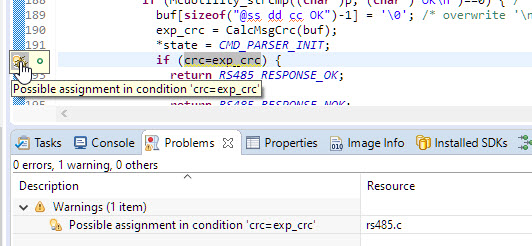
Eclipse CODAN (Static Code Analysis) for C/C++
The Eclipse CODAN (Code Analysis) plugin is part of CDT and is a powerful static analysis tool finding all kind of possible bugs and issues. Still to my surprise not many C/C++ developers take advantage of it maybe because they are not aware that it exists?
In this article I show a few tips how to effectively use it, especially with the NXP MCUXpresso SDK.
OpenOCD with MCU-Link
The NXP MCU-Link is a powerful $10 debug probe for ARM Cortex-M devices and works with the NXP LinkServer for debugging. The LinkServer does not an implement a gdb server, so it limits its usage e.g. for scripting or command line debugging. But as MCU-Link is also a CMSIS-DAP compatible debug probe, I can use it with OpenOCD which is open source and implements a GDB server. This article shows how I can use it with the MCU-Link.
Standalone and Command Line Programmer with MCUXpresso
The MCU-Link is a $10 CMSIS-DAP capable debug probe which works out-of-the box with the MCUXpresso Eclipse based IDE. This is great for development, but how can I programming with the push of a button or a script? The answer is no: there is an easy way to use the debug probe outside Eclipse from a shell script, and you can use that MCU-Link probe to do the job. This is especially useful as with the example below where I have to program 60 boards this week-end :-).
New MCU-Link Debug Probe from NXP
The NXP MCUXpressso IDE Release V11.2.1 gave a hint about a coming new debug probe, the MCU-Link which is available now:
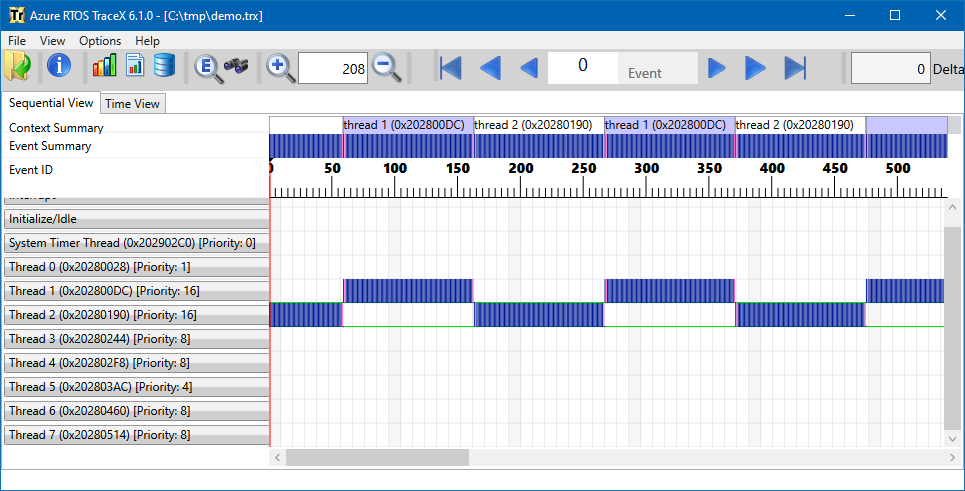
RTOS Trace: TraceX with Microsoft Azure RTOS (aka ThreadX)
Having visibility and insights into a running system is highly valuable or critical: not only for optimizations but as well to verify the system design and behavior. In Getting Started with Microsoft Azure RTOS (aka ThreadX) I showed how to quickly run Azure RTOS. This article is about getting trace out of an ThreadX application and show it in TraceX.
Steps to use FreeRTOS with newlib reentrant Memory Allocation
Reentrancy is an attribute of a piece of code and basically means it can re-entered by another execution flow, for example by an interrupt or by another task or thread. This is an important concept and still a lot of code ‘in the wild’ does violate reentrancy. As a result the application crashes immediately in the best case. Worse it crashes randomly or even worse it behaves incorrectly 😦 .
Reentrancy is always a concern if using standard library functions, including printf() or malloc(). FreeRTOS offers a reentrant wrapper to the standard malloc() and free() (Memory Scheme 3)
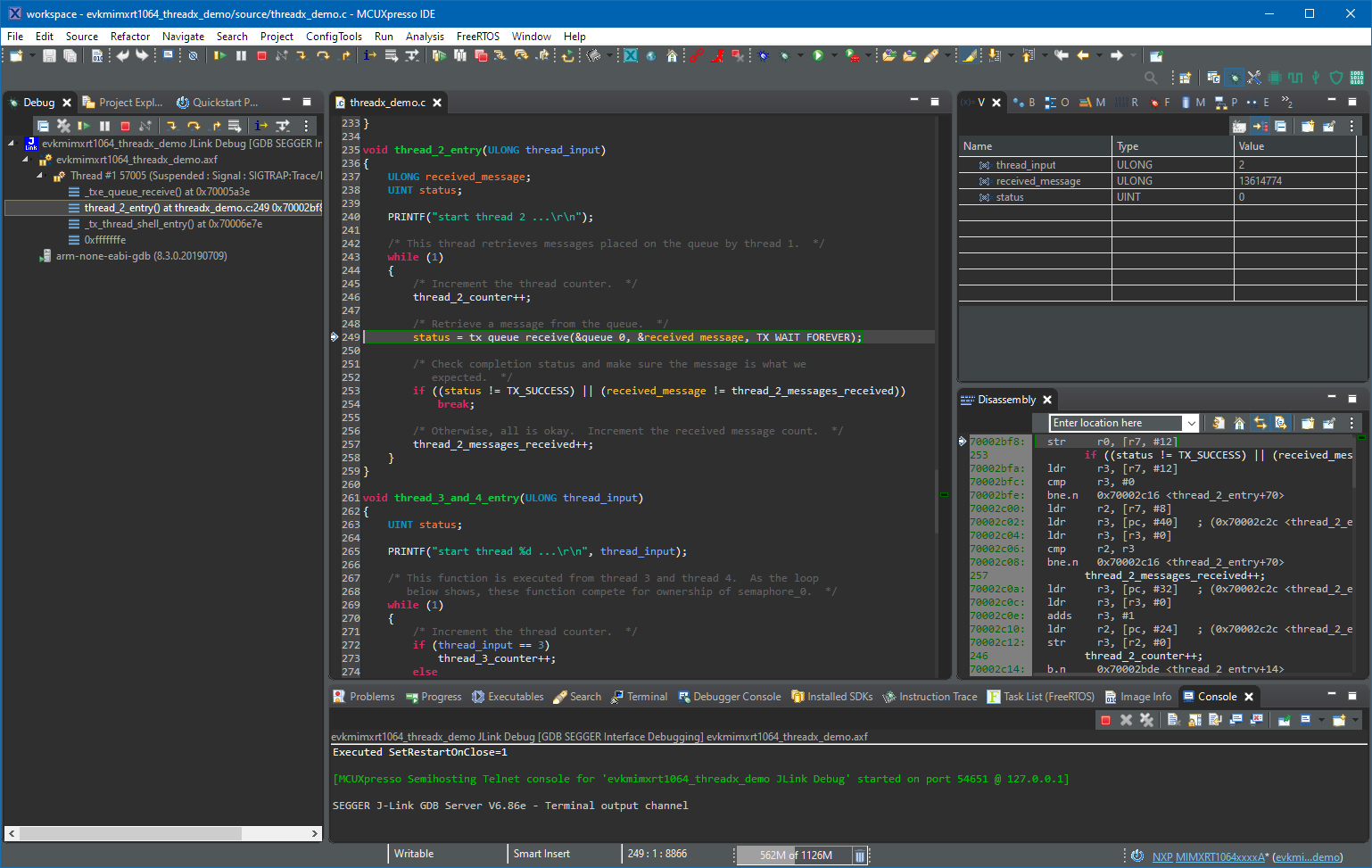
Getting Started with Microsoft Azure RTOS (aka ThreadX)
If you are a regular reader of my articles, you probably know that I’m using FreeRTOS in most of my applications, for obvious reasons. But clearly this is not the only RTOS out there. After Microsoft had acquired Express Logic back in April 2019 things kept quite for a while. To me the crown jewel of Express Logic is the ThreadX RTOS. But recently Microsoft is pushing more and more the ‘Azure Sphere’ and trying to monetize the ‘IoT’ (I apologize for mentioning that overused acronym) application space and providing it now free for devices from selected partners which includes NXP now.
Debugging Bootloader and Application with one Debug Session
If having a boot loader running on a micro-controller, it is very useful if both the boot loader and the loaded application can be debugged together:
FreeRTOS and Eclipse Indexer for >5K Lines Source Files
Eclipse has a great built-in source code parser and browser (aka ‘Indexer’). It is basically a built-in compiler which parses the source files and assists the user with code completion and navigation help, making Eclipse this awesome productivity tool. On the downside this background parsing could potentially slow down things, and therefore Eclipse has some default settings to prevent this. Unfortunately, the FreeRTOS Kernel ‘tasks.c’ file is above-and-beyond of a ‘sane’ source file and will hit the default limits: as a result the ‘tasks.c’ file is not indexed and things like ‘Open Declaration‘ might not work for the file ‘tasks.c’.