This year I managed to attend the Embedded World in Nürnberg/Germany after missing the 2016 show. And 2017 has been a blast! With more than 1000 exhibitors and >30’000 visitors it was huge! There were too many exciting things, so I just pick a few: NXP demonstrated the new MCUXpresso Software and Tools with a new Eclipse Neon based IDE, lots of IoT and Hexiwear, the tiny LPC800-DIP board, and I have met Alan Hawse in person!
Category Archives: KDS
Better FreeRTOS Debugging in Eclipse
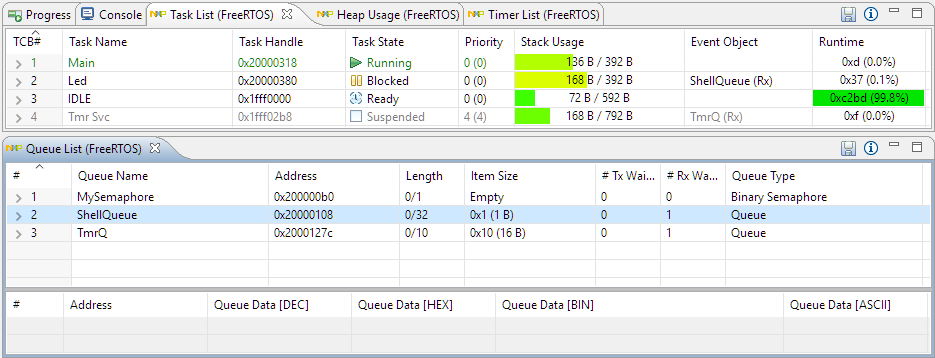
With debugging FreeRTOS applications in Eclipse, it is a big to have views available showing all the threads, queues, timers and heap memory allocation. One of the best Eclipse plugins are the one NXP provides for FreeRTOS: they are free of charge and give me pretty much everything I need. However, if you are not that familiar with FreeRTOS itself, here are a few tips to get more out of the plugins.
McuOnEclipse Components: 12-Mar-2017 Release
I’m pleased to announce that a new release of the McuOnEclipse components is available in SourceForge, with the following main features and changes:
- Wait: Busy-Waiting using ARM DWT cycle counter
- Percepio FreeRTOS+Trace: Updated to version 3.1.1, simplified usage of streaming and snapshot mode
- GenericSWI2C: MCUXpresso SDK can be used with the bit-banging I2C driver support
- FreeRTOS: includes updates of the 9.0.1 release, ‘optimized task selection, enabled MPU support (experimental)
- Graphical GUI drivers for screens, windows, icons, headers, text widgets and more
- SSD1351: display driver for Solomon Systech SSD1351 display
- More components are now supported by the McuLibConfig settings
- Many other smaller bug fixes and enhancements
Percepio FreeRTOS Tracealyzer Plugin for Eclipse
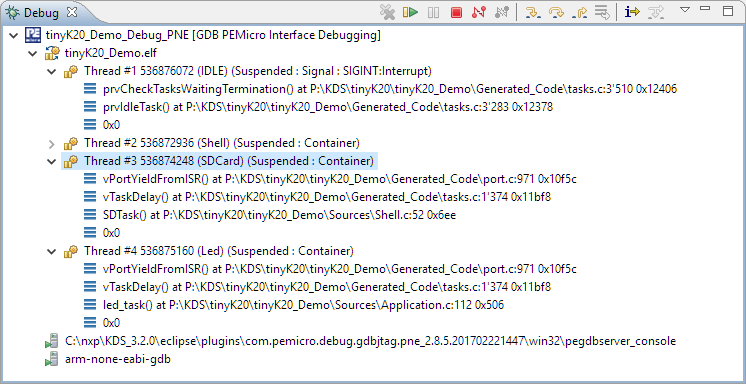
P&E ARM Cortex-M Debugging with FreeRTOS Thread Awareness and Real Time Expressions for GDB and Eclipse
P&E has a new version of their GDB/Eclipse debug plugins available on their Eclipse update site, and it comes with to great features: Real Time Expressions (show variables while target is running) and FreeRTOS thread awareness 🙂
Tips for Making Copy of Eclipse CDT Projects Easier
Instead creating a new project from scratch, often it is simpler to copy an existing Eclipse CDT project, then change it and go on. To copy-past the a project in Eclipse:
- Select the project in the Project Explorer View (CTRL-C on Windows)
- Then paste it in the Project Explorer View (CTRL-V on Windows), and I can specify the new name:
However, to make that process simpler, a few things have to be done right in the ‘source’ project first.
McuOnEclipse Components: 28-Jan-2017 Release
I’m pleased to announce that a new release of the McuOnEclipse components is available in SourceForge, with the following main features and changes:
- New Sharp Memory Display Driver supporting 96×96 and 128×128 pixel ultra low power display
- PID_Int can be used without hardware
- GenericTimeData has added functions to convert date/time into strings
- HardFault can now disable write buffers on ARM Cortex to simplify debugging faults
- Folder support for SEGGER SystemView and Percepio FreeRTOS+Trace
- Component usage without Processor Expert
- NXP MCUXpresso SDK support for FreeRTOS using tickless idle mode and low power timer
- Many other smaller bug fixes and enhancements
“No source available”, or how to Debug Multiple Binaries with GDB and Eclipse
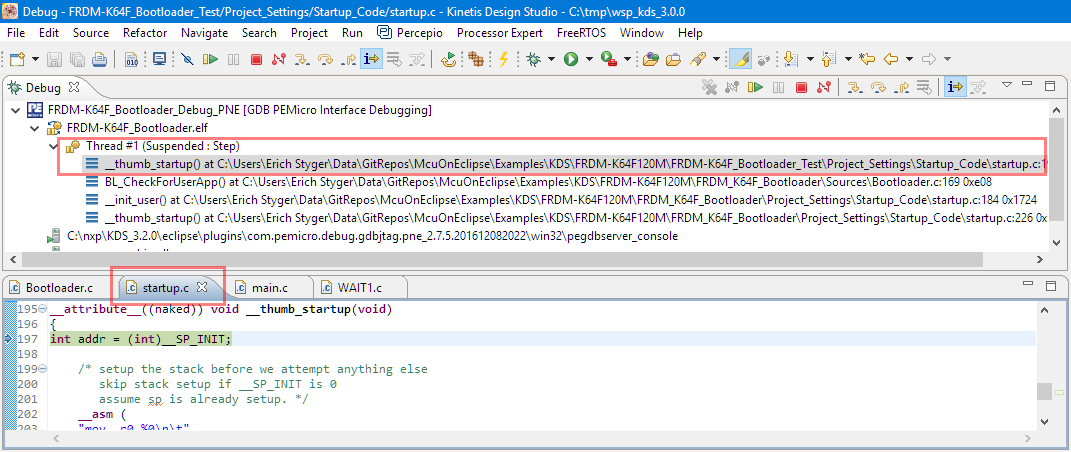
When working and debugging a bootloader, debugging can be a challenge: During debugging the bootloader, a new binary gets loaded into the microcontroller address space which is unknown to the debugger. As soon as I step into the newly loaded binary, I only see assembly code, with that ugly “No source available” in Eclipse:
But wait: GDB is able to do pretty much everything you can imagine, so here is how to debug multiple binaries with GDB and Eclipse, and to turn the above into something which is easy to debug:
Upgrading to Sharp 128×128 Pixel Memory Display
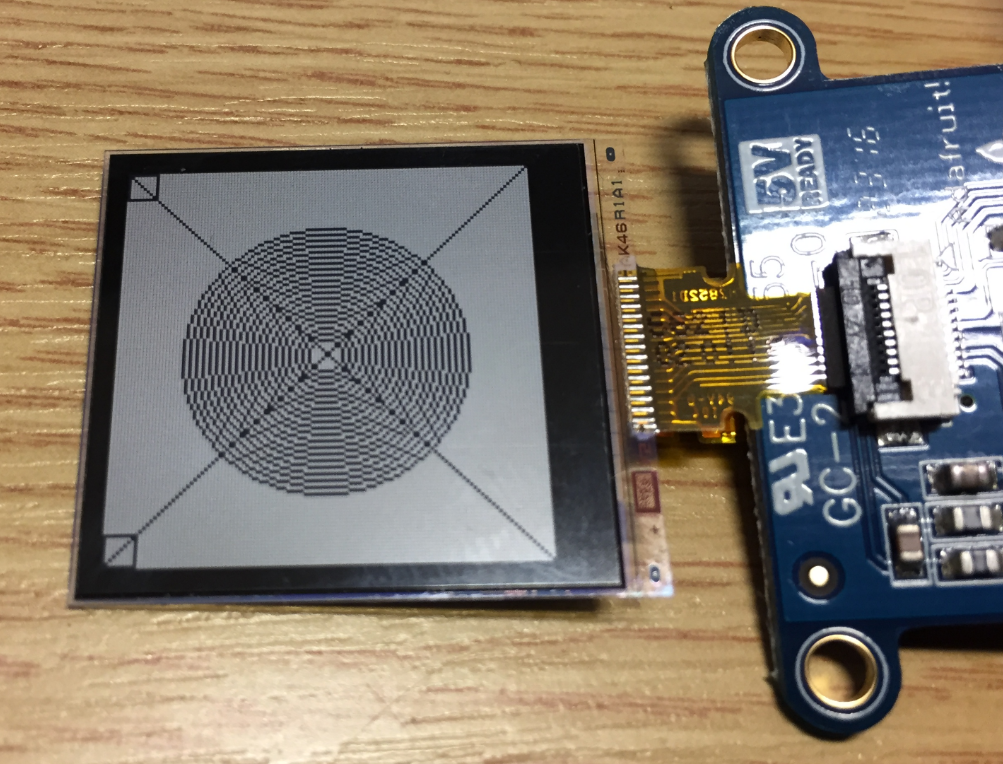
In “Low Power LCD: Adafruit Breakout Board with Sharp Memory Display” I used a 96×96 Sharp Display (LS013B4DN04) with the Adafruit breakout board, but because that one seems to be EOL (End Of Life), I searched for a replacement. I have found the 128×128 pixel version (Sharp LS013B7DH03), and best of all, it is pin compatible :-). With a small tweak of the driver, it works :-):
Building the NXP BLE Stack with Open Source GNU and Eclipse Tools
One of the biggest road blocks (beside of closed source) using the BLE (Bluetooth Low Energy) stack from NXP is that it requires expensive tools to compile and build the stack. The good news is that I have now the NXP BLE stack for the Mikroelektronika Hexiwear ported to Eclipse and GNU gcc build tools for ARM 🙂