I’m pleased to announce that a new release of the McuOnEclipse components is available in SourceForge., which is supposed to be the last release for 2017 :-). This release features several smaller bug fixes, the new FreeRTOS V10.0.0 and extended device support.
Category Archives: LPC
New Concept for 2018 Mini Sumo Roboter
Doing Mini Sumo robot competition is really fun, and there is yet another one coming to end the current university semester. For several years we have used our own sumo robot, and this is the one used in the course this year too. But for future and extended events we are exploring a new robot. I proudly present the concept of the next generation sumo robot for the year 2018:
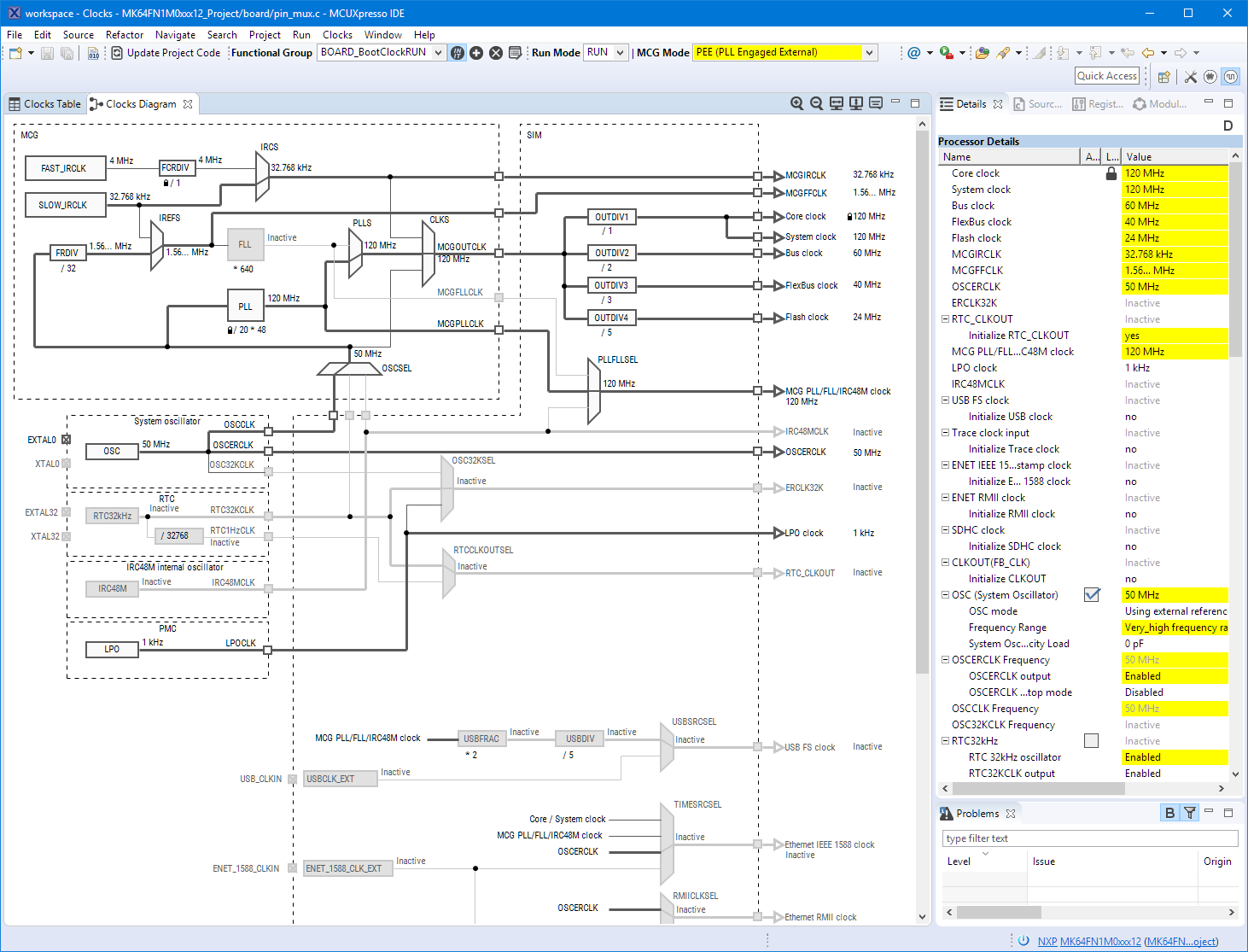
Eclipse MCUXpresso IDE 10.1 with integrated MCUXpresso Configuration Tools
Back in March 2017, NXP had rolled the MCUXpresso IDE starting with Version 10.0.0. With the intent to unify the SDK, LPCXpresso, CodeWarrior, Kinetis Design Studio and Processor Expert into one unified and integrated set of tools. V10.0.0 was a good start. The MCUXpresso IDE V10.0.2 in July was more of a smaller update, and the Pin and Clock configuration tools were not integrated, no added tool for peripheral configuration.
A week ago the MCUXpresso V10.1.0 has been released which shows where the journey is going: an free-of-charge and code size unlimited Eclipse based integrated set of tools to configure, build and debug Cortex-M (Kinetis, LPC and i.MX RT) microcontroller/processor based applications.
I have used it for a week, and although many things are still new, I thought I’m able to give an overview about what is new.
Exploring a Microcontroller and Software and Tools for the next Project
I’m using many microcontroller in my projects. And a lot more are available out there in the ecosystem. Like many others, I tend to select what I am familiar with. But is this the correct approach to select the hardware and tools for a next project?
McuOnEclipse Components: 25-Sept-2017 Release
I’m pleased to announce that a new release of the McuOnEclipse components is available in SourceForge. In this release more ARM Cortex devices/vendors are supported with different SDKs, plus it comes with several FreeRTOS enhancements for debugging highly optimized code.
Using Multiple Memory Regions with the FreeRTOS Heap
ARM Cortex-M microcontrollers can have multiple memory controllers. This is a good thing as it allows the hardware to do multiple parallel memory read/writes. However this makes the memory map more complicated for the software: it divides the memory into different regions and memory segments. This article is about how to enable FreeRTOS to use multiple memory blocks for a virtual combined memory heap:
Adding CMSIS-SVD Files to EmbSysRegView 0.2.6.r192 and Eclipse
In “EmbSysRegView 0.2.6 for Eclipse Neon and Oxygen” I have described how to add CMSIS-SVD register detail files to Eclipse using the EmbSysRegView plugin.
But what I need to add vendor or any other SVD files to it? Here is how:
Building Eclipse and MCUXpresso IDE Projects from the Command Line
Eclipse as IDE takes care about compiling and building all my source files. But in an automated build system I would like to build it from the command line too. While using make files (see “Tutorial: Makefile Projects with Eclipse“) is an option, there is another easy way to build Eclipse projects from the command line:
Breathing with Oxygen: DIY ARM Cortex-M C/C++ IDE and Toolchain with Eclipse Oxygen
Last month (June 2017), the latest version of Eclipse “Oxygen” has been released, and I have successfully used it in several embedded projects. Time to write a tutorial how to use it to build a custom Do-It-Yourself IDE for ARM Cortex-M development: simple, easy, unlimited and free of charge. While the DIY approach takes a few minutes more to install, it has the advantage that I have full control and I actually know what I have.
Custom 3D Printed Enclosure for NXP LPC-Link2 Debug Probes
I love 3D printing as it enables me to create custom enclosures for all kind of projects. The NXP LPC-Link2 probe is great, but it lacks a protective enclosure. So I decided to create a custom enclosure. And as 3D filaments are available in different colors, I experimented with red and black and custom painting: