Many times it is very useful to debug multiple boards at the same time. For example if I’m debugging a communication stack between two boards: that way I can debug the protocol on both sides. Eclipse is a great framework which allows that. This post shows how to debug multiple boards (e.g. the NXP Freedom boards) in parallel from the same Eclipse IDE using GDB and the Segger J-Link:
Author Archives: Erich Styger
Ice Flowers
Image
Waiting in the cold in the early morning can have an aesthetic aspect:
When ice builds beautiful structures on glass we call it ‘Eis Blume‘ (‘Ice Flowers’). In the past this happened on the windows in unheated buildings. These days it is a rare species with all the heated building. This one is more like snow flakes building up nice structures. With the sun coming up in the background their beauty will be gone very soon….
Happy Icing .-)
Hardware Reset for ARM Cortex-M with Segger J-Link and Kinetis Design Studio
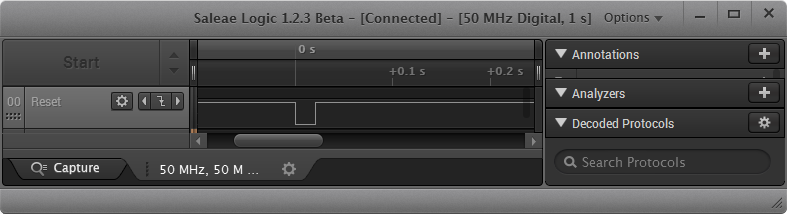
The reset and signal line of a microcontroller is probably the most important signal to a microcontroller. And if things go wrong, then a first thing to check is the reset line. So having control over reset is an important aspect for embedded development. You would think that if you download a program to a microcontroller, the debug probe would put the device into reset at the start with a short pulse like this:
3D Printed Classic Mac Apple Watch Charging Station
One of the first machine I used for development many years ago was a Apple Classic Macintosh computer. My days of development with Pascal and Modula-2 are long gone. But with the availability of 3D printers I can print a Classic Mac :-). But now it is not used for development: I use it to charge an Apple Watch:
How to Add Undo/Redo Toolbar Buttons to Eclipse
By default, there are no Undo/Redo toolbar buttons in the Eclipse toolbar. With Eclipse as an open and extensible framework, how to add them?
McuOnEclipse Release 10-Jan-2016
With the start of the new year 2016 I have published a new McuOnEclipse component release with the following major updates:
- Updated Segger SystemView and Real Time Transfer (RTT): added terminal functions and extra interfaces
- Improved USB CDC with serial number handing
- FreeRTOS TaskList shell command
- USB Stack: added MSD Host support for MCF52259, added support for K24FN120 and for the 100 MHz K20 devices
- New NEOMatrix component for Adafruit NeoPixel Matrix displays
Blaze: Miniature, Powerful, Hackable Display with Touch
I’m not much monitoring what is happening on Kickstarter or Indiegogo, only for time reasons, but maybe I should? For a while I’m looking for the next level for the tinyK20 project: better and more powerful microcontroller with touch display/graphic LCD. And when I see a Freescale/NXP Kinetis microcontroller on a crowd funding platform like this one, I hardly can resist 😉 :

Blaze Board (Source: http://kck.st/1S0HyUp)
First 3D Printed tinyK20 Board Enclosure
The tinyK20 boards are now used in several projects. Initially I was considering a commercial USB thumb drive enclosure for it. But this needed some tweaking of the enclosure so at the end it was not ideal. 3D printing is probably that hot topic for 2016. So why 3D printing an enclosure for that board?
How to Add Bluetooth Low Energy (BLE) Connection to ARM Cortex-M
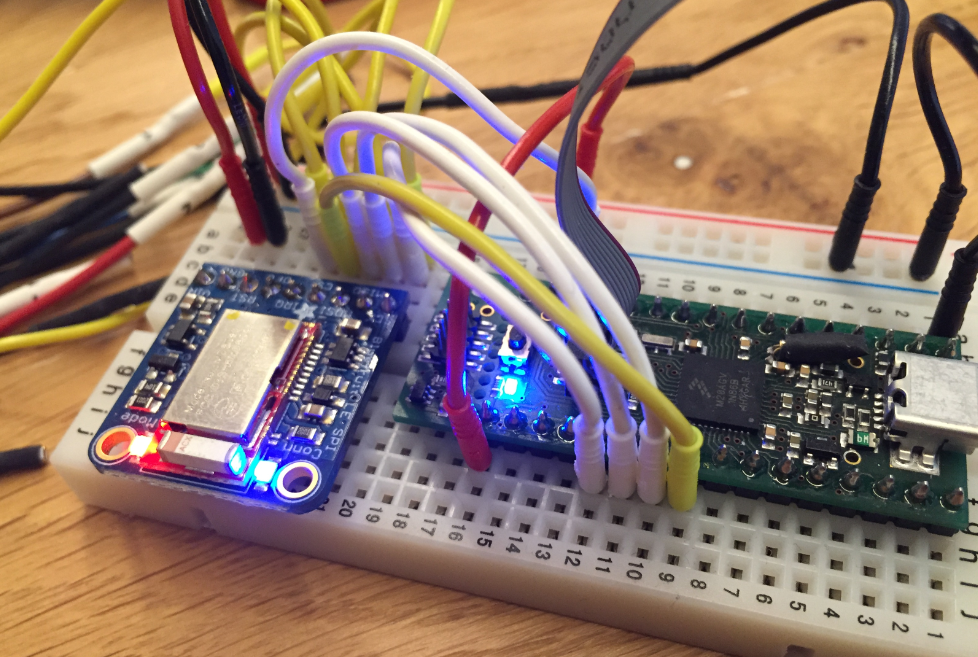
In many of my embedded projects I’m using successfully the Nordic Semiconductor nRF24L01+ (see “Tutorial: Nordic Semiconductor nRF24L01+ with the Freescale FRDM-K64F Board“) and the HC-06 Bluetooth transceivers (see “Getting Bluetooth Working with JY-MCU BT_BOARD V1.06“) for wireless communication. However, the nRF24L01+ is using a proprietary protocol, and the HC-06 does not work with Apple products (it does very well with Android devices). To close that gap I decided to add Bluetooth Low Energy (BLE, or Bluetooth 4.x). So this post is about how to add Bluetooth Low Energy (BLE) to NXP (formerly Freescale) Kinetis devices:
Renaming Eclipse CDT Projects
When I create a project in Eclipse (e.g. in Kinetis Design Studio with the GNU ARM Eclipse plugins), I have to specify the name of the project during creation time:
But what if I change my mind later on and want to use a different name? How to rename the project?