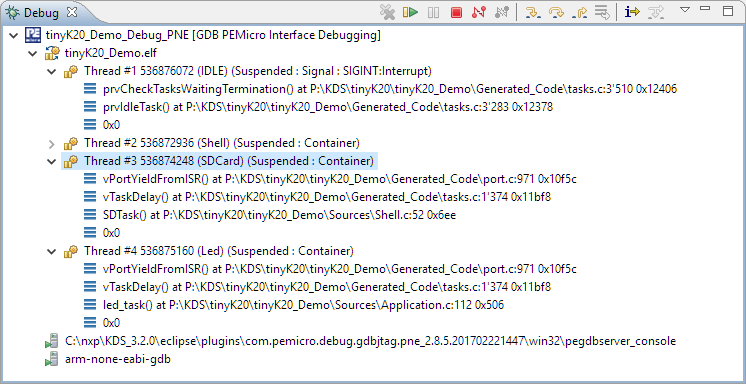
P&E has a new version of their GDB/Eclipse debug plugins available on their Eclipse update site, and it comes with to great features: Real Time Expressions (show variables while target is running) andΒ FreeRTOS thread awareness π
Tag Archives: NXP
Tips for Making Copy of Eclipse CDT Projects Easier
Instead creating a new project from scratch, often it is simpler to copy an existing Eclipse CDT project, then change it and go on.Β To copy-past the a project in Eclipse:
- Select the project in the Project Explorer View (CTRL-C on Windows)
- Then paste it in the Project Explorer View (CTRL-V on Windows), and I can specify the new name:
However, to make that process simpler, a few things have to be done right in the ‘source’ project first.
Cycle Counting on ARM Cortex-M with DWT
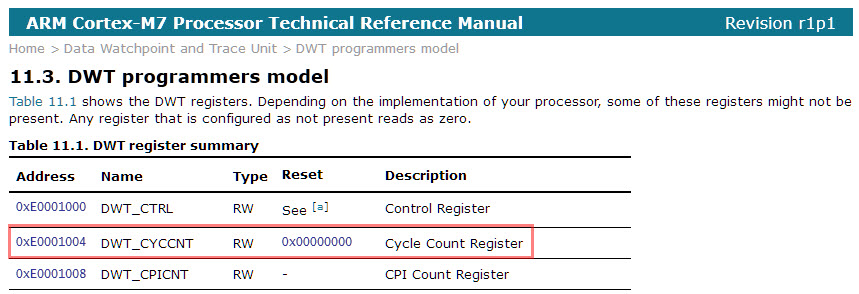
Some ARM Cortex-M have a DWT (Data Watchpoint and Trace) unit implemented, and it has a nice feature in that unit which counts the execution cycles. The DWT is usually implemented on most Cortex-M3, M4 and M7 devices, including e.g. the NXP Kinetis or LPC devices.

DWT Cycle Count Register (Source: http://infocenter.arm.com/help/index.jsp?topic=/com.arm.doc.ddi0489d/BABJFFGJ.html)
McuOnEclipse Components: 28-Jan-2017 Release
I’m pleased to announce that a new release of the McuOnEclipse components is available in SourceForge, with the following main features and changes:
- New Sharp Memory Display Driver supporting 96×96 and 128×128 pixel ultra low power display
- PID_Int can be used without hardware
- GenericTimeData has added functions to convert date/time into strings
- HardFault can now disable write buffers on ARM Cortex to simplify debugging faults
- Folder support for SEGGER SystemView and Percepio FreeRTOS+Trace
- Component usage without Processor Expert
- NXP MCUXpresso SDK support for FreeRTOS using tickless idle mode and low power timer
- Many other smaller bug fixes and enhancements
“No source available”, or how to Debug Multiple Binaries with GDB and Eclipse
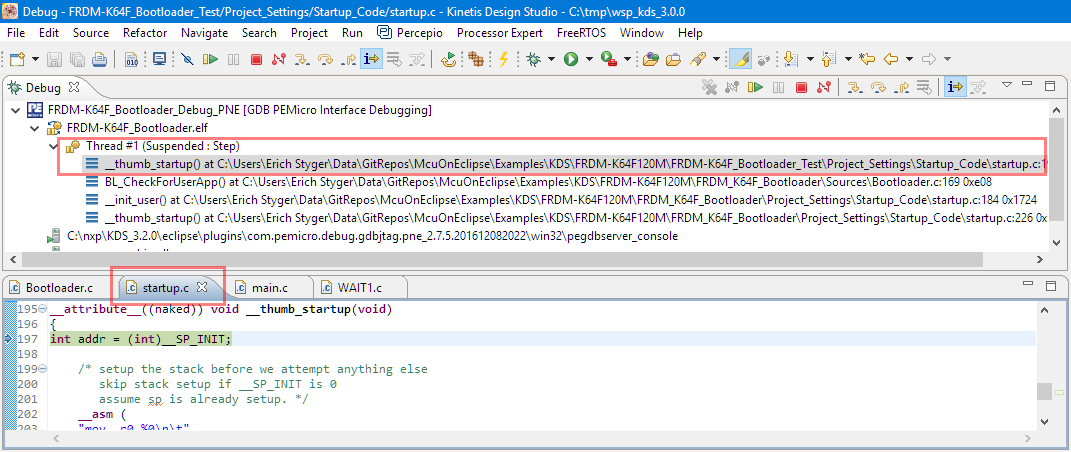
When working and debugging a bootloader, debugging can be a challenge: During debugging the bootloader, a new binary gets loaded into the microcontroller address space which is unknown to the debugger. As soon as I step into the newly loaded binary, I only see assembly code, with that ugly “No source available” in Eclipse:
But wait: GDB is able to do pretty much everything you can imagine, so here is how to debug multiple binaries with GDB and Eclipse, and to turn the above into something which is easy to debug:
Debugging ARM Cortex-M0+ HardFaults
To me, one of the most frustrating things working with ARM Cortex-M cores are the hard fault exceptions. I have lost several hours this week debugging and tracking an instance of a hard fault on an ARM Cortex-M0+ device.

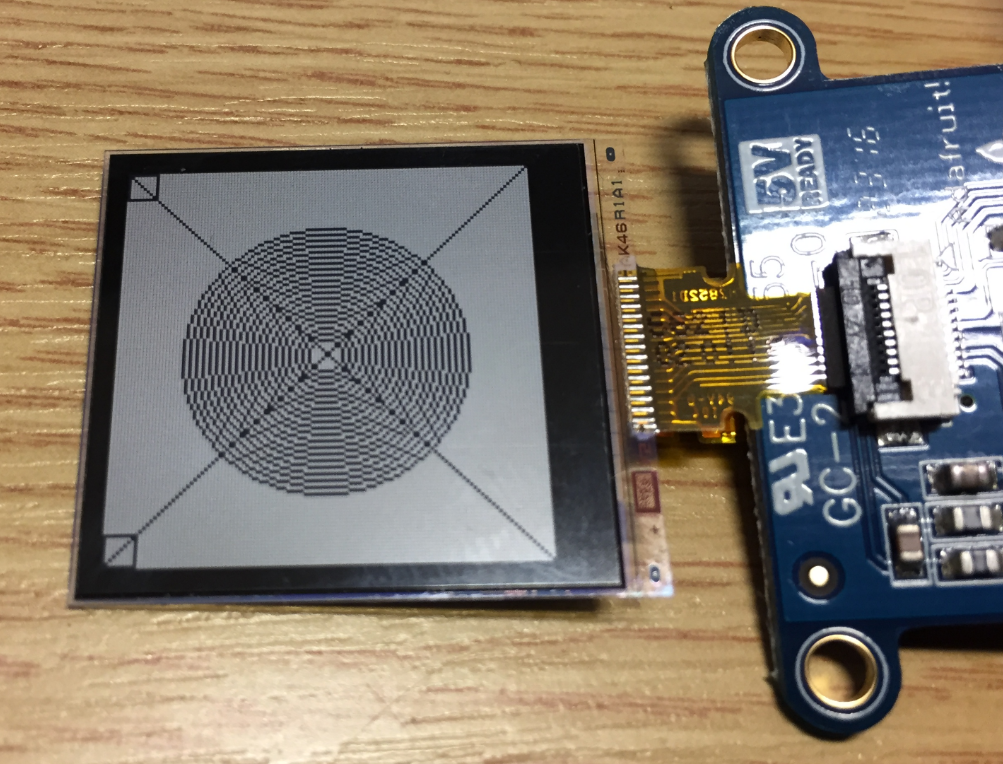
Upgrading to Sharp 128×128 Pixel Memory Display
In “Low Power LCD: Adafruit Breakout Board with Sharp Memory Display” I used a 96×96 Sharp Display (LS013B4DN04) with the Adafruit breakout board, but because that one seems to be EOL (End Of Life), I searched for a replacement. I have found the 128×128 pixel version (Sharp LS013B7DH03), and best of all, it is pin compatible :-). With a small tweak of the driver, it works :-):
Building the NXP BLE Stack with Open Source GNU and Eclipse Tools
One of the biggest road blocks (beside of closed source) using the BLE (Bluetooth Low Energy) stack from NXP is that it requires expensive tools to compile and build the stack. The good news is that I have now the NXP BLE stack for the Mikroelektronika Hexiwear ported to Eclipse and GNU gcc build tools for ARM π
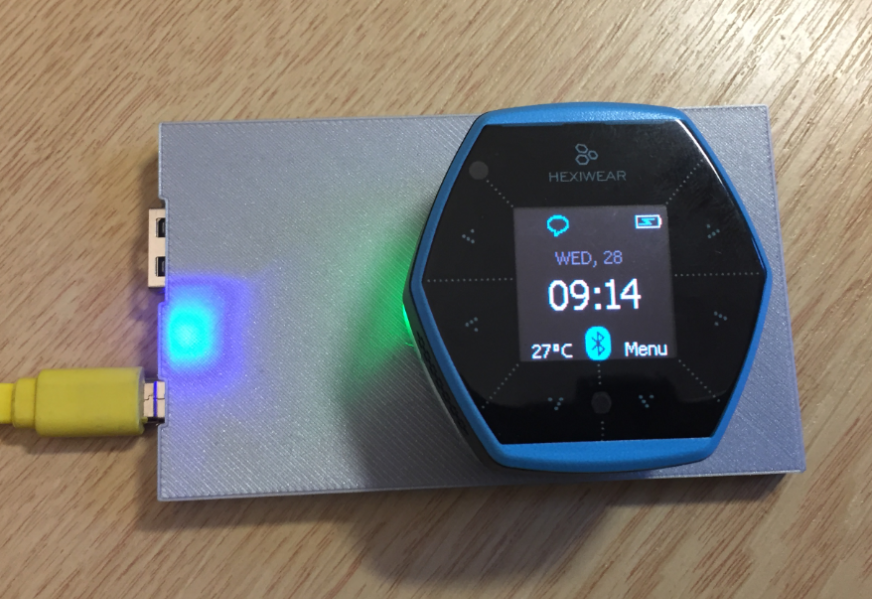
DIY IKEA Wireless Qi Charging for the Hexiwear
The Achilles Heel of the Mikroelektronika Hexiwear is its charging: the charging and USB connector are only designed for a limited number of plug-unplug cycles, and it does not have a wireless charging capability like the Apple iWatch. Until now! I have built a DIY wireless charging system for the Hexiwear π :
Hexiwear with Raspberry Pi and OpenHAB Home Automation
This is yet another milestone on my journey to combine the Hexiwear with the Raspberry Pi: now I can send take over control of the Hexiwear with openHAB running on the Raspberry Pi: