VS Code: Data Breakpoints and Watchpoints

There are many cases where setting a breakpoint on a line of code does not help much. Cases like data or variables get modified from somewhere. That can be data in a linked list somewhere, and all what I have found out so far that it gets changed or corrupted. But I do not know what piece of code is responsible for it.

The solution for such problems are ‘data breakpoints’ or ‘watchpoints‘. Still, not many developers seem to be aware of watchpoints? They are incredibly helpful. And VS Code has at least some basic support for it.

Data Breakpoints in VS Code
Continue reading →

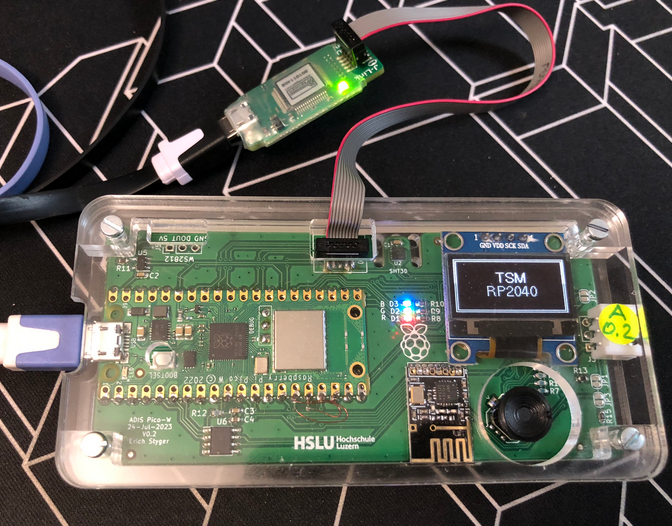
Semihosting with VS Code on RP2040

With semihosting I can use standard I/O function like printf() and I can read and write data on the host through the debug connection. If used with care, this is a great feature especially for unit testing.

Raspberry Pi Pico-W (RP2040) board
Continue reading →

Selecting J-Link Debug Probe by Nickname

I have lots of hardware and debug probes on my desk, and I discussed using nicknames for debug probes to better identify them.

‘Green’ and ‘Yellow’ Robots and J-Link Probes

So far so good. At that time of the previous article, it was possible to assign nicknames to J-Link debug probes, but not to use the nickname instead of the USB serial number. Well, SEGGER was fast again, and responded with a new J-Link software pack version 7.92d which implements that features: I can now use the nickname to connect to a debug probe :-).

Continue reading →

New SEGGER J-Link-OB LPC4322-based Firmware with Target Power

Sometimes I have a wish. Not every time it gets fulfilled. But this time I’m lucky and happy developer. A few days ago I wrote about the LPC4322-based SEGGER OB (on-board) J-Link firmware. It works great, but the board requires another USB cable to power the target board.

Rolf Segger contacted me, and a few days later I had a J-Link firmware with a ‘power-on’ feature:

That way, only one USB cable is needed. All what you need to do is to update the firmware.

Continue reading →

Upgrading LPC4322-based Debug Probe Firmware on RT10xx

Going with the factory default can be fine. But an upgrade could give a performance boost plus added functionality. Many of the NXP i.MX RT evaluation boards have an LPC4322 based debug circuit on it. One example for this is the i.MX RT1010 board.

NXP i.MX RT1010 EVK

On such boards, one of the first steps I do is: upgrading the firmware and change it to a better option: improved speed, SWO support plus avoiding issues with the USB MSD device.

Continue reading →

Assigning Nicknames to Debug Probes

Dealing with and debugging distributed systems, I end up with multiple debug probes and target boards on my desk. When starting a debugging session, it can be hard to identify a debug probe by its serial number. What I do in such a situation: put a color stick on the debug probe and have it assigned a nickname.

Debug Probes with Nicknames

That nickname then shows up during the debug connection, and I’m sure I connect to the right probe and board that way.

Continue reading →

Catchpoints: Unlimited Number of FLASH Breakpoints with GDB

Embedded hardware comes with limitations, and one if it is the given number of hardware breakpoints. Depending on your MCU, 4 or only 2 hardware breakpoints are available, making debugging and stepping in read-only memory (FLASH) a challenge.

Debugging NXP LPC845 with unlimited FLASH Breakpoints using MCU-Link

Did you know that one can have ‘unlimited’ number of breakpoints in FLASH, with the help of GDB? This is very useful for extended debugging, or if you want to use breakpoints for testing?

Continue reading →

Creating a GNU Assembly-Only Project

Sometimes it makes sense to write everything in assembly, even these days. For example if using a tiny microcontroller. Or just if one just don’t need all the productivity of the C/C++ tools. And it is a good educational experience: getting hands-on on the lower levels.

Debugging an Assembly-Only Project
Continue reading →

LinkServer for Microcontrollers

GDB is the de-facto debugging engine and debug connection for micro-controllers these days: it is versatile and with its client-server architecture very flexible and powerful, and pretty much every debug probe and vendor (PEMICRO, SEGGER, OpenOCD, pyOCD, …) offers it. But a GDB server or command line implementation was not available for the NXP LinkServer family of debug probes (LPC-Link, MCU-Link, MCU-Link Pro). This has changed now: LinkServer is available as command line tool and can be used as GDB Server:

LinkServer as GDB Server with Eclipse

With the new LinkServer package I do not only get a gdb server implementation: I have now a command line tool I can use for automation and all kind of different things: programming boards, erasing flash, and so on.

Continue reading →