In “Cycle Counting on ARM Cortex-M with DWT” I have used the ARM DWT register to count the executed cycles. With the MCUXpresso IDE comes with a very useful feature: it can capture the ARM SWO (Single Wire Output) trace data. One special kind of trace data is the ‘cycle counter’ information which is sent through SWO.
2017 Spring Semester Sumo Challenge
Video
The spring university semester is coming to an end, and the Infotronic course closed with a Sumo robot challenge. Great challenge, new technologies, innovative approaches and funny designs 🙂
How Trees grow on Trees
Image
I have been busy with too many things, so I apologize: no techy blog post this weekend. But what I can share is a unique wonder of nature encountered during a bike trip today at the end of the Klöntalsee:
3D Printed Sumo ToF Blade
ToF (Time-of-Flight, see “Tutorial: STMicroelectronics VL6180X Time-of-Flight LIDAR Sensor“) sensors are fun: they measure the time the light takes to travel to an object and back again. That way they can measure the distance to object with a millimeter accuracy. An ideal sensor for a battle robot: 🙂
Customizing Welcome View and Splash Screen in Eclipse Neon
If I open a new workspace in Eclipse, it shows me the default ‘Welcome’ view:
MCUXpresso IDE: Blinky the NXP LPC800-DIP Board
During Embedded World 2017 in Nürnberg I was lucky to get a handful LPC800-DIP boards. To get all students who were lucky to get one, here is a tutorial to make that very exciting ‘blinky’ application on that board:
MCUXpresso IDE: Terminate and Disconnect a Debug Session
Eclipse for C/C++ (CDT) offers two different ways to get out of a debug session: Terminate and Disconnect:
The terminate and disconnect behaviour is not standardized, and varies between Eclipse distributions and debug connection. This article is about how things are handled in MCUXpresso IDE, and how I can influence the behaviour.
McuOnEclipse Components: 06-May-2017 Release
I’m pleased to announce that a new release of the McuOnEclipse components is available in SourceForge, with the following changes and updates:
- SEGGER SystemView updated to V2.42
- More components to work with MCUXpresso SDK: GenericSWSPI, FXO8500 and SimpleEvents
- SSD1351 display driver supports 128×128 pixel resolution and Adafruit 1.5″ breakout module
- Extended FreeRTOS debug helper settings
- GenericI2C: added ReadWordAddress8() and ReadWordAddress8() functions
- RingBuffer with new Getn() and Update() functions
- Utility with map(), constrain(), random() and randomSetSeed()
- XFormat: new xsnprintf(), contributed by Engin Lee
- OneWire protocol component with Maxim DS18B20 temperature sensor
- Many smaller bug fixes and enhancements
Using Eclipse to Program Binary Files to an Embedded Target
I’m using Eclipse based IDE’s to develop and debug my embedded applications. This works great, as Eclipse has all the necessary tools to edit, build and debug it. But when it comes just to download/flash a binary to the board, then things are pretty much specific to the tools used. With the advent of the new MCUXpresso IDE, here is how that Eclipse IDE can be used for this.
Using the LPCXpresso V2/V3 Boards to Debug an external Board
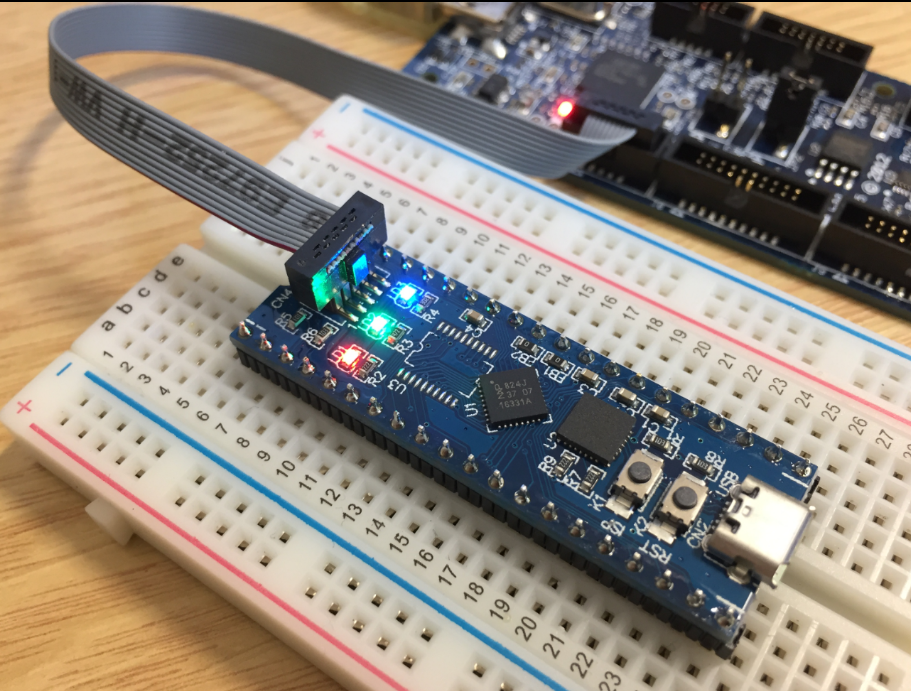
The MCUXpresso IDE (see “MCUXpresso IDE: Unified Eclipse IDE for NXPs ARM Cortex-M Microcontrollers“) has one great feature: it includes debug support for the popular LPC-Link2 debug probes. That way I have yet another powerful debug probe with extra features for ARM based boards. That LPC-Link2 circuit is present on many LPCXpresso boards from NXP. So why not using it to debug it my custom hardware?