The INTRO course is progressing fast, with a lot of information passed on how to build a successful mini Sumo robot based on the Freescale FRDM-KL25Z and a modified Pololu Zumo chassis. The PID control loop implementation for speed and position finally starts to work properly with the help of FreeMaster. Things are not perfect yet, but the robots get better from day-to-day.
Category Archives: Tips & Tricks
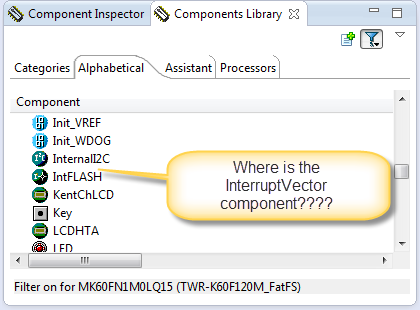
Processor Expert Component not Showing Up?
In case you are desperately looking a component in the components library view, but somehow it does not show up? For example I know there is component ‘InterruptVector’, but it is not present in the Components library view?
Tutorial: Using a Terminal Input and Output; *without* printf() and scanf()
So this tutorial is about using a terminal connection between my board and my host (e.g. a notebook) to read and write text:
Show Heap Status in Eclipse
Wondering how much heap is used by Eclipse? Using the menu Window > Preferences there is a setting I can enable: “Show heap status“:
Tutorial: Replacing IAR EW with Eclipse IDE
Are you using IAR tools and you are jealous looking at what others can accomplish with Eclipse? You wish you could use your IAR build tools but taking advantage of Eclipse too?
I do not want to start a religious IDE war here ;-). At least for IAR, there is a way to bring both worlds together: having IAR build and debug tools integrated in Eclipse :
Review: ThunderBench with the Freescale FRDM Board and Processor Expert
For the Eclipse and Processor Expert lovers of this world: there is another Eclipse based IDE you can use: ThunderBench made by Emprog:
They support a range of ARM based devices, including the Freescale ones I’m using. So I downloaded the v3.24 30 day trial from their download page last week. Finally I have found some time to try it out. Could this be an alternative to use my Freescale FRDM boards with Processor Expert?
IAR ARM v6.7 comes with improved Processor Expert Support
This week I saw on the IAR website that they have released the new IAR Embedded Workbench v6.7 for ARM. I was still on 6.5 using the free code size limited ‘Kickstart’ version), so I thought it would be a good time to upgrade to the v6.7. And there are good reasons as the connection to Processor Expert makes things much easier now.
Workaround for Processor Expert ‘Components’ View Synchronization
CodeWarrior for MCU10.5 comes with a new Eclipse and new Processor Expert. Things are working very well so far. But I have spotted an issue which seems to be related to the new Eclipse Juno used: sometimes the Processor Expert ‘Components’ view is not correctly showing the current project used.
S-Record Manipulation with GNU objcopy and Burner Utility
In my earlier post “S-Record Generation with gcc for ARM/Kinetis” I documented how to have the ARM GNU gcc toolchain to produce a S19 (Motorola (or now Freescale) S-Record) file. Here are a few more tips on that subject:
- Changing length of S-Records
- Only using 32bit addresses
- Combining S19 files
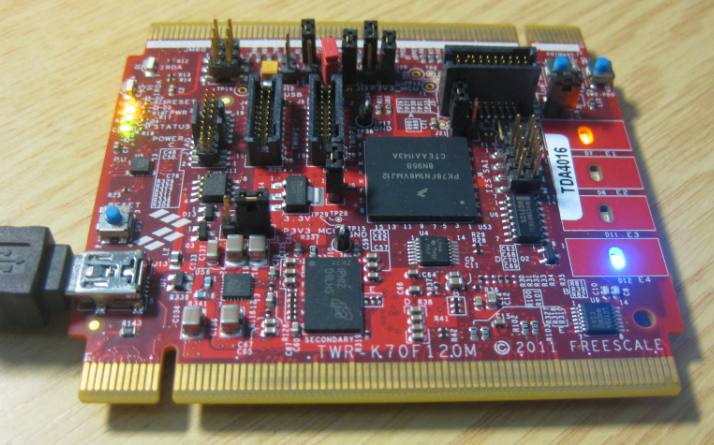
USB with the TWR-K60F120M and TWR-K70F120M
If you read my posts, then you probably know: I *love* the FRDM boards! But: Freescale has only the lower-end processors available with a FRDM board (yet?). As I need something more powerful for my Raspberry Pi Camera project, I’m using Tower boards instead. This gives me an ARM Cortex-M4 with 120 MHz, Floating Point unit plus 128 KByte SRAM :-).
For that project I need USB. So this post is about using the TWR-K60F120M and TWR-K70F120M with USB connectivity, using the USB CDC device class as example. Initially I thought I can do as easily with the FRDM boards. It turned out, that things are not that easy.