Debugging the Teensy 3.6 with Eclipse MCUXpresso IDE and CMSIS-DAP LPC-Link2

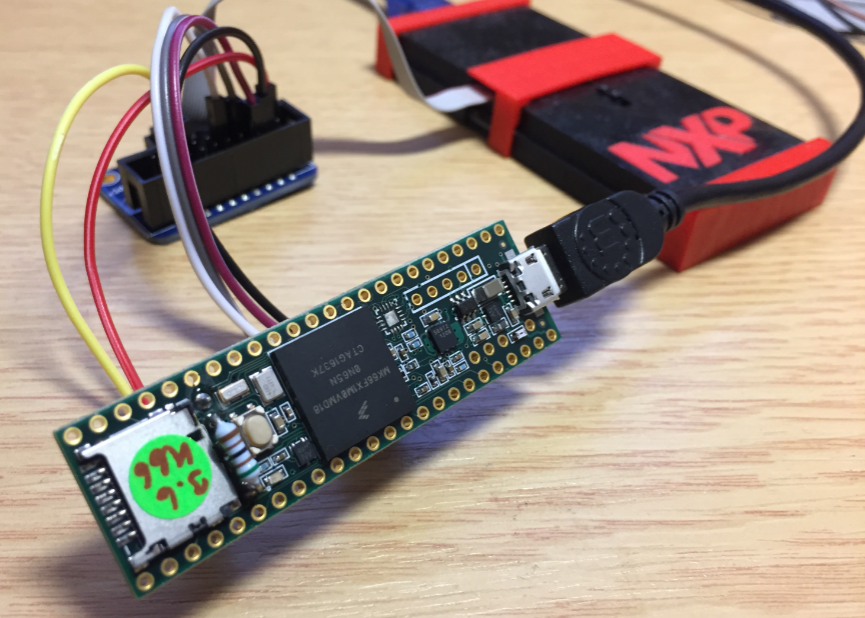
The Teensy boards are great, but as they are they are not really useful for real development, as they lack proper SWD debugging. In “Modifying the Teensy 3.5 and 3.6 for ARM SWD Debugging” I have found a way to get SWD debugging working, at that time with Kinetis Design Studio and the Segger J-Link. This article is about how debug the Teensy with free MCUXpresso IDE and the $20 NXP LPC-Link2 debug probe:

Teensy 3.6 with NXP LPC-Link2

Teensy 3.6 with NXP LPC-Link2

Continue reading

McuOnEclipse Components: 26-Dec-2017 Release

I’m pleased to announce that a new release of the McuOnEclipse components is available in SourceForge., which is supposed to be the last release for 2017 :-). This release features several smaller bug fixes, the new FreeRTOS V10.0.0 and extended device support.

SourceForge

SourceForge

Continue reading

New Concept for 2018 Mini Sumo Roboter

Doing Mini Sumo robot competition is really fun, and there is yet another one coming to end the current university semester. For several years we have used our own sumo robot, and this is the one used in the course this year too. But for future and extended events we are exploring a new robot. I proudly present the concept of the next generation sumo robot for the year 2018:

Sumo Robot with Bluetooth module

Sumo Robot with Bluetooth module

Continue reading

Eclipse MCUXpresso IDE 10.1 with integrated MCUXpresso Configuration Tools

Back in March 2017, NXP had rolled the MCUXpresso IDE starting with Version 10.0.0. With the intent to unify the SDK, LPCXpresso, CodeWarrior, Kinetis Design Studio and Processor Expert into one unified and integrated set of tools. V10.0.0 was a good start. The MCUXpresso IDE V10.0.2 in July was more of a smaller update, and the Pin and Clock configuration tools were not integrated, no added tool for peripheral configuration.

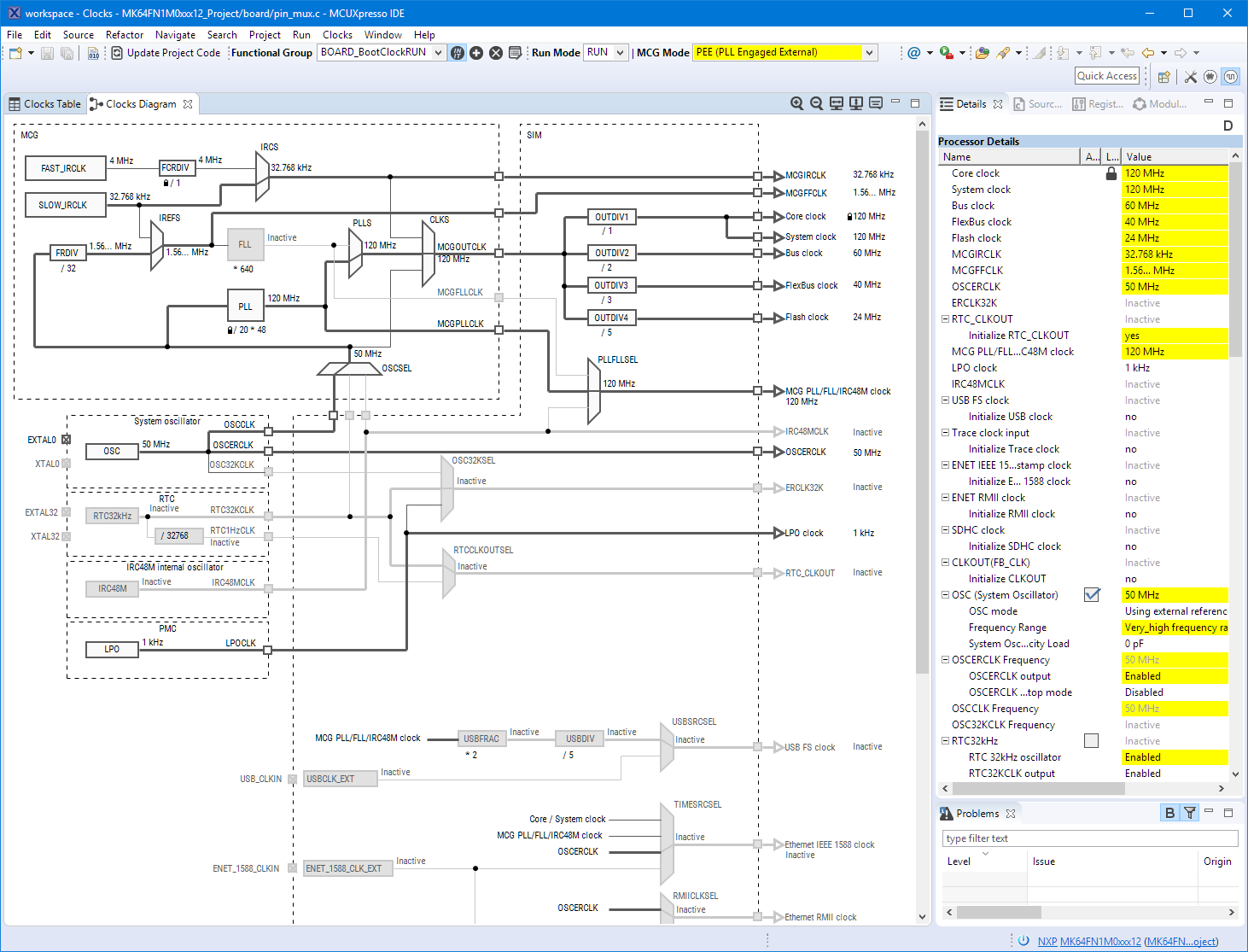
A week ago the MCUXpresso V10.1.0 has been released which shows where the journey is going: an free-of-charge and code size unlimited Eclipse based integrated set of tools to configure, build and debug Cortex-M (Kinetis, LPC and i.MX RT) microcontroller/processor based applications.

Clock Tool inside MCUXpresso IDE

Clock Tool inside MCUXpresso IDE

I have used it for a week, and although many things are still new, I thought I’m able to give an overview about what is new.

Continue reading

Exploring a Microcontroller and Software and Tools for the next Project

I’m using many microcontroller in my projects. And a lot more are available out there in the ecosystem. Like many others, I tend to select what I am familiar with. But is this the correct approach to select the hardware and tools for a next project?

Microcontroller Boards

Microcontroller Boards

Continue reading

McuOnEclipse Components: 25-Sept-2017 Release

I’m pleased to announce that a new release of the McuOnEclipse components is available in SourceForge. In this release more ARM Cortex devices/vendors are supported with different SDKs, plus it comes with several FreeRTOS enhancements for debugging highly optimized code.

SourceForge

SourceForge

Continue reading

Using Multiple Memory Regions with the FreeRTOS Heap

ARM Cortex-M microcontrollers can have multiple memory controllers. This is a good thing as it allows the hardware to do multiple parallel memory read/writes. However this makes the memory map more complicated for the software: it divides the memory into different regions and memory segments.  This article is about how to enable FreeRTOS to use multiple memory blocks for a virtual combined memory heap:

FreeRTOS with Segmented Heap Memory

FreeRTOS with Segmented Heap Memory

Continue reading

Breathing with Oxygen: DIY ARM Cortex-M C/C++ IDE and Toolchain with Eclipse Oxygen

Last month (June 2017), the latest version of Eclipse “Oxygen” has been released, and I have successfully used it in several embedded projects. Time to write a tutorial how to use it to build a custom Do-It-Yourself IDE for ARM Cortex-M development: simple, easy, unlimited and free of charge. While the DIY approach takes a few minutes more to install, it has the advantage that I have full control and I actually know what I have.

Eclipse Oxygen

Eclipse Oxygen

Continue reading

Tutorial: Makefile Projects with Eclipse

The benefit of an IDE like Eclipse is: it makes working with projects very easy, as generates make files and it takes and automatically manages the make file(s). But sometimes this might not be what I want because I need greater flexibility and control, or I want to use the same make files for my continues integration and automated testing system. In that case a hand crafted make file is the way to go.

One thing does not exclude the other: This article explains how to use make files with Eclipse with similar comfort as the managed build system in Eclipse, but with the unlimited power of make files:

Makefile Project with Eclipse

Makefile Project with Eclipse

Continue reading