User Interrupt on NMI Pin with Kinetis and ExtInt Component

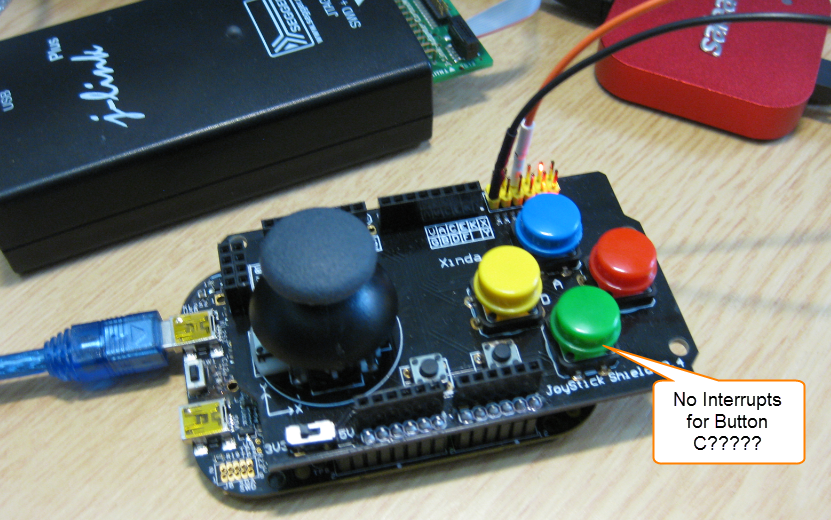
While my beef brisket (see “My First DIY Smoked Beef Brisket: Day 1“) is smoking on ;-), I have time to investigate a problem I was running on in my lecture on Friday: For the Joystick shield (see “JoyStick Shield with the FRDM Board“) on the FRDM-KL25Z board, I wanted to use an interrupt if I press the green button:

No Interrupts for Button C

No Interrupts for Button C

However, that did not work :-(.

Continue reading

Comparing CodeWarrior with Kinetis Design Studio

At FTF 2014, Freescale made the announcement that CodeWarrior won’t support all the new ARM Kinetis devices coming out in the future: they will be supported with the free-of-charge Kinetis Design Studio (KDS) instead. As for myself, this is a big shift from a well established CodeWarrior toolchain to something new. A question which came up recently several times in the forums and in other posts is: how do CodeWarrior and KDS compare with each other?

CW vs KDS

CW vs KDS

Continue reading

RingBuffer Component with Put/Get/Clear Events

Sometimes I have a good idea how to extend one of my Processor Expert components with an extra feature, but then I step back because why implementing more than I need at the moment? Until another user of the component simply asks for the same thing, and here we go: if one or more can take advantage of a feature, that’s definitely a strong argument to add it :-). This happened with the RingBuffer Processor Expert component I’m using in many projects. And a reader of this blog asked to add some extra event methods: when an item is added or removed to the buffer.

RingBuffer used in USB Component with Extra Events

RingBuffer used in USB Component with Extra Events

Continue reading

Automatic Documentation Generation: Doxygen with Processor Expert

One really cool thing with Processor Expert is: it does not only generate the source code for me, it generates as well documentation :-). I’m a believer of the ‘single source’ approach: if I have to document a software project, then the software itself shall be the source of the documentation. And for this I love Doxygen: see “5 Best Eclipse Plugins: #1 (Eclox with Doxygen, Graphviz and Mscgen)“. Doxygen is a compiler which compiles my source files, and instead of object files it creates documentation files for me :-).

Pin Allocation Report

Pin Allocation Report

Continue reading

GNU Libs with Debug Information: Rebuilding the GNU ARM Libraries

With my DIY tool chain (see “Constructing a Classroom IDE with Eclipse for ARM“) I get a complete tool chain. I do not need to build that tool chain from the sources for Windows, as all the binaries are nicely pre-compiled and made available. But there is one issue I face from time to time: as the libraries provided by ARM do not come with sources and debug information enabled, I end up with that “No source available for …” message in the debugger:

No Source Available

No Source Available

The solution is to grab the C/C++ library sources from the ARM launchpad site and get it built locally the way I need it.

Continue reading

XFormat, a Lightweight printf() and sprintf() Alternative

Frequent readers of this blog know that I do not like printf (see “Why I don’t like printf()“), because the standard printf() adds a lot of overhead and only causes troubles. But like small kids, engineers somehow get attracted by troubles ;-). Yes, printf() and especially sprintf() are handy for quick and dirty coding. The good news is that I have added a lightweight printf() and sprintf() implementation to my set of components: the XFormat component. And best of all: it supports floating point formatting :-).

XFormat Component

XFormat Component

Continue reading

Eclipse Performance Improvement Tip: Close Unused Projects

Eclipse is not the fastest and snappiest IDE of the world, but in my view the most versatile and open one. And as with any tool: using it the wrong way does not make it better. Sometimes I have students in my classes which complain that Eclipse is slow, even on a decent machine. Looking at their notebook screens and Eclipse workspace usually tells me right away what they are doing ‘wrong’: there are many, many projects open in the workspace, the most I have seen was more than 50 projects (yikes!!!)!

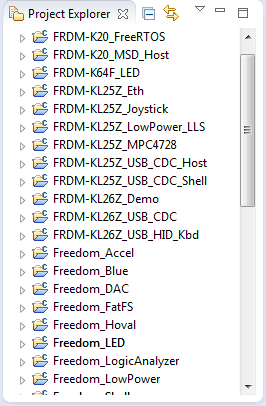
Many many projects open

Many many projects open

Continue reading

First Steps with the RIoT Board and Android

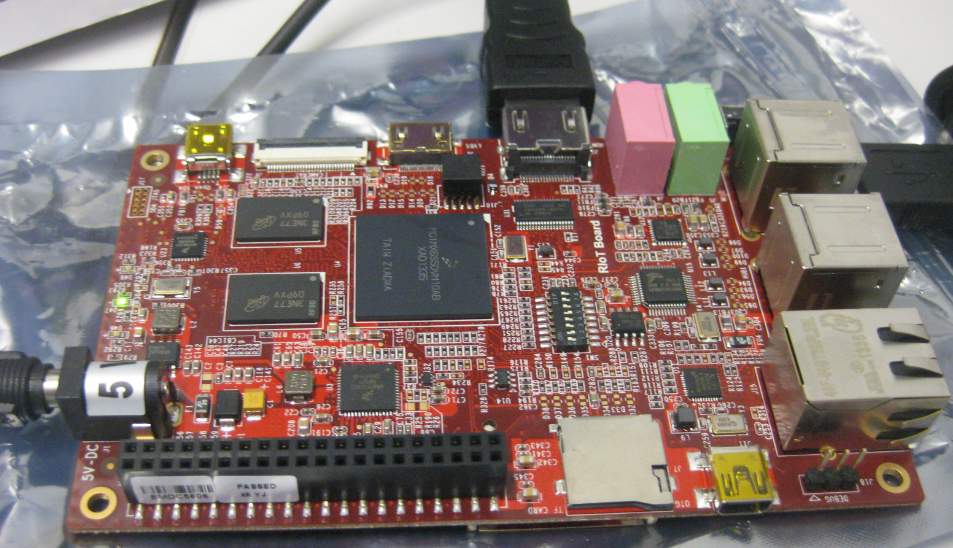
At the university we have several projects with internet connectivity running. Yes, there is a hype around IoT, and in my view many false perceptions around this what it could or should be. Anyway, for these projects in many cases the Raspberry Pi boards are used, and I use a model B board of the Raspy too. I’m very happy with the Raspy, but I wanted to explore different options, so I ordered a RIoT board two weeks ago. When I looked at it the first time, I was thinking that this board could be a better (although larger) board than the Raspberry Pi one: more USB, more GPIO, micro-SD card, more processing power:

RIoT Board

RIoT Board

Well, then this week the new Raspberry Pi B+ came out: more USB, more GPIO, but same processing power as the standard B model.

Continue reading

printf() and scanf() with GNU ARM Libraries

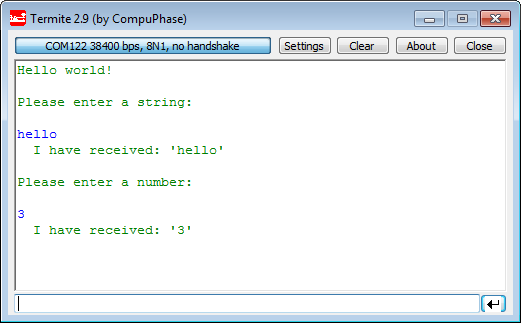
In “Semihosting with Kinetis Design Studio” I’m using the debugger with semihosting to output text with printf(). But how to use a physical serial connection instead?

printf() and scanf() in action

printf() and scanf() in action

This post is about how to enable and use printf() and scanf() with GNU ARM libraries. I show it both for the Freescale Kinetis Design Studio (KDS) and for stock Eclipse Kepler with the GNU GCC ARM Embedded (launchpad) toolchain and libraries. The principles are the same, just the details are different ;-).

Continue reading

Snake Game on the FRDM-KL25Z with Nokia 5110 Display

So I have a graphics driver for a Nokia display (see “Zero Cost 84×48 Graphical LCD for the Freedom Board“), I have a joystick shield (see “JoyStick Shield with the FRDM Board“) and I do have a Freescale Freedom board: why not creating a simple game for it? Snake!

Snake Game with FRDM-KL25Z Board

Snake Game with FRDM-KL25Z Board

Continue reading