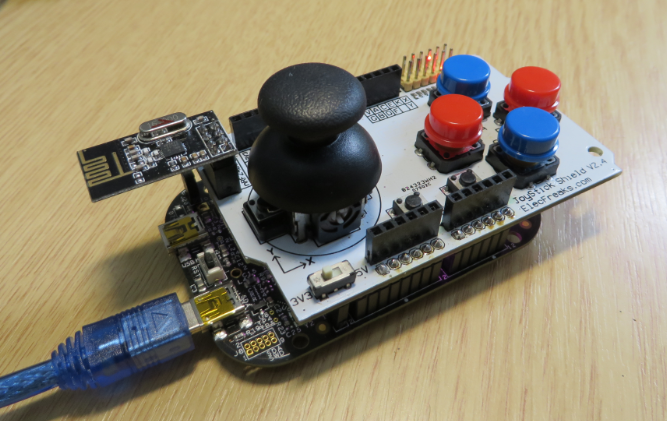
So I have a graphics driver for a Nokia display (see “Zero Cost 84×48 Graphical LCD for the Freedom Board“), I have a joystick shield (see “JoyStick Shield with the FRDM Board“) and I do have a Freescale Freedom board: why not creating a simple game for it? Snake!
Tag Archives: software
Tutorial: DIY Kinetis SDK Project with Eclipse – Startup
This is the start of a multi-post tutorial about the Freescale Kinetis SDK, released back in April as beta version. The SDK a set of peripheral drivers, and will become the standard software foundation and drivers provided by Freescale for their ARM Cortex based devices. Similar what other vendors already do. While this is a good step, it is the same time very disruptive for my university projects with new Freescale Cortex-M devices. And with everything new (and beta), it needs time to learn. So this post is about creating a Do-It-Yourself Kinetis SDK project from scratch for Eclipse. This part is about the startup code: about everything to get the application started.
Tutorial: PWM with DMA on ARM/Kinetis
For a project I need to change the PWM duty cycle after a PWM period is over. One way to do this is to have an interrupt at the end of the PWM period, and then set the new PWM duty (compare) register value in the interrupt. That works fine for ‘slow’ PWM frequencies, but if the PWM frequency is high, the CPU load is massively increasing. A better way is to use DMA (Direct Memory Access).
Tutorial: Freedom Board with Adafruit Ultimate GPS Data Logger Shield
Many times I start with a project and tutorial, only to get interrupted for emergency tasks and assignments. For a long time I wanted to add GPS (Global Positioning System) functionality to one of my projects. While I started a few months ago on this, it took me until this week-end to finish the at least the first part: a SD card data logger with GPS :-): I calculate global positioning and time information, can use it in Google maps and store it on a SD card:
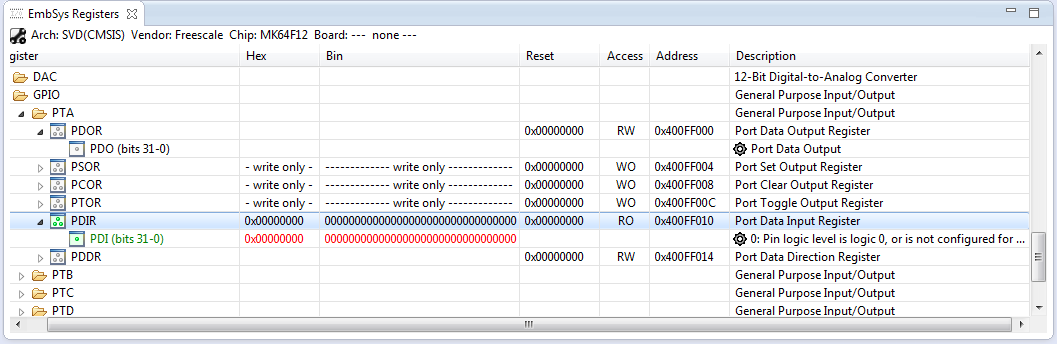
How to Add Register Details View in Eclipse
The standard Eclipse registers view only shows the core registers:
I think it would be great to have a view to see all the device peripheral registers too?
If you want the same, then this article is for you. It works both for stock Eclipse and Freescale Kinetis Design Studion (KDS) 🙂
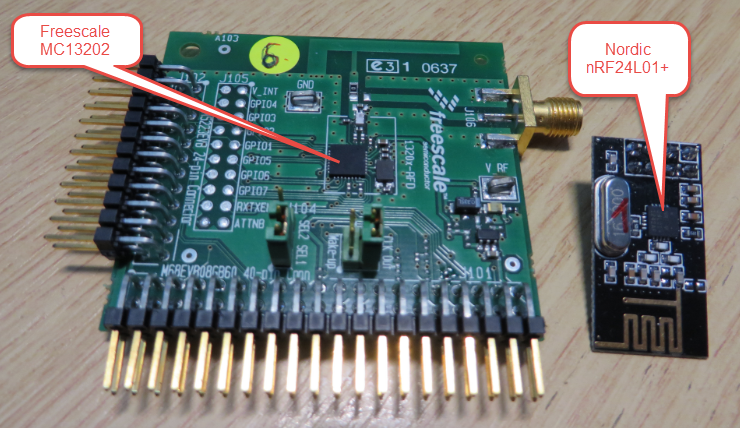
Enhanced RNet Wireless Components and Communication Stack
I’m using both the Freescale MC1320x and Nordic Semiconductor nRF24L01+ 2.4GHz in many projects. To make it even easier to use these transceivers in the RNet stack, I have updated it with several new functions.
JoyStick Shield with the FRDM Board
The latest addition to my set of Arduino shields is a true fun thing: The ElecFreaks.com JoyStick Shield 🙂
ElecFreaks.com Joystick Board with FRDM-KL25Z and nRF24L01+
FRDM with Arduino Ethernet Shield R3, Part 4: MinIni
I admit: my Ethernet Shield project got stuck because of too many urgent other priorities. I was not happy with the way the project was using configuration data from FLASH memory: I have now multiple ethernet shields in use, and configuring the IP address for each shield is a pain. I have not got DHCP working (yet), so why not using the SD card on the shield for configuration data? And right on time I received a tip from Marc about MinIni: perfect, exactly what I need!
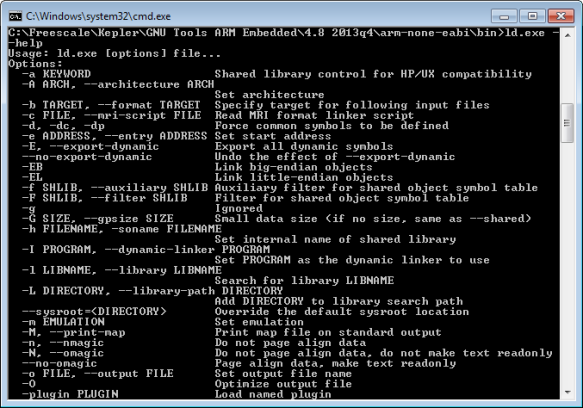
GNU Linker, can you NOT Initialize my Variable?
my students sometimes are afraid to ask questions, although I urge them ask any question. In my opinion there are no ‘dumb’ questions: only questioning things let us think and learn new things. I see that many readers of this blog are *not* afraid to comment or ask questions. The WordPress statistics shows 5’687 questions/comments for this blog (thank you all!), and the spam filter protected me from 202,341 items (ok, these *are* dumb) :-).
The ‘question of the week’ comes from Andy. That question caused me some serious head scratching, but the same time I have learned something important and useful for my next project: how to tell the ARM GNU linker *not* to initialize variables?
Pin Muxing: Using the NMI Pin as GPIO Pin
Many modern microcontroller have a cool feature: Pin Muxing. What it means is that I can ‘mux’ the pins for different purposes: such as I can use a SPI or I2C pin as GPIO (General Purpose Pin) or vice versa. In an ideal world, I would be able to ‘route’ or ‘mux’ pins freely around. In practice these ‘way switches’ are more or less limited.
In “Using the Reset Button on the Freedom Board as User Button” I muxed the FRDM-KL25Z reset pin as GPIO pin. The same approach can be used for muxing the NMI (Non-Maskable Interrupt) pin for the Freescale Kinetis devices. I’m showing it here how to do this with Processor Expert as this allows me to do this with a few mouse clicks.