Tutorial: IoT Datalogger with ESP8266 WiFi Module and FRDM-KL25Z

In my earlier post “Tutorial: Web Server with the ESP8266 WiFi Module” I  used the ESP8266 WiFi module to run a local web server. This is a cool way to control devices inside my network. But to use that web page from the internet, I would need to open up my router which I don’t want to do for obvious reasons. Why not going the other way: host the web page in the internet, and have my board communicating with that internet page? This is exactly what this hype around IoT (Internet of Things) is all about :-).
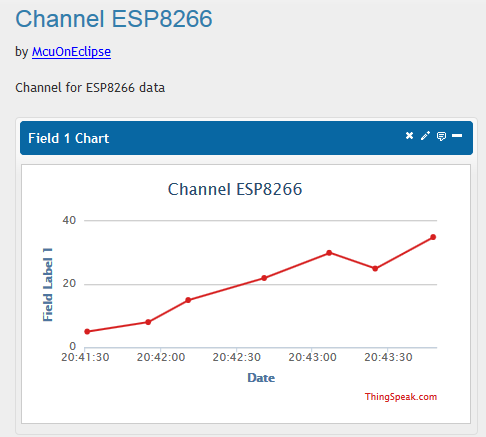
ThingSpeak Channel for ESP8266

ThingSpeak Channel for ESP8266

Continue reading →

McuOnEclipse Components: 07-Dec-2014 Release

Over the last weeks, several contributions, extensions and fixes have been added to the McuOnEclipse components, so a new release is available on SourceForge.

  • Bug fix for RingBuffer.
  • Better FreeRTOS task debugging with gdb.
  • Better watchdog support with Shell component.
  • Additional properties for PercepipTrace.
  • New Utility function ScanDoubleQuotedString() to scan a double quoted string.
  • LCDHTA with additional cursor functions.
  • New devices supported in FSL_USB_Stack: K22FN1M (FRDM-K22F), KL24Z48M, USB host support for K22F120/K22FX512).
  • RNet with nRF24L01+ to deal better with overflow situations.
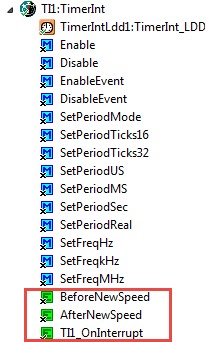
  • A new component FreeRTOS_Tasks to create FreeRTOS tasks.
FreeRTOS Tasks Component

FreeRTOS Tasks Component

Continue reading →

Tutorial: Playing MP3 Files with VS1053B and FRDM Board

I want to make some noise with this post!!! This tutorial is about adding music and sound capabilities to the Freescale Freedom board, and to have a lot of fun with it :-). I need this ability for a larger project working on for a while. But I thought I share that sub-part how to play sound files. So with this tutorial I can turn my Freescale Freedom board into a music or sound player :-). And adding sounds is a cool way for any project, and as the music is stored on an SD card it fits easily hours of music or sounds.

MP3 Player with FRDM-KL25Z

MP3 Player with FRDM-KL25Z and Adafruit Music Maker MP3 Shield

Continue reading →

McuOnEclipse Component Sources in Dedicated GitHub Repository

From time to time it is good to do some cleanup work: what has grown organically sometimes needs some cuts and moves. The same applies to the McuOnEclipse GitHub repository (https://github.com/ErichStyger/mcuoneclipse) which has grown to 522 MByte, 8364 files and 1444 folders. I already moved out the Processor Expert component releases (see “McuOnEclipse Releases on SourceForge“). Time to cleanup and move something else: the Processor Expert component sources.

McuOnEclipse_PEx

McuOnEclipse_PEx

Continue reading →

Updated McuOnEclipse Components: USB for KL24Z, FatFs v0.10c, Shell Backspace and FreeRTOS Trace Hook Configuration

I have received several requests to post a quick note when there is a new release (16-Nov-2014) of the McuOnEclipse components on SourceForge (see “McuOnEclipse Releases on SourceForge“). I have published today a new release, and with following major improvements:

  1. USB support for Kinetis KL24Z
  2. FatFs now features the latest Elm-Chan v0.10c release
  3. Backspace support in Shell
  4. Configuration item in FreeRTOS for Percepio Trace Hooks
McuOnEclipse SourceForge

McuOnEclipse SourceForge

Continue reading →

Adding Processor Expert to Atollic TrueSTUDIO

For me as an Eclipse and Processor Expert lover, a press release that Atollic supports Processor Expert catched my eye :-). So there is yet another way to use Processor Expert: with a commercial Eclipse IDE provided by Atollic (atollic.com/).

Atollic Splash Screen

Atollic Splash Screen

Time to check it out…

Continue reading →

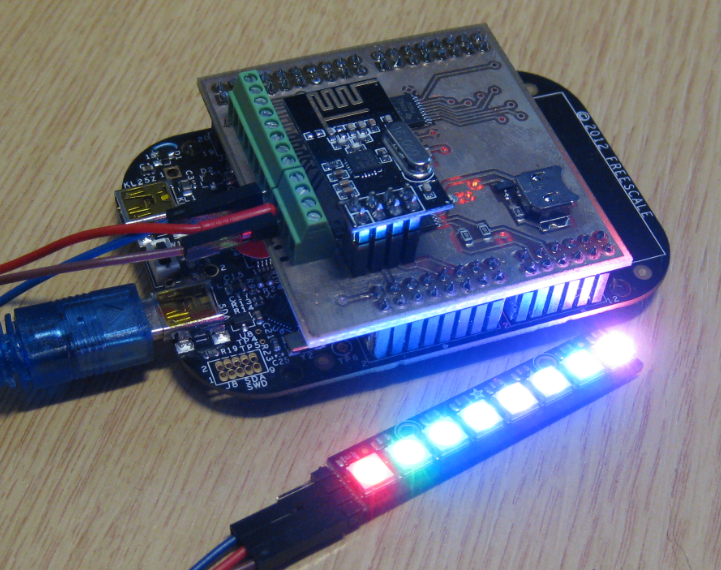
NeoShield: WS2812 RGB LED Shield with DMA and nRF24L01+

In my earlier post I used a hacked together shield for building a clock based on Adafruit’s NeoPixel/WS2812 (“LED Clock with Kitchen Hot Pan Protector“). The new design supports now 8 parallel data streams, integrated realtime clock and wireless connectivity with the nRF24L01+ module.

NeoPixel Shield for FRDM Boards

NeoPixel Shield for FRDM Boards

Continue reading →

Export and Import Processor Expert Component Settings

When I create a new Processor Expert project for a board I already have the components configured, then an easy way to transfer components from one project to another is to copy-paste the components. In the ‘source’ project I select the components I want to use, choose Copy (or CTRL+C shortcut on Windows):

Copy of Processor Expert Components

Copy of Processor Expert Components

Continue reading →

C++ with Kinetis Design Studio

Unlike CodeWarrior, the Kinetis Design Studio (at least in V1.1.1) does not offer a choice between C and C++ projects. That makes sense with the GNU ARM Eclipse plugins, other than the CodeWarrior gcc integration, there is no need for setting up a special tool chain for C++ (see “Compiling C Files with GNU ARM G++“). While this is great, things are not perfect yet, so I’m providing in this post the information needed to properly setup a C++ project with Kinetis Design Studio V1.1.1.

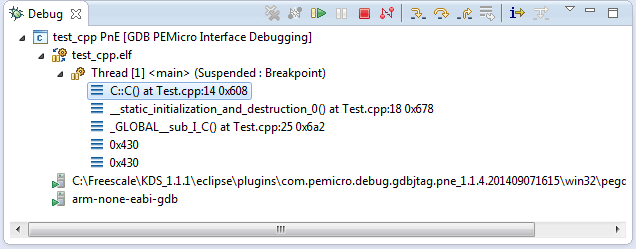
Debug View of Startup Code Calling C++ Constructors

Debug View of Startup Code Calling C++ Constructors

Continue reading →