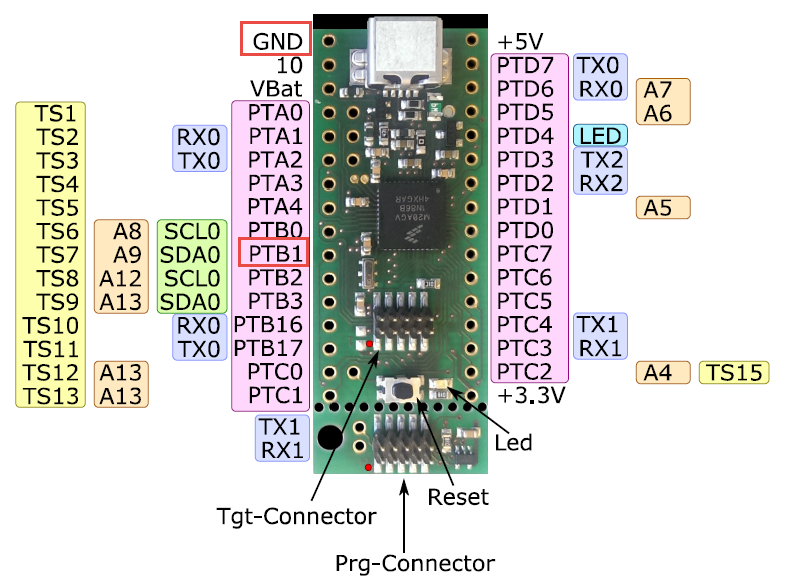
To put the tinyK20 board with the NXP Kinetis K20 into bootloader mode, well someone could check the schematics, or follow this quick guide :-). In short, the pin PTB1 has to be pulled to Ground (GND) while powering the Kinetis K20. The pin PTB1 is on the outside row as below:
Tag Archives: NXP
McuOnEclipse Components: 7-Feb-2016 Release
New in this release:
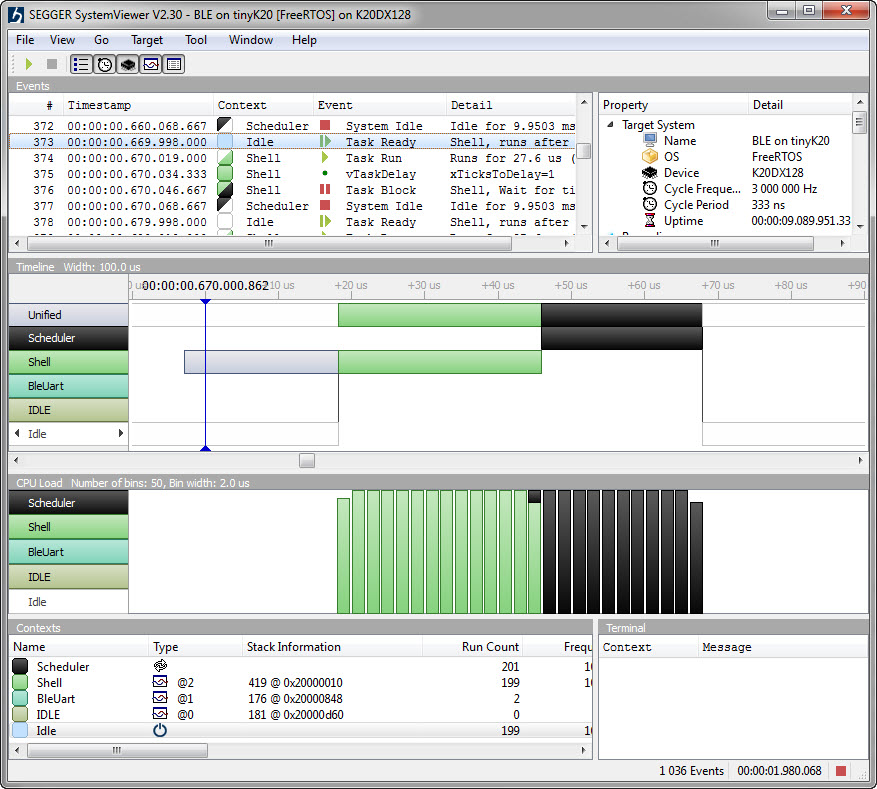
- Segger SystemViewer: Upgraded to V2.30, added stack high-water mark
- Segger RTT: fixed BASEPRI issue on Cortex M4 for critical sections
- Utility: Fixed issue with Utility module and Kinetis SDK (usage of ‘byte’)
- USB CDC: property to specify USB device current usage, new status getter functions.
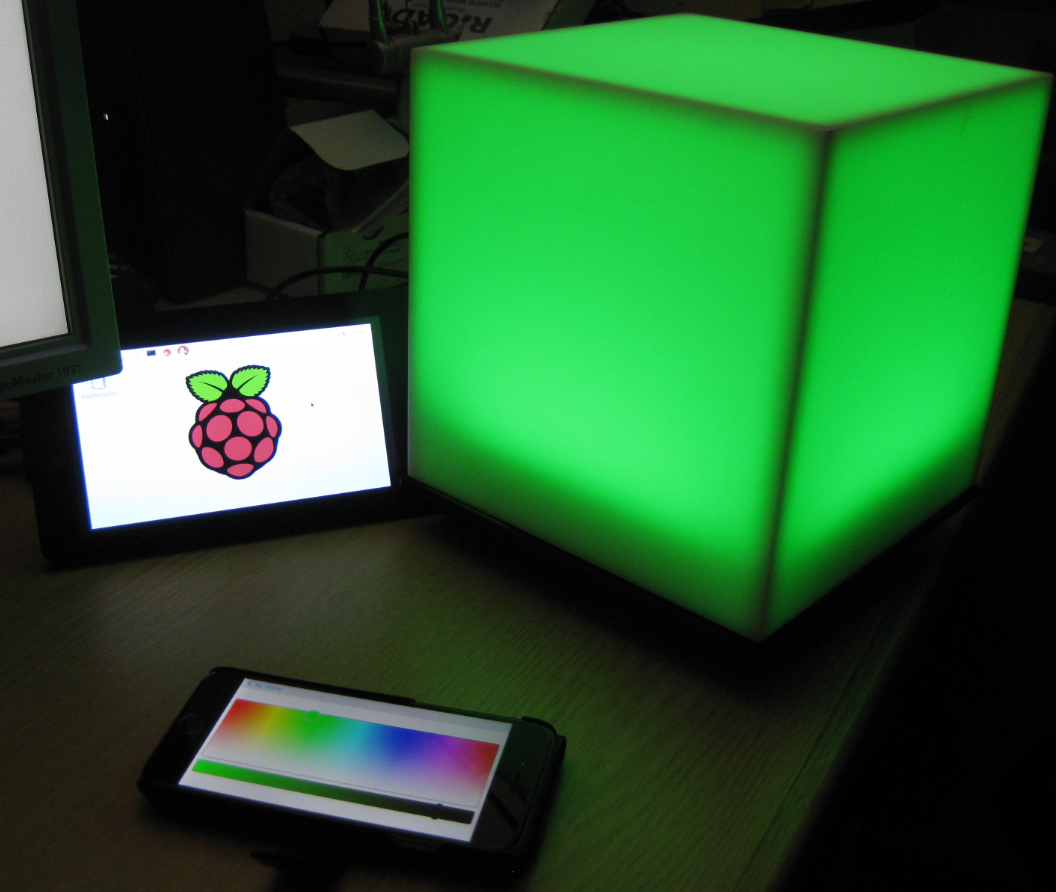
Kinetis Lava LED Light Cube
In “openHAB RGB LED Light Cube with WS2812B and NXP Kinetis” I started experimenting Kinetis boards, a LED cube diffuser and Adafruit WS2812B NeoPixel LEDs. That worked well, but I was not to very happy about the visual effect. So here is my next version: I wanted to have control over each side of the cube. For this I have built a cube inside the cube with a 3D printed structure:
openHAB RGB LED Light Cube with WS2812B and NXP Kinetis
From my earlier work to use the NXP Kinetis with openHAB (see “Controlling NXP Freedom Board RGB LED with openHAB and Raspberry Pi“) it was only a small step to control a 20x20x20 cm light cube with 256 Adafruit WS2812 NeoPixels:
Controlling NXP Freedom Board RGB LED with openHAB and Raspberry Pi
In “Blinky LED with openHAB on Raspberry Pi” I have used openHAB on a Raspberry Pi to control an LED attached to the Pi, and in “Controlling NXP Freedom Board RGB LED with openHAB and Raspberry Pi” I have explored how to connect a NXP Freedom Board over USB CDC to the Raspberry Pi. In this article I’m going to combine both: to control the LED on a NXP Freedom board remotely with openHAB on the Raspberry Pi.
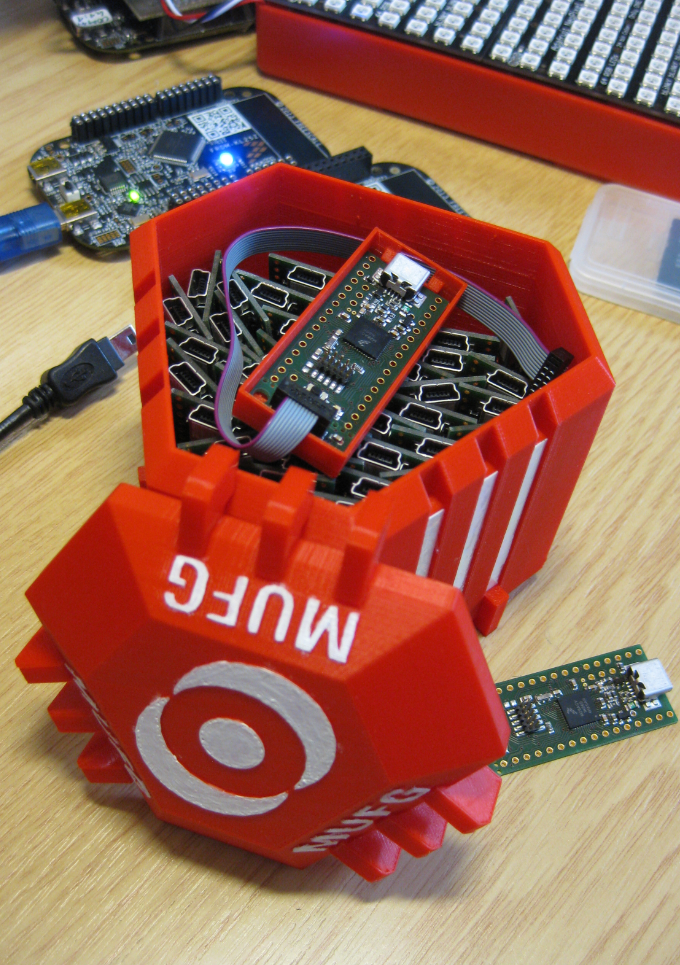
3D Printed Magical MUFG Capsule to Duplicate NXP Kinetis K20 Boards
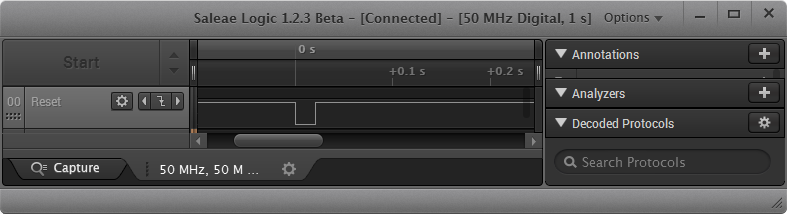
Hardware Reset for ARM Cortex-M with Segger J-Link and Kinetis Design Studio
The reset and signal line of a microcontroller is probably the most important signal to a microcontroller. And if things go wrong, then a first thing to check is the reset line. So having control over reset is an important aspect for embedded development. You would think that if you download a program to a microcontroller, the debug probe would put the device into reset at the start with a short pulse like this:
How to Add Undo/Redo Toolbar Buttons to Eclipse
By default, there are no Undo/Redo toolbar buttons in the Eclipse toolbar. With Eclipse as an open and extensible framework, how to add them?
McuOnEclipse Release 10-Jan-2016
With the start of the new year 2016 I have published a new McuOnEclipse component release with the following major updates:
- Updated Segger SystemView and Real Time Transfer (RTT): added terminal functions and extra interfaces
- Improved USB CDC with serial number handing
- FreeRTOS TaskList shell command
- USB Stack: added MSD Host support for MCF52259, added support for K24FN120 and for the 100 MHz K20 devices
- New NEOMatrix component for Adafruit NeoPixel Matrix displays
Blaze: Miniature, Powerful, Hackable Display with Touch
I’m not much monitoring what is happening on Kickstarter or Indiegogo, only for time reasons, but maybe I should? For a while I’m looking for the next level for the tinyK20 project: better and more powerful microcontroller with touch display/graphic LCD. And when I see a Freescale/NXP Kinetis microcontroller on a crowd funding platform like this one, I hardly can resist 😉 :

Blaze Board (Source: http://kck.st/1S0HyUp)