The bad thing with Eclipse and GDB is: if something is failing, then all what I get is a very cryptic error message when I launch the debugger:

The system tried to join a drive to a directory on a joined drive
The bad thing with Eclipse and GDB is: if something is failing, then all what I get is a very cryptic error message when I launch the debugger:
The system tried to join a drive to a directory on a joined drive
The world is changing, and the say is “change is good” :-). In the software and API world, change very often means that a change results into something broken. So I had battled with semihosting working on the NXP Kinetis parts, only to find out that it does not work any more with using the latest version 2.0. The semihosting output e.g. with P&E debug connection remains empty:

No Semihosting output
So how to fix this?
Related to my earlier article about using OpenOCD, I want to share something I have learned (again) with OpenOCD v0.10.0:
I was running often into the following error:
Warn : Cannot communicate... target not halted.
Error: auto_probe failed
Error: Connect failed. Consider setting up a gdb-attach event for the target to prepare target for GDB connect, or use 'gdb_memory_map disable'.
Error: attempted 'gdb' connection rejected

OpenOCD cannot communicate
It has been already two months after the Feb 2016 release, and so much things are going on, so a new release was overdue. Today I have released a new version of the McuOnEclipse components on SourceForge with the following main changes and features:
See readme on SourceForge for the full history.

McuOnEclipse 2016-04-03 Release
For my classes I had so far asked the students to install the Kinetis Design Studio (KDS) v3.0.0 and then apply several updates and upgrades available. NXP has now released the v3.2.0 of their KDS (Kinetis Design Studio):

Kinetis Design Studio v3.2.0
The v3.2.0 is including all the 3.x.x updates in a single installation which makes things easier to start with. And it now works for Mac OS X “El Capitan” and the latest GNU ARM Eclipse plugins :-).
We are using robots to teach advanced embedded system programming at the Lucerne University (see “Sumo Robot Competition“). Students can buy the kit, and we are running out of available hardware. Time to produce a new series of robots :-). It took us a while to get to the next revision of the Zumo Robot, but finally the first one has been produced and assembled, and I think it is looking good :-).

Intro_Zumo_Robot
I’m using the tiny and inexpensive Nordic Semiconductor nRF24L01+ transceiver (see “Tutorial: Nordic Semiconductor nRF24L01+ with the Freescale FRDM-K64F Board“) in many projects: it costs less than $3 and allows me to communicate with a proprietary 2.4GHz protocol in a low power way (see “IoT: FreeRTOS Down to the Micro Amps“). I have that transceiver now running with the tinyK20 board too:
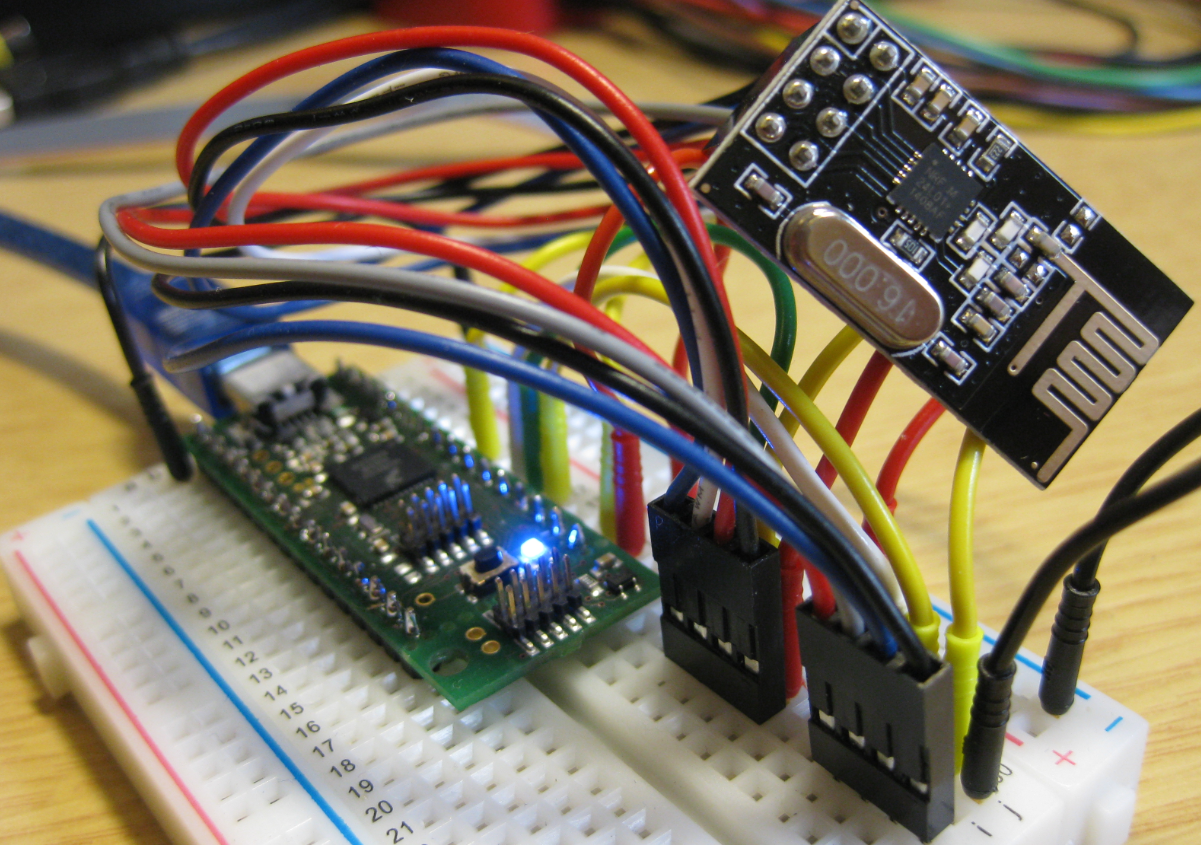
nRF24L01+ Transceiver with tinyK20
I’m using the FRDM-KL25Z in my classes, and that board is very popular: low price (<$15), reasonable features (48 MHz ARM Cortex M0+, 128 KByte of FLASH, 16 KByte of RAM), and many tutorials elsewhere and on McuOnEclipse :-).
For the next (Fall) semester I’m looking for alternative boards, and one is the Freescale (now NXP) FRDM-KL27Z:
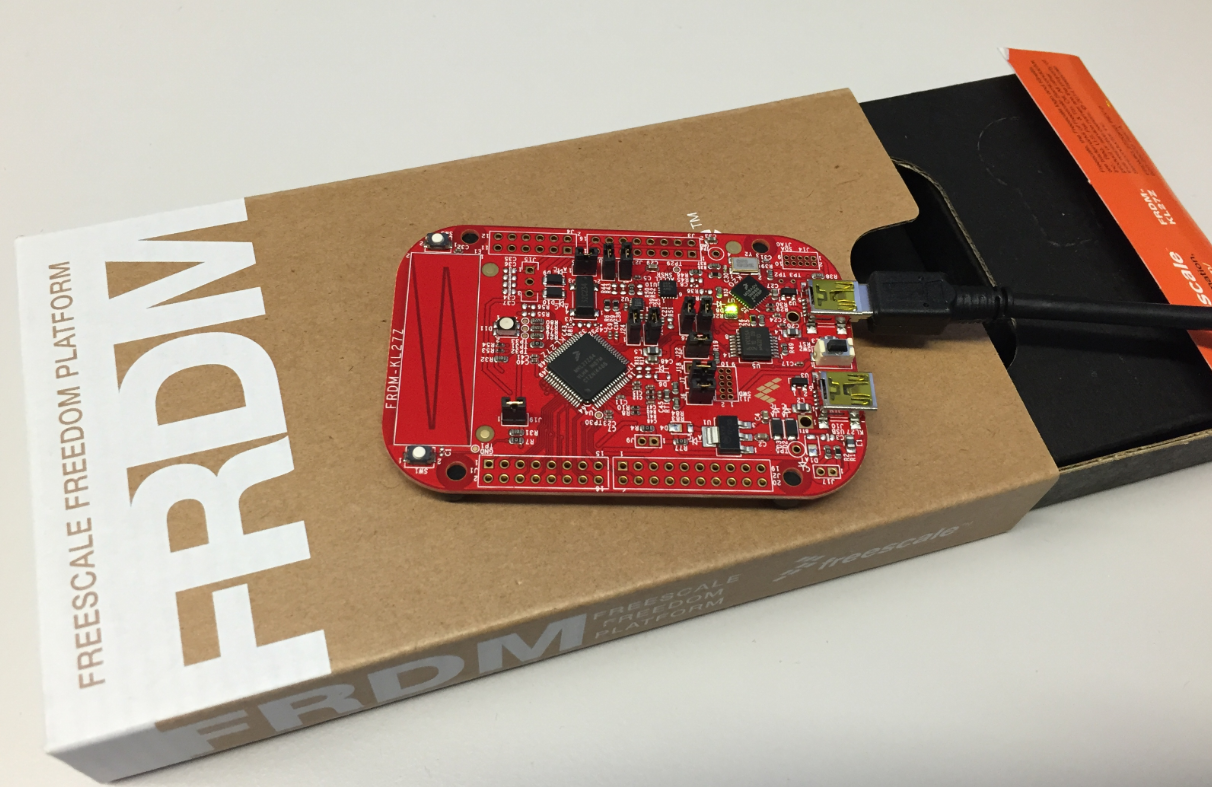
FRDM-KL27Z with Box
In case you are running into this problem that launching GDB hangs with this message in Eclipse:
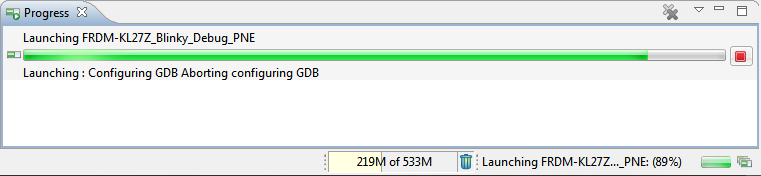
Launching Configuring GDB Aborting configuring GDB
So far, the XML files I had to work on were very simple ones, so a normal text editor was fine. Now I’m tapping into the world of CMSIS-Packs (see “Are ARM CMSIS-Pack the Future of Software Components?“). And definitely this adds a complexity for which I better use some XML editing and checking tools. The ARM tutorial for CMSIS recommends either Notepad++ or Visual C++. But hey, Eclipse should be able to do that maybe even better right? So this is about adding an XML editor and XML checker to Eclipse.

Editing CMSIS-Pack .pdsc File in Eclipse

