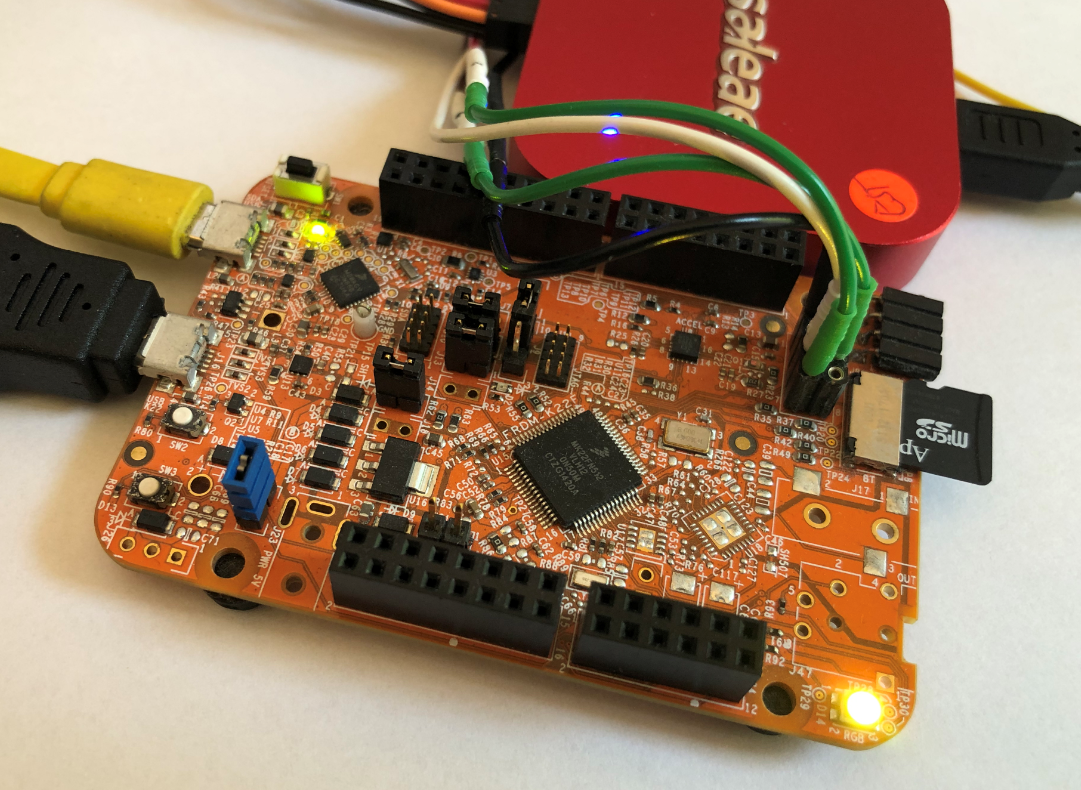
An essential tool especially developing larger applications or distributed firmware is to use logging. This article presents an open source logging framework I’m using. It is small and easy to use and can log to a console, to a file on the host or even to a file on an embedded file system as FatFS.
Category Archives: Processor Expert
MCUXpresso tutorial: I2C using the Pins/Clocks/Peripherals Config tools and lpcxpresso55s69 SDK
I selected the Bosch BME280 environmental sensor as the heart of my OKdo E1-based weather station. It is convenient to use, and I can prototype with the Mikroe Weather Click board MIKROE-1978. But the sensor is accessed over I2C, and that is my least favourite of the communication interfaces. In this short tutorial, I show you how the MCUXpresso Config tools (Pins, Clocks, Peripherals) are used to set up the I2C driver from the MCUXpresso lpcxpresso55S69 SDK. And very quickly, I am able to communicate with the BME280 sensor.

“60 Billion Lights”: 2400 RGB LEDs and 120 Stepper Motors hiding behind Canvas Art
It is one thing to create something ‘cool’ or technically interesting. But it is a completely different story to convince your girlfriend, partner, wife, family (or whatever you can name it) to hang something on a wall in our house or office. Then it is not about technology: it is more about design and art. So here is my attempt to solve that challenge:
FatFS, MinIni, Shell and FreeRTOS for the NXP K22FN512
I’m using the NXP Kinetis K22FN512 in many projects, either with the FRDM-K22F or on the tinyK22: with 120 MHz, 512 KByte FLASH and 128 KByte it has plenty of horsepower for many projects. The other positive thing is that it is supported by the NXP MCUXpresso IDE and SDK. I have now created an example which can be used as base for your own project, featuring FreeRTOS, FatFS, MinIni and a command line shell.
FreeRTOS Task Runtime Statistics for NXP i.MX RT1064
FreeRTOS has many cool features, and one is that it can report the CPU percentage spent in each task. The downside is that to get this kind of information some extra work is needed. In this article I show how to do this for the NXP i.MX1064.
Enable Default FreeRTOS Debugging for LinkServer Debug Connections
Most of my projects are using FreeRTOS, and I’m using different Debug Probes (SEGGER, P&E and LinkServer) to debug NXP devices.
The NXP LinkServer debug connection is able to show the RTOS threads in Eclipse/MCUXpresso IDE which is incredibly helpful:
However, by default this is turned off. In this article I show how to turn this on by default.
Implementing FreeRTOS Performance Counters on ARM Cortex-M
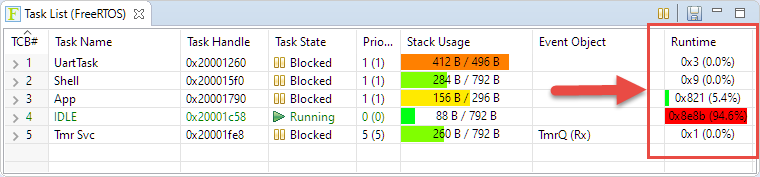
When using an RTOS like FreeRTOS, sooner or later you have to ask the question: how much time is spent in each task? The Eclipse based MCUXpresso IDE has a nice view showing exactly this kind of information:
For FreeRTOS (or that Task List view) to show that very useful information, the developer has to provide a helping hand so the RTOS can collect this information. This article shows how this can be done on an ARM Cortex-M.
DIY ‘Meta Clock’ with 24 Analog Clocks
Human since 1982 claims
“Human since 1982 have the copyright to works displaying digital time using a grid arrangement of analog clocks…”
I’m not a lawyer, but without obligations (imho) I have removed the content.
You can read more of the details here: Copyright Law for Makers and Educators
Thanks for understanding,
Erich
Programming the ESP32 with an ARM Cortex-M USB CDC Gateway
The Espressif ESP32 devices are getting everywhere: they are inexpensive, readily available and Espressif IDF environment and build system actually is pretty good and working well for me including Eclipse (see “Building and Flashing ESP32 Applications with Eclipse“). The default way to program an ESP32 is to a) enter UART bootloader by pressing some push buttons and b) flash the application with ESP-IDF using a USB cable.
That works fine if the ESP32 is directly connected to the host PC. But in my case it is is behind an NXP Kinetis K22FX512 ARM Cortex-M4F microcontroller and not directly accessible by the host PC. So I had to find a way how to allow boot loading the ESP32 through the ARM Cortex-M which is the topic of this article.
Building a Raspberry Pi UPS and Serial Login Console with tinyK22 (NXP K22FN512)
There are different ways to ruin a Linux system. For the Raspberry Pi which uses a micro SD card as the storage device by default, it comes with two challenges:
- Excessive writes to the SD card can wear it out
- Sudden power failure during a SD card write can corrupt the file system
For problem one I do I have a mitigation strategy (see “Log2Ram: Extending SD Card Lifetime for Raspberry Pi LoRaWAN Gateway“). Problem two can occur by user error (“you shall not turn it off without a sudo poweroff!”) or with the event of a power outage or black out. So for that problem I wanted to build a UPS for the Raspberry Pi.