MCUXpresso IDE V11.2.0

At the university the end of a semester means that you have to get ready for the next semester. I always tend to use the latest and greatest tools for the labs. This week I received the notification that a new version of the Eclipse based MCUXpresso IDE is available, time to check it out for the next semester.

MCUXpresso IDE 11.2.0

MCUXpresso IDE 11.2.0

Continue reading

Using eInk display with LPC55S69 and OKdo E1 board

I have continued to explore my two hobbies (embedded systems, and Talking About The Weather) during these weeks of lock-down. I have finally got to the point that my Weather Station project can sit on the window shelf of my office, and show me the temperature, humidity and atmospheric pressure on the attached eInk display.

weather station project: it is warm, cloudy and low pressure outside

In this blog I’m going to focus on driving that display.

Continue reading

From C to C++: Converting Eclipse C Projects

Creating a new project with Eclipse for a microcontroller these days is fairly easy, and I have the choice if I want to start the project with C or C++:

Choice of C and C++ for a new project

Still the embedded microcontroller world is dominated by C and not C++. So while it is easy to start with a C++ project, most vendor provided example or tutorial project are C projects. So how can I transform such project to C++?

Continue reading

MCUXpresso SDK Tutorial – using I2C Driver on OKdo E1 board

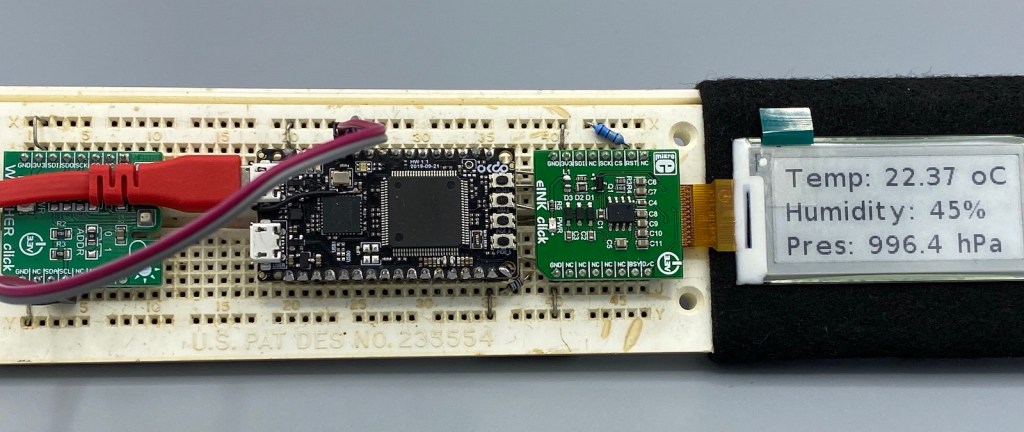
In an earlier tutorial I introduced using I2C with the NXP LPC55S69 on OKdo E1 board to read a Bosch BME280 environmental sensor on a Mikroe Weather Click board. The MCUXpresso Clocks, Pins and Peripheral Config tools were used to get it running. It’s all for my Weather Station project that I’ve been working on during these months of lockdown. It is starting to take shape – as you can see from the photograph:

From the left: Mikroe Weather Click, OKdo E1, Mikroe eInk Click.

Now I really need to start reading and writing to the BME280 sensor, and that means using the I2C driver in the lpcxpresso55s69 SDK. And so this week I’ll provide a forensic examination of the most commonly-used I2C function call.

Continue reading

Disabling NMI (Non Maskable Interrupt) Pin

The NMI is a special interrupt on ARM Cortex-M architecture: as the name indicates, it cannot be ‘masked’ by the usual ‘disable interrupts’ flags (PRIMASK, BASEPRI), similar to the Reset signal.

cortex-m-vector-table

cortex-m-vector-table (Source: adapted from arm.com)

Dealing with the reset signal is kind of obvious, and most designs and boards have it routed to a reset button or similar. The NMI is less obvious if you don’t pay attention to it: most ARM-Cortex implementations and boards have the NMI signal routed to a pin and are ‘hiding’ it in the schematics behind a normal GPIO pin or port: if you don’t pay attention to the NMI functionality, the board might not work as intended.

Continue reading

Behind the Canvas: Making of “60 Billion Lights”

As promised I’m going to share more details about the “60 Billion Lights” project. It is about a project to build a piece of electronics behind a 100×50 cm canvas to show animations or to display information like temperature, humidity, weather, time or just any arbitrary text.

Make it

Writing text

Continue reading

McuLog: Logging Framework for small Embedded Microcontroller Systems

An essential tool especially developing larger applications or distributed firmware is to use logging. This article presents an open source logging framework I’m using. It is small and easy to use and can log to a console, to a file on the host or even to a file on an embedded file system as FatFS.

Log Output

Log Output

Continue reading

MCUXpresso tutorial: I2C using the Pins/Clocks/Peripherals Config tools and lpcxpresso55s69 SDK

I selected the Bosch BME280 environmental sensor as the heart of my OKdo E1-based weather station. It is convenient to use, and I can prototype with the Mikroe Weather Click board MIKROE-1978. But the sensor is accessed over I2C, and that is my least favourite of the communication interfaces. In this short tutorial, I show you how the MCUXpresso Config tools (Pins, Clocks, Peripherals) are used to set up the I2C driver from the MCUXpresso lpcxpresso55S69 SDK. And very quickly, I am able to communicate with the BME280 sensor.

Reading BME280 “ID” register via I2C
Continue reading

Tutorial: Adding FreeRTOS to where there is no FreeRTOS

FreeRTOS is pretty much everywhere because it is so simple and universal, and it runs from the smallest to the biggest systems. But it still might be that for the microcontroller device you have selected there is no example or SDK support for it from your vendor of choice. In that case: no problem: I show how you could easily add FreeRTOS plus many more goodies to it.

Binky on NXP LPC845-BRK Board

Binky on NXP LPC845-BRK Board

Continue reading

FatFS, MinIni, Shell and FreeRTOS for the NXP K22FN512

I’m using the NXP Kinetis K22FN512 in many projects, either with the FRDM-K22F or on the tinyK22: with 120 MHz, 512 KByte FLASH and 128 KByte it has plenty of horsepower for many projects. The other positive thing is that it is supported by the NXP MCUXpresso IDE and SDK. I have now created an example which can be used as base for your own project, featuring FreeRTOS, FatFS, MinIni and a command line shell.

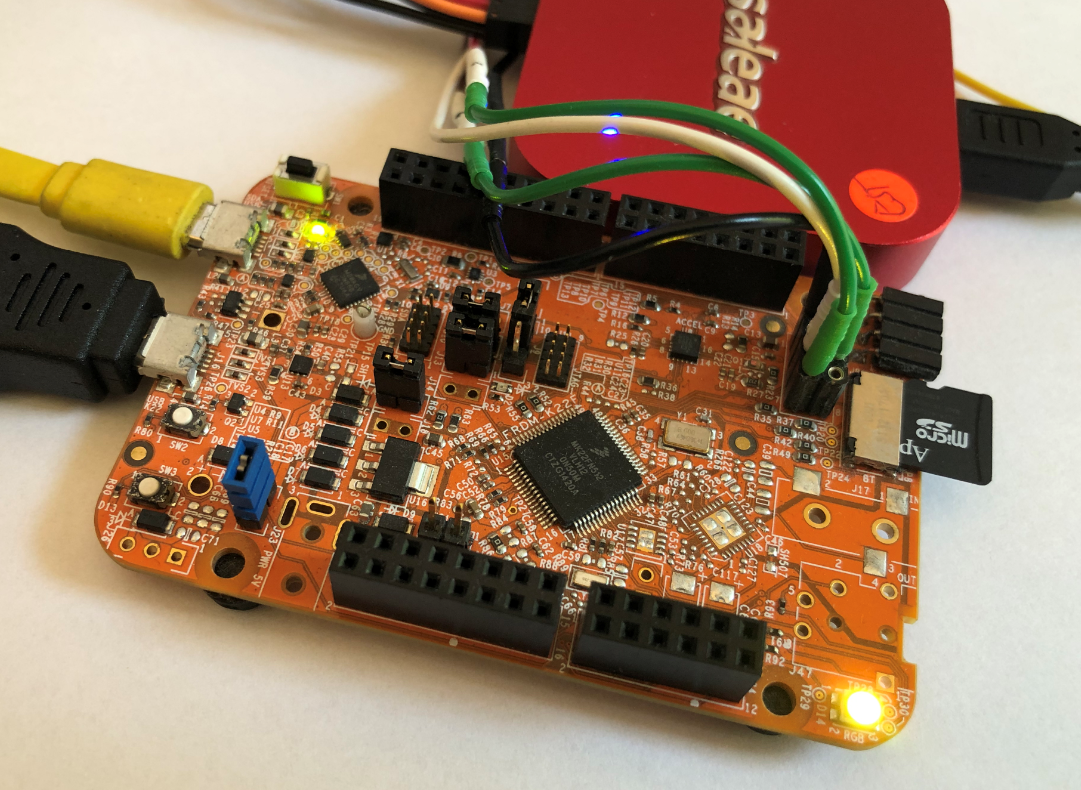
FRDM-K22F with SD Card

FRDM-K22F with SD Card

Continue reading