Most of the time I’m using a dedicated terminal program like Termite or PuTTY to connect to a board using virtual or non-virtual COM port. Another way is to use the Eclipse built-in Terminal view: that way no extra program is needed to communicate with a real or virtual COM port to my target device:
Category Archives: Debugging
McuOnEclipse Components: 25-Sept-2017 Release
I’m pleased to announce that a new release of the McuOnEclipse components is available in SourceForge. In this release more ARM Cortex devices/vendors are supported with different SDKs, plus it comes with several FreeRTOS enhancements for debugging highly optimized code.
Why you should not use Arduino for Professional Work
Have a read at http://embedded.fm/blog/2017/8/12/dont-use-arduino-for-professional-work.
I love the Arduino ecosystem, and it is great for getting something up and running quickly for a ‘proof of concept’. But it stops at that point.
I think it should be obvious why Arduino (code and libraries) should not be used for professional work. Especially the lack of proper debugging support makes it nearly impossible to solve the problems of the real world.’printf()’ style of debugging is simple, but it is a huge waste of time. I have seen too many student projects failing because the inability to properly debug the system and solve the problems.
Even equally important for professional work is the topic of IP and licensing. Be aware of the licensing terms and conditions as pointed out by above article. If not, your product easily get GPL’d which might not want you want.
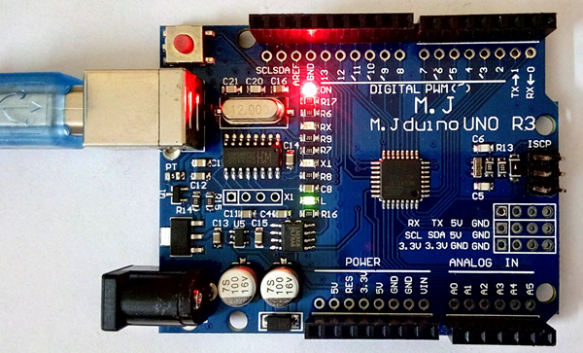
Happy Arduinoing 🙂
Adding CMSIS-SVD Files to EmbSysRegView 0.2.6.r192 and Eclipse
In “EmbSysRegView 0.2.6 for Eclipse Neon and Oxygen” I have described how to add CMSIS-SVD register detail files to Eclipse using the EmbSysRegView plugin.
But what I need to add vendor or any other SVD files to it? Here is how:
Breathing with Oxygen: DIY ARM Cortex-M C/C++ IDE and Toolchain with Eclipse Oxygen
Last month (June 2017), the latest version of Eclipse “Oxygen” has been released, and I have successfully used it in several embedded projects. Time to write a tutorial how to use it to build a custom Do-It-Yourself IDE for ARM Cortex-M development: simple, easy, unlimited and free of charge. While the DIY approach takes a few minutes more to install, it has the advantage that I have full control and I actually know what I have.
Solving “No source file named …” in Eclipse and GDB
Sometimes it happens that arm-none-eabi-gdb complains about “no source file named” in the GDB console view in Eclipse when I debug a project with GDB:
Custom 3D Printed Enclosure for NXP LPC-Link2 Debug Probes
I love 3D printing as it enables me to create custom enclosures for all kind of projects. The NXP LPC-Link2 probe is great, but it lacks a protective enclosure. So I decided to create a custom enclosure. And as 3D filaments are available in different colors, I experimented with red and black and custom painting:
Troubleshooting Tips for FreeRTOS Thread Aware Debugging in Eclipse
FreeRTOS seems to get more and more popular, and I think as well because more and more debugger and Eclipse IDE vendors add dedicated debugging support for it.
MCUXpresso IDE v10.0.2 – Updated Eclipse based IDE for LPC and Kinetis
NXP has released an updated of their Eclipse based IDE for ARM Cortex-M (Kinetis and LPC) microcontroller: the version v10.0.2 build 411:
Getting Started: ROM Bootloader on the NXP FRDM-KL03Z Board
A bootloader on a microcontroller is a very useful thing. It allows me to update the firmware in the field if necessary. There are many ways to use and make a bootloader (see “Serial Bootloader for the Freedom Board with Processor Expert“). But such a bootloader needs some space in FLASH, plus it needs to be programmed first on a blank device, so a JTAG programmer is needed. That’s why vendors have started including a ROM bootloader into their devices: the microcontroller comes out of the factory with a bootloader in FLASH. So instead writing my bootloader, I can use the one in the ROM.
And as with everything, there are pros and cons of that approach.


