As promised I’m going to share more details about the “60 Billion Lights” project. It is about a project to build a piece of electronics behind a 100×50 cm canvas to show animations or to display information like temperature, humidity, weather, time or just any arbitrary text.
I selected the Bosch BME280 environmental sensor as the heart of my OKdo E1-based weather station. It is convenient to use, and I can prototype with the Mikroe Weather Click board MIKROE-1978. But the sensor is accessed over I2C, and that is my least favourite of the communication interfaces. In this short tutorial, I show you how the MCUXpresso Config tools (Pins, Clocks, Peripherals) are used to set up the I2C driver from the MCUXpresso lpcxpresso55S69 SDK. And very quickly, I am able to communicate with the BME280 sensor.
FreeRTOS is pretty much everywhere because it is so simple and universal, and it runs from the smallest to the biggest systems. But it still might be that for the microcontroller device you have selected there is no example or SDK support for it from your vendor of choice. In that case: no problem: I show how you could easily add FreeRTOS plus many more goodies to it.
I’m using the NXP Kinetis K22FN512 in many projects, either with the FRDM-K22F or on the tinyK22: with 120 MHz, 512 KByte FLASH and 128 KByte it has plenty of horsepower for many projects. The other positive thing is that it is supported by the NXP MCUXpresso IDE and SDK. I have now created an example which can be used as base for your own project, featuring FreeRTOS, FatFS, MinIni and a command line shell.
Right before Christmas 2019, NXP has released a new version of the MCUXpresso IDE, the version 11.1.0. This gave me time to explore it over the Christmas/New-Year break and evaluate it for the next university semester. There are several new features which will make my labs using it easier, so I plan to get the course material updated for it.
When using an RTOS like FreeRTOS, sooner or later you have to ask the question: how much time is spent in each task? The Eclipse based MCUXpresso IDE has a nice view showing exactly this kind of information:
FreeRTOS Runtime Information
For FreeRTOS (or that Task List view) to show that very useful information, the developer has to provide a helping hand so the RTOS can collect this information. This article shows how this can be done on an ARM Cortex-M.
For this last blog in the series Investigating ARM Cortex® M33 core I decided to explore the expansion features of the LPC55S69-EVK. This board has three expansion ports (PMOD, Arduino Duo, Mikroe click) and I picked the Mikroe expansion port. Why? Only because I had good experience with these boards with the Hexiwear project.
And because I have been doing some work this month with AWS IOT I wanted to get my LPC55S69-EVK onto my office WiFi network for the Christmas holidays. I know that the MCUXpresso SDK for lpcxpresso55s69 version 2.6.3 has a built-in WiFi example named qca_demo, and so that is what I am investigating today.
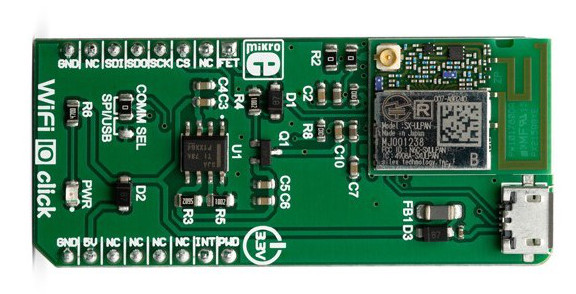
That WiFi example supports three WiFi shield boards, and I picked the Mikroe WiFi 10 click board. It’s part number MIKROE-3432 and available from all of the usual catalogue distributors.
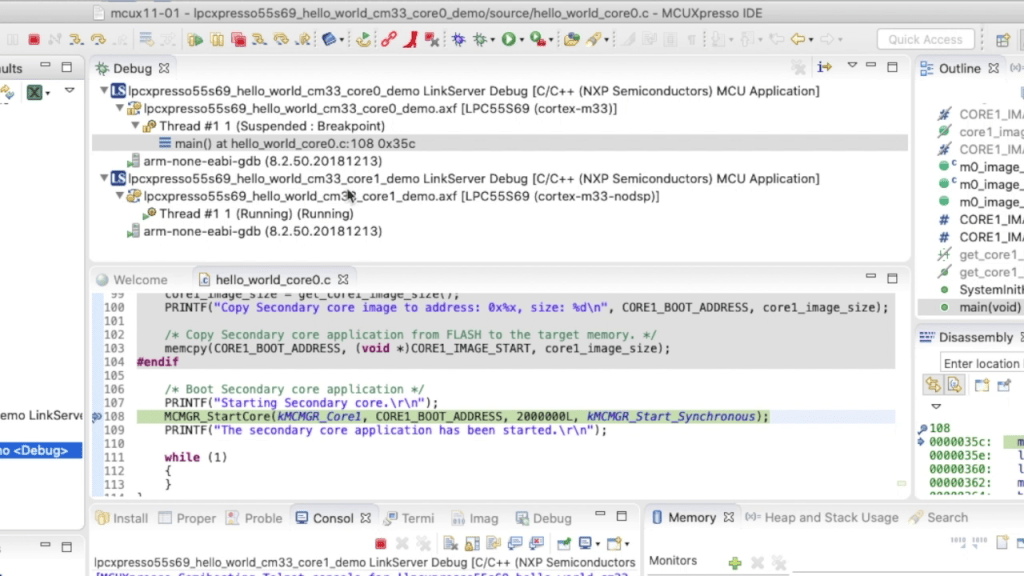
In last week’s blog I explained that the LPC55S69 microcontroller from NXP has two Cortex® M33 cores, named core0 and core1. There was a lot of theory, and so this week I put it all into practice and show you how to debug 2 cores with MCUXpresso IDE.
Multicore Debugging Interface in MCUXpresso IDE showing 2 different projectsContinue reading →
Throughout this series I’ve been using the LPC55S69 microcontroller from NXP as a platform to investigate the ARM Cortex® M33 core. NXP designed the LPC55S69 with two Cortex M33 cores and so this week I’m investigating these in more detail.
You’ll remember that when ARM launch a processor core it will have a number of optional features. This is shown very clearly on the LPC55S69. The 150 MHz primary core – cpu0 – is a full implementation of Cortex® M33 and includes the optional components FPU, MPU, DSP, ITM and the TrustZone® features.





 MCU on Eclipse