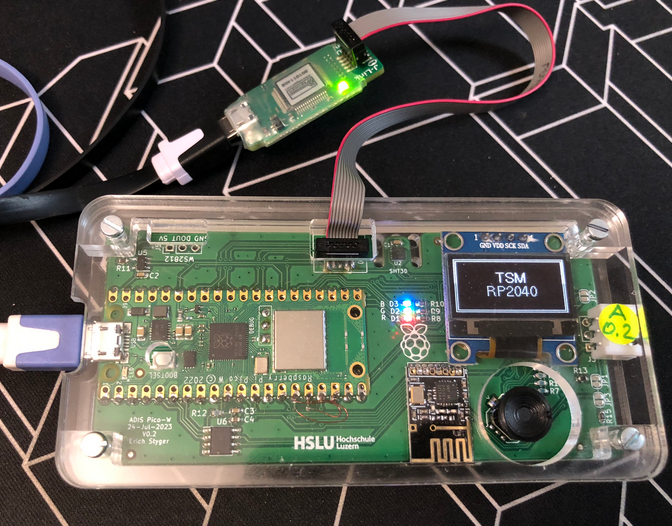
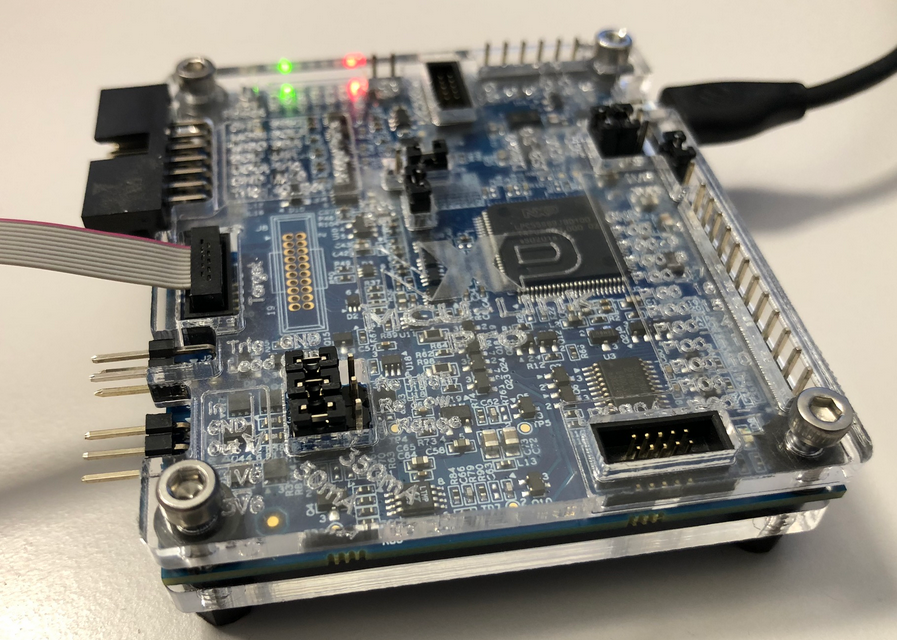
Implementing File I/O Semihosting for the RP2040 and VS Code

I’m working recently on a new lecture module using the Raspberry Pi Pico (RP2040) board, which highlights several aspects of modern software engineering, including DevOps and CI/CD. An important part of any CI/CD pipeline is testing. For a host application, one could pass arguments to the application, e.g. ‘myapp --test=module1‘, or let it read such information from a configuration file which describes the tests. Or write GNU gcov data to a file to collect coverage information.

Unfortunately, a normal embedded application has no argv[], and many system have no file system. A solution to this problem would be using semihosting with file I/O. Unfortunately for the Raspberry Pi Pico SDK 1.5.1 for the RP2040, there is no semihosting file I/O implemented :-(.

I have now implemented and added file I/O to the SDK, making it possible for the RP2040 to access and use files on the host, among other things. This greatly extends the capabilities of the device, and is very useful for testing, including gathering test coverage information.
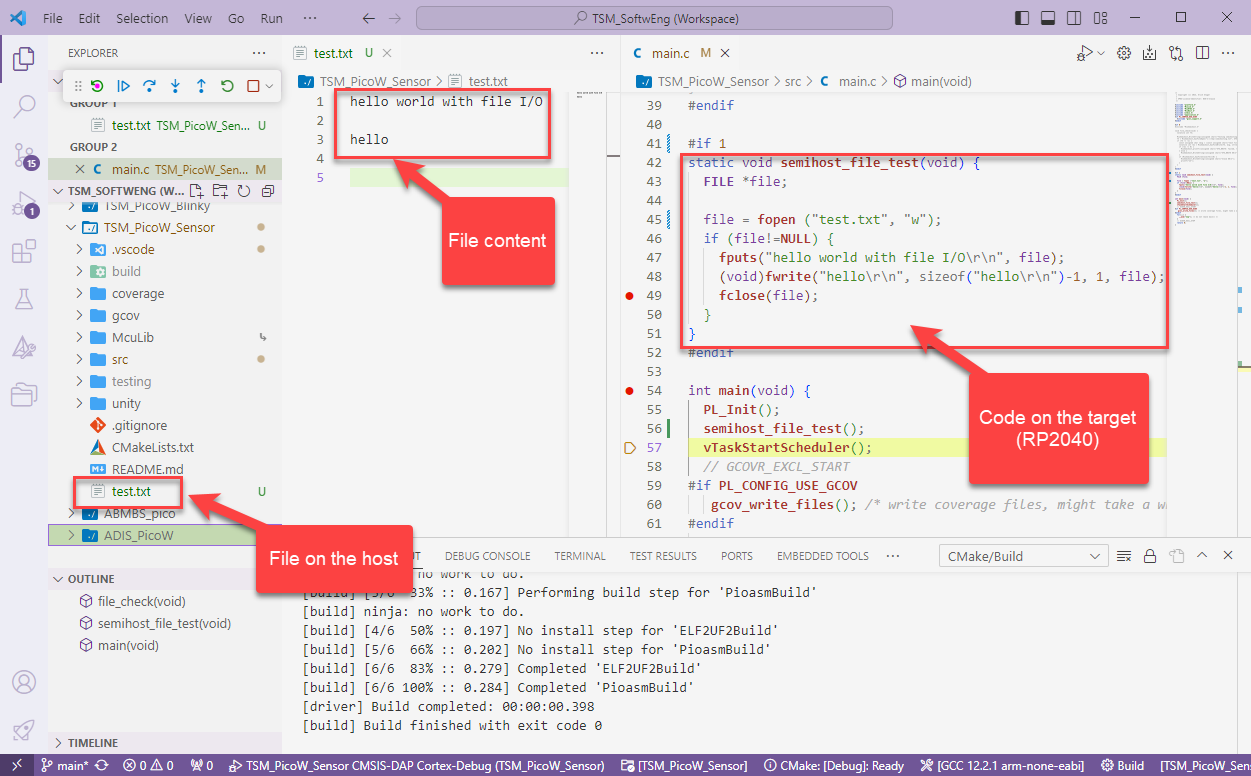
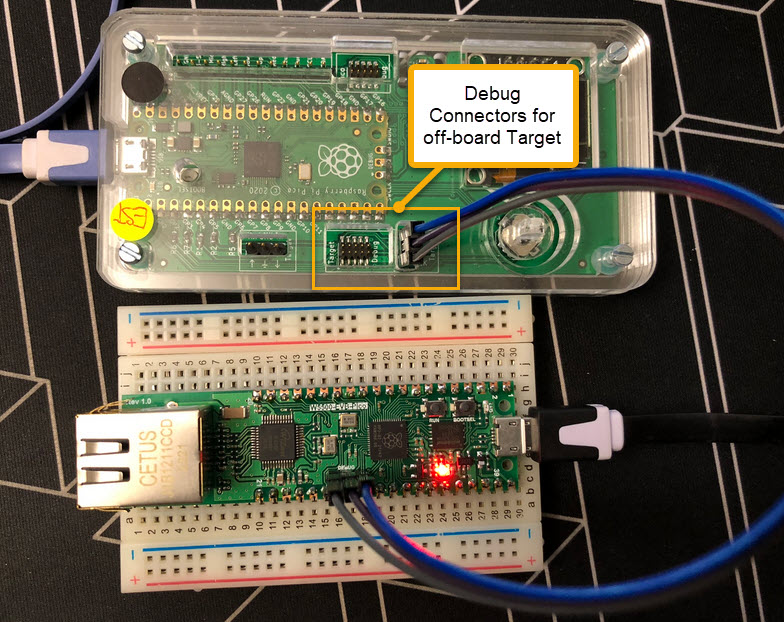
RP2040 writing files on the host with semihosting
Continue reading

Debug Probes for RP2040 with VS Code

For systematic debugging, an engineer needs a debug probe. For the Raspberry Pi Pico (RP2040) device there are plenty of debug options with VS Code.

In this article I show different options, from professional tools to DIY solutions and the settings in VS Code I’m using.

Continue reading

Semihosting with VS Code on RP2040

With semihosting I can use standard I/O function like printf() and I can read and write data on the host through the debug connection. If used with care, this is a great feature especially for unit testing.

Raspberry Pi Pico-W (RP2040) board
Continue reading

CI/CD for Embedded with VS Code, Docker and GitHub Actions

“Our highest priority is to satisfy the customer
through early and continuous delivery
of valuable software.”

Agile Manifesto, https://agilemanifesto.org/principles.html

It is interesting to see that modern tools and agile development workflows are getting more and more into the embedded world. CI/CD is a strategy where code changes to an application get automatically integrated, tested and released automatically into a production environment.

VS Code with CI/CD
Continue reading

New SEGGER J-Link-OB LPC4322-based Firmware with Target Power

Sometimes I have a wish. Not every time it gets fulfilled. But this time I’m lucky and happy developer. A few days ago I wrote about the LPC4322-based SEGGER OB (on-board) J-Link firmware. It works great, but the board requires another USB cable to power the target board.

Rolf Segger contacted me, and a few days later I had a J-Link firmware with a ‘power-on’ feature:

That way, only one USB cable is needed. All what you need to do is to update the firmware.

Continue reading

Upgrading LPC4322-based Debug Probe Firmware on RT10xx

Going with the factory default can be fine. But an upgrade could give a performance boost plus added functionality. Many of the NXP i.MX RT evaluation boards have an LPC4322 based debug circuit on it. One example for this is the i.MX RT1010 board.

NXP i.MX RT1010 EVK

On such boards, one of the first steps I do is: upgrading the firmware and change it to a better option: improved speed, SWO support plus avoiding issues with the USB MSD device.

Continue reading

Solving Linker Error: “cannot move location counter backwards”

Upgrading to a newer GNU toolchain always has its risks. That’s why I always recommend to stay on a given toolchain for production code.

But sometimes one needs to upgrade, or gets a code or project that works in one environment, but not in another. Today I have run into a problem with code read-out projection:

Disabled Automatic Placement of Code Read Protection

Well, the code read-out protection is not the root of the problem, but a good example why problems could occur.

Continue reading

Integrating Solar-Surplus-Charge-Controller into EV Wallbox

Solar panels and electrical vehicles become more and more common in Switzerland. Ten years ago I installed solar panels. To use the available solar energy, the electrical vehicle charging box has been augmented with an open source charge controller. The controller monitors the building energy usage and adjusts the current using the Modbus connection to the charger.

Integrated Charger Controller into Wallbox
Continue reading

Laser-cut MCU-Link Pro Enclosure for the Masses

With “Adding RGBW Wings and Enclosure to a Debug Probe” I have a really shiny enclosure for the MCU-Link Pro Enclosure.

But I did not had enough time to replicate this for a full set of classroom hardware. The original card boxes from NXP showed already after one semester severe wear, so I have to setup something more robust: a box to store all the cables, and an enclosure to protect the PCB, for 40 units.

3D printing would take to much time, so I ended up with buying storage boxes and creating an laser-cut acrylic (PMMA) enclosure for the debug probe itself:

MCU-Link Pro Enclosure
Continue reading

Assigning Nicknames to Debug Probes

Dealing with and debugging distributed systems, I end up with multiple debug probes and target boards on my desk. When starting a debugging session, it can be hard to identify a debug probe by its serial number. What I do in such a situation: put a color stick on the debug probe and have it assigned a nickname.

Debug Probes with Nicknames

That nickname then shows up during the debug connection, and I’m sure I connect to the right probe and board that way.

Continue reading