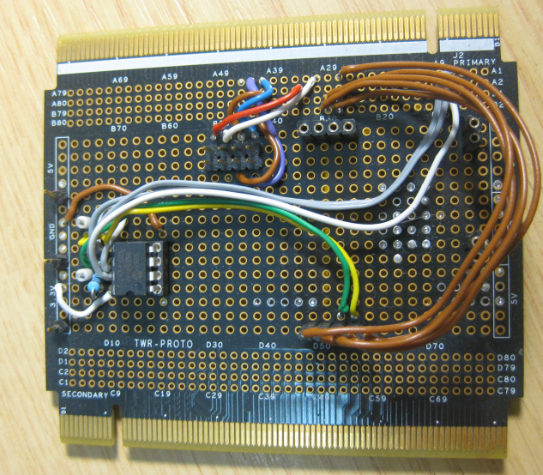
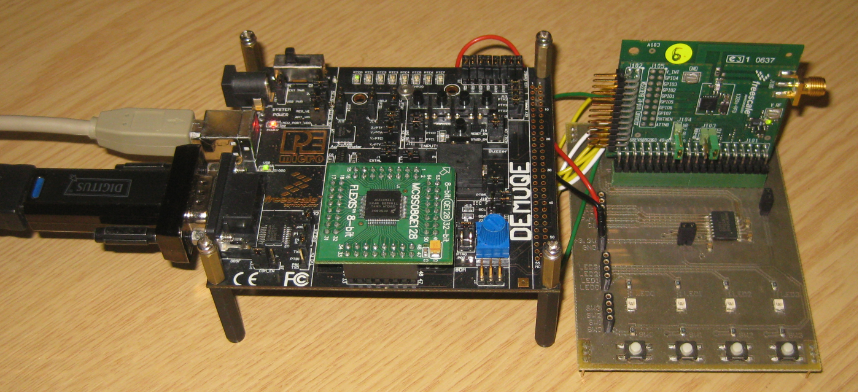
The Freescale Tower boards are very versatile, and there are many different boards you can combine like lego bricks. When I tinker with my own hardware or need to try out something, then I use a special prototype board: the TWR-PROTO.
Tag Archives: technology
Debugging the same Project Multiple Times in Parallel with Eclipse
I have I project which I want to debug on multiple boards the same time. So how can I download and debug the same application to multiple boards/processors, and debug them all the same time from within the same workspace and Eclipse IDE?
This is a typical scenario I have with my RNet stack: the same application runs on multiple boards, and I want to debug all the boards with the same project with the same Eclipse. For example to wireless sensor nodes with the RNet nRF24L01+ stack as in the picture below:
FRDM with Arduino Ethernet Shield R3, Part 1: SD Card
Sometimes it takes a very long time to realize a project. Adding the Arduino Ethernet Shield R3 to one of my Freescale FRDM boards is one of it: it took me a year until I have found a few days to work on using the Ethernet Shield with my FRDM-KL25Z.
I have not everything in place yet, so I decided to publish things in parts. So this is about part one: using the Micro SD Card on the Shield.
International Obfuscated C Code Contest Winners Announced
One of my favourite quotes about programming is this one:
“ Programming can be fun, so can cryptography; however they should not be combined. ” – Kreitzberg and Shneiderman
Well, there is truth behind this. But on contrary, there is a lot of fun with the combination of the two: the yearly IOCCC contest has posted the 2013 winners!

As in earlier years, it is amazing to see what can be done with creativity and a programming language like C ;-).
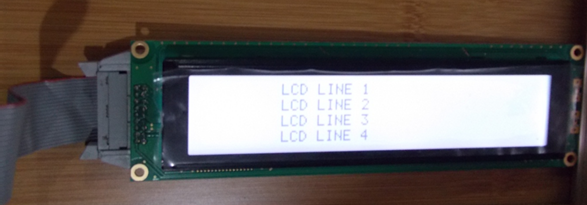
Character LCD with 4 Lines and up to 64 Characters per Line
Character based LCD displays are great: they are inexpensive, and it is rather simple to use them compared to graphical displays. Yes, they only can display text and custom symbols, but this is usually what I need. And pretty much all character displays are using the Hitachi HD44780 protocol, so it is a de-facto industry standard.
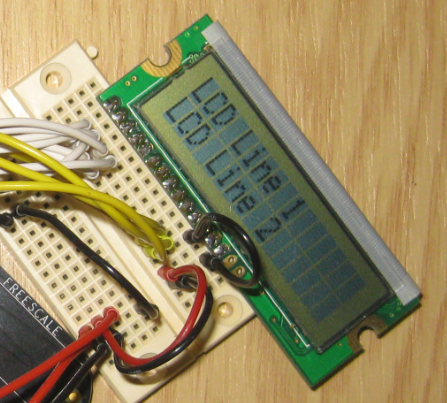
These displays have one big disadvantage: they need to be compatible with the original Hitachi interface and protocol. First display were mostly one line only, and had only few characters, typically up to 16. The protocol worked either with one or two lines on the display. Today’s display have usually two lines, with 16 characters. But what if I need more?
RNet Stack for 8bit MC9S08QE128 Microcontroller and MC13201 Transceiver
I admit: I have used ARM Cortex cores a lot in the recent months. Yes, I think with the ‘ARM domination of the world’ over time the ARM core will blast away probably all other cores, except for niche players? Still, there are reasons to use non-ARM cores, and even if it is just that I have a board at hand :-).
DIY Free Toolchain for Kinetis: Part 7 – GNU ARM Eclipse Plugins
Tired by the tool chains provided by your silicon vendor? Do you want to use a free and open tool chain? Then you probably followed by “DIY Free Toolchain” series already. In “DIY Free Toolchain for Kinetis: Part 2 – Eclipse IDE” I used the standard GNU Eclipse plugins. As mentioned in above post, there is an even better and more powerful plugin available: the GNU ARM Eclipse plug-ins. There is a dedicated blog site which provides excellent documentation and direct access to new and frequent releases. And these days there is a true a Christmas gift for every Eclipse lover: the version 1.1.7 with the addition of J-Link debugger plugin :-).
Eclipse Build Variables
This post is not about variables in my application code (which I debug). It is about using Variables in Eclipse for building projects. Eclipse variables allow me to make my projects ‘position independent’ whenever I cannot use a path relative to my projects or workspace.
Eclipse Variables
Which variables are used where in Eclipse might be sometimes not very clear. Depending in which context variables are used, not everything might be available. This link for example gives a list of variables which can be used to invoke an external tool.
Build Variables
Eclipse comes with many built-in variables, especially for the build system. If I want to see what variables are already defined, I can show them in the project properties, under C/C++ Build > Build Variables with enabled option ‘Show system variables’:
RNet: optional ACK, Dynamic Payload and Extended nRF24L01+ Driver
Time to write an update about the RNet Wireless Stack. The stack has been successfully used for the Sumo Robots as wireless controller. In the last week, there has been a lot smaller and larger extensions for it. And because the nRF24L01+ modules are so inexpensive, I bunkered more than 50, with 20 still left to be deployed:
INTRO Mini Sumo Tournament 2013: Lots of Fun!
It was Friday the 13th, and it was Sumo Battle Day :-). After 3 months of tinkering, hacking and creatively improving the Mini Sumo Bots, finally the the course tournament took place.
Get Ready
With using a different room, every team had a chance to warm up and recalibrate the sensors for the new environment.
The time was used to apply last-minute changes and improvements too, plus to record the last Robo Portraits.