New Concept for 2018 Mini Sumo Roboter

Doing Mini Sumo robot competition is really fun, and there is yet another one coming to end the current university semester. For several years we have used our own sumo robot, and this is the one used in the course this year too. But for future and extended events we are exploring a new robot. I proudly present the concept of the next generation sumo robot for the year 2018:

Sumo Robot with Bluetooth module

Sumo Robot with Bluetooth module

Continue reading

MCUXpresso IDE V10.1.0 with i.MX RT1052 Crossover Processor

In “Eclipse MCUXpresso IDE 10.1 with integrated MCUXpresso Configuration Tools” I mentioned that I wanted to try the i.MX RT1050 processor. Well, finally my ordered board from Mouser arrived, right on time for the week-end, so I had a chance to use that ARM Cortex-M7 running at 600 MHz :-).

i.MX RT1050 EVK

i.MX RT1050 EVK

Continue reading

First tinyK22 Board with NXP K22FN512 ARM Cortex-M4F

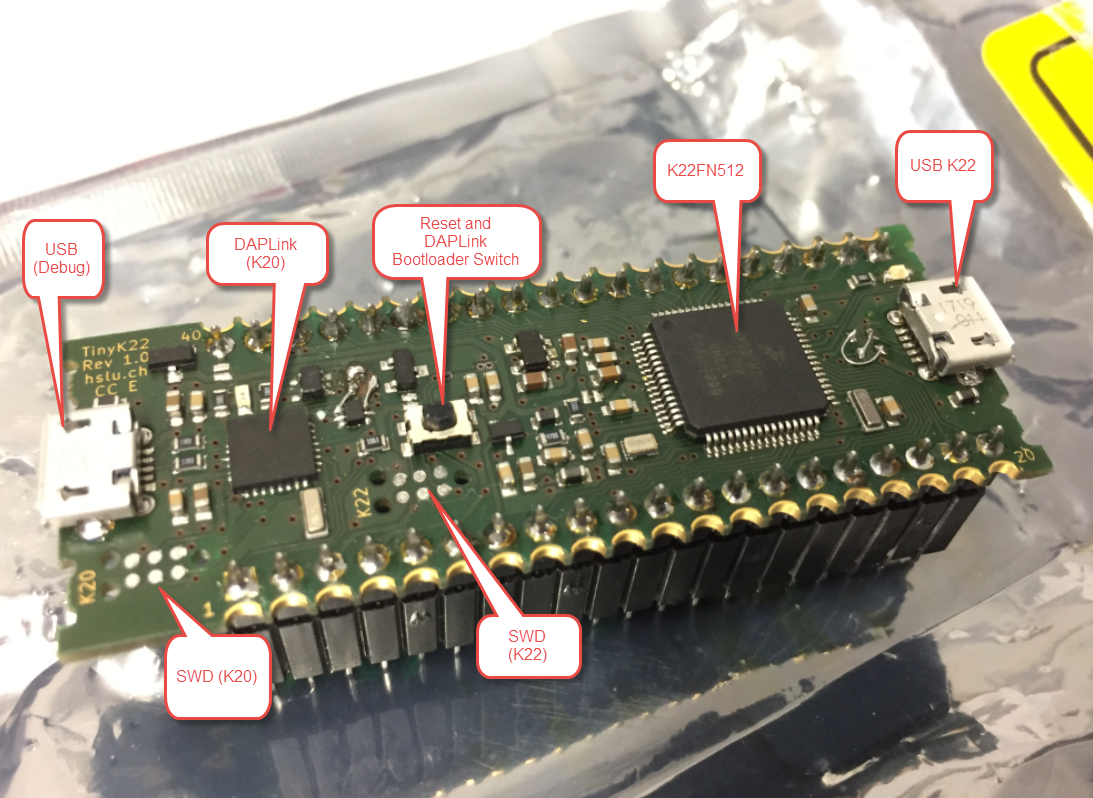
The NXP Freedom boards are very popular. Many of them are inexpensive (less than $20), include a debug interface and can be easily extended with extra shields or boards. Especially the FRDM-KL25Z is very popular: I’m getting told because of Processor Expert and tutorials available on web sites like this one ;-).

Unfortunately there are no small or breadboard friendly Kinetis boards available. There is the NXP LPC800-DIP but with no onboard debugger and without Processor Expert support. We have the tinyK20, but projects tend to use more CPU power, FLASH and RAM space than what the tinyK20 board (50 MHz, 128 KByte FLASH, 16 KByte RAM) can provide. So we ended up designing the big brother of the first tinyK20: the tinyK22 with 120 MHz, 512 KByte of FLASH and 128 KByte of RAM.

tinyK22 Overview

tinyK22 Overview

Continue reading

Eclipse MCUXpresso IDE 10.1 with integrated MCUXpresso Configuration Tools

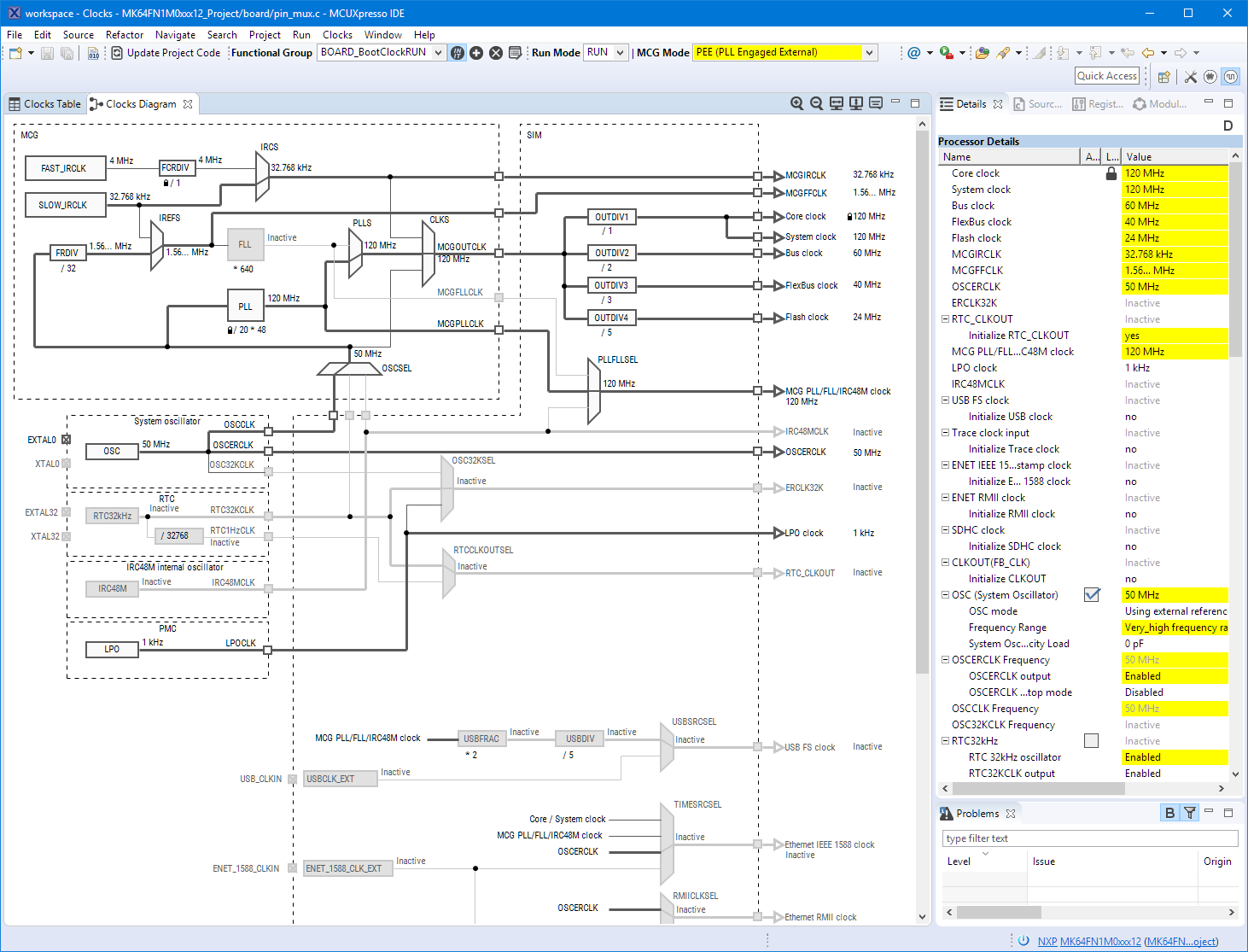
Back in March 2017, NXP had rolled the MCUXpresso IDE starting with Version 10.0.0. With the intent to unify the SDK, LPCXpresso, CodeWarrior, Kinetis Design Studio and Processor Expert into one unified and integrated set of tools. V10.0.0 was a good start. The MCUXpresso IDE V10.0.2 in July was more of a smaller update, and the Pin and Clock configuration tools were not integrated, no added tool for peripheral configuration.

A week ago the MCUXpresso V10.1.0 has been released which shows where the journey is going: an free-of-charge and code size unlimited Eclipse based integrated set of tools to configure, build and debug Cortex-M (Kinetis, LPC and i.MX RT) microcontroller/processor based applications.

Clock Tool inside MCUXpresso IDE

Clock Tool inside MCUXpresso IDE

I have used it for a week, and although many things are still new, I thought I’m able to give an overview about what is new.

Continue reading

Using a Custom Debug Perspective in Eclipse

The MCUXpresso IDE comes with a ‘Develop’ perspective which combines the usual C/C++ and the Debug perspective in one:

MCUXpresso Develop Perspective

MCUXpresso Develop Perspective

Continue reading

Fascinating Details of Waveshare E-Paper Displays

I have used E-Ink displays in projects three years ago, but from that time the technology has greatly evolved. That time displays were hard to get, expensive and difficult to use. Now things seem to change with e-ink displays available to the maker market :-). I’m able to get a 128×296 pixel e-paper display for $10! And for little more money I can have displays with black/white/red colors!

Waveshare 2.9" Displays

Waveshare 2.9″ Displays

Continue reading

Adding a Delay to the ARM DAPLink Bootloader

The ARM mbed USB MSD bootloader which is used on many silicon vendor boards has a big problem: it is vulnerable to operating systems like Windows 10 which can brick your board (see “Bricking and Recovering OpenSDA Boards in Windows 8 and 10“). To recover the board, typically a JTAG/SWD programmer has to be used. I have described in articles (see links section) how to recover from that situation, including using an inofficial new bootloader which (mostly) solves the problem. The good news is that ARM (mbed) has released an official and fixed bootloader. The bad news is that this bootloader does not work on every board because of a timing issue: the bootloader mostly enters bootloader mode instated executing the application.

DAPLink in Bootloader Mode

DAPLink in Bootloader Mode

Continue reading

EmbSysRegView 0.2.6 for NXP Kinetis Design Studio V3.2.0

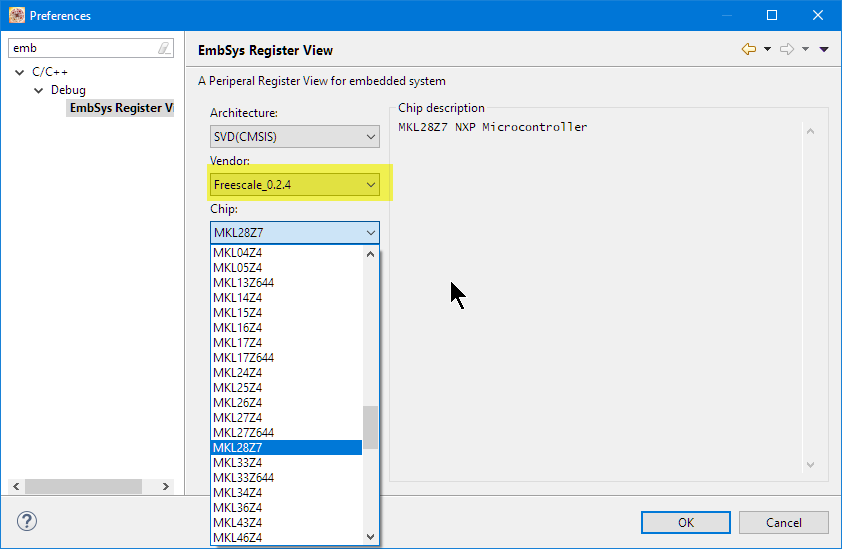
Kinetis Design Studio by default uses an older version of EmbSysRegView. This article explains how to upgrade to the latest and greatest version 0.2.6. And how it is possible to use the latest NXP update for the 0.2.4 version:

Installed Files in Eclipse

Installed Files in Eclipse

Continue reading

Dealing with Eclipse and Very Small Icons on Ultra High Density Displays

More and more these very-very-high-resolution (UHD, Ultra-High-Density) notebook displays show up in my class rooms.These displays have 3100×1800 or even more pixels, making it great for watching high-resolution videos or for playing games (maybe?). But such a high-resolution makes many tools including Eclipse very hard to use, because the toolbar icons get so tiny that they are really hard to hit with a mouse cursor on Windows:

Eclipse Icons with UHD Display

Eclipse Icons with UHD Display

Continue reading

Using Serial Terminal and COM Support in Eclipse Oxygen and Neon

Most of the time I’m using a dedicated terminal program like Termite or PuTTY to connect to a board using virtual or non-virtual COM port. Another way is to use the Eclipse built-in Terminal view: that way no extra program is needed to communicate with a real or virtual COM port to my target device:

Terminal Command Output

Terminal Command Output

Continue reading