McuOnEclipse Releases on SourceForge

When I started the McuOnEclipse project back in 2012, I did not expect that it would create that much of attention :-). So far I’m sharing the project files on GitHub (see “McuOnEclipse goes Git“). GitHub is excellent for sharing sources, but not a good way to share release (binary) files. It is somewhat ok for small/few files, and initially that worked well for the few Processor Expert files (see “Processor Expert Component *.PEupd Files on GitHub“). However, with the amount of components and binary releases, the GitHub repository gets bloated. So I’m performing some maintenance work, and so I’m moving binary releases to a new McuOnEclipse SourceForge site.

McuOnEclipse On SourceForge

McuOnEclipse On SourceForge

Continue reading →

Putting Code of Files into Special Section with the GNU Linker

The GNU Linker (ld) is very, very powerful. This time I wanted to put all my Processor Expert generated code into its own dedicated section. This is useful for example to have a bootloader or a library inside a special area in FLASH. It was not obvious to me how to do this with the linker, with some search on the internet and some trial and errors, I finally managed that. And as always with exploring things, I have learnt something :-). So here is how I’m able to put the code of arbitrary files into its own dedicated section.

Code Section for Generated Code

Code Section for Generated Code

Continue reading →

BBQ Smoker Monitoring Robot

I have to admit: I’m not a vegetarian. I love BBQ, and no offense to vegetarians! Today is perfect day for another BBQ session, and this time I plan to enhance it with electronics. No, not eating electronics, but doing BBQ with a little DIY electronic helper. There are different ways to cook meat on an open fire pit, and each region of the world has its own way to do it. Traditionally, in my area we are ‘grilling’ the meat: high temperature, for a few minutes, done! I like that ‘fast food way’ too, but there is an even better version: Slow food smoking!

I’m gifted that I had the opportunity to experience the Texas BBQ culture: slowly cooking the meat, at low temperature, and ‘smoking’ it: Cooking the meat around 80°C prevents that it gets dry (because the water does not vaporize, see this article on Wikipedia). There are different ways how to do this, but I love the way how it is done at the Salt Lick in Austin/TX with an open fire pit:

BBQ Pit in Austin Texas

BBQ Pit in Austin Texas

Continue reading →

Building Projects with Eclipse from the Command Line

Eclipse has a great user interface (UI). But what if I want to do things from the command line, without the GUI? For example to build one or more projects in the workspace without using the Eclipse UI? With this, I can do automated check-outs and do automated builds.

Performed a command line project build with Eclipse

Performed a command line project build with Eclipse

Continue reading →

GNU Libs with Debug Information: Rebuilding the GNU ARM Libraries

With my DIY tool chain (see “Constructing a Classroom IDE with Eclipse for ARM“) I get a complete tool chain. I do not need to build that tool chain from the sources for Windows, as all the binaries are nicely pre-compiled and made available. But there is one issue I face from time to time: as the libraries provided by ARM do not come with sources and debug information enabled, I end up with that “No source available for …” message in the debugger:

No Source Available

No Source Available

The solution is to grab the C/C++ library sources from the ARM launchpad site and get it built locally the way I need it.

Continue reading →

Eclipse Performance Improvement Tip: Close Unused Projects

Eclipse is not the fastest and snappiest IDE of the world, but in my view the most versatile and open one. And as with any tool: using it the wrong way does not make it better. Sometimes I have students in my classes which complain that Eclipse is slow, even on a decent machine. Looking at their notebook screens and Eclipse workspace usually tells me right away what they are doing ‘wrong’: there are many, many projects open in the workspace, the most I have seen was more than 50 projects (yikes!!!)!

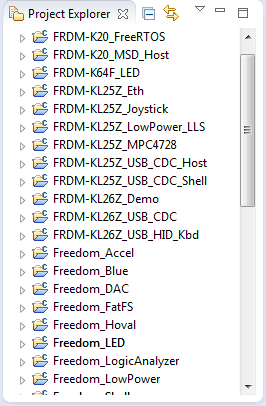
Many many projects open

Many many projects open

Continue reading →

Listing Code and Data Size for each Source File with GNU and Eclipse

I have used the ‘classic’ CodeWarrior IDE for years, before I moved over to Eclipse some years ago. And as with any IDE or tool switch, things are different in the ‘new world’. In summary, I don’t want to go back anyway, and Eclipse is my development tool of choice now. But from time to time I get challenged about something like “hey, this was possible in the previous tool, so how can I do the same in Eclipse?”. As a fan of Eclipse, this then gets my attention as I feel that Eclipse can do it, and it can do it better. 😉

So what about this one: In CodeWarrior the project view lists code and data size for each source file:

Code And Data Size in CodeWarrior

Code And Data Size in CodeWarrior

Continue reading →

printf() and scanf() with GNU ARM Libraries

In “Semihosting with Kinetis Design Studio” I’m using the debugger with semihosting to output text with printf(). But how to use a physical serial connection instead?

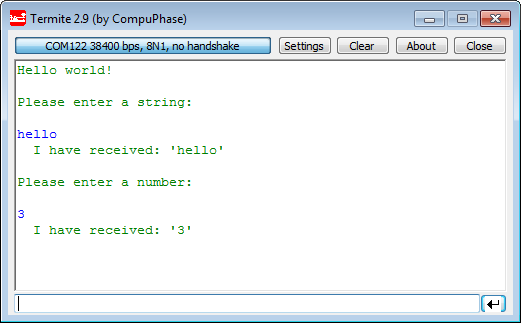
printf() and scanf() in action

printf() and scanf() in action

This post is about how to enable and use printf() and scanf() with GNU ARM libraries. I show it both for the Freescale Kinetis Design Studio (KDS) and for stock Eclipse Kepler with the GNU GCC ARM Embedded (launchpad) toolchain and libraries. The principles are the same, just the details are different ;-).

Continue reading →

Tutorial: DIY Kinetis SDK Project with Eclipse – Board Configuration

In “Tutorial: DIY Kinetis SDK Project with Eclipse – Startup” I showed how to create a Kinetis SDK project from scratch. In this post it is about adding the board initialization files. With the board initialization the peripheral clocks and pin muxing is configured.

MK64FN1M0VLL12 on FRDM-K64F

MK64FN1M0VLL12 on FRDM-K64F

Continue reading →