Using Post-Build feature in Eclipse is a great way to augment a build with all kind of actions. What if the build takes a long time and you want to get notified? One way is to play a sound at the end of the build process.


Using Post-Build feature in Eclipse is a great way to augment a build with all kind of actions. What if the build takes a long time and you want to get notified? One way is to play a sound at the end of the build process.
NXP has released an updated version of the Eclipse based MCUXpresso IDE: the V11.3.1 is an update of the v11.3.0 I wrote about it back in January this year.

The release includes new device support, and beside of bug fixes includes a few new things.
Continue readingThe NXP MCUXpresso IDE has a nice context menu for executing different actions on a binary in the Eclipse Project Explorer View:

What it makes it even nicer: I can configure and use it to do anything I like. For example I can convert files and copy it in one action.
Continue readingIn “Touch & Build: Auto-Update of Firmware Date and Time” I’m using commands as ‘touch’ in a pre-build script with the NXP Eclipse based MCUXpresso IDE. That ‘touch’ command is not a Windows shell command, but common on Linux: it updates the time/date of a file.

Build Step Dialog in MCUXpresso IDE
As a Windows user you might wonder what is about this ‘Linux compatible shell’?
It is very valuable to have a date and time information in the binary. That way for example using a shell I can check the version of the firmware running on a device, or it can be printed on a console or UART as needed.

Firmware Date and Time
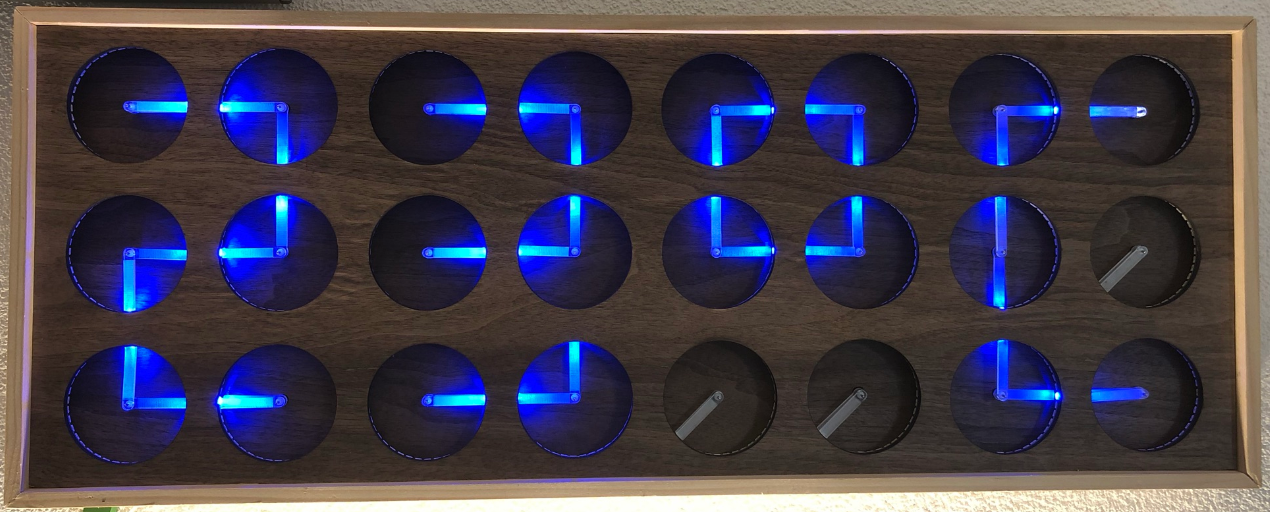
If you are not aware (yet?): it looks like the COVID pandemic caused a global silicon and microcontroller shortage with lead times >50 weeks in some cases. The microcontroller I have used for the MetaClockClock build (see “New MetaClockClock V3 finished with 60 Clocks” and “MetaClockClock V4 for the Year 2021“) is affected by this too, but I had luck and still enough microcontrollers to build a few more boards.
So I still have enough for building a new variant with it (not finished yet). While everyone else is waiting for the devices to arrive, here are more details and instructions for your own build.
One of the most frustrating part developing embedded applications is if the debug connection fails somehow: with all the different factors like operating system, virtual machines, USB ports and hubs, debug probe and firmware a ‘connection failed’ is my nightmare. And this is probably the most frustrating parts for my students (and myself!)
I do have a growing list of tips & tricks in “Debugging Failure: Check List and Hints“, so check this list. What I just have added is an entry for
java.net.SocketException: Connection reset
It occurred for a few students when they wanted to use the on-board CMSIS-DAP LinkServer debug connection on the NXP LPC845-BRK.
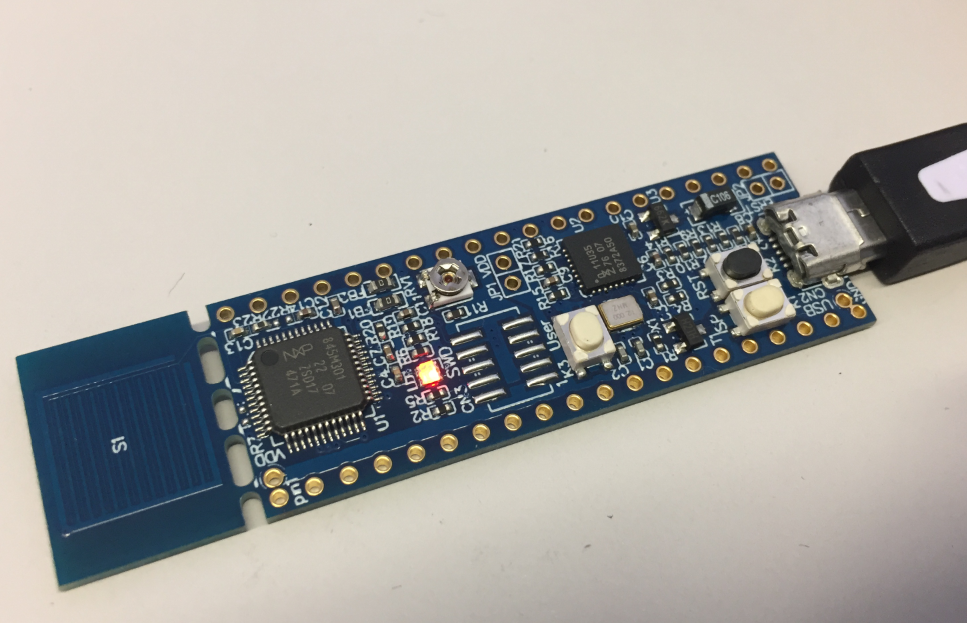
NXP LPC845-BRK Board
If you are developing Linux or desktop applications with GNU tools, you very likely are familiar with gcov: the GNU coverage tool. It collects data what parts of the code gets executed and represents that in different formats, great to check what is really used in the application code or what has been covered during multiple test runs.
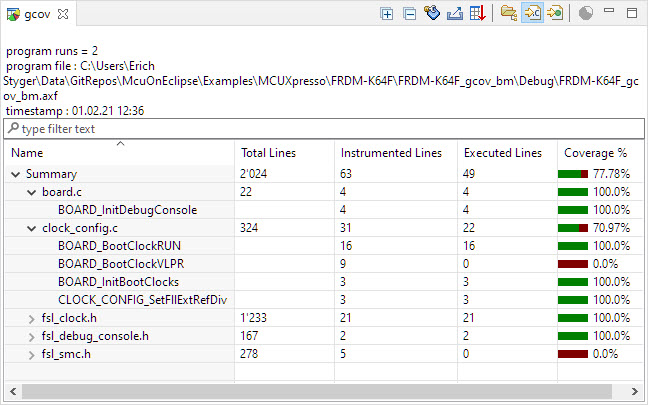
Coverage Information with gcov
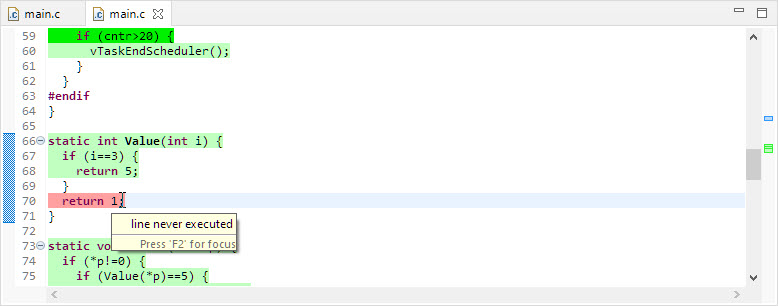
line never executed
GNU coverage is possible for resource constraint embedded systems too: it still needs some extra RAM and code space, but very well spent for gathering metrics and improves the firmware quality. As I wrote in “MCUXpresso IDE V11.3.0 for 2021” things are now easier to use, so here is a short tutorial how to use it.
There are many different aspects of Open Source projects: It is not only about the fact if the sources are available (‘open’). It is about the licensing terms (how permissible is it, what can I do with it), maintenance and continuous development (what has changed between releases), how and where is it delivered (Sourceforge, dedicated distribution, packaging) up to collaboration (how can I contribute or submit issues).
NXP has now published the MCUXpresso SDK on Github:
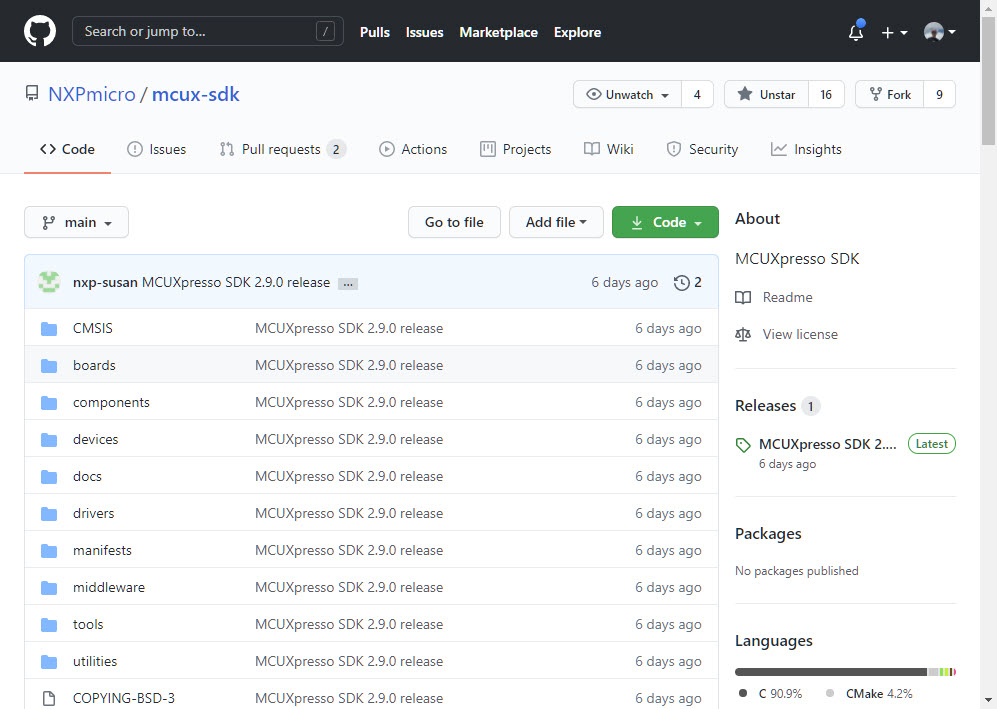
MCUXpresso SDK on GitHub
Something I was waiting for a long time.
It is always good to have a close look what ends up in a microcontroller FLASH memory. For example using EHEP Eclipse plugin to inspect the binary file:

Source File Name in Binary Image
Obviously it has path and source file information in it. Why is that? And is this really needed?
What about:
So let’s have a look what is the reason for this and how it could be avoided or at least reduced.
 MCU on Eclipse